
swaggercheck
You have a Swagger (aka OpenAPI) schema defining an API you provide - but does your API really conform to that schema, and does it correctly handle all valid inputs?


swaggercheck combines the power of hypothesis for property based / fuzz testing with pyswagger to explore all corners of your API - testing its conformance to its specification.
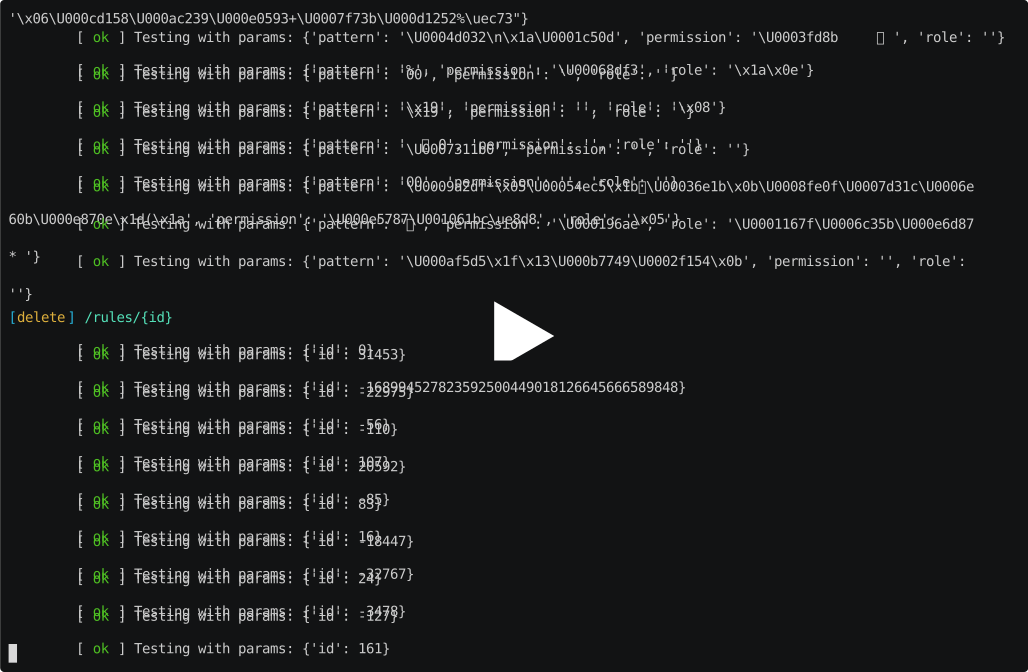
Swagger-conformance
This project is a fork of swagger-conformance by Oliver Pratt and contributors.
The original library worked fine, but missed several options that were important to me (such as basic authentication support from the command line), so I made an adapted version that is breaking the original.
I don't have plans for the moment contributing my changes upstream since it would be a significant effort to have a nice CLI and a nice embeddable library at the same time.
You could use swaggercheck as a library, but the purpose of the tool is to have a nice CLI that can output shiny colors in my terminal or in during CI builds, so most design decisions will be tailored towards this goal.
Purpose
A Swagger/OpenAPI Spec allows you to carefully define what things are and aren't valid for your API to consume and produce. This tool takes that definition, and tries to make requests exploring all parts of the API while strictly adhering to the schema. Its aim is to find any places where your application fails to adhere to its own spec, or even just falls over entirely, so you can fix them up.
This is not a complete fuzz tester of your HTTP interface e.g. sending complete garbage, or to non-existent endpoints, etc. It's aiming to make sure that any valid client, using your API exactly as you specify, can't break it.
Installation
$ pip install swagger-check
Usage
After setup, the simplest test you can run against your API is just the following from the command line:
$ swaggercheck http://example.com/api/schema.json
where the URL should resolve to your swagger schema, or it can be a path to the file on disk.
Configuration
| CLI argument | Environment variable | Default | Description |
|---|---|---|---|
-n N |
SC_TESTS |
20 | Number of tests per endpoint |
-c / --continue-on-error (flag) |
SC_CONTINUE_ON_ERROR |
false | Keep testing endpoints even if one test breaks |
-u username |
SC_BASIC_USERNAME |
Username to use over basic authentication |
|
-p password |
SC_BASIC_PASSWORD |
Password to use over basic authentication |
|
-k |
SC_API_TOKEN |
Token to use over apiKey authentication |
|
-security-name name |
SC_SECURITY_NAME |
force a security scheme if not basic or apiKey |
Note: CLI arguments take precedence over Environment variables
FAQ
Wait, I don't get it, what does this thing do?
In short, it lets you generate example values for parameters to your Swagger API operations, make API requests using these values, and verify the responses.
SSL certificate errors
If the command crashes with the following error:
Unable to connect Swagger client: <urlopen error [SSL: CERTIFICATE_VERIFY_FAILED] certificate verify failed (_ssl.c:847)> and you are using Python3.6 on MacOSX, you might be interested in the following StackOverflow thread: https://stackoverflow.com/a/42334357
1 maintainer

Release files for swagger-check 1.1.1
For a detailed explanation of source distributions (sdists) and built distributions (wheels), please see the package formats documentation.
Source distribution (sdist)
| File | Size | Uploaded | |
|---|---|---|---|
| swagger-check-1.1.1.tar.gz | 34.2 kB | Details |
Release files / swagger-check-1.1.1.tar.gz
| Download URL | swagger-check-1.1.1.tar.gz |
|---|---|
| Size | 34.2 kB |
| Tags | Source |
|
SHA-256 checksum How to use checksums |
d5482ced18044d26bfdf14067aaed7c2f1bda08329cf448075df3da3b63f30d9
|
|
BLAKE2b-256 checksum How to use checksums |
4d6f9fe8de82ab07f7ee2eafa44df7bb6a3990ca51d5e5c312a2b79db8b90894
|
| Upload date | |
|
Uploaded using Trusted Publishing? What is trusted publishing? |
No |
| Uploaded via |
twine/1.13.0 pkginfo/1.5.0.1 requests/2.22.0 setuptools/41.0.1 requests-toolbelt/0.9.1 tqdm/4.32.2 CPython/3.6.3
|














