

Linux activity monitor




Key Features • Getting Started
Key features

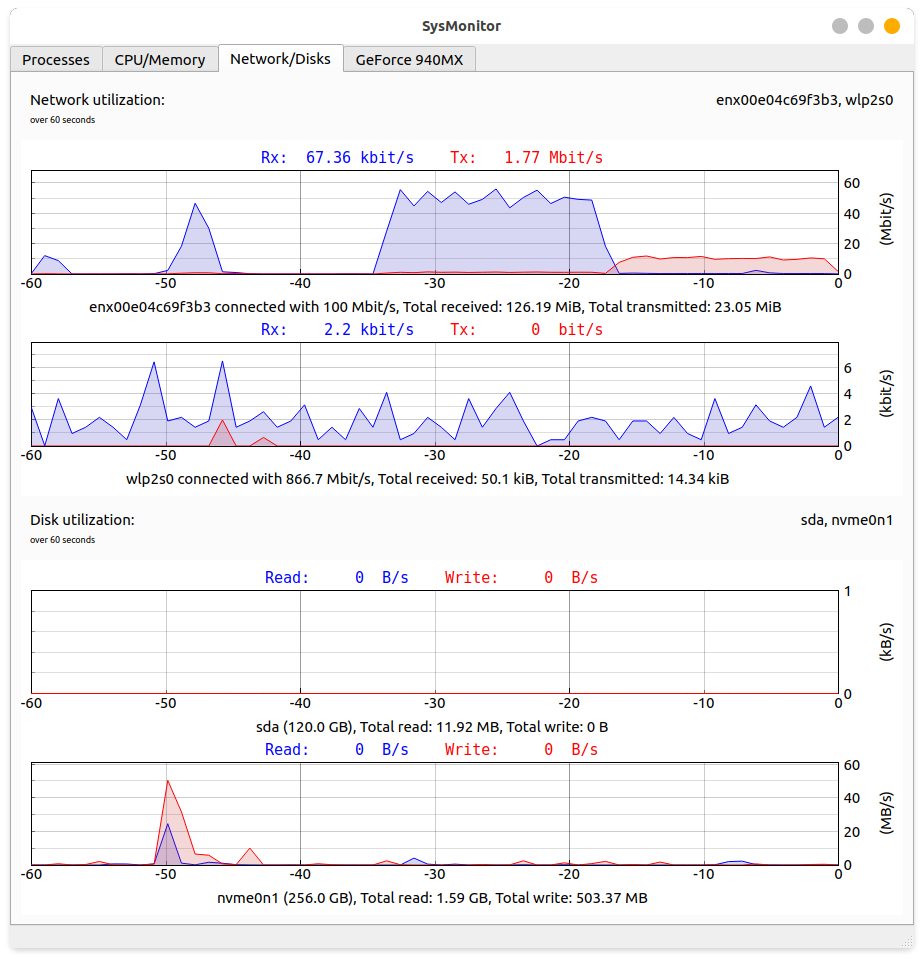
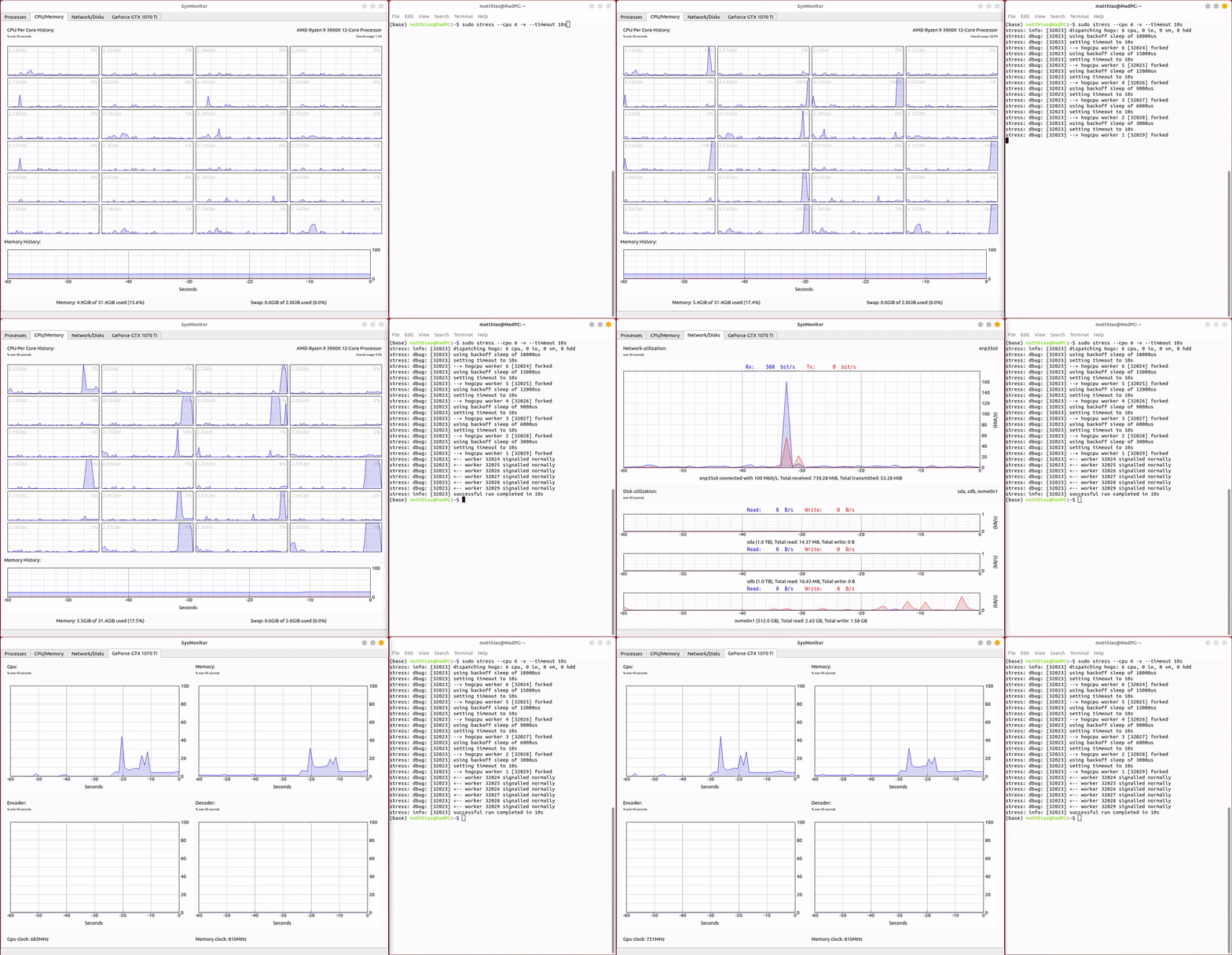
Graphical visualization of the following data:
-
CPU utilization and per core clock speed
-
GPU utilization and clock speed (so far only Nvidia). Should work with multiple GPUs (not tested)
-
Memory and Swap utilization
-
Network utilization (Wlan and Ethernet). Wlan link bandwidth is constantly updated.
-
HDD/SSD utilization.
You can also see an overview of running processes.
Getting Started
I wanted to have a graphical visualization of the load of most physical devices. The system monitor in ubuntu does a great job, but is not displaying HDD and SDD load as well as no GPU load. This tools brings all the information together to one place, similar to task manager in windows.
1. Installation and run
Just simply
pip install sysmon
To run the program, just simply run in your cmd line
sysmon
If you want to monitor your Nvidia GPU, nvidia-smi has to be installed.
Probably you want some shortcut, you can do this with alacarte.
2. Data origin
Most data comes from the /proc directory.
In more detail:
- CPU: /proc/cpuinfo and /proc/stat
- Memory: /proc/meminfo
- Disks: /proc/diskstats
- Network: /proc/net/dev and iwconfig(Wlan)
- GPU: nvidia-smi (if Nvidia GPU)
- Processes: 'ps -aux'
I this choice of data source makes the program usable across multiple linux distributions. (Only tested on Ubuntu 18.04 and 20.04)
3. To do
-
Include support for Intel and AMD GPUs. I don't have any of these GPUs, so unfortunately I can't test it. Maybe I can get my hands on any of these GPUs in the future.
-
Add more information about Wlan connection. (Signal strength etc.)
-
Maybe add public and private IP address somewhere
-
Add more GPU information (Process overview)
-
Add GUI menu to modify parameters such as update interval, capture period etc.
-
Add iowait for each CPU core
-
Add more detailed Memory information (buffer and cache)
-
CPU clock: Sometimes clock for threads on same physical core differ --> I think this is in reality not possible. Maybe calculate average per physical core. Also group threads belonging to the same physical core together and "bond" visually.
-
Add dark mode
-
Make a C/C++ port (probably lower hardware requirements, even though CPU load is low.)
-
Remove Swap entry if no swap is used
-
Remove 'ps -aux' references
-
Add kill button and sort
License
Please see LICENSE file.
1 maintainer

Metadata
1 maintainer
Release files for sysmon 1.0.1
For a detailed explanation of source distributions (sdists) and built distributions (wheels), please see the package formats documentation.
Source distribution (sdist)
| File | Size | Uploaded | |
|---|---|---|---|
| sysmon-1.0.1.tar.gz | 10.1 kB | Details |
Built distribution (wheel)
| File | Interpreter | ABI | Platform | Reset |
|---|---|---|---|---|
| sysmon-1.0.1-py3-none-any.whl | Python 3 | none | any | Details |
Total release size: 22.8 kB
Release files / sysmon-1.0.1.tar.gz
| Download URL | sysmon-1.0.1.tar.gz |
|---|---|
| Size | 10.1 kB |
| Tags | Source |
|
SHA-256 checksum How to use checksums |
601bf8db051345ae7326b403f20f639b4fd5d787db2a5c90595f5cb87a4107fd
|
|
BLAKE2b-256 checksum How to use checksums |
d99e1abcf62c343bda7c5b88cbec8e929c1fee72851d4adece30005e7ad46eb4
|
| Upload date | |
|
Uploaded using Trusted Publishing? What is trusted publishing? |
No |
| Uploaded via |
twine/3.2.0 pkginfo/1.5.0.1 requests/2.22.0 setuptools/50.3.0 requests-toolbelt/0.9.1 tqdm/4.49.0 CPython/3.6.9
|
Release files / sysmon-1.0.1-py3-none-any.whl
| Download URL | sysmon-1.0.1-py3-none-any.whl |
|---|---|
| Size | 12.7 kB |
| Tags | Python 3 |
|
SHA-256 checksum How to use checksums |
3b731e37419c91c070a51cf1a1475b7d5f2d926f4e75bf4a6725a77c21faf678
|
|
BLAKE2b-256 checksum How to use checksums |
89df6d0f04c666fc6e4b168dd3f578849fe1e7519ae5b82f94abb5afc8aa073f
|
| Upload date | |
|
Uploaded using Trusted Publishing? What is trusted publishing? |
No |
| Uploaded via |
twine/3.2.0 pkginfo/1.5.0.1 requests/2.22.0 setuptools/50.3.0 requests-toolbelt/0.9.1 tqdm/4.49.0 CPython/3.6.9
|














