
This release is a pre-release and may not be stable for production use.


TensorBoard is a powerful visualization tool when building machine learning models. However it can quickly become quite unwieldy as the number of model versions and runs increases.
What is TensorBoard Projects
TensorBoard Projects provides a UI to manage Tensorboard runs and allows you to easily:
- Visualize runs for a given model
- Archive Runs
- Delete Runs
- Add metadata to individual runss
- Start TensorBoard dashboard for a subset of model runs
- Write documentation for a model
As the project is still very much in development, please report any issues or features you would like to see added !
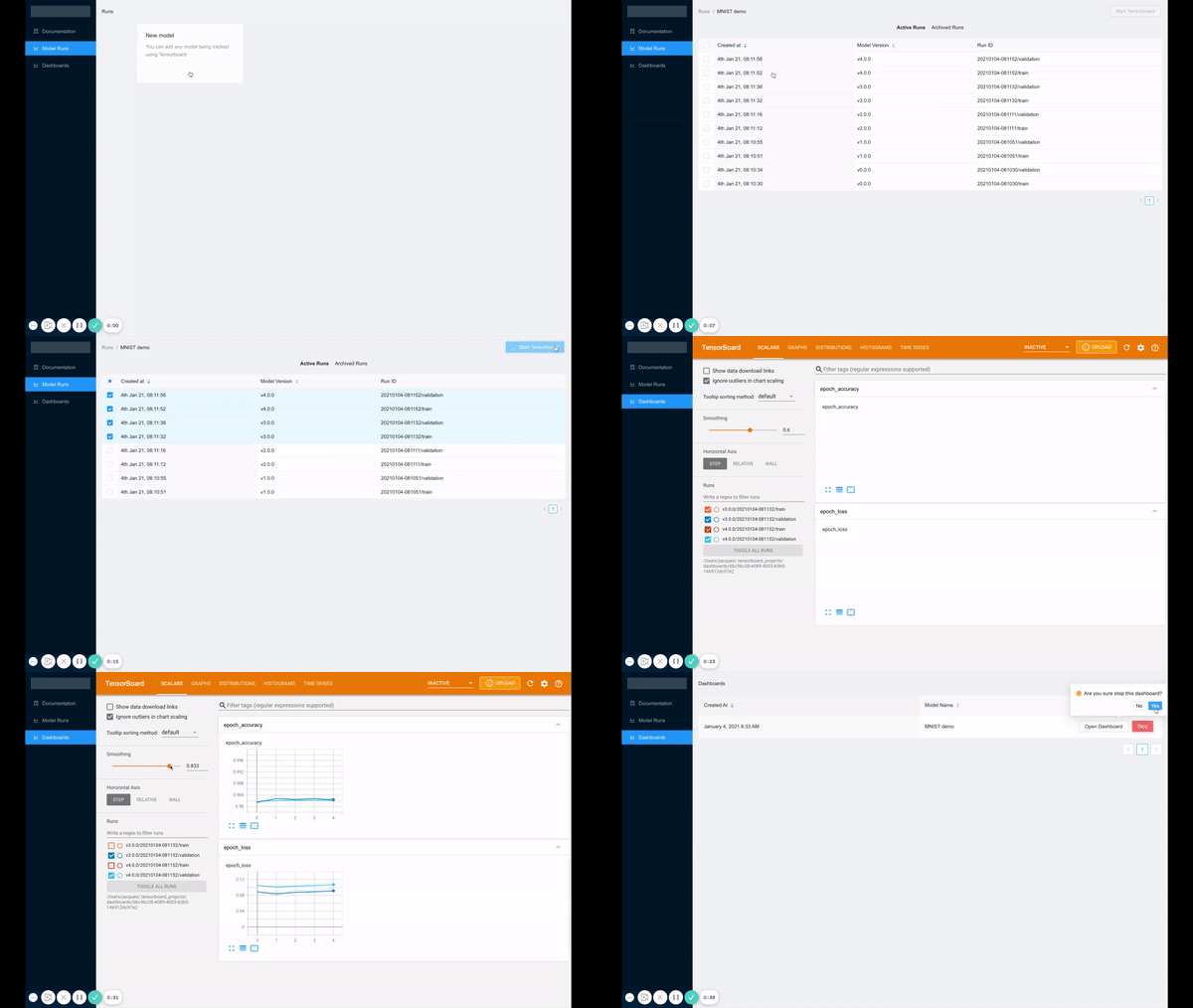
What TensorBoard Projects isn't
TensorBoard projects is not an experiment tracking solution, it simply allows you to better manage TensorBoard runs.
If you are looking for a fully fledgeed experiment tracking solution, you can look into:
- ClearML
- Comet
- MLFlow
- Weights and Biases and others
Using TensorBoard Projects
Tensorboard Projects can be installed from PyPI using pip install tensorboard-projects.
Once Tensorboard Projects is installed, you can start the UI using:
tensorboard-projects ui
In order to assist with running this on a remote machine, the following arguments are supported:
--backend-store-uri: Storage location of metadata, defaults to~/.tensorboard_projects--ip: Host for the API, use 0.0.0.0 to access from a remote machine--port: Port to run UI on remote machien
1 maintainer

Metadata
1 maintainer
Release files for tensorboard-projects 0.0.1rc10
For a detailed explanation of source distributions (sdists) and built distributions (wheels), please see the package formats documentation.
Built distribution (wheel)
| File | Interpreter | ABI | Platform | Reset |
|---|---|---|---|---|
| tensorboard_projects-0.0.1rc10-py2.py3-none-any.whl | Python 3, Python 2 | none | any | Details |
Release files / tensorboard_projects-0.0.1rc10-py2.py3-none-any.whl
| Download URL | tensorboard_projects-0.0.1rc10-py2.py3-none-any.whl |
|---|---|
| Size | 1.7 MB |
| Tags | Python 2 Python 3 |
|
SHA-256 checksum How to use checksums |
ef3dccbe7b00224241f49c8ab967ea99577e071ea0dba25b0569f012ac8cfbe6
|
|
BLAKE2b-256 checksum How to use checksums |
202044fb25d1cffb8fac9d20f962645d2afc3d598eb42e9701fa43ad98d235bd
|
| Upload date | |
|
Uploaded using Trusted Publishing? What is trusted publishing? |
No |
| Uploaded via |
twine/3.3.0 pkginfo/1.7.0 requests/2.25.1 setuptools/47.1.0 requests-toolbelt/0.9.1 tqdm/4.56.0 CPython/3.7.9
|
Security for tensorboard-projects 0.0.1rc10
Provenance
Provenance describes where a file came from. On PyPI, provenance is shared via attestations, which provide a verifiable record of the build or publishing details. View details, limitations and caveats.
No provenance found
None of the files in this release were uploaded with provenance metadata.
A note on package security
PyPI is a repository for distributing packages, not a service for auditing them. While third-party security researchers and our staff do their best to detect and remove malicious packages, PyPI cannot guarantee the quality, security or suitability of any given package.
To learn more about protecting yourself from malicious actors, visit our package security documentation.














