
Track Earth-orbiting satellites from your terminal

Project description
Track orbiting objects (such as the International Space Station) in your terminal!
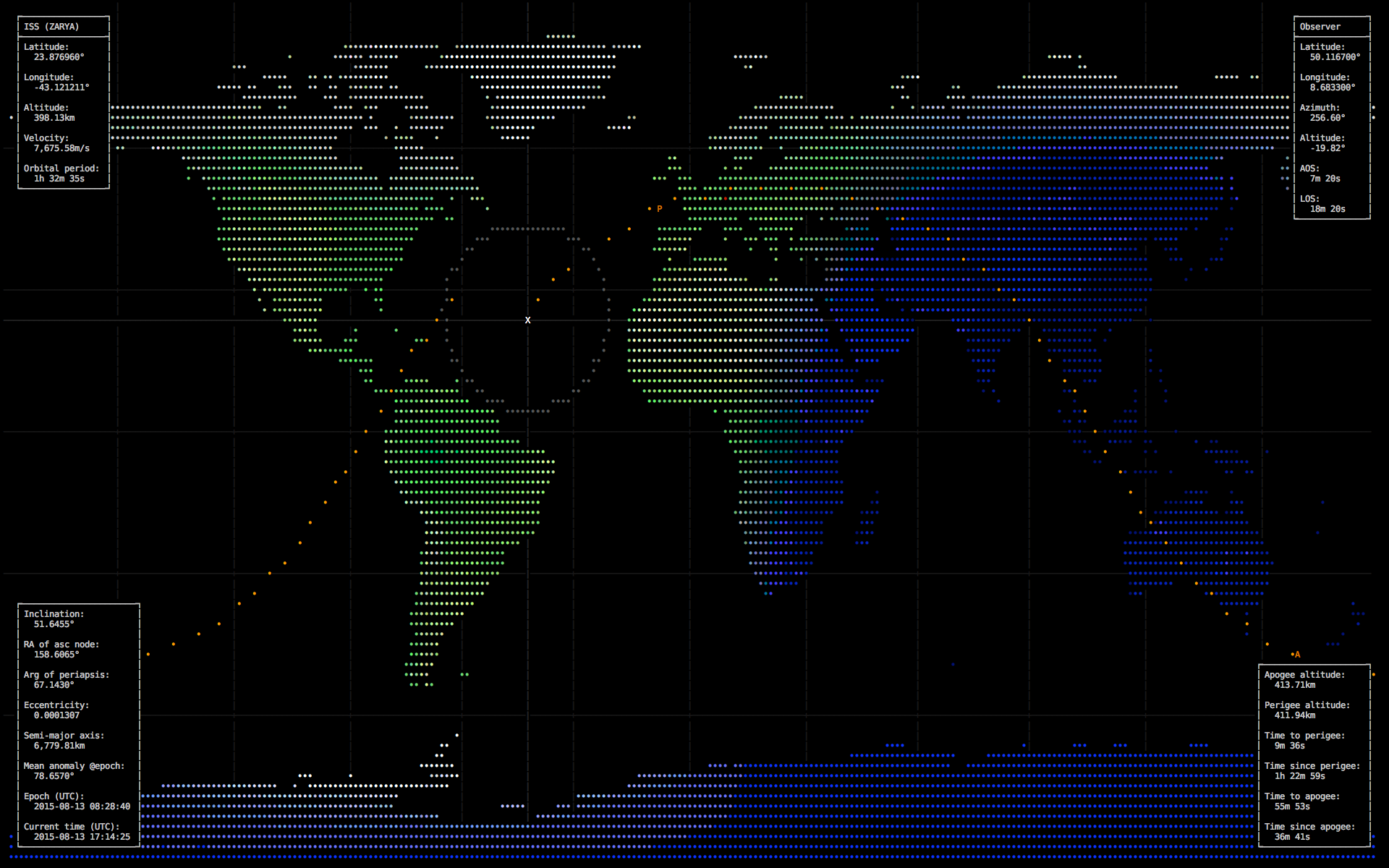
Requires a terminal with 256 colors. A black background is highly recommended.
pip install termtrackUsage: termtrack [OPTIONS] [SATELLITE]
Shows a world map tracking SATELLITE. Valid values for SATELLITE are
numbers from http://www.celestrak.com/NORAD/elements/master.asp (for
your convenience, "iss" or "tiangong" are also allowed).
Hotkeys:
i Toggle info panels
q Quit
Options:
--apsides Draw apoapsis and periapsis markers
-b, --body BODY Which celestial body to draw: Earth, Moon or Mars
(defaults to Earth)
-c, --crosshair Draw crosshair around satellite location
-f, --fps N Frames per second (defaults to 1)
-N, --no-night Don't shade night side
-o, --orbits N Draw this many orbits ahead of the satellite
-O, --observer 'LAT LON' Space-separated latitude and longitude of an
observer; overrides IP-geolocation
-r, --orbit-res [/]N Set distance of orbit markers: 'N' means N
minutes, '/N' means 1/Nth of orbital period
(defaults to /70)
-T, --no-topo Disable rendering of topographical features
-Y, --no-you Don't auto-detect your location as observer
--version Show version and exit
--help Show this message and exitCredit goes to vain/asciiworld for inspiration.



Release history Release notifications | RSS feed


Download files
Download the file for your platform. If you're not sure which to choose, learn more about installing packages.
Source Distribution
termtrack-0.3.0.tar.gz
(88.2 kB
view details)
Built Distribution
Filter files by name, interpreter, ABI, and platform.
If you're not sure about the file name format, learn more about wheel file names.
Copy a direct link to the current filters
termtrack-0.3.0-py2-none-any.whl
(76.4 kB
view details)
File details
Details for the file termtrack-0.3.0.tar.gz.
File metadata
- Download URL: termtrack-0.3.0.tar.gz
- Upload date:
- Size: 88.2 kB
- Tags: Source
- Uploaded using Trusted Publishing? No
File hashes
| Algorithm | Hash digest | |
|---|---|---|
| SHA256 |
988762d8eb0f490f924ce3b23df04b49161fd71695731c2041151baad4424ff9
|
|
| MD5 |
268308036981a91aa794677ec28bbe69
|
|
| BLAKE2b-256 |
aa56c09fd626c63f5a75a8c580c2f37c275e0579075beaecce11a13a851a0ce4
|
File details
Details for the file termtrack-0.3.0-py2-none-any.whl.
File metadata
- Download URL: termtrack-0.3.0-py2-none-any.whl
- Upload date:
- Size: 76.4 kB
- Tags: Python 2
- Uploaded using Trusted Publishing? No
File hashes
| Algorithm | Hash digest | |
|---|---|---|
| SHA256 |
fc90b3ad7d5264f2ad51ef2073000e051626adba4639e740e3b37c86eef96b5c
|
|
| MD5 |
dea1979a74b1ddbf4d3c53f882a37498
|
|
| BLAKE2b-256 |
37f7ee327b90838e7b2b70b00c6cdb0beb20372c139b18fa9b399d7ff3573c36
|






