






TestCasesExecutor
Execute configured groups of TestCases (subclasses of unittest.TestCase), display human readable result in terminal, ordered by group and testcase, and generate a html file report.
Install
$ pip install testcases_executor
This also install Jinja2 used to generate html report.
Config
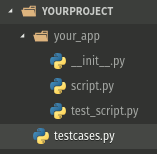
Create a file named testcases.py in the root directory of your project.
Inside it, import yours TestCases and make a list (or tuple) named groups that is made up of tuples, each representing a group. For example:
from your_app.test_script import TCaseOne, TCaseTwo, TCaseThree, TCaseFour
groups = [  # or (
    ('Group one', 'one', [TCaseThree, TCaseTwo]),  # or (TCaseThree, TCaseTwo)),
    ('Group two', 'two', [TCaseOne, TCaseFour]),  # or (TCaseOne, TCaseFour)),
]  # or )
Constraints
-
groups must be a list or a tuple.
-
groups's item (group's representation) must be a tuple.
-
each tuple must contain 3 items:
- group's name must be a string.
- argument's name used to run all group's testcases string without space.
- unittest.TestCase subclasses must be a list or a tuple.
-
group and argument names, unittest.TestCase subclass must used once.
Usage
$ python -m testcases_executor
This run all tests, display result in terminal before generate, in the root directory, the html report file named tc_executor_report.html. It's possible to customize the command with following availabe arguments.
Available arguments
-
Options
- -h, --help: display help message.
- -o, --open: open html report in browser after test.
-
Tests selection
- -group_argument_name: run all group's testcases's tests.
- -TestCaseName:(without parameter) run all testcase's tests.
- -TestCaseName:(with test's names in parameter) run desired tests.
Some examples:
$ python -m testcases_executor -two
$ python -m testcases_executor -one -TCaseFour -o
$ python -m testcases_executor -TCaseTwo test_one -TCaseOne test_three
...
Result's screenshots
Terminal
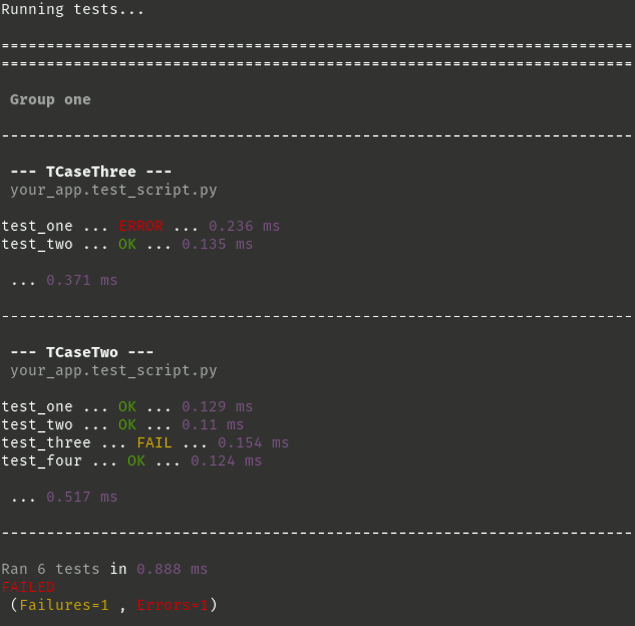
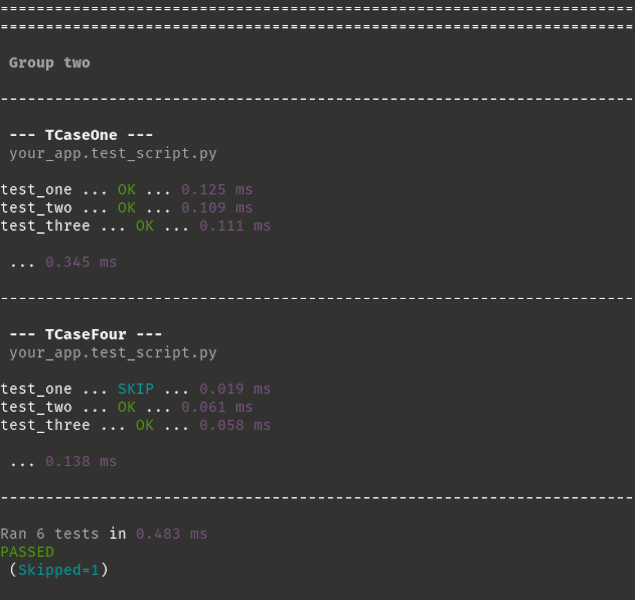
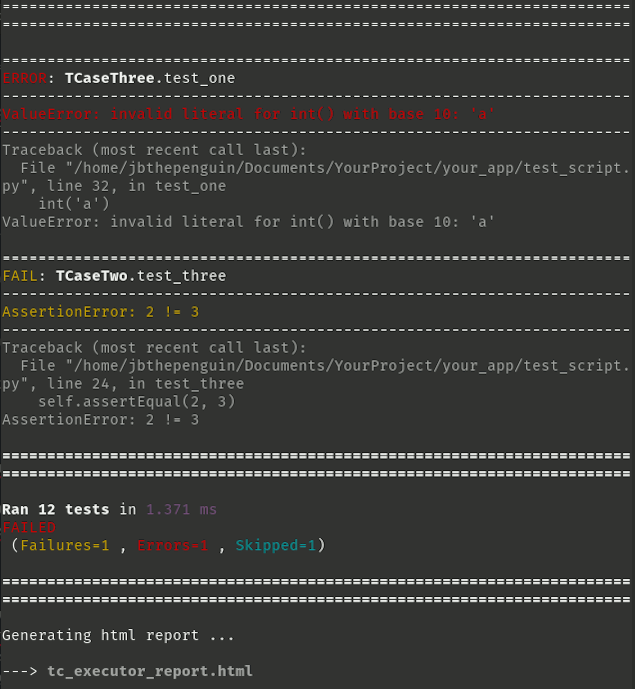
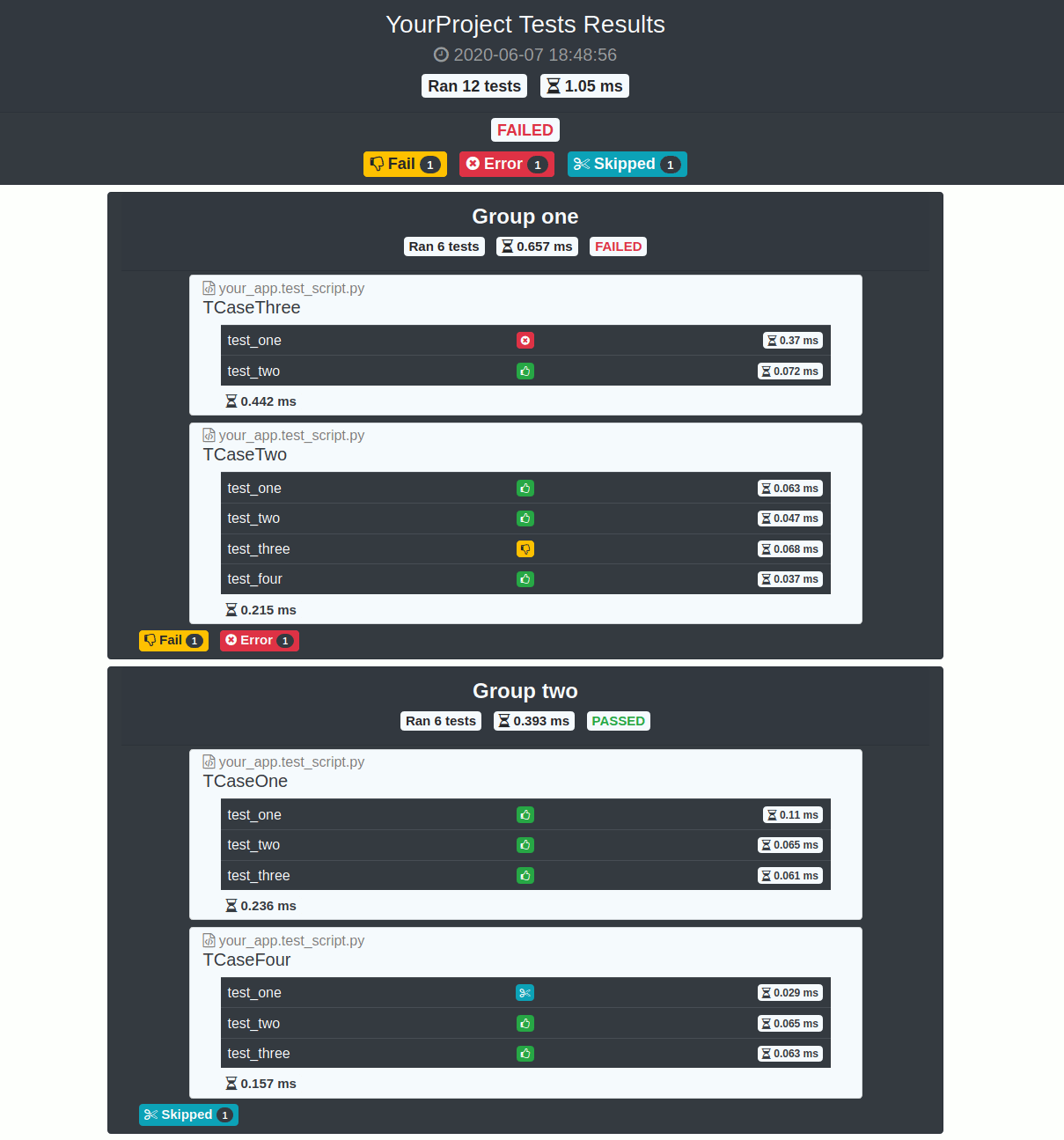
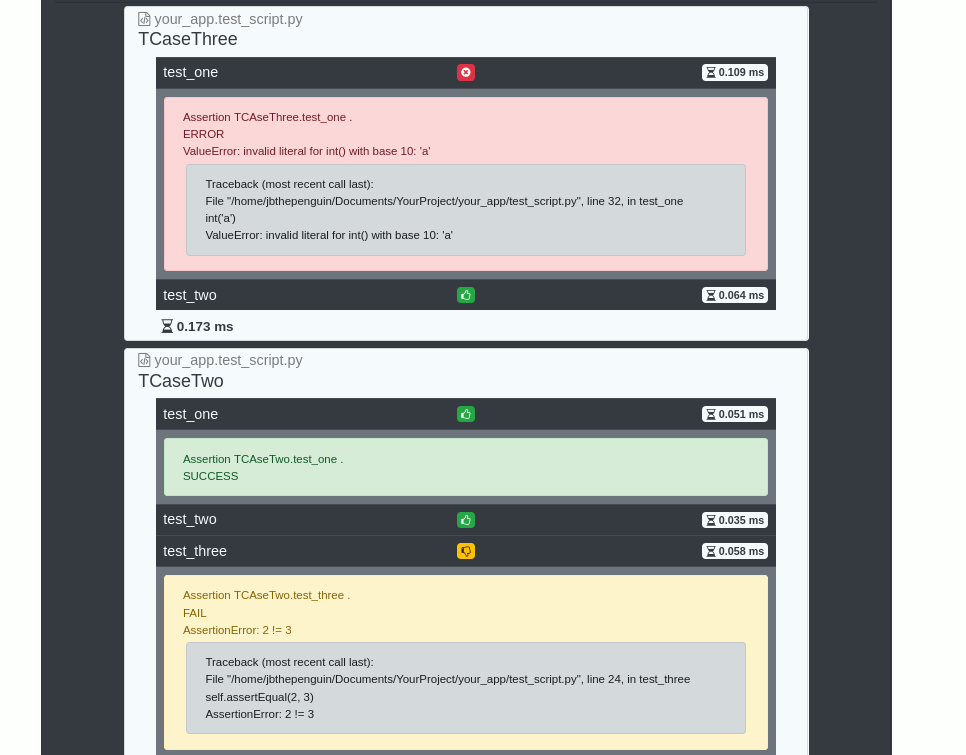
Html Report
It use Bootstrap4, jQuery and Fontawesome icons (via stackpath cdn).
Click on table's lines to see tests's infos.
Test
For the same reasons that meeting your future self would cause a spacio temporal shock, testing a tester using this same tester would cause a spacio testorial shock. So above all, don't.
Run testcases_executor.tests, using unittest:
$ python -m unittest testcases_executor.tests -v
:+1: HtmlTestRunner was a great inspiration, so thank you for that.
1 maintainer

Metadata
1 maintainer
Release files for testcases-executor 1.0.0
For a detailed explanation of source distributions (sdists) and built distributions (wheels), please see the package formats documentation.
Source distribution (sdist)
| File | Size | Uploaded | |
|---|---|---|---|
| testcases_executor-1.0.0.tar.gz | 29.1 kB | Details |
Built distribution (wheel)
| File | Interpreter | ABI | Platform | Reset |
|---|---|---|---|---|
| testcases_executor-1.0.0-py3-none-any.whl | Python 3 | none | any | Details |
Total release size: 80.3 kB
Release files / testcases_executor-1.0.0.tar.gz
| Download URL | testcases_executor-1.0.0.tar.gz |
|---|---|
| Size | 29.1 kB |
| Tags | Source |
|
SHA-256 checksum How to use checksums |
b069e80727bad3e9ebae6486f80b88f7e7a779ae5dee222117d16665894391ff
|
|
BLAKE2b-256 checksum How to use checksums |
c66a36d9647c396349ad38827174ab309d598344a3e1ebdf78886686c12f2c77
|
| Upload date | |
|
Uploaded using Trusted Publishing? What is trusted publishing? |
No |
| Uploaded via |
twine/3.1.1 pkginfo/1.5.0.1 requests/2.22.0 setuptools/45.2.0 requests-toolbelt/0.9.1 tqdm/4.46.1 CPython/3.8.2
|
Release files / testcases_executor-1.0.0-py3-none-any.whl
| Download URL | testcases_executor-1.0.0-py3-none-any.whl |
|---|---|
| Size | 51.2 kB |
| Tags | Python 3 |
|
SHA-256 checksum How to use checksums |
b56ba43500ead9ee94acd41543b9a44c328198d08e0970d1b26599ffdf3ca316
|
|
BLAKE2b-256 checksum How to use checksums |
3e83b6830d01023b120a4bd18dd30fae8f790f9db6ad5967be4a24947e3db027
|
| Upload date | |
|
Uploaded using Trusted Publishing? What is trusted publishing? |
No |
| Uploaded via |
twine/3.1.1 pkginfo/1.5.0.1 requests/2.22.0 setuptools/45.2.0 requests-toolbelt/0.9.1 tqdm/4.46.1 CPython/3.8.2
|













