

Timezones CLI
CLI toolkit for timezones:zap:




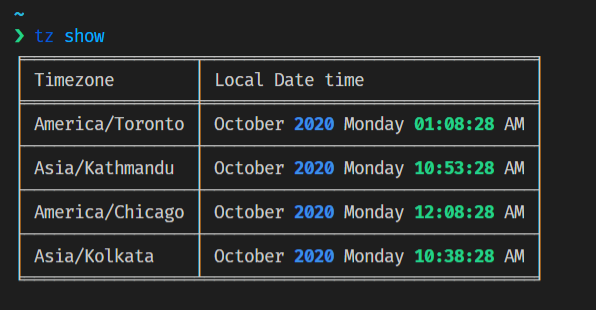
What can you do with timezones-cli? :sparkles:
- Search for date and time based on city, country, or timezones.
- Manage dashboard for timezones you frequently view.
- Get UTC date and time based on your local timezone or any timezones.
Contents
Installation
$ pip3 install timezones-cli
To run this CLI using Docker, check Run using Docker :whale:.
NOTE: List of country codes or timezone names :earth_asia:
Use
-tflag to toggle 24 hours format.
Usage
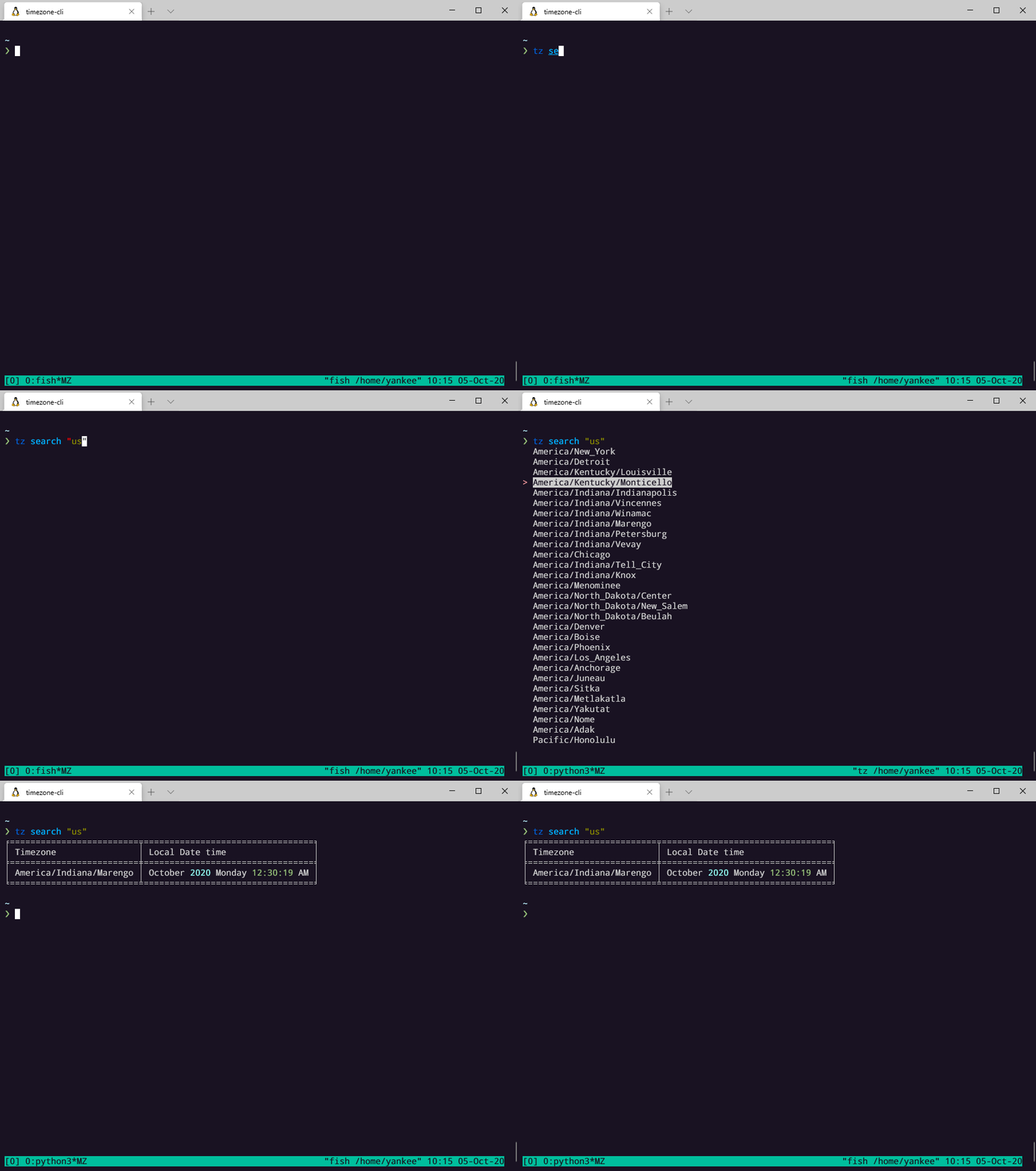
Search for timezones
Get time based on the entered timezone or country code
-
using country code (either 2 or 3 letters):
  $ tz search US

  $ tz search USA
-
using timezone:
$ tz search Asia/Kathmandu
-
using fuzzy text: (example: Ireland)
$ tz search Irela
-
using timezone shortcodes (--zone or -z flag):
  $ tz search pst -z

  $ tz search ist -z

  $ tz search jst -z

  $ tz search cest -z

  $ tz search +0543 -z

  $ tz search +05 -z
Demo
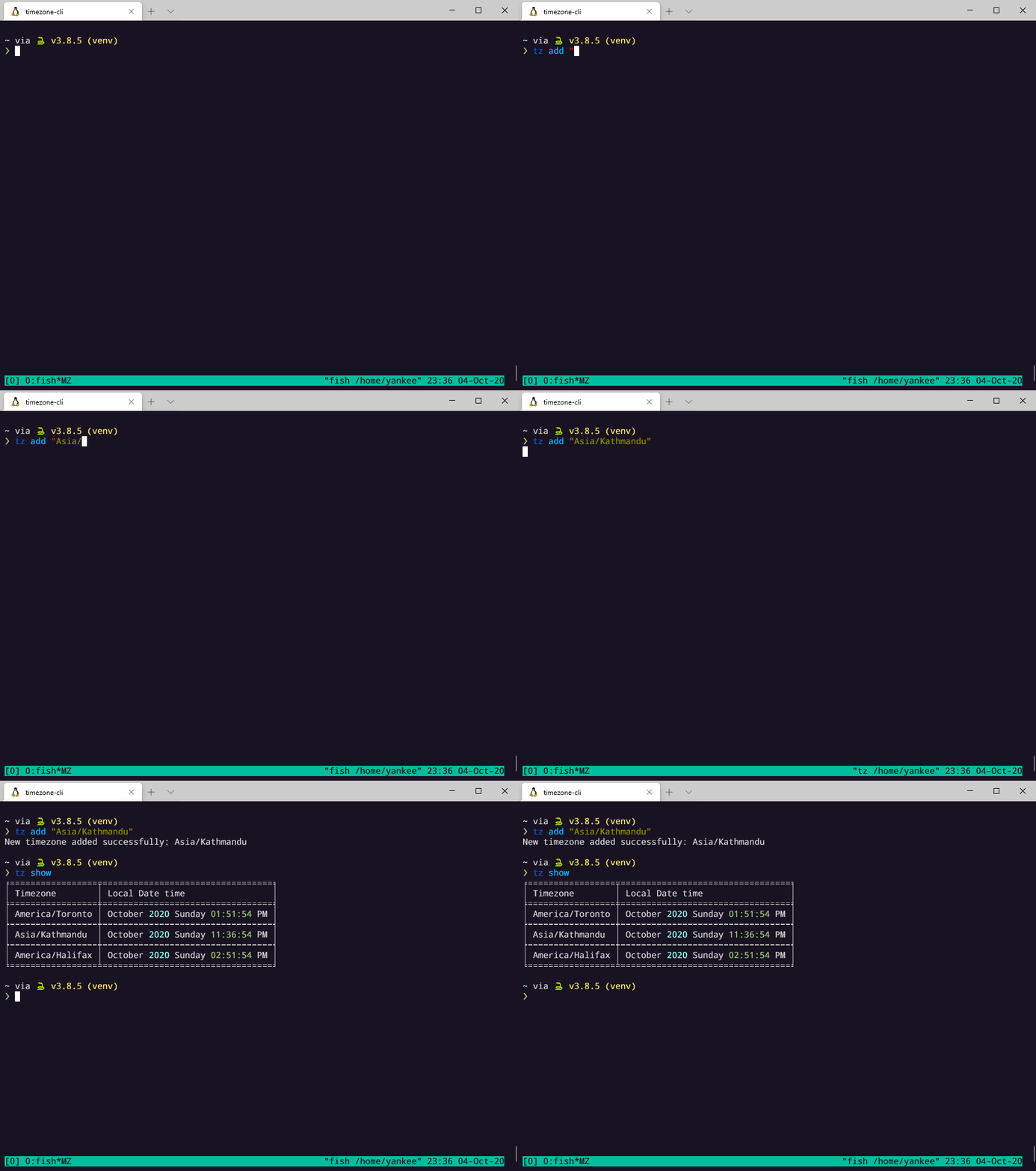
Add/save timezones
Timezones added to the config file are treated as the default timezones which is triggered by the tz show command.
file is stored at ~/.tz-cli
$ tz add "Asia/Kathmandu"
Demo
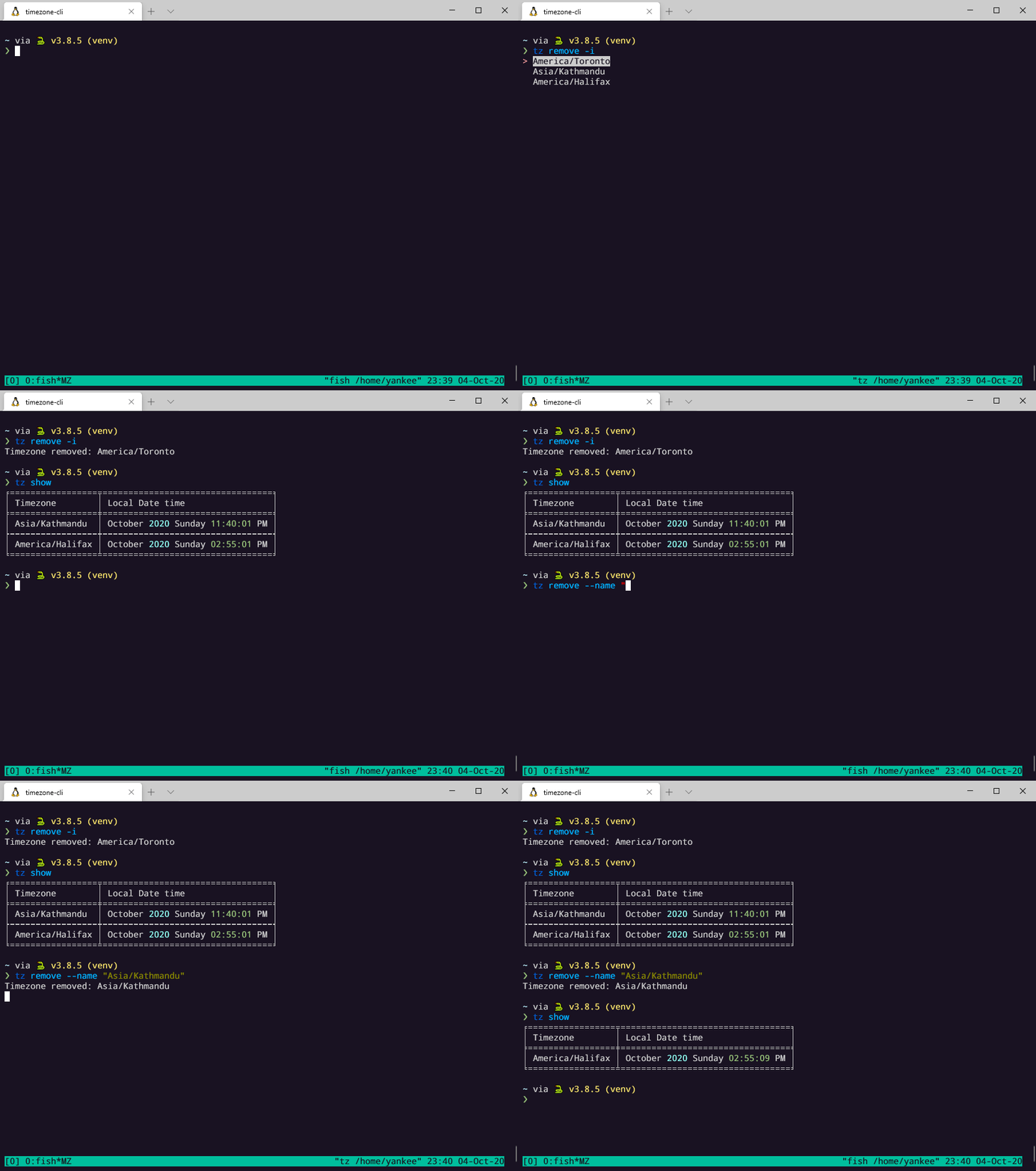
Remove timezones
There are two ways for removing timezones from the config file. Using the --interactive mode and passing the the --name flag.
$ tz remove -i

$ tz remove --name "Asia/Kathmandu"
Demo
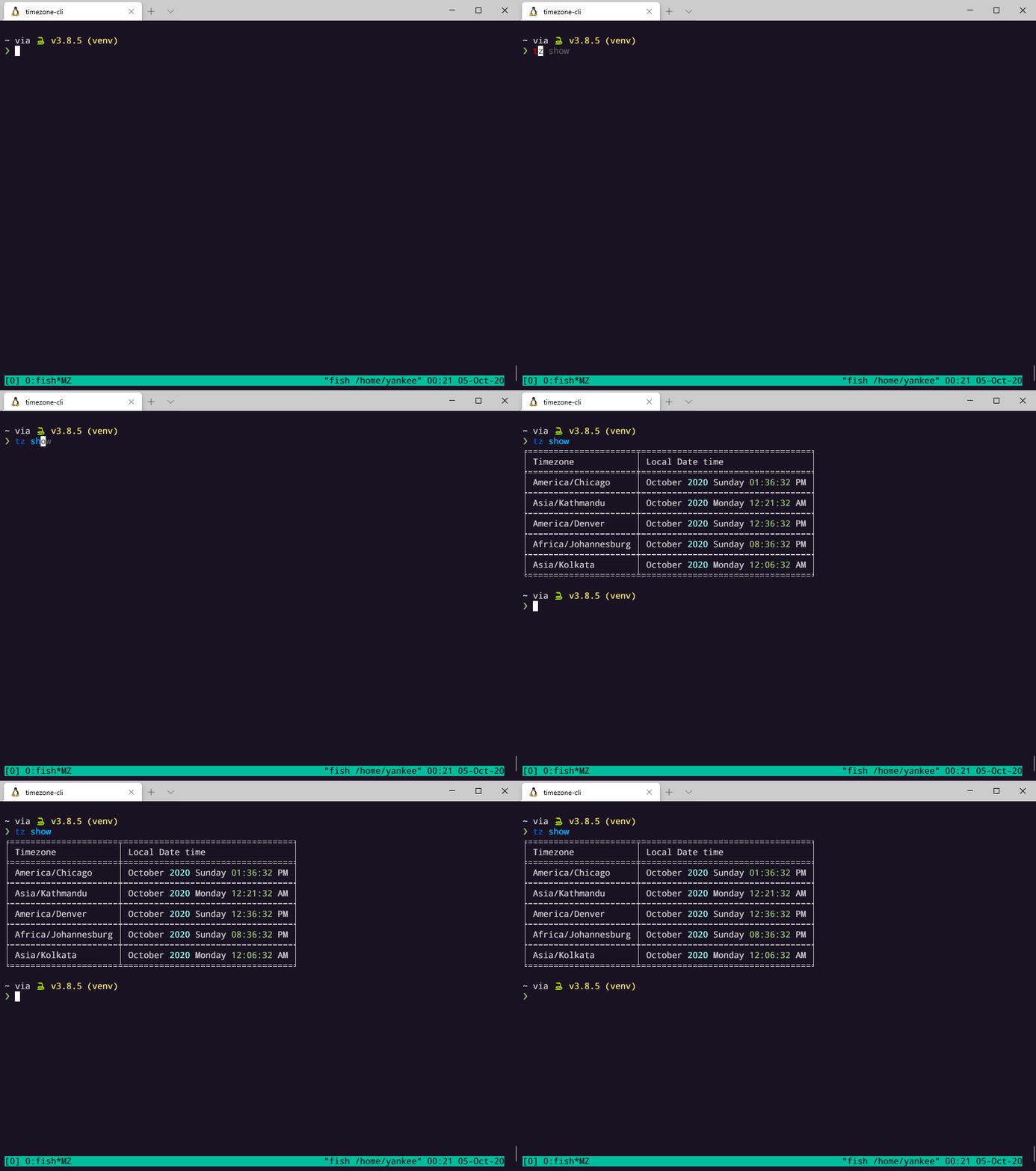
Show saved timezones
$ tz show
Demo
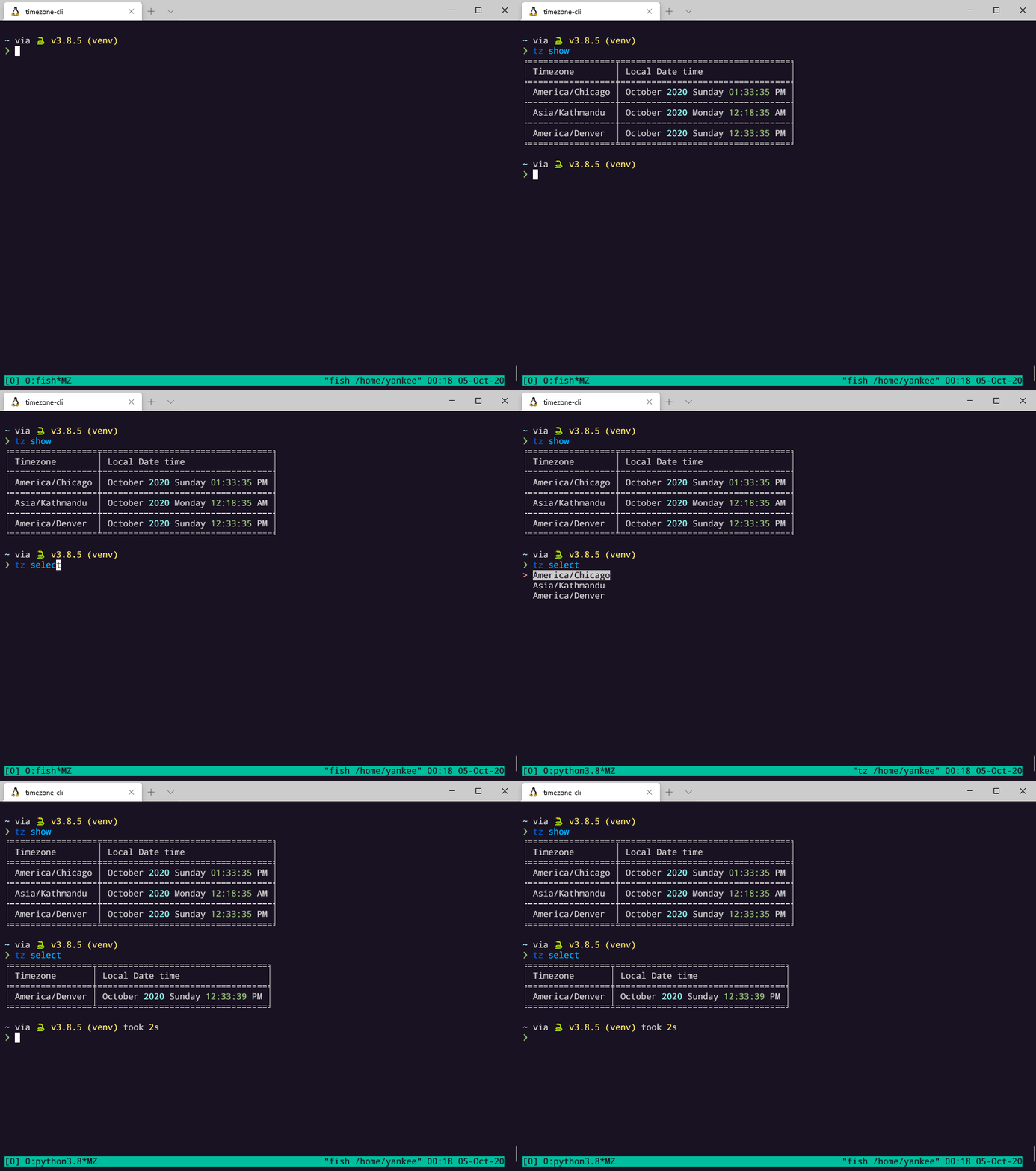
Select individual timezones from saved
$ tz select
Demo
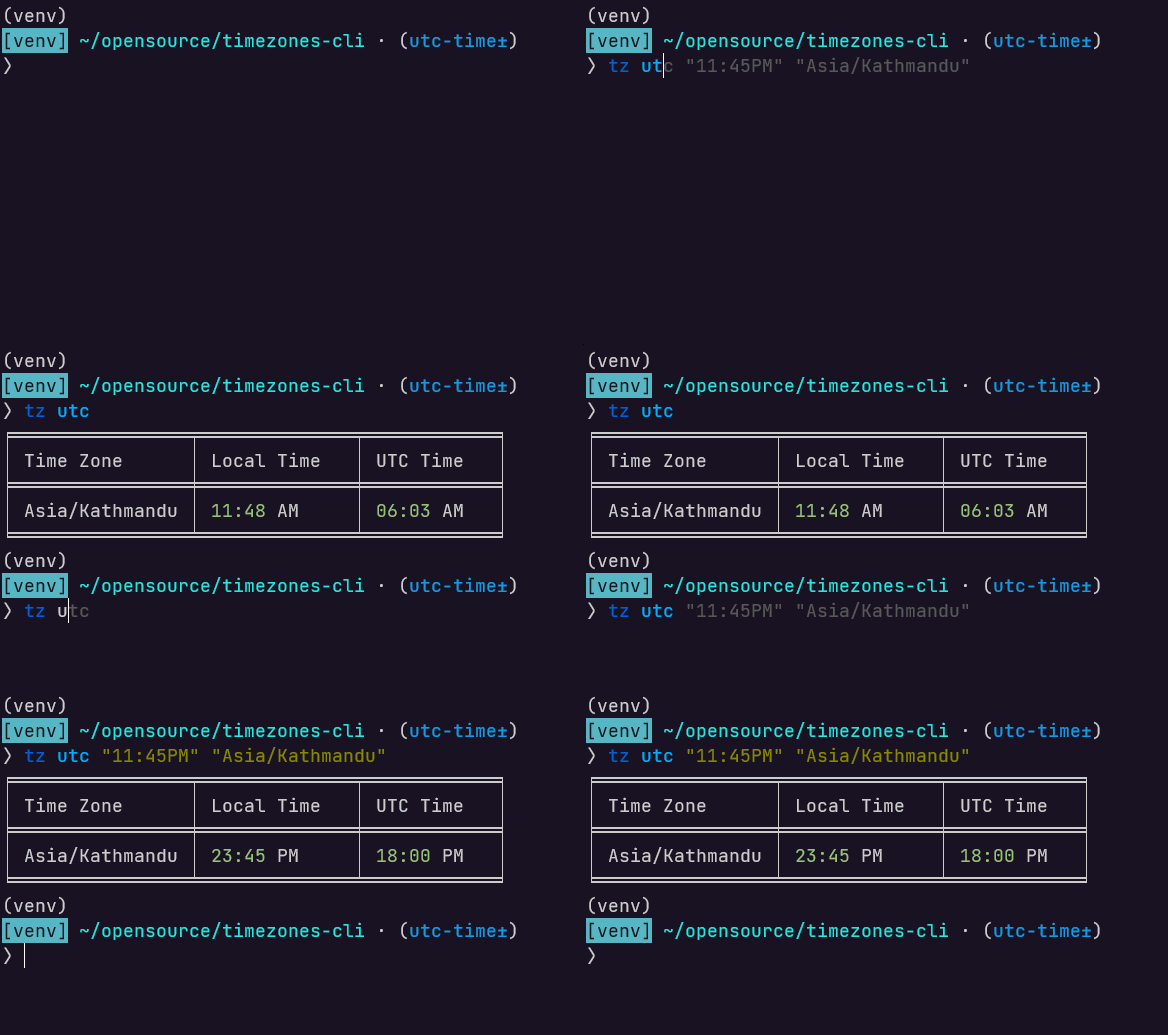
Get UTC time
Get UTC time based on current system time.
tz utc --help
$ tz utc
Get UTC time based on specified time and timezone.
$ tz utc <time> <timezone>

$ tz utc "11:45PM" "Asia/Kathmandu"
Demo
Run using Docker :whale:
docker pull ghcr.io/yankeexe/timezones-cli:latest
Verify signature of the image: requires cosign.
COSIGN_EXPERIMENTAL=true cosign verify ghcr.io/yankeexe/timezones-cli:latest
Create a config file manually first.
$ touch ~/.tz-cli

$ docker run --rm -it -v ${HOME}/.tz-cli:/home/tz/.tz-cli ghcr.io/yankeexe/timezones-cli search us
For convenience you can add alias of the command to your shell config:
$ echo "alias tz='docker run --rm -it -v ${HOME}/.tz-cli:/home/tz/.tz-cli ghcr.io/yankeexe/timezones-cli'" >> ~/.bashrc
$ source ~/.bashrc

$ echo "alias tz='docker run --rm -it -v ${HOME}/.tz-cli:/home/tz/.tz-cli ghcr.io/yankeexe/timezones-cli'" >> ~/.zshrc
$ source ~/.zshrc

# Use alias to invoke timezones-cli
$ tz search Nepal
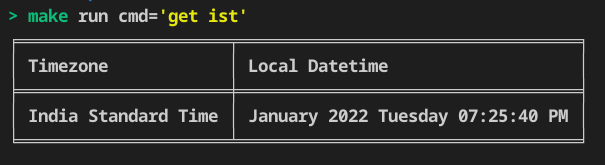
For local debugging: Use the make run command followed by the command you want to run against the tz binary.
$ make run cmd="get ist"
Demo
Contributing
For guidance on setting up a development environment and how to make a contribution to timezones-cli, see the contributing guidelines.
1 maintainer

Metadata
1 maintainer
Release files for timezones-cli 0.3.8
For a detailed explanation of source distributions (sdists) and built distributions (wheels), please see the package formats documentation.
Built distribution (wheel)
| File | Interpreter | ABI | Platform | Reset |
|---|---|---|---|---|
| timezones_cli-0.3.8-py3-none-any.whl | Python 3 | none | any | Details |
Release files / timezones_cli-0.3.8-py3-none-any.whl
| Download URL | timezones_cli-0.3.8-py3-none-any.whl |
|---|---|
| Size | 14.6 kB |
| Tags | Python 3 |
|
SHA-256 checksum How to use checksums |
b010b6f88792cf97a83269fa20923b4984f1c9476b6efa8c7587ad59579c5d6b
|
|
BLAKE2b-256 checksum How to use checksums |
1f9de8ba48847909dcfd1dcee5a95558b6af33147bf9067cd4144d99410a45ca
|
| Upload date | |
|
Uploaded using Trusted Publishing? What is trusted publishing? |
No |
| Uploaded via |
twine/6.1.0 CPython/3.12.9
|














