
Windows Terminal Emulator
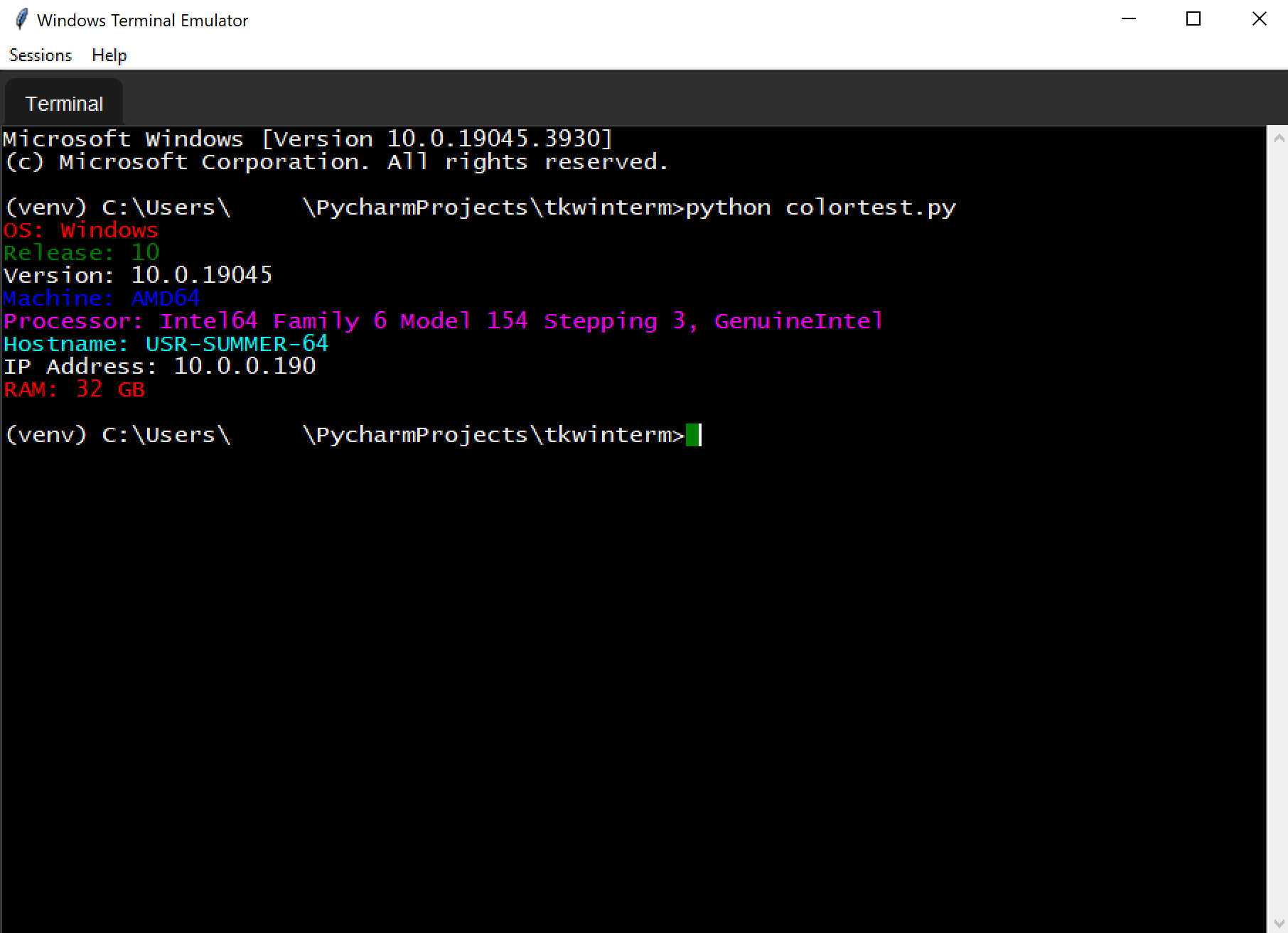
This project is a fully functional terminal emulator application for Windows.
Features
- Local terminal emulation on Windows.
- Tabbed interface for managing multiple terminal sessions.
- Support for text-based UI applications like
VIMandhtopwill work when ssh'd to a linux host. - Customizable appearance and behavior.
Screen Shots
Libraries Used
tkinter: Standard GUI toolkit for Python used for the application interface.pyte: A simple VTXXX-compatible terminal emulator library used for interpreting escape sequences and managing the terminal state.uuid: For generating unique identifiers for terminal sessions.threading: For managing concurrent operations.winpty: A Windows software package providing an interface to the Windows pseudo terminal (WinPTY).
Key Classes
App: The main application class that initializes the GUI, manages terminal tabs, and handles user interactions.Terminal: A class representing a single terminal instance. It handles the rendering of the terminal screen, input events, and terminal resizing.WinPtyHandler: This class manages the interaction with the local Windows command line, encapsulating the functionality provided by WinPTY.KeyHandler: A utility class for interpreting keyboard input and sending it to the terminal.
Methodology
The core of the terminal emulation is handled by pyte. Here's how it's integrated into our application:
-
Terminal Output Handling: When output from the command line is available, it is fed into
pyte'sByteStreamobject.pyteinterprets this data, which includes processing escape sequences and maintaining an in-memory representation of the terminal's screen. -
Screen Rendering: The
Terminalclass translatespyte's in-memory screen into text and colors in thetkinter.Textwidget. This involves converting the screen's character cells into styled text that can be displayed in the GUI. -
Input Handling: User input from the keyboard is captured by the
KeyHandlerand sent to theWinPtyHandler. For remote connections, input would be sent via an SSH channel. -
Terminal Resizing: When the terminal window is resized, both
pyteandWinPtyHandlerare informed of the new dimensions.pyteuses this information to update its screen model, andWinPtyHandleradjusts the pseudo terminal accordingly. -
Session Management: Each terminal tab has a unique session, identified by a UUID. This allows for multiple independent terminal sessions within the application.
Getting Started
To run the application, ensure you have Python installed and the required packages available. Clone the repository, and run the main script:
python main_winpty.py
Contributions
Contributions to the project are welcome. Please fork the repository and submit a pull request with your enhancements.
License
This project is licensed under the GPLv3 License - see the LICENSE file for details.
Build
# Create a wheel
pip install wheel setuptools
python setup.py sdist bdist_wheel
1 maintainer

Metadata
1 maintainer
Release files for tkwinterm 0.2.2
For a detailed explanation of source distributions (sdists) and built distributions (wheels), please see the package formats documentation.
Source distribution (sdist)
| File | Size | Uploaded | |
|---|---|---|---|
| tkwinterm-0.2.2.tar.gz | 25.2 kB | Details |
Built distribution (wheel)
| File | Interpreter | ABI | Platform | Reset |
|---|---|---|---|---|
| tkwinterm-0.2.2-py3-none-any.whl | Python 3 | none | any | Details |
Total release size: 50.4 kB
Release files / tkwinterm-0.2.2.tar.gz
| Download URL | tkwinterm-0.2.2.tar.gz |
|---|---|
| Size | 25.2 kB |
| Tags | Source |
|
SHA-256 checksum How to use checksums |
7fb3d913f268f3b59cc81644af42cf63ae3b73fcf52d7b108a0712b0118f0162
|
|
BLAKE2b-256 checksum How to use checksums |
61edf35c23ff8c426464cbd19d22e7fb09243f37f6061f9c8bf307dccfa574ed
|
| Upload date | |
|
Uploaded using Trusted Publishing? What is trusted publishing? |
No |
| Uploaded via |
twine/4.0.2 CPython/3.9.11
|
Release files / tkwinterm-0.2.2-py3-none-any.whl
| Download URL | tkwinterm-0.2.2-py3-none-any.whl |
|---|---|
| Size | 25.2 kB |
| Tags | Python 3 |
|
SHA-256 checksum How to use checksums |
1745aa360f7dfd81c6d659b6f42dc459eb2aef509e64d2a0e0702b6f322272e4
|
|
BLAKE2b-256 checksum How to use checksums |
be0b133552178447d440e3724c80d8c7529b0a4fc2ad5b01c365f6933d1c1620
|
| Upload date | |
|
Uploaded using Trusted Publishing? What is trusted publishing? |
No |
| Uploaded via |
twine/4.0.2 CPython/3.9.11
|














