
todoism
A powerful yet easy-to-use todo TUI
Screenshots
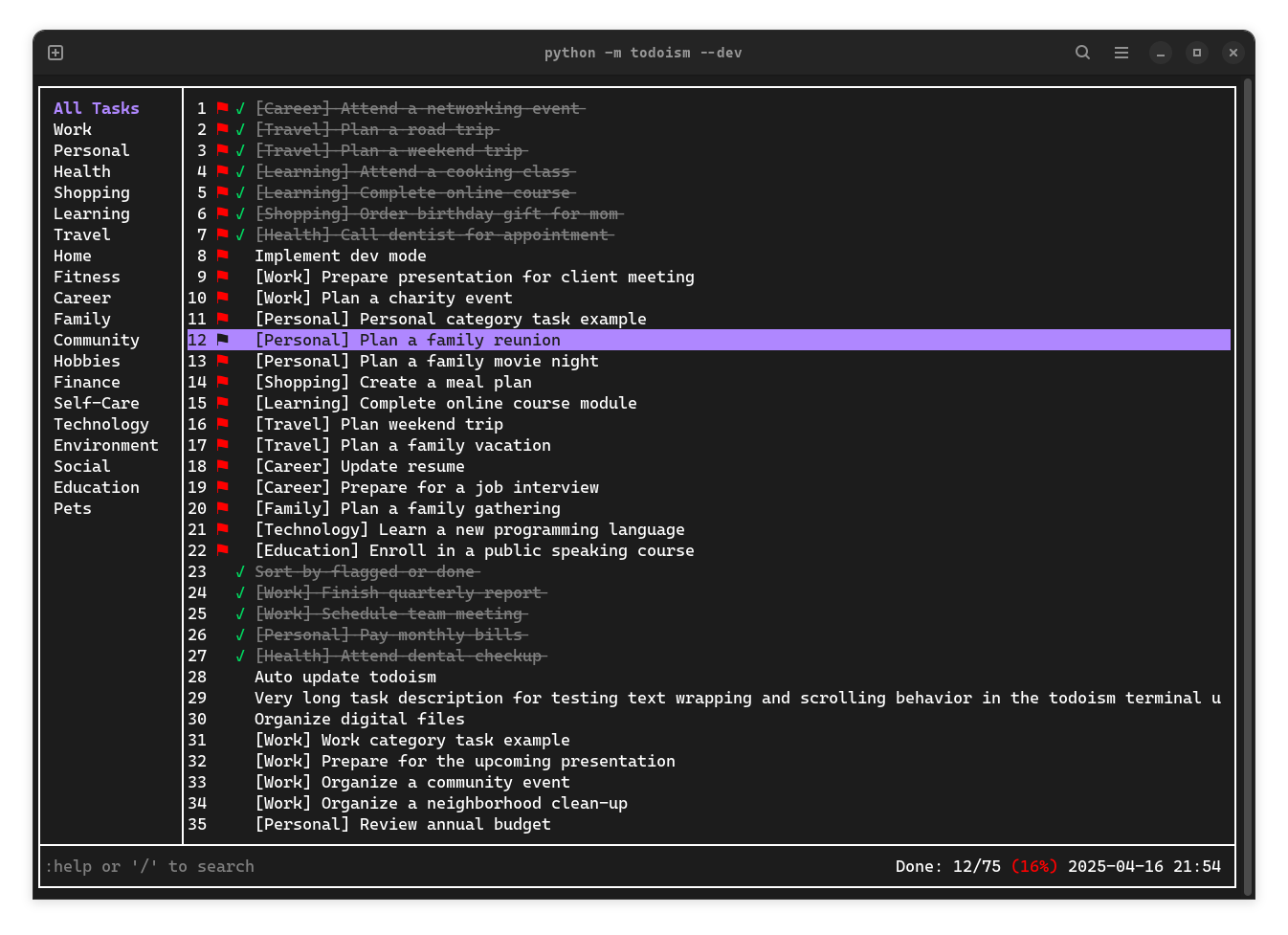
Highlights
- Simple, intuitive interface
- Mouse support: click & scroll
- Easy task search
- Customizable: theme, sorting, and more
- Common Keyboard shortcuts support for editing
- Vim-like commands available for convenience
Install and use
- Install:
pip install todoism - Run:
todoismortodo - Update:
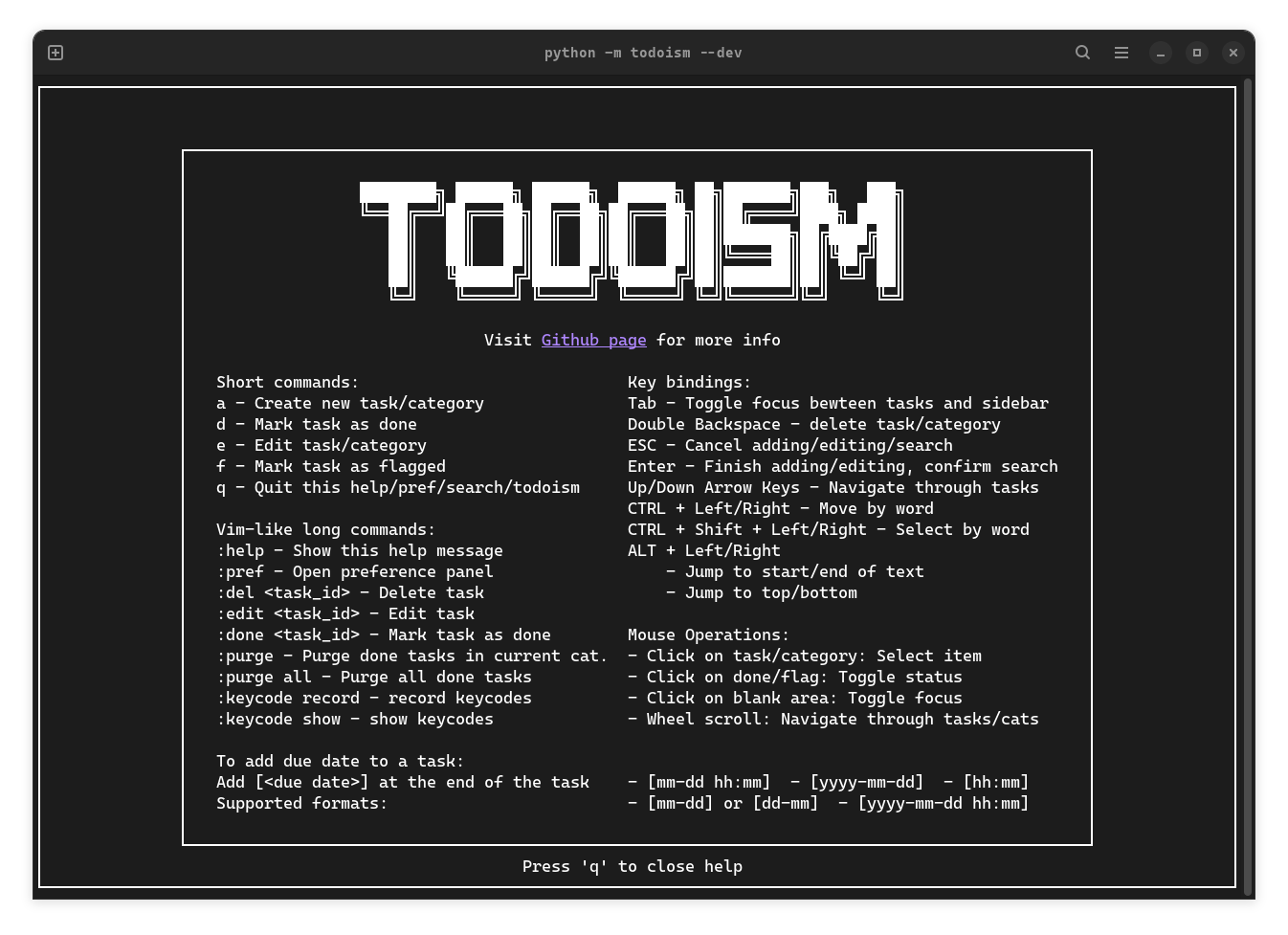
pip install todoism --upgrade - Use: Invoke help message using command
:helpto see commonly used operations and commands
[!NOTE] Some terminals does not support mouse click or strike through effect. Ptyxis (new default terminal for GNOME 47) does not fully support strikethrough effect. Ghostty does not has good support for bold text. You can turn them off in preference panel (open with
:prefas specified in the help message)
Keycode recording
When you first start todoism, you'll be prompted to record key combinations for text navigation.
- CTRL + LEFT: Move cursor one word left when editing text
- CTRL + RIGHT: Move cursor one word right when editing text
- CTRL + SHIFT + LEFT: Select text from cursor position to one word left
- CTRL + SHIFT + RIGHT: Select text from cursor position to one word right
- ALT + LEFT:
- Move cursor to the beginning of the text
- Jump to top task/category
- ALT + RIGHT:
- Move cursor to the end of the text
- Jump to bottom task/category
[!NOTE] Some terminals like Ghostty and kitty may have built-in key bindings that conflict with the above. You need to disable them before recording.
Develop
-
Run with docker in dev mode with test files (run in project root):
- Build docker image:
docker build -t ubuntu-todoism . - Run
./test/todocker.sh
- Add
--profileto enable profiling
- Build docker image:
-
Or run
python -m todoism --devdirectly (for using debugger)- Add
--profileto enable profiling
- Add
Flag
--devand--profileare not available in PyPI installation
-
Automated integration test (Experimental):
- Install
wmctrlwith your package manager (for auto window focus) - Run
python test/integration.pyin project root
- Add
--profileto enable profiling
- Read the instructions printed in the terminal carefully
- Install
-
Normal Configuration and data files are located in
~/.todoism/. Test ones are intest/.todoism
[!CAUTION] Todoism is currently under active development and backwards compatibility is not guaranteed as I refine features and data structures. Automatic data migration (tasks, categories, settings) between versions may not be fully supported. Please backup your data when needed. v1.21 and lower versions are perticularly deprecated!
Contribute
Issues and PRs are welcome! Todoism is built from scratch with curses library. Please refer to the curses docs and how-to to get started.
1 maintainer

Metadata
1 maintainer
Release files for todoism 1.21.9.post3
For a detailed explanation of source distributions (sdists) and built distributions (wheels), please see the package formats documentation.
Source distribution (sdist)
| File | Size | Uploaded | |
|---|---|---|---|
| todoism-1.21.9.post3.tar.gz | 38.8 kB | Details |
Built distribution (wheel)
| File | Interpreter | ABI | Platform | Reset |
|---|---|---|---|---|
| todoism-1.21.9.post3-py3-none-any.whl | Python 3 | none | any | Details |
Total release size: 81.2 kB
Release files / todoism-1.21.9.post3.tar.gz
| Download URL | todoism-1.21.9.post3.tar.gz |
|---|---|
| Size | 38.8 kB |
| Tags | Source |
|
SHA-256 checksum How to use checksums |
21f3ddcf3962bf47771a97fd3cdc03c38549b958841532837f0944449799fe35
|
|
BLAKE2b-256 checksum How to use checksums |
870c7afbc4b011a057c6d4bd3659b9944d85abd0abd36e5c100e0e910f421fd4
|
| Upload date | |
|
Uploaded using Trusted Publishing? What is trusted publishing? |
No |
| Uploaded via |
twine/6.1.0 CPython/3.13.2
|
Release files / todoism-1.21.9.post3-py3-none-any.whl
| Download URL | todoism-1.21.9.post3-py3-none-any.whl |
|---|---|
| Size | 42.4 kB |
| Tags | Python 3 |
|
SHA-256 checksum How to use checksums |
694e538e3ee696437aa27f7b96e2bdd2443bd8f858530e2243143ebda53d6c96
|
|
BLAKE2b-256 checksum How to use checksums |
de0d5cfa34a860d1aaaddb1a5ad7adfecc1270aa38e6d6f630b5eb46c54d5990
|
| Upload date | |
|
Uploaded using Trusted Publishing? What is trusted publishing? |
No |
| Uploaded via |
twine/6.1.0 CPython/3.13.2
|














