
PRISM - Principal Image Sections Mapping
Graphic Author: Natalia Rusin
A novel tool that utilizes Principal Component Analysis to display discriminative featues detected by a given convolutional neural network. It complies with virtually all CNNs.
Table of Contents
- Usage
prismarguments- Other arguments
- Demo
- Results
- Variance across all Principal Componentes
- Saliency maps integration
- Clustering
- Read more
Usage
For user's convenience we have prepared an argument-feedable excutable prism.
In order to use it, please prepare virtual env:
python3 -m venv venv
source ./venv/bin/activate
pip install --upgrade pip
pip install -r requirements.txt
./prism
prism arguments
| Argument | Description | Result |
|---|---|---|
| none | Default PRISM exection with Gradual Extrapolation applied | 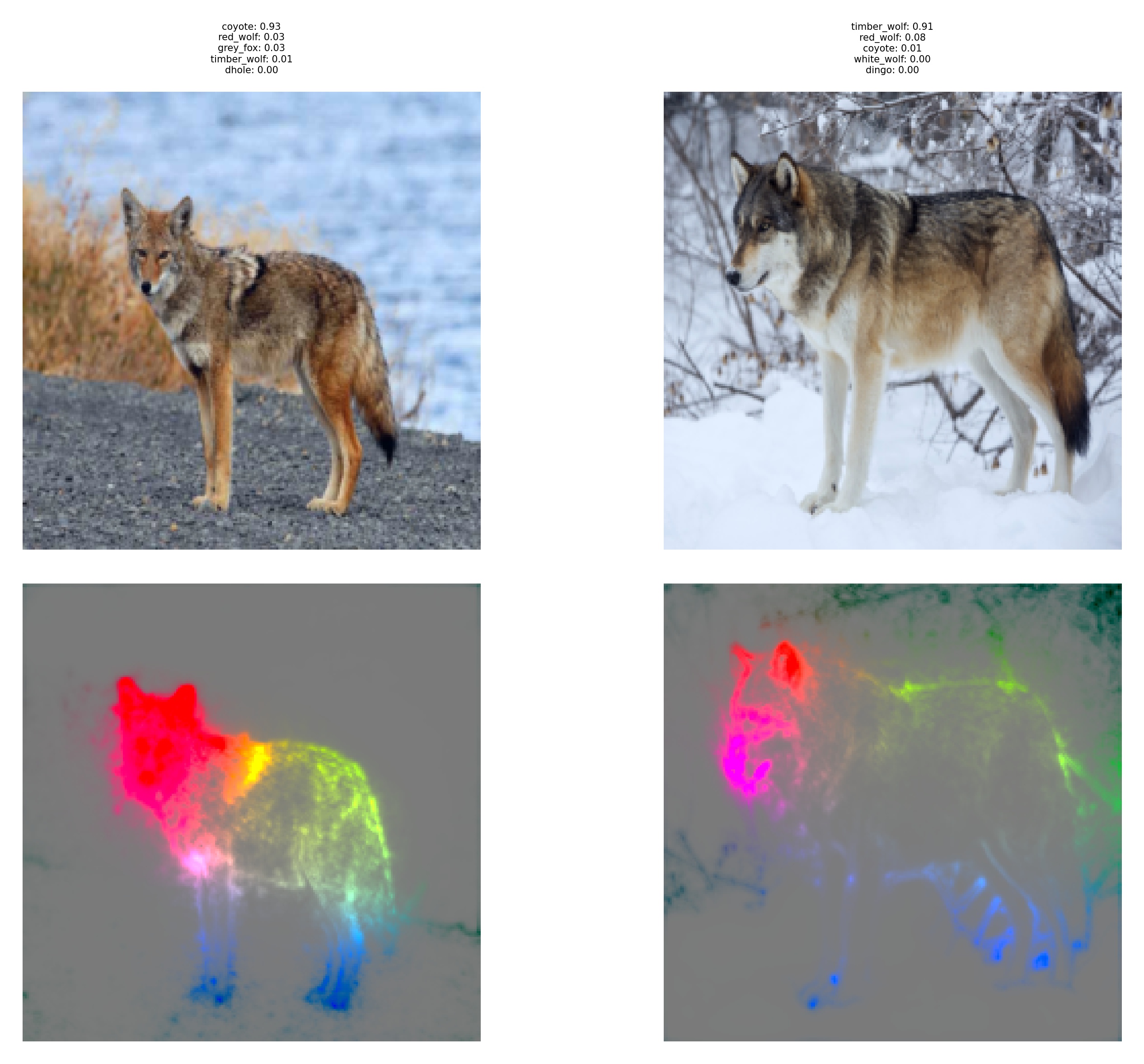 |
| --no-gradual-extrapolation | Skipping Gradual Extrapolation | 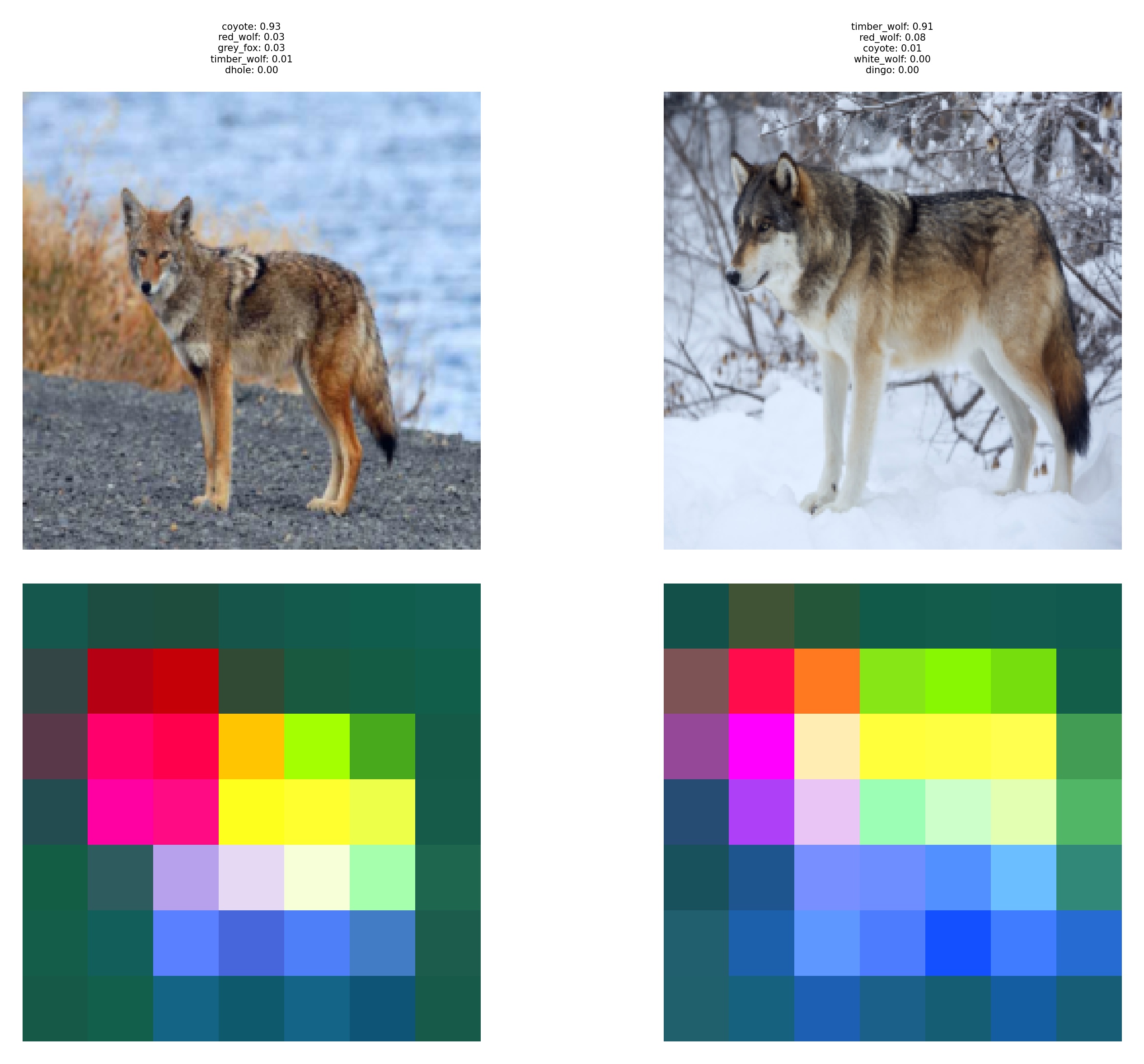 |
| --inclusive | Quantize colours and show only common for all images in batch | 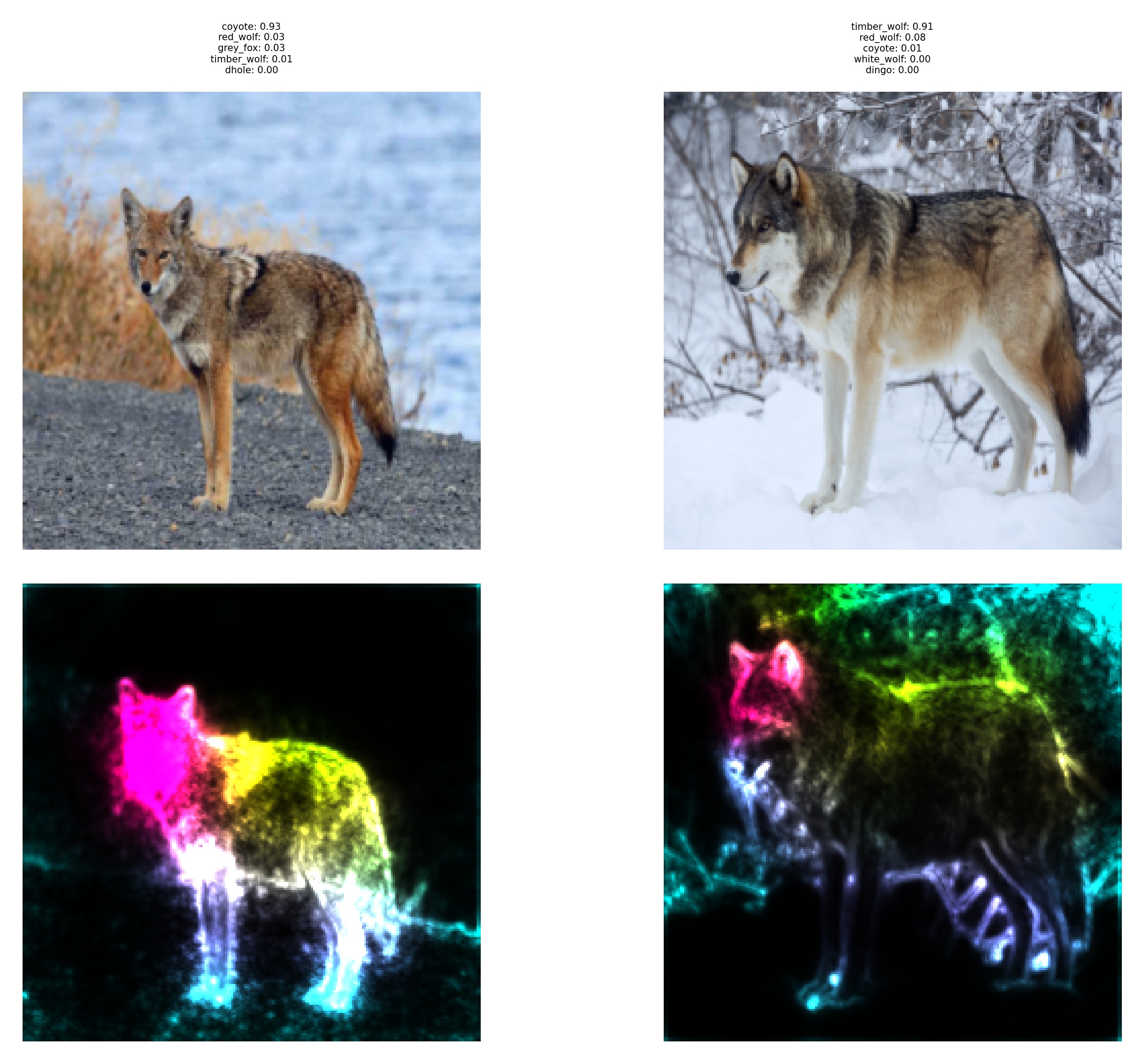 |
| --inclusive & --no-gradual-extrapolation | Quantize colours and show only common for all images in batch. Skip GE! | 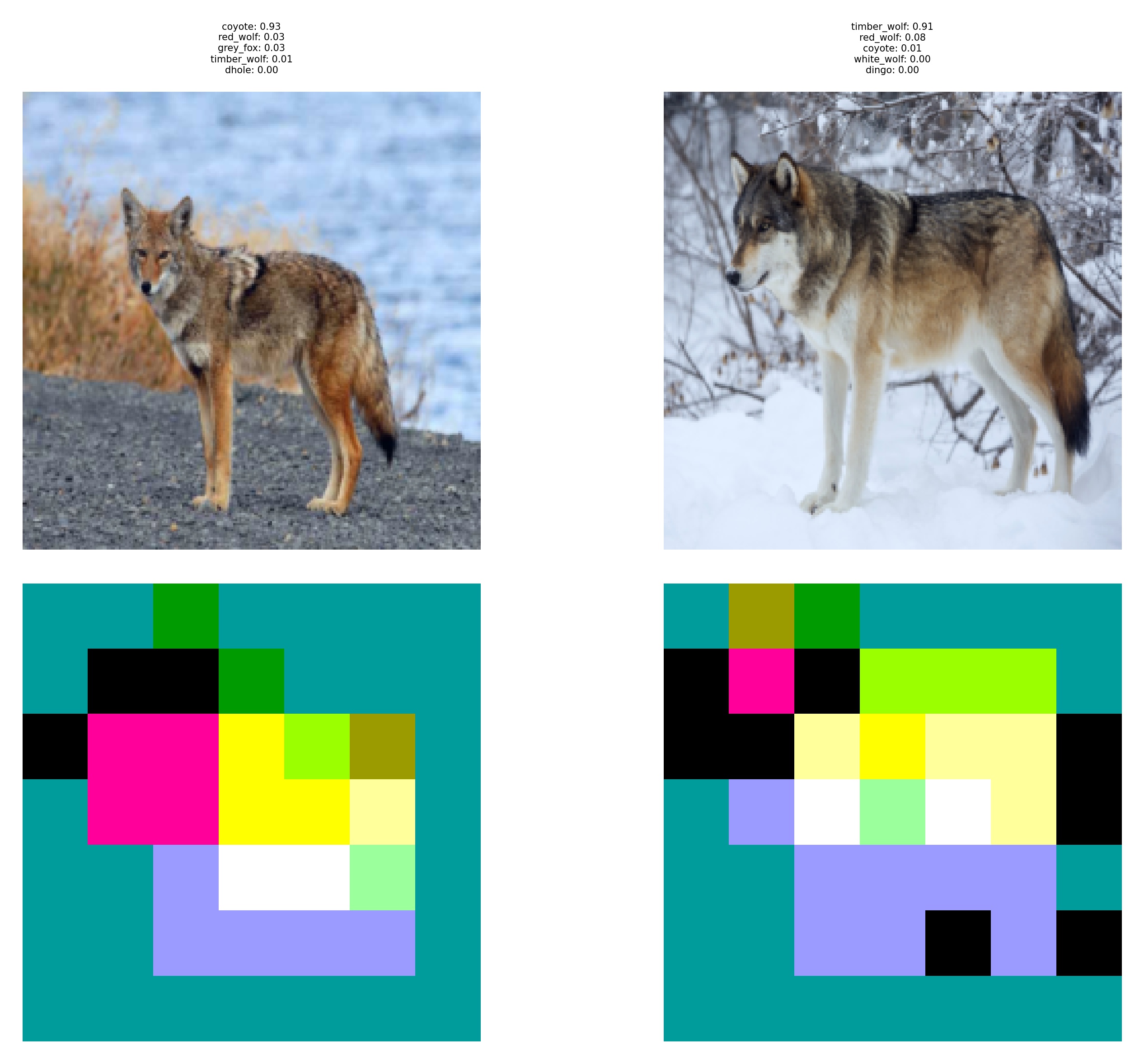 |
| --exclusive | Quantize colours and show only unique features for images in batch | 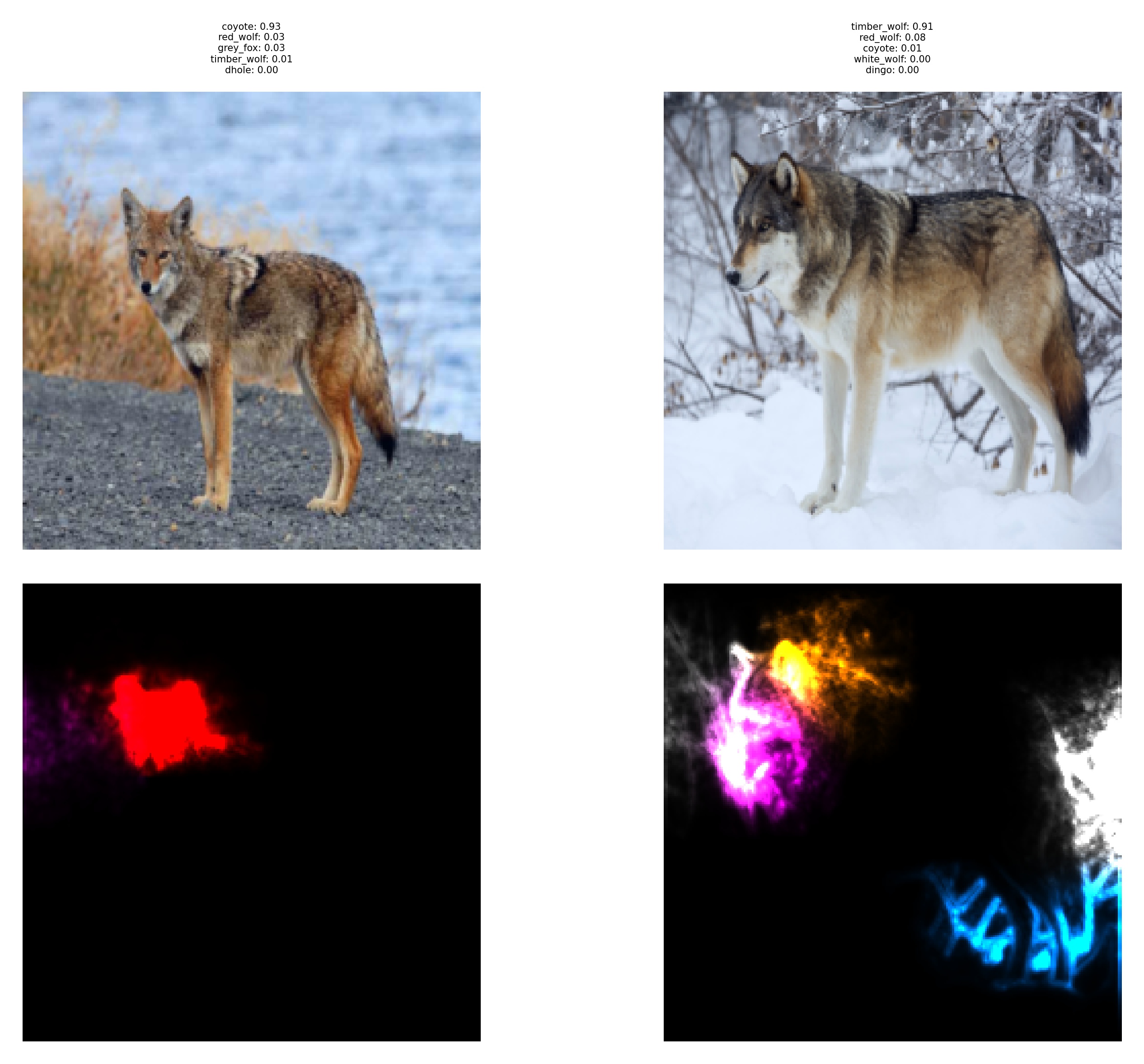 |
| --exclusive & --no-gradual-extrapolation | Quantize colours and show only unique features for images in batch. Skip GE! | 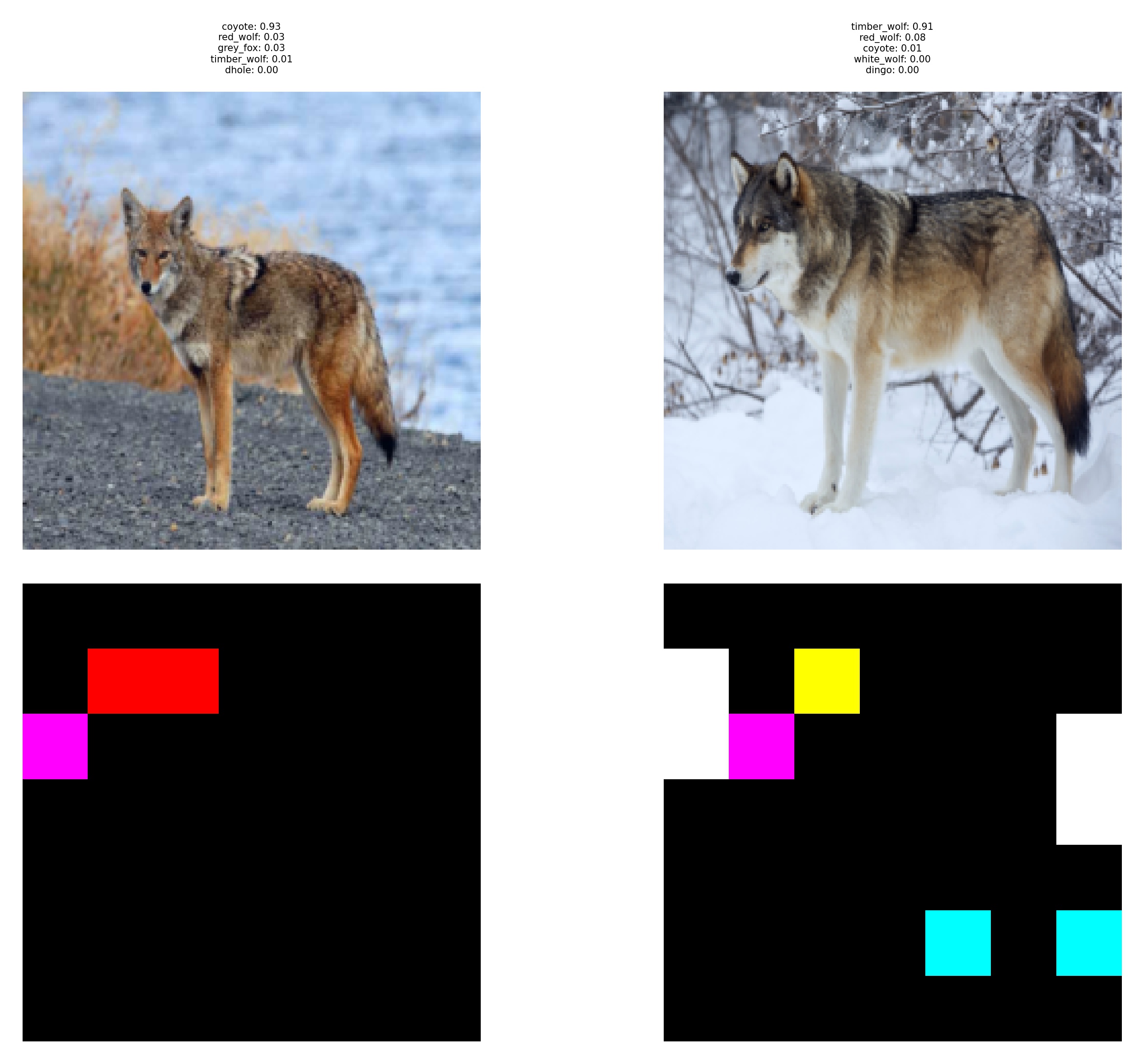 |
| --exclusive & --inclusive | Quantize original PRISM output Skip GE! | 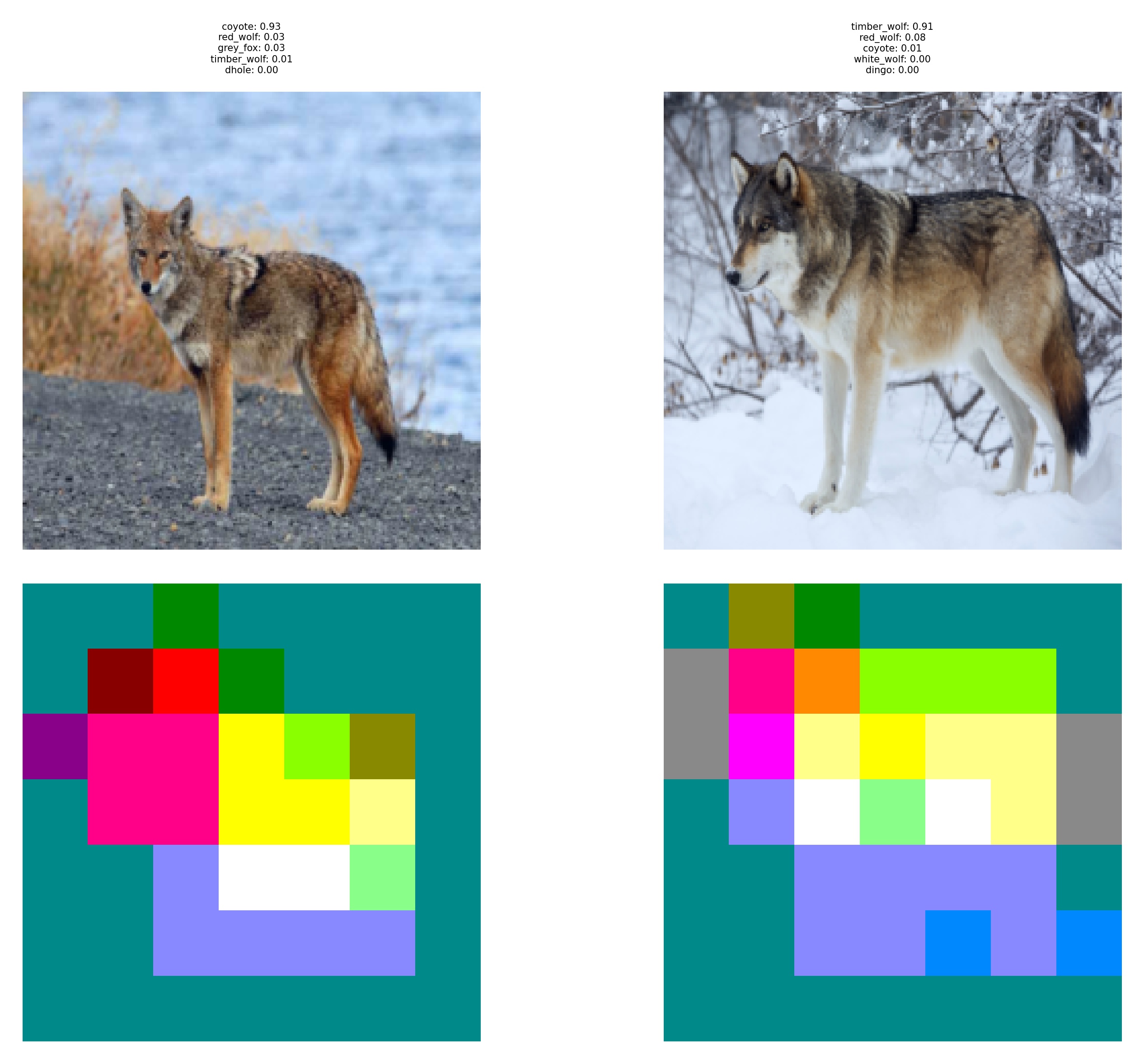 |
| --split-rgb | Split PRISM output into separate RGB channels. | 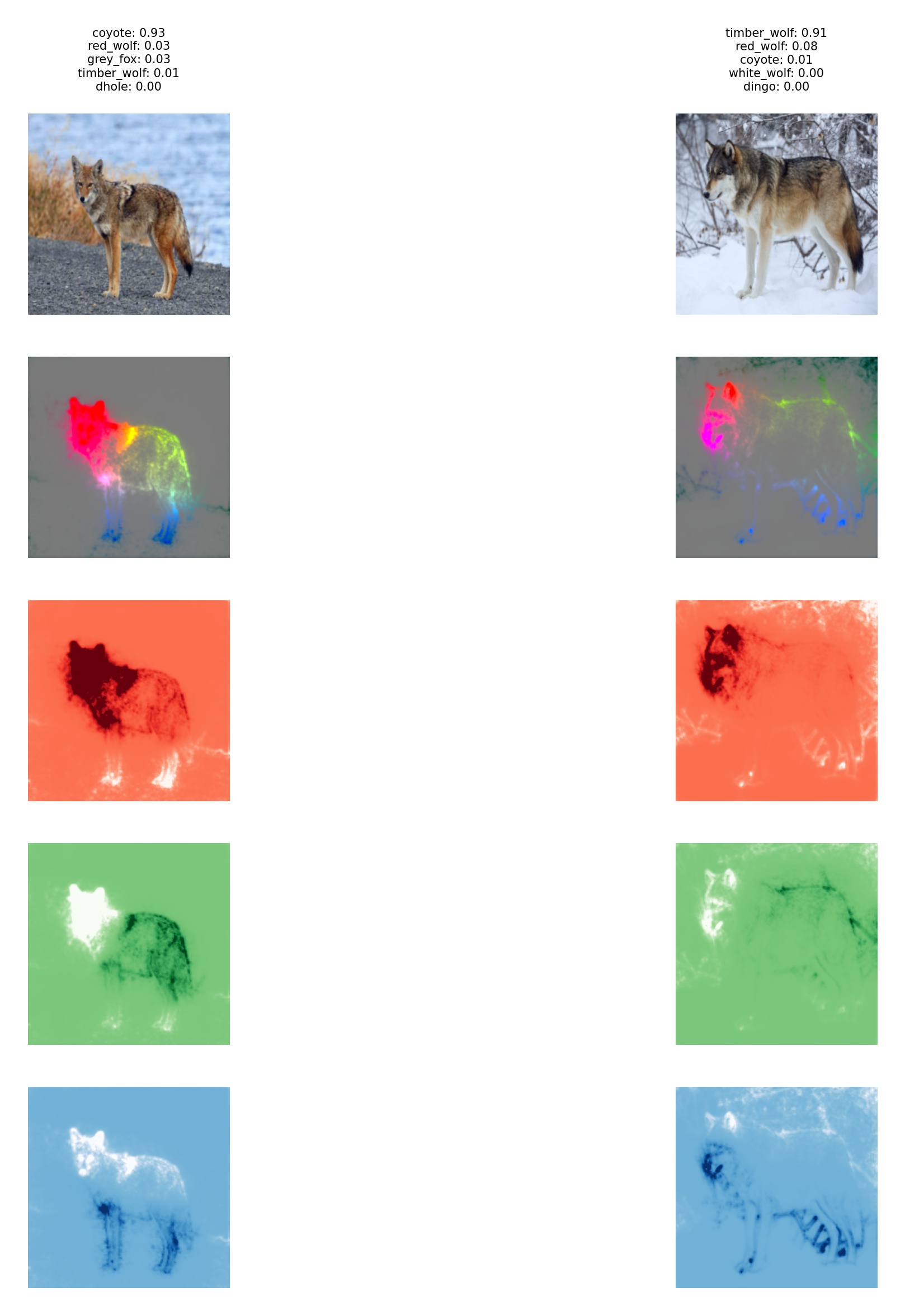 |
| --split-rgb & --no-gradual-extrapolation | Also split into RGB, but without Gradual Extrapolation. Skip GE! Note it can also go with --inclusive or --exclusive |
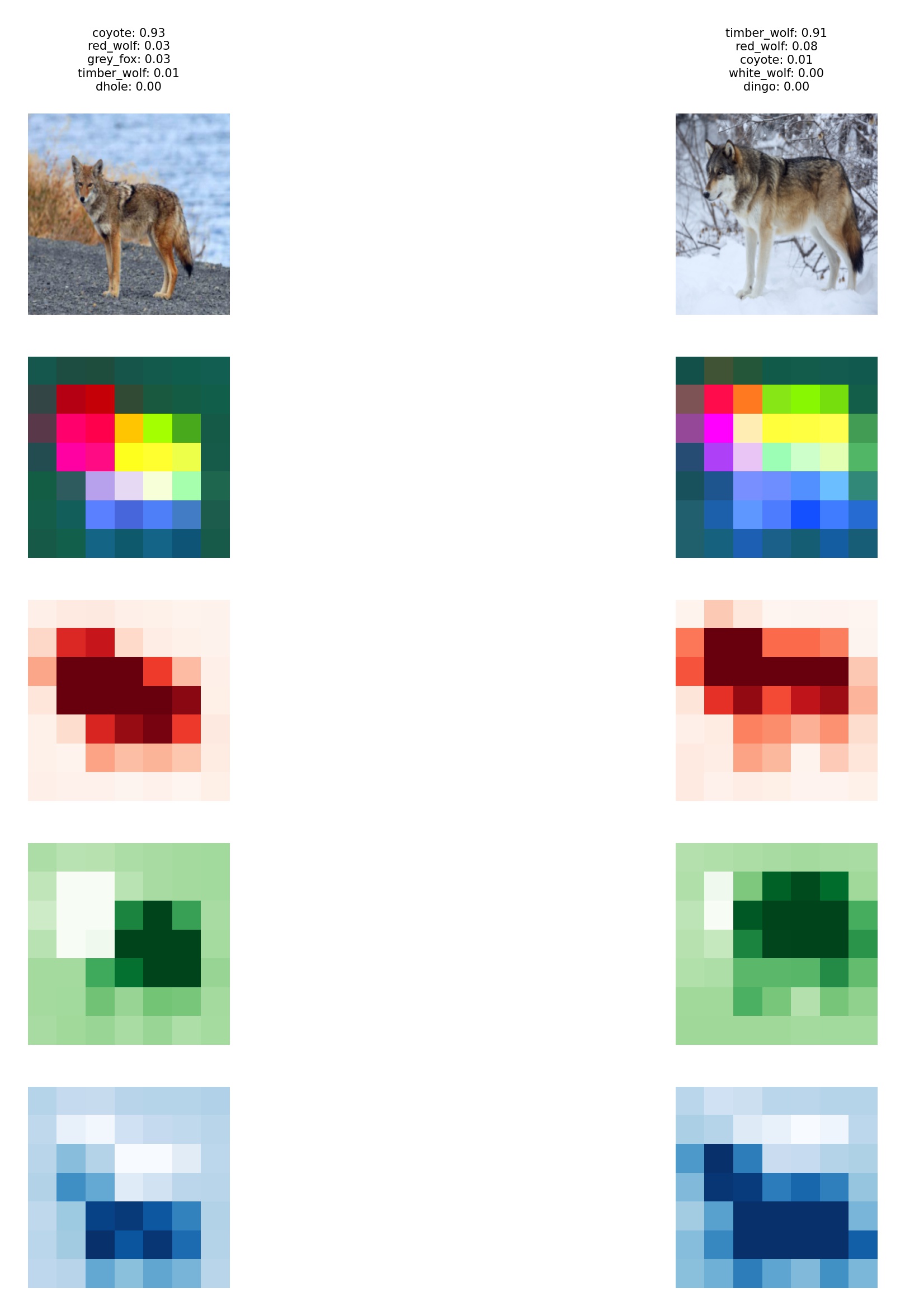 |
Other arguments
| Argument | Description | Default |
|---|---|---|
--input=/path/to/... |
Path from where to take images. Note it is a glob, so value ./samples/**/*.jpg will mean: jpg images from ALL subfolders of samples |
./samples/*.jpg |
--model=model-name |
Model to be used with PRISM. Note that Gradual Extrapolation may not behave properly for some models outside vgg family. | vgg16 |
--saliency=model-name |
Makes TorchPRISM perform chosen saliency map generating process and combines it with PRISM’s output. Currently supports: - Contrastive Excitation Backpropagation exct-backp- GradCAM gradcam |
none |
| --cluster | Generates binary file with list of lists - which image contains which features according to PRISM. It can be further used for clustering in script som.py | |
| --help | Print help details and exit |
Demo
Simplest snippet of working code.
import sys
sys.path.insert(0, "../")
from torchprism import PRISM
from torchvision import models
from utils import load_images, draw_input_n_prism

# load images into batch
input_batch = load_images()

model = models.vgg11(pretrained=True)
model.eval()
PRISM.register_hooks(model)

model(input_batch)
prism_maps_batch = PRISM.get_maps()

drawable_input_batch = input_batch.permute(0, 2, 3, 1).detach().cpu().numpy()
drawable_prism_maps_batch = prism_maps_batch.permute(0, 2, 3, 1).detach().cpu().numpy()

draw_input_n_prism(drawable_input_batch, drawable_prism_maps_batch)
First we have to import PRISM and torch models., as well as functions for preparing input images as simple torch batch and function to draw batches. Next we have to load the model, in this case a pretrained vgg11 has been chosen and then we have to call the first PRISM method to register required hooks in the model. With such a prepared model we can perform the classification and, since the actual output is not needed, we can just ignore it. Model execution is followed by using the second PRISM method to calculate features maps for the processed batch. Finally we have to prepare both input and PRISM output so they can be drawn and as the last step we call a method that displays them using e.g. matplotlib.
Results
The results allow us to see the discriminative features found by the model. On the sample images below we can see wolves
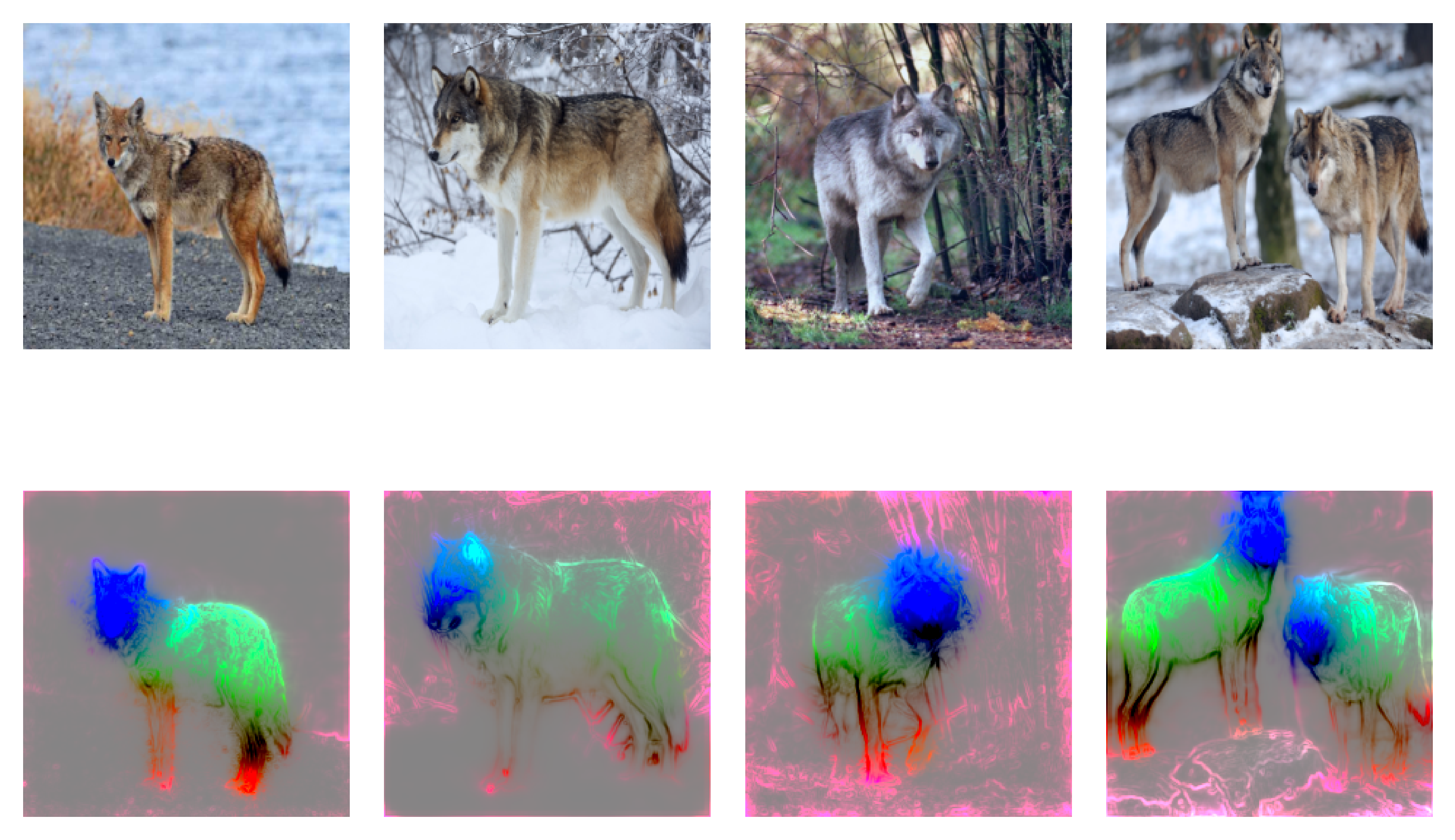
We can notice that all wolves have similar colors - features, found on their bodies. Furthermore the coyote also shows almost identical characteristics except the mouth element. wolves have a black stain around their noses, while coyote does not.
Variance across all Principal Componentes
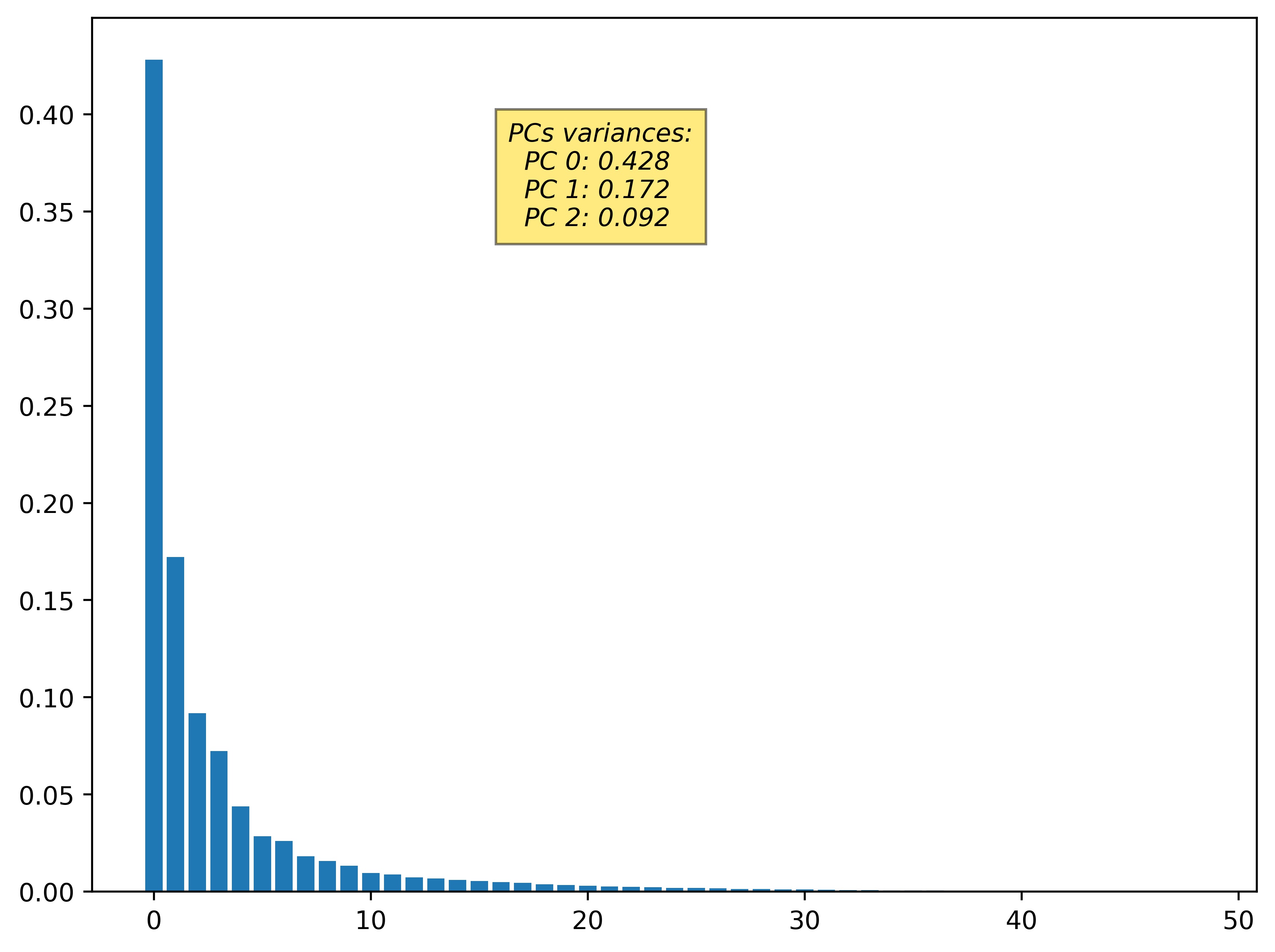
Also an image with variance is being plotted.
Saliency maps integration
Since PRISM can be integrated with all saliency map types it comes with built-in generating tools.
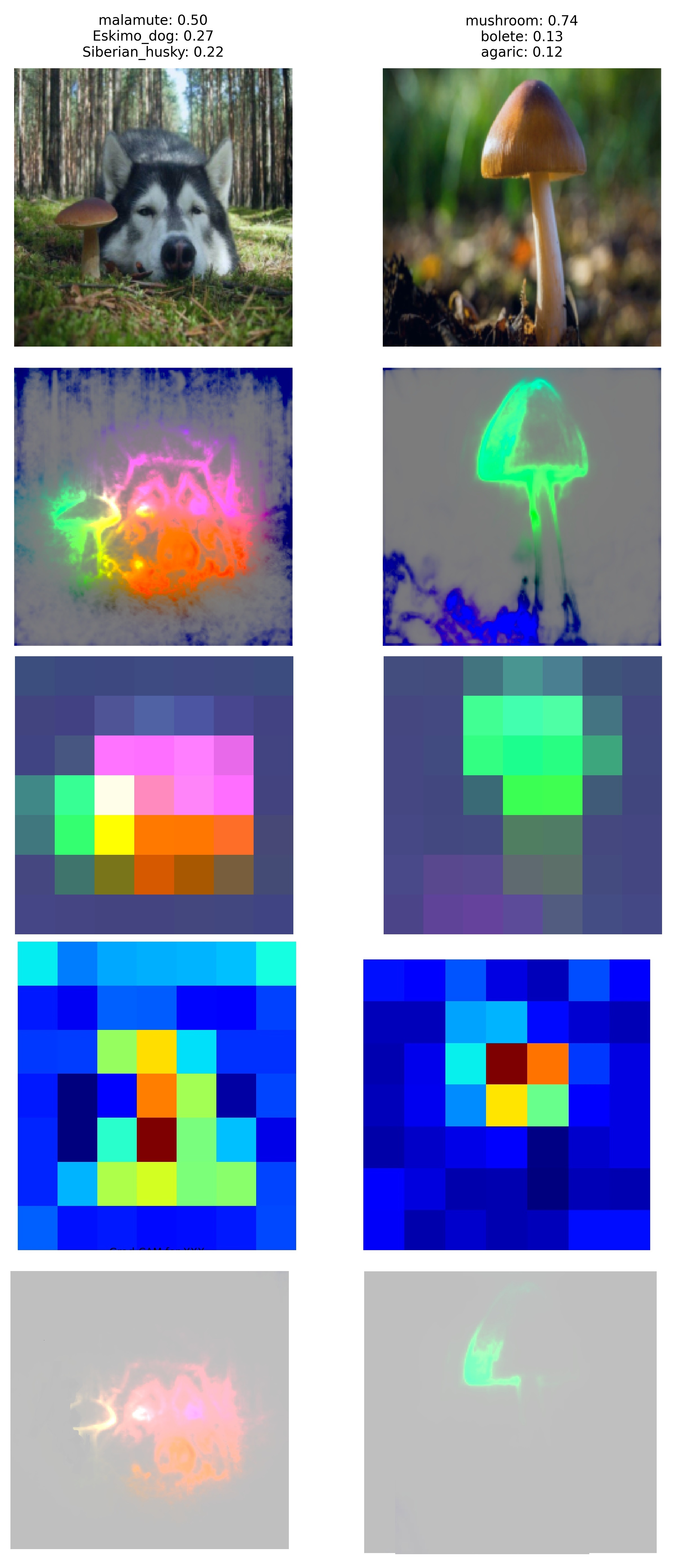
We have an example where dog (malamute) is properly recognized by VGG-16 model. However it is alongside mushroom, which despite being correctly identified, has no impact on models classification decision.
Apparently mushroom is not important for the classification, therefore we can generate saliency map for the given example and merge it with PRISM's output.
Clustering
Last but not least a clusterig can be performed using PRISM in order to detect potentially amibgious classes. We have taken 5 canine classes (colour from cluster map in bracket):
- coyote (orange)
- grey fox (red)
- timber wolf (green)
- samoyed (purple)
- border collie (blue)
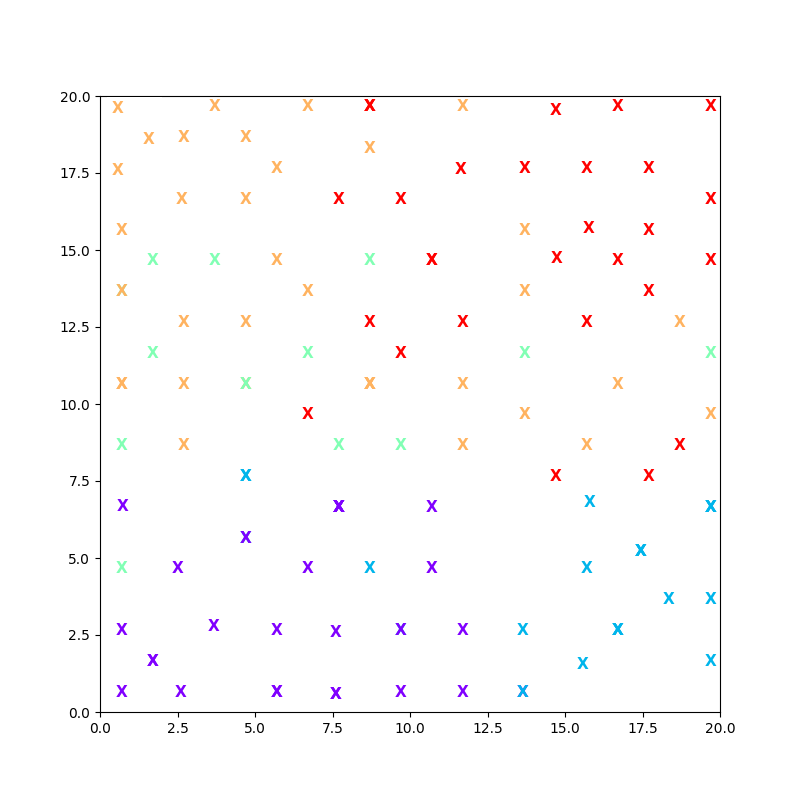
From the figure we can conclude that coyotes(orange) could be easily confused with timber wolves(green) and grey foxes(red). On the other hand the Samoyed and Border collie specimens (purple and blue respectively) are clearly distinguishable from the rest.
Read more
- PRISM comparison with other methods
- IEEE Access: Gradual Extrapolation
- ICCS-2021: Attention Focus
- ICCS-2022: PRISM
- PP RAI'22: Summary
Old LOGO
1 maintainer

Release files for torchprism 2.0.0
For a detailed explanation of source distributions (sdists) and built distributions (wheels), please see the package formats documentation.
Built distribution (wheel)
| File | Interpreter | ABI | Platform | Reset |
|---|---|---|---|---|
| torchprism-2.0.0-py3-none-any.whl | Python 3 | none | any | Details |
Release files / torchprism-2.0.0-py3-none-any.whl
| Download URL | torchprism-2.0.0-py3-none-any.whl |
|---|---|
| Size | 7.1 kB |
| Tags | Python 3 |
|
SHA-256 checksum How to use checksums |
cd450a72b48431e19052fe53f96aaf4a91c51d5cd76e853e58eeed27a6a3896d
|
|
BLAKE2b-256 checksum How to use checksums |
8862cf5f7f835798e0c562fd98e7efa29f789bb7337c069e5ea6e5a535daa63e
|
| Upload date | |
|
Uploaded using Trusted Publishing? What is trusted publishing? |
No |
| Uploaded via |
twine/3.3.0 pkginfo/1.7.0 requests/2.25.1 setuptools/44.1.1 requests-toolbelt/0.9.1 tqdm/4.56.0 CPython/3.9.7
|














