
TrackMe - media-monitoring app for tracking your keywords across Twitter and Telegram
First CS year coursework
TrackMe lets you track your keywords accross two social media platforms: Twitter and Telegram. It currently only supports Ukrainian keywords, tweets, and posts, and has only Ukrainian web interface.
This project consists of two parts:
- 2 worker proccesses that perform parsing
- web application for displaying parsing results
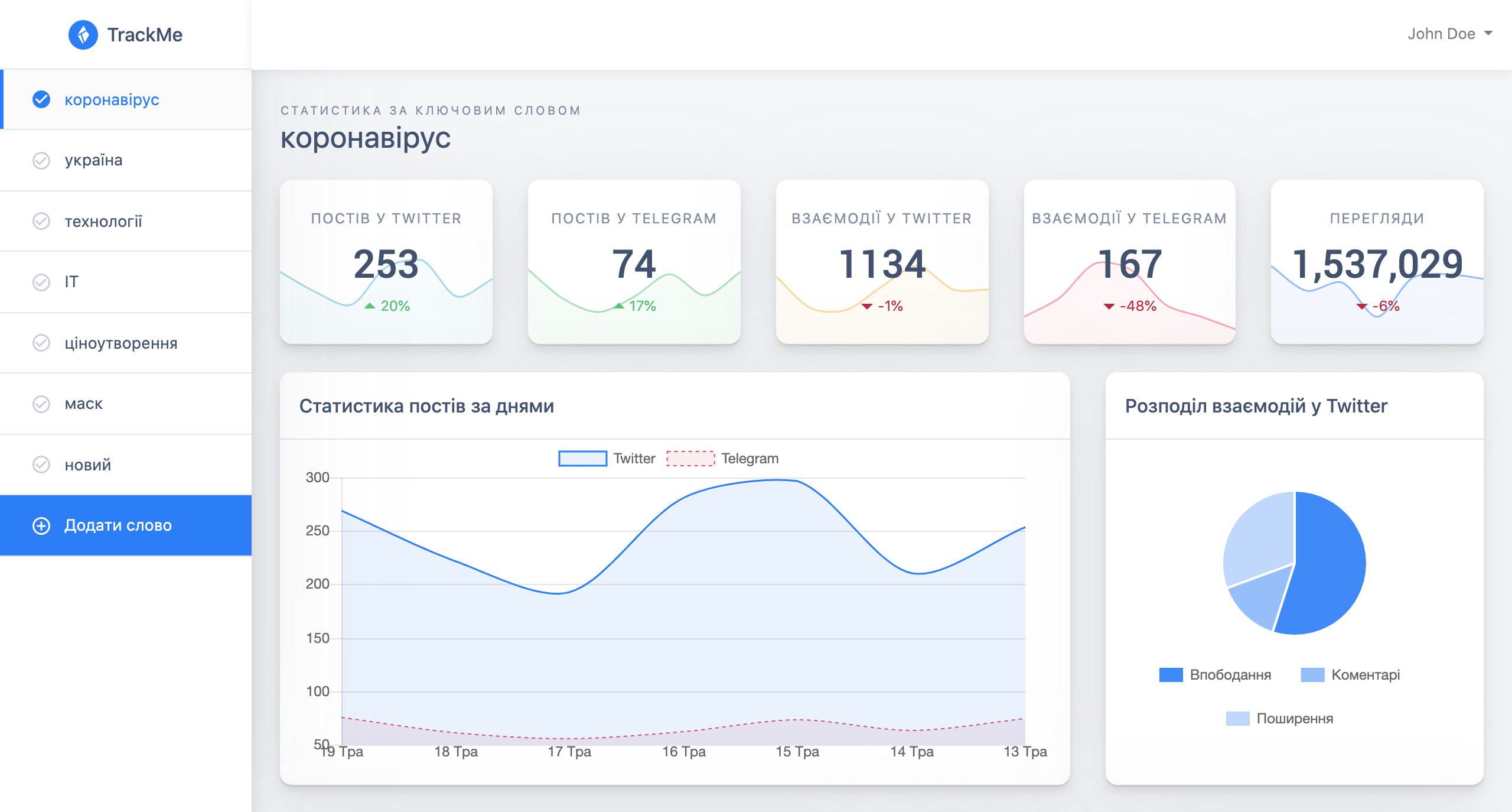
The statistic we display for your keywords can be seen on the screenshot below.
Installation
Install trackme using pip.
pip install trackme
Usage example
If you only want to use our service, then go to our website, register account, and follow the instructions there.
If you'd like to launch Telegram and Twitter parsing proccess, then you have to download our distributive and run it.
For more examples and usage, please refer to the Wiki.
Demo
You can watch our demo video on YouTube
Development setup
Install requirements.txt using pip.
You also have to download chromedriver and set the correct enviromental variables in config.py
In this repository we do not include config.py, so you have to add it yourself. Here are the contents of it:
import logging
secret_key = 'YOUR_SECRET_KEY'
mongoclient = 'YOUR_MONGO_DB_KEY_LINK'
mongoname = 'YOUR_MONGO_DB_NAME'
NUMBER_WORDS = 20
flask_key = 'YOUR_FLASK_APP_SECRET_KEY'
BOT_TOKEN = "YOUR_TELEGRAM_BOT_TOKEN"

# GOOGLE_CHROME_BIN = '/app/.apt/usr/bin/google-chrome'  # POSSIBLE CHROME PATH FOR LINUX
# CHROMEDRIVER_PATH = '/app/.chromedriver/bin/chromedriver'  # POSSIBLE CHROMEDRIVER PATH FOR LINUX

GOOGLE_CHROME_BIN = '/Applications/Google Chrome.app/Contents/MacOS/Google Chrome' # POSSIBLE CHROME PATH FOR MAC
CHROMEDRIVER_PATH = '/usr/local/bin/chromedriver'  # POSSIBLE CHROMEDRIVER PATH FOR MAC

logger = logging.getLogger("main_logger")  # SET UP LOGGER AND LOGGING LEVELS
Meta
This project was developed by Dmytro Lopushanskyy and Bohdan Vey
Distributed under the MIT license. See LICENSE for more information.
Contributing
- Fork it (https://github.com/DmytroLopushanskyy/Social-Media-Monitoring/fork)
- Create your feature branch (
git checkout -b feature/fooBar) - Commit your changes (
git commit -am 'Add some fooBar') - Push to the branch (
git push origin feature/fooBar) - Create a new Pull Request
1 maintainer

Release files for trackme 1.0.5
For a detailed explanation of source distributions (sdists) and built distributions (wheels), please see the package formats documentation.
Source distribution (sdist)
| File | Size | Uploaded | |
|---|---|---|---|
| trackme-1.0.5.tar.gz | 26.8 kB | Details |
Release files / trackme-1.0.5.tar.gz
| Download URL | trackme-1.0.5.tar.gz |
|---|---|
| Size | 26.8 kB |
| Tags | Source |
|
SHA-256 checksum How to use checksums |
3cd0d07eaca7d661753a912d5d255ad8918fc8d4d8cccf20d5c93fbaaeb4ed43
|
|
BLAKE2b-256 checksum How to use checksums |
c83d8336e2dbde4f08a2d7b6f0ad9a420922b30c84050b58100b80364471e635
|
| Upload date | |
|
Uploaded using Trusted Publishing? What is trusted publishing? |
No |
| Uploaded via |
twine/3.1.1 pkginfo/1.5.0.1 requests/2.21.0 setuptools/39.0.1 requests-toolbelt/0.9.1 tqdm/4.40.2 CPython/3.6.5
|














