
Height map generator using diamond square with TUI interface

Project description
TUI Map Generator
Height map 🗺 generator using diamond square 💎🔷 with TUI 🖥️ interface.
What for?
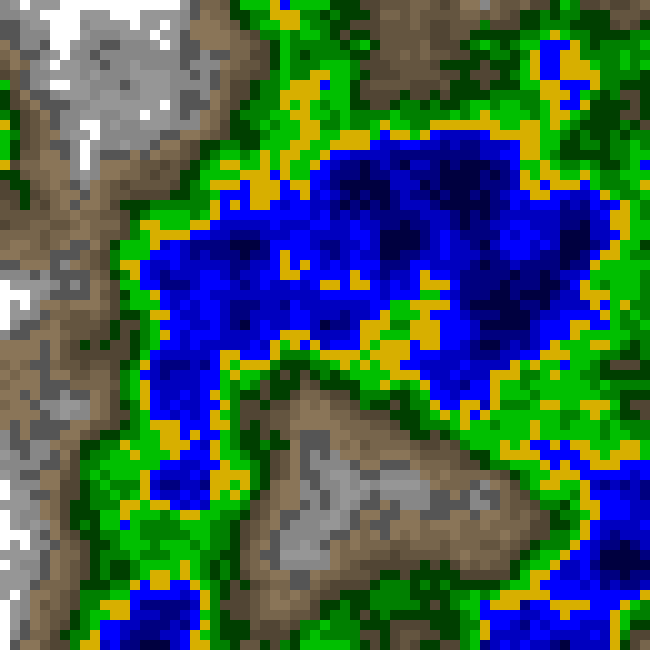
This tool allows you to generate height maps using diamond square algorithm for your games or other projects. This is not a trivial task as it might seem at the beginning. Height map is not just random numbers - it needs to look 'organic', should be generated automatically and should be customizable, yet deterministic. See #Inspirations for more on that.
With several parameters you can customize the size, roughness and color palette. Generated map can be saved as:
- png plain image
- json file with formatting
- xp Rexpaint image editor
TUI interface
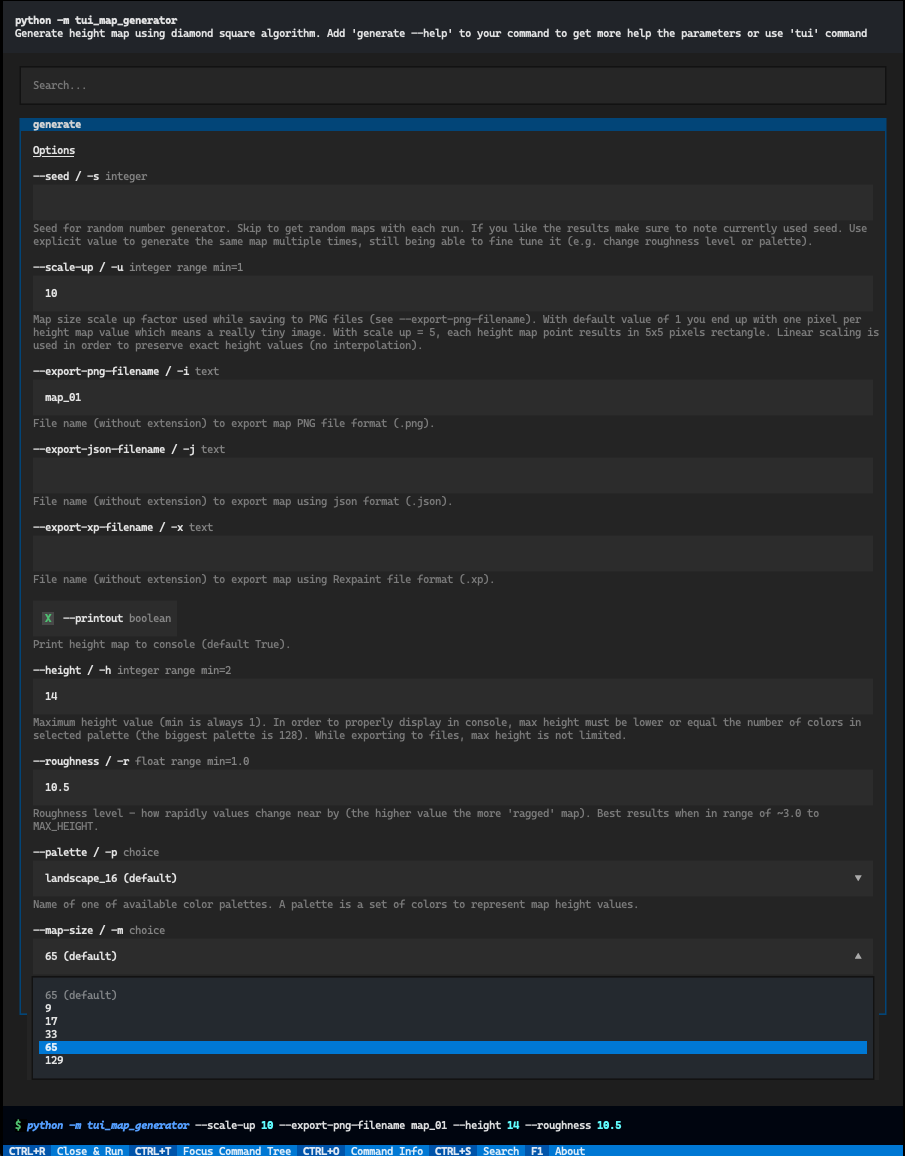
To make it easier to use, there is a TUI interface. This gives you a 'graphical'-like user interface in the terminal (hence the name TUI). This way you can use it in a console without any kind of graphical interface. And yes, the mouse works too! 🐭
The Game
I'm personally using this tool to generate maps for my game called SSiS. It's part of an bigger tool called Config Editor written using amazing library called Textual. However, the currently released version of my game is not yet using maps generated with this method. You can follow me on itch.io to get notified when it's released.
Compatibility
All platforms should work, but I've tested it only on MacOS. If you have any problems, please create an issue.
- Linux works fine ✅ (tested on Ubuntu 22 with gnome-terminal)
- Windows works fine ✅ (tested on wt and cmd)
- MacOS works fine ✅ (tested on iTerm2 and Terminal.app)
Installation
Public repository
pip install tui-map-generator
or
pipx install tui-map-generator
to have it in isolated environment.
From source
You need to have Python >3.8 installed and the poetry library. Check-out this repository, open the project folder in a terminal and run:
poetry install
poetry run python src/tui_map_generator generate
# or
poetry run python src/tui_map_generator tui
On MacOs I had to add folder with the source file to the PATH variable to make it work with trogon (python script run with out python command need to be in PATH to skip the './' prefix):
export PATH=$PATH:~/<your projects folder>/tui-map-generator/src/tui_map_generator
Usage
There are two ways to use this tool:
1. Plain command line
write this command to see all available options:
python3 -m tui-map-generator generate --help
to see something like this:
Usage: python3 -m tui-map-generator generate [OPTIONS]

  Generate height map using diamond square algorithm. Add 'generate --help' to
  your command to get more help the parameters or use 'tui' command instead
  'generate'.

Options:
  -s, --seed INTEGER              Seed for random number generator. Skip to
                                  get random maps with each run. If you like
                                  the results make sure to note currently used
                                  seed. Use explicit value to generate the
                                  same map multiple times, still being able to
                                  fine tune it (e.g. change roughness level or
                                  palette).
  -u, --scale-up INTEGER RANGE    Map size scale up factor used while saving
                                  to PNG files (see --export-png-filename).
                                  With default value of 1 you end up with one
                                  pixel per height map value which means a
                                  really tiny image. With scale up = 5, each
                                  height map point results in 5x5 pixels
                                  rectangle. Linear scaling is used in order
                                  to preserve exact height values (no
                                  interpolation).  [x>=1]
  -i, --export-png-filename TEXT  File name (without extension) to export map
                                  PNG file format (.png).
  -j, --export-json-filename TEXT
                                  File name (without extension) to export map
                                  using json format (.json).
  -x, --export-xp-filename TEXT   File name (without extension) to export map
                                  using Rexpaint file format (.xp).
  --printout / --no-printout      Print height map to console (default True).
  -h, --height INTEGER RANGE      Maximum height value (min is always 1). In
                                  order to properly display in console, max
                                  height must be lower or equal the number of
                                  colors in selected palette (the biggest
                                  palette is 128). While exporting to files,
                                  max height is not limited.  [x>=2]
  -r, --roughness FLOAT RANGE     Roughness level - how rapidly values change
                                  near by (the higher value the more 'ragged'
                                  map). Best results when in range of ~3.0 to
                                  MAX_HEIGHT.  [x>=1.0]
  -p, --palette [landscape_4|landscape_8|landscape_16|grey_16|red_16|green_16|blue_16|yellow_16|magenta_16|cyan_16|grey_32|grey_64|grey_128]
                                  Name of one of available color palettes. A
                                  palette is a set of colors to represent map
                                  height values.
  -m, --map-size [9|17|33|65|129]
                                  Map size (for diamond square size must be
                                  n^2 + 1). If you need different size, pick
                                  bigger value and cut to desired size.
  --help                          Show this message and exit.
To quickly see how it works, skip all parameters (use default) and write this command:
python3 -m tui-map-generator generate
2. TUI interface
write this command to start TUI interface:
python3 -m tui-map-generator tui
Examples
maps/example_01
Map size: 65
Algorithm: diamond square
Max height: 16
Roughness: 16.0
Random seed: 2994
Palette: landscape_16
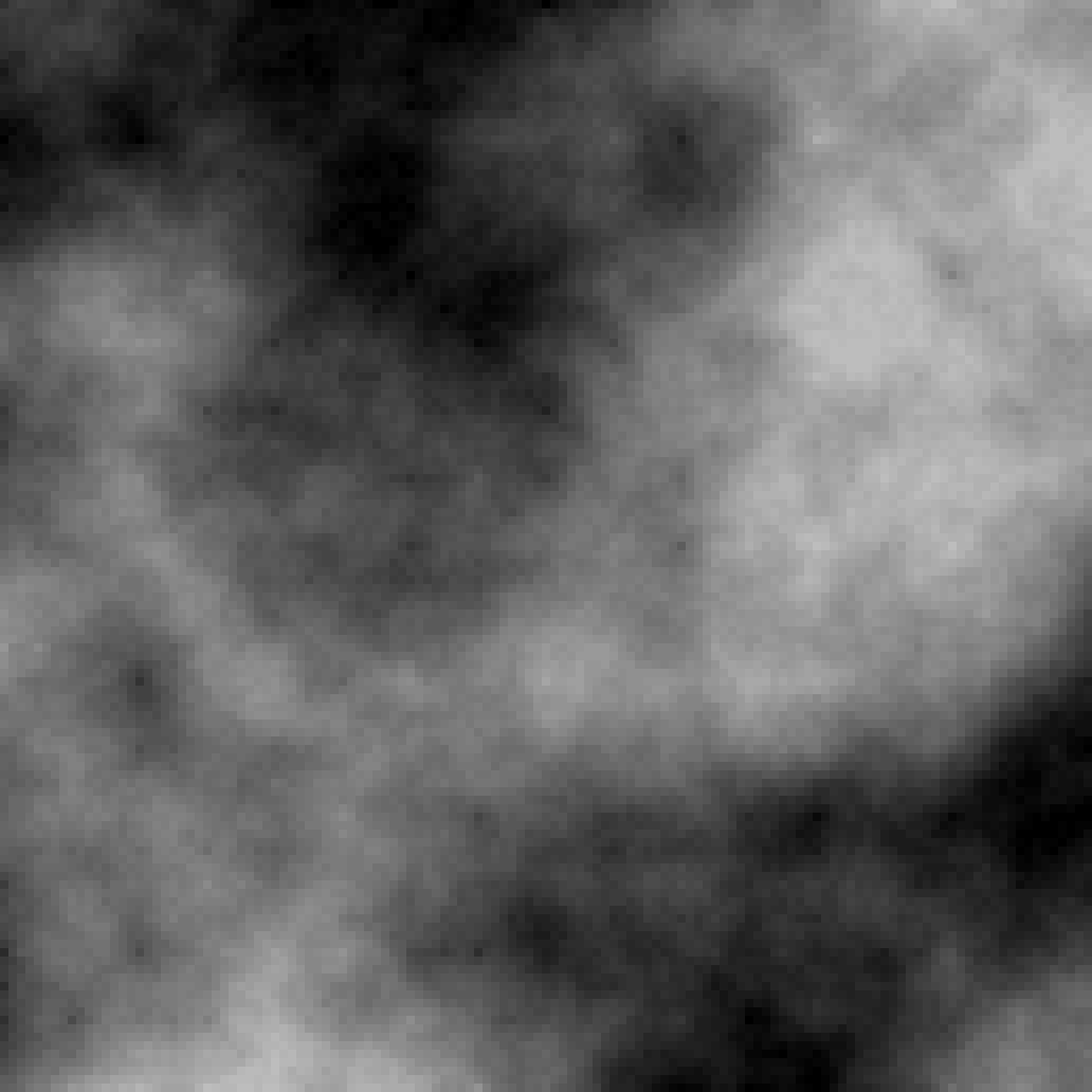
maps/example_02
Map size: 129
Algorithm: diamond square
Max height: 64
Roughness: 64.0
Random seed: 4948
Palette: grey_64
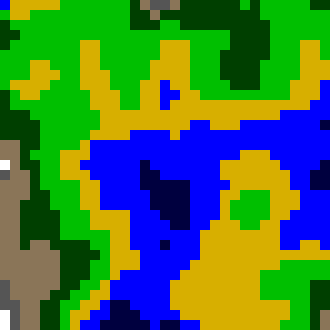
maps/example_03
Map size: 33
Algorithm: diamond square
Max height: 8
Roughness: 3.0
Random seed: 6956
Palette: landscape_8
Under the hood
Libraries
Here are some some of the libraries used in this project:
- rich - to get beautiful colors and formatting in the terminal (but this is much more powerful tool - check it out! 🚀)
- rich_pixels - to render map in the terminal (but this tool is also capable of displaying images in console)
- click - to create command line interface
- trogon - to create TUI interface with wonderful Textual library - this one is beyond amazing! 🤯 My understanding of the full power of terminal apps has expanded a lot since I've found it. Just as a teaser - Textual apps can be even run in web browser
Inspirations
This implementation is based on example-diamond-square project written in Lua using Defold engine. See the author him self, explaining the whole diamond square 💎🔷 algorithm: YouTube video. More on the process of building my implementation can be found on my blogpost.


Download files
Download the file for your platform. If you're not sure which to choose, learn more about installing packages.
Source Distribution
Built Distribution
Filter files by name, interpreter, ABI, and platform.
If you're not sure about the file name format, learn more about wheel file names.
Copy a direct link to the current filters
File details
Details for the file tui_map_generator-0.1.8.tar.gz.
File metadata
- Download URL: tui_map_generator-0.1.8.tar.gz
- Upload date:
- Size: 25.7 kB
- Tags: Source
- Uploaded using Trusted Publishing? No
- Uploaded via: poetry/1.6.1 CPython/3.11.5 Darwin/23.0.0
File hashes
| Algorithm | Hash digest | |
|---|---|---|
| SHA256 |
343cf3d7ebef98b1f42daed09dc1b657e841903d2d2f83007312708c29d64927
|
|
| MD5 |
6d6488352f1d0da902eef4384b2f582a
|
|
| BLAKE2b-256 |
030917b9021b510e48415564e75a38cd4d0e4a452d1c57059536a8f53af08c49
|
File details
Details for the file tui_map_generator-0.1.8-py3-none-any.whl.
File metadata
- Download URL: tui_map_generator-0.1.8-py3-none-any.whl
- Upload date:
- Size: 24.7 kB
- Tags: Python 3
- Uploaded using Trusted Publishing? No
- Uploaded via: poetry/1.6.1 CPython/3.11.5 Darwin/23.0.0
File hashes
| Algorithm | Hash digest | |
|---|---|---|
| SHA256 |
4328a6a4bc8876b09a9232b50beb5b42f6bfc744b753db47ab865980347138b6
|
|
| MD5 |
d82139d8443b00552c3e120807006227
|
|
| BLAKE2b-256 |
3a36eff9b941313384b616977c2c1e2190cfb54821f556a7dc985beb57ce551c
|






