



TW Complex
Repo with algorithms to divide ally villages into front and back in TW.
Underneath it is a problem of dividing a set of 2D points A according to the min_radius and max_radius distances from a set of other 2D points B, which can be solved most simply by counting the distances from each point in the first set A to all points in the second set B one by one.
Instalation
pip install tw_complex
Basic usage
from tw_complex import CDistBrute
import numpy as np

# The code for Example 1 below

points1 = np.random.rand(10000, 2) + [2, 0]
points2 = np.random.rand(15000, 2)
min_radius = 1.4
max_radius = 2

precise_front, precise_back = CDistBrute(
    ally_villages=points1,
    enemy_villages=points2,
    min_radius=min_radius,
    max_radius=max_radius,
).result()
Examples (before -> after)
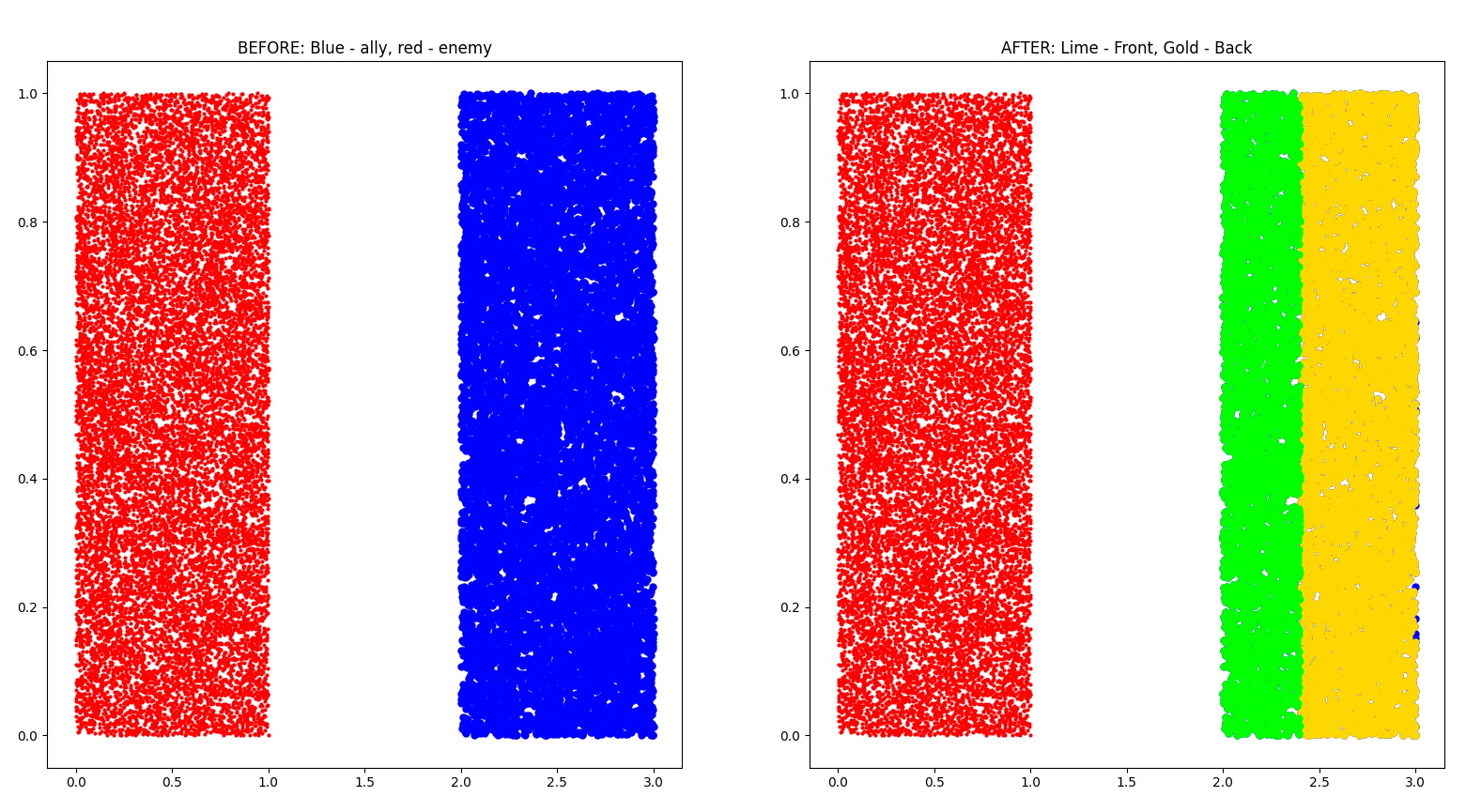
Example 1
Ally: 10000 points
Enemy: 15000 points
min_radius: 1.4
max_radius: 2
Example 2
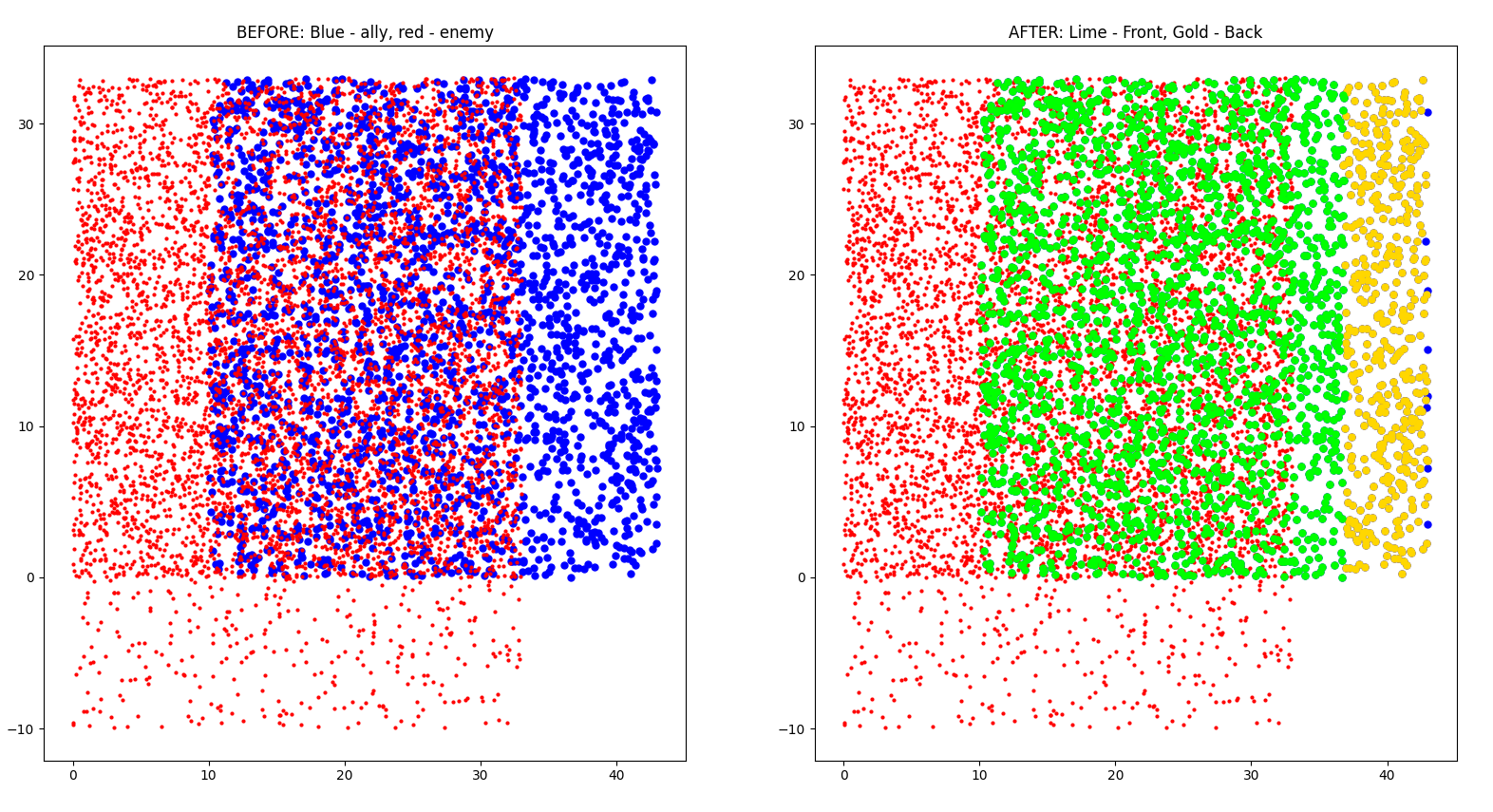
Ally: 2500 points
Enemy: 6000 points
min_radius: 4
max_radius: 10
Example 3
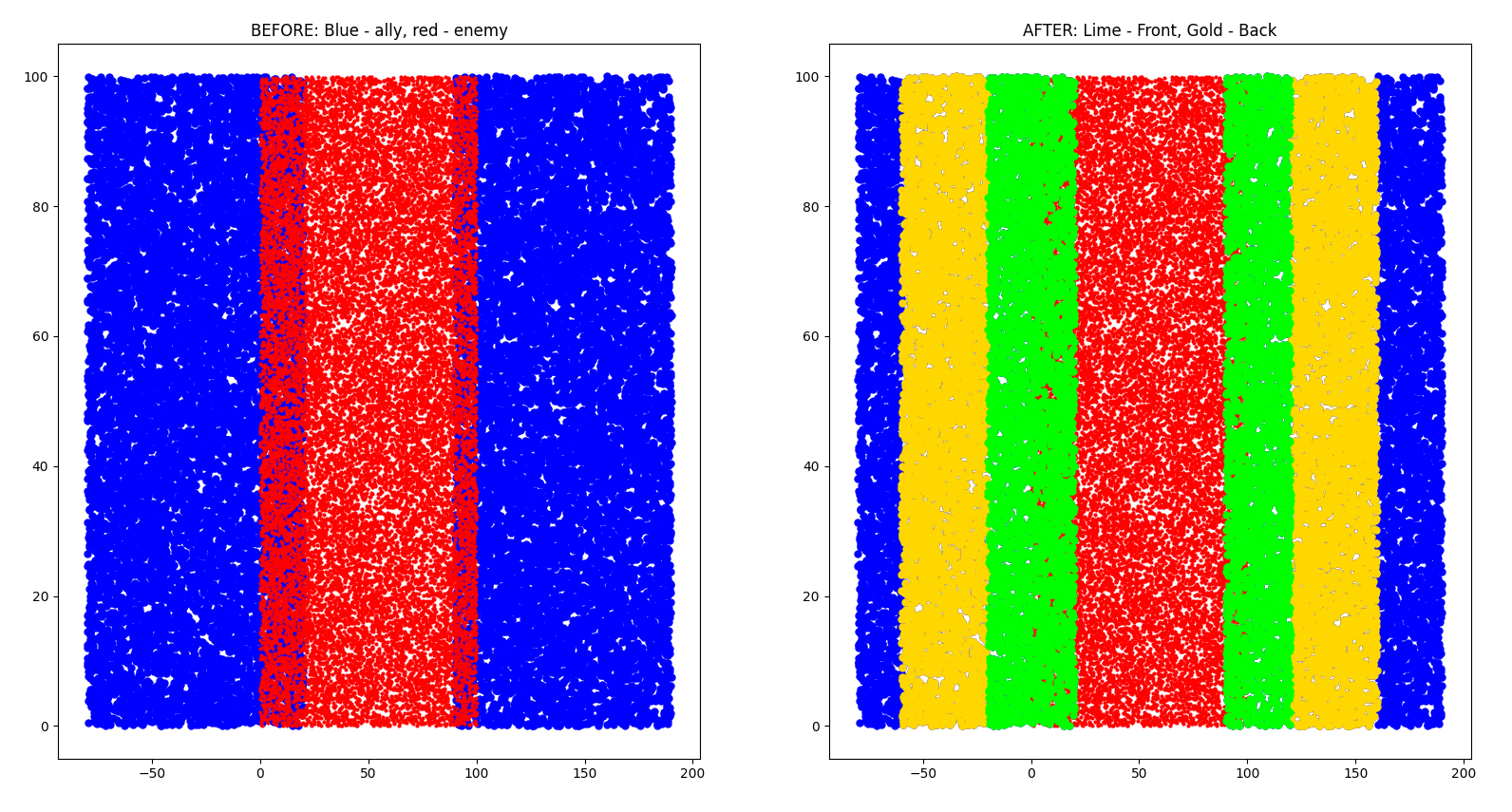
Ally: 20000 points
Enemy: 20000 points
min_radius: 20
max_radius: 60
Example 4
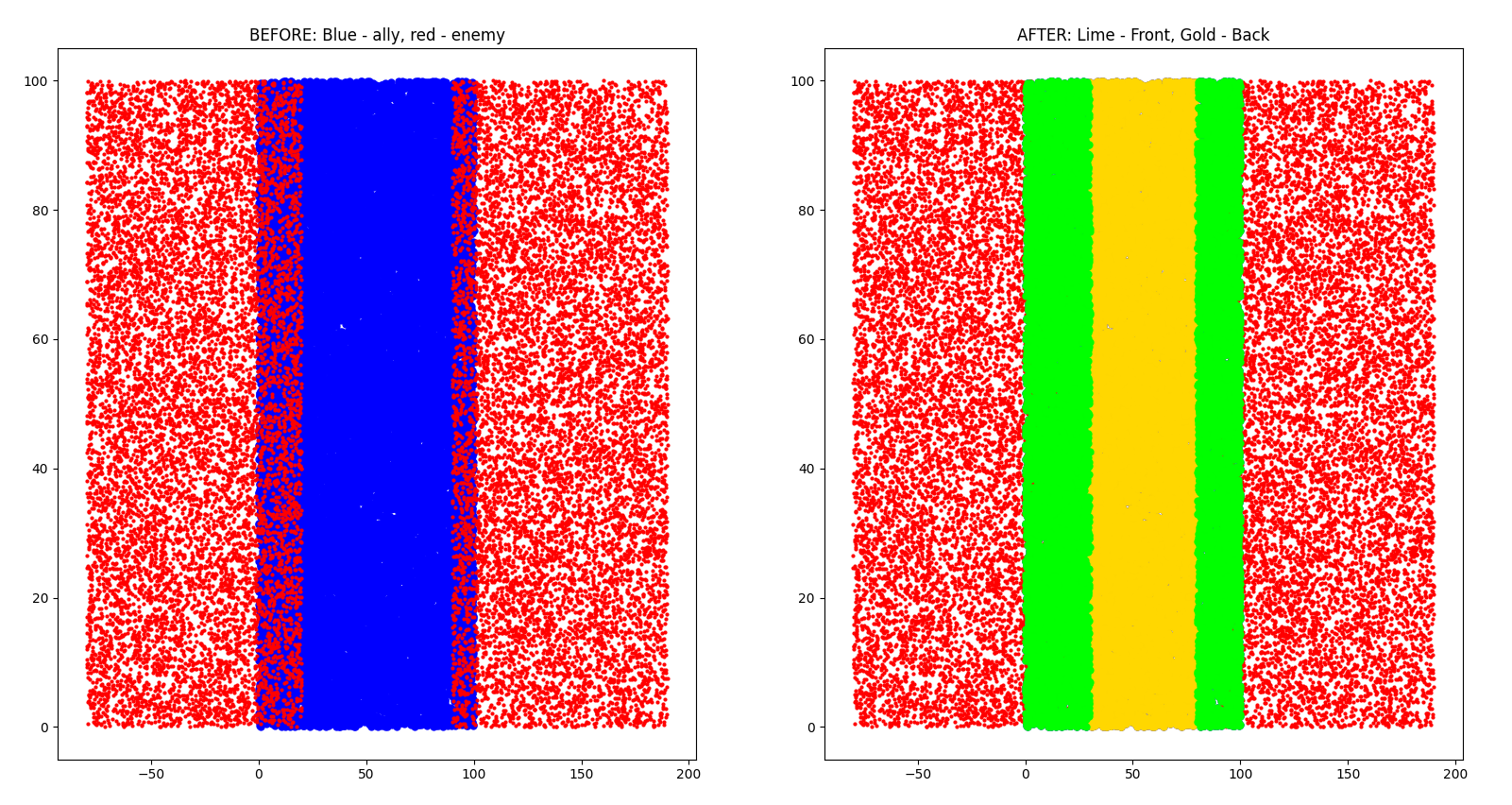
Ally: 20000 points
Enemy: 20000 points
min_radius: 10
max_radius: 120
Running locally
You will need to have poetry installed.
git clone https://github.com/rafsaf/tw-complex.git
cd tw-complex
poetry install
Code lives in tw-complex folder, and you may also test algorithms running in main folder
# In main folder
# eg. ~/Desktop/tw-complex

pytest
For CDistAndKNN it looks like
# tests/test_cdist.py

from tw_complex import CDistAndKNN
import tests.utils as utils


def test_CDistAndKNN():
    utils.run_all_tests(CDistAndKNN, "CDistAndKNN", _precision=0.8, draw=True)

# Go with `draw=False` if you do not want to use pyplot to show diagrams
Some hardcoded tests are located in tests/utils.py, it uses brute force for calculating exact result, then compare it to given algorithm using basic maths. You can even compare it to brute force itself (eg. using diffrent _precision). For new test there should be another file in tests/test_name_of_file_in_tw_complex_folder.py with pretty much the same content as above.
1 maintainer

Metadata
1 maintainer
Release files for tw-complex 1.1.0
For a detailed explanation of source distributions (sdists) and built distributions (wheels), please see the package formats documentation.
Source distribution (sdist)
| File | Size | Uploaded | Provenance | |
|---|---|---|---|---|
| tw_complex-1.1.0.tar.gz | 5.7 kB | Without provenance | Details |
Built distribution (wheel)
| File | Interpreter | ABI | Platform | Reset |
|---|---|---|---|---|
| tw_complex-1.1.0-py3-none-any.whl | Python 3 | none | any | Details |
Total release size: 12.5 kB
Release files / tw_complex-1.1.0.tar.gz
| Download URL | tw_complex-1.1.0.tar.gz |
|---|---|
| Size | 5.7 kB |
| Tags | Source |
|
SHA-256 checksum How to use checksums |
4e0ae77ff713d5f6e616ab7a353bc86bd02f7d612732b08eb35d0d7baf009dd6
|
|
BLAKE2b-256 checksum How to use checksums |
9a9bd90690c8cfced295d239bc3921a8d328a5e756dfa3aba886d40aa0b6cd83
|
| Upload date | |
|
Uploaded using Trusted Publishing? What is trusted publishing? |
No |
| Uploaded via |
twine/4.0.1 CPython/3.9.15
|
Release files / tw_complex-1.1.0-py3-none-any.whl
| Download URL | tw_complex-1.1.0-py3-none-any.whl |
|---|---|
| Size | 6.9 kB |
| Tags | Python 3 |
|
SHA-256 checksum How to use checksums |
35af93df9e2ebd18f5cd376b56e7119521c82499d1b4aa89a9817421dcc5bd6d
|
|
BLAKE2b-256 checksum How to use checksums |
9eec666d3700c8663f6606aa23fbc5bcbc7b5cb716a3698af6e8b047952833c4
|
| Upload date | |
|
Uploaded using Trusted Publishing? What is trusted publishing? |
No |
| Uploaded via |
twine/4.0.1 CPython/3.9.15
|
Security for tw-complex 1.1.0
Provenance
Provenance describes where a file came from. On PyPI, provenance is shared via attestations, which provide a verifiable record of the build or publishing details. View details, limitations and caveats.
No provenance found
None of the files in this release were uploaded with provenance metadata.
A note on package security
PyPI is a repository for distributing packages, not a service for auditing them. While third-party security researchers and our staff do their best to detect and remove malicious packages, PyPI cannot guarantee the quality, security or suitability of any given package.
To learn more about protecting yourself from malicious actors, visit our package security documentation.














