
Vapor: Steam Proton Compatibility Checker









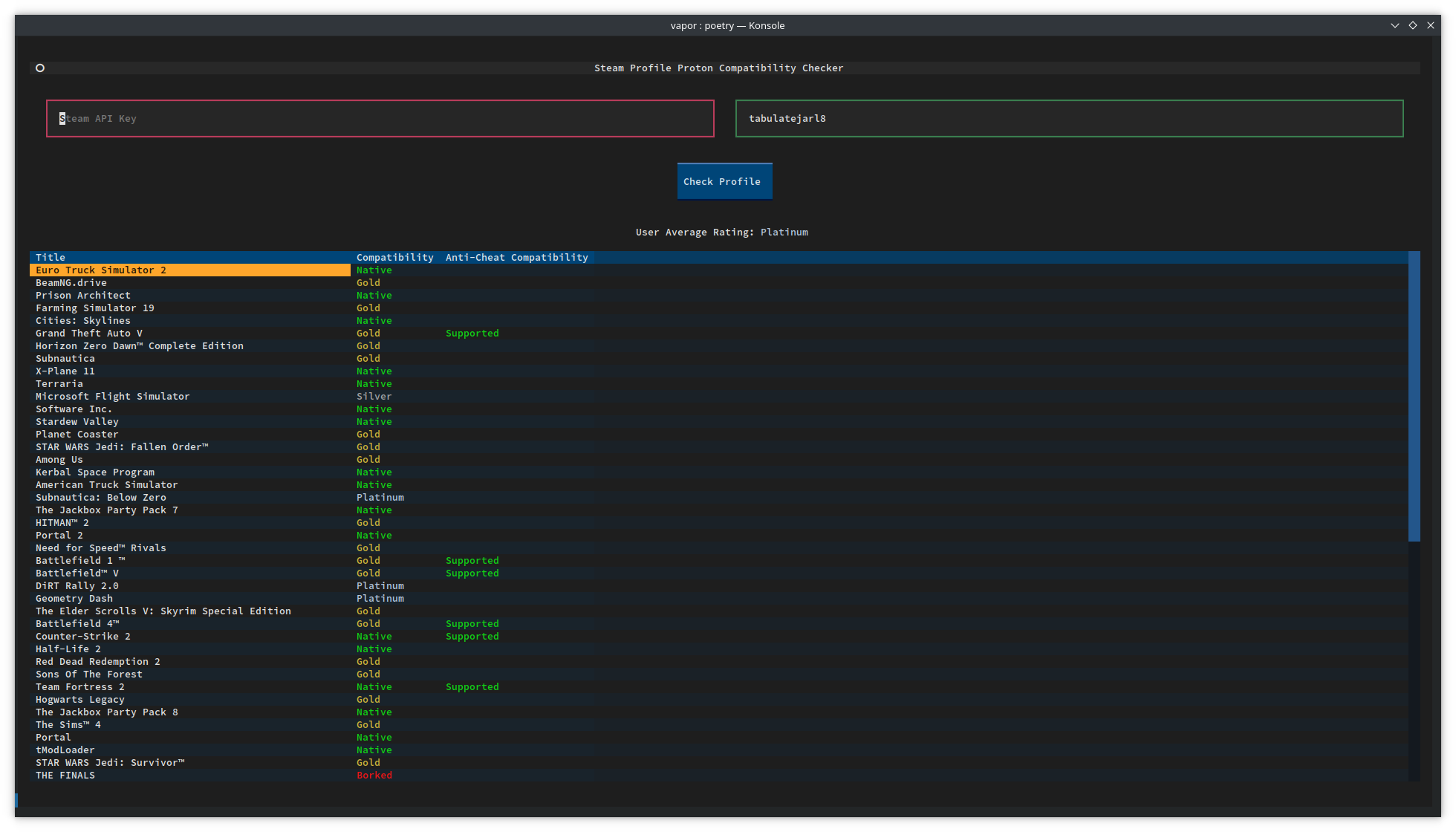
Vapor is a Python package built on Textual which offers a simple Terminal User Interface for checking ProtonDB compatibility ratings of games in a Steam user's library. The tool seamlessly integrates Steam and ProtonDB APIs to provide insightful compatibility information.
Installation
pipx is a great tool for installing Python packages in an isolated environment. If wanting to install via pipx, just run
pipx install vapor-steam
This project can also be installed with pip normally with
pip3 install vapor-steam
Arch users can install the package from the AUR with your favorite AUR helper:
paru -S python-vapor-steam
Or manually with makepkg:
git clone https://aur.archlinux.org/python-vapor-steam.git && cd python-vapor-steam
makepkg -si
Quick Start
- Obtain a Steam API Key: Get your Steam API key by filling out this form.
- Run the Program: Run vapor with the
vaporcommand. It can also be ran without installation, withpython3 vapor/main.py.
Features
- User Library Analysis: Fetches and displays game compatibility ratings from ProtonDB for a specified Steam user.
- User Average Compatibility: Calculates and presents the average game compatibility for the user's library.
- Automatic Steam ID Resolution: Vapor automatically resolves the given Steam ID, so you can use either your vanity name or your 64-bit Steam ID.
- Automatic Steam URL Detection: Directly paste a Steam user profile URL, like
https://steamcommunity.com/id/<user>orhttps://steamcommunity.com/profiles/<user>into the "User ID" box and it will be detected and parsed correctly. - AreWeAntiCheatYet Integration: Integartion with Are We Anti-Cheat Yet? to show the anti-cheat compatibility status of your games.
Requirements
This package is built on top of textual and aiohttp, and uses poetry to manage dependencies. To install dependencies locally, just run poetry install in the repository's directory.
Private Steam Account Error
This error occurs if your game details are set to private in your privacy settings. First, double check that you're using the correct Steam ID or vanity URL. This is different from your display name. To make sure, you can directly copy your profile URL into Vapor and your Steam ID will be extracted. Your profile URL will look like https://steamcommunity.com/id/<vanity_name> or https://steamcommunity.com/profiles/<steam_id>.
If you've double checked that your account information is correct, please complete the following steps to fix this issue:
- From Steam, click the user dropdown and select "View my profile"
- Click the "Edit Profile" button
- Click the "Privacy Settings" tab
- Set "Game details" to Public
- Uncheck the Always keep my total playtime private option
Contributing
Contributions are welcomed! For bug fixes, improvements, or feature requests, feel free to open an issue or pull request.
1 maintainer

Metadata
1 maintainer
Release files for vapor-steam 1.7.0
For a detailed explanation of source distributions (sdists) and built distributions (wheels), please see the package formats documentation.
Source distribution (sdist)
| File | Size | Uploaded | |
|---|---|---|---|
| vapor_steam-1.7.0.tar.gz | 33.9 kB | Details |
Built distribution (wheel)
| File | Interpreter | ABI | Platform | Reset |
|---|---|---|---|---|
| vapor_steam-1.7.0-py3-none-any.whl | Python 3 | none | any | Details |
Total release size: 63.1 kB
Release files / vapor_steam-1.7.0.tar.gz
| Download URL | vapor_steam-1.7.0.tar.gz |
|---|---|
| Size | 33.9 kB |
| Tags | Source |
|
SHA-256 checksum How to use checksums |
f4cd38f4b9aa8c98cf31de4cfc0a790cdafdd5dc127245a64917acf9ae9896bb
|
|
BLAKE2b-256 checksum How to use checksums |
0a960b0ab5c9bdf7d36871e38507a551c2c21b35d8e7afaf0e5045f14e5f53c6
|
| Upload date | |
|
Uploaded using Trusted Publishing? What is trusted publishing? |
No |
| Uploaded via |
twine/6.2.0 CPython/3.14.2
|
Release files / vapor_steam-1.7.0-py3-none-any.whl
| Download URL | vapor_steam-1.7.0-py3-none-any.whl |
|---|---|
| Size | 29.2 kB |
| Tags | Python 3 |
|
SHA-256 checksum How to use checksums |
42d55b6380865bb95427ded1d6eece3d5b310f398656c2ecd535fe85a49e5ef4
|
|
BLAKE2b-256 checksum How to use checksums |
92c1c11135b67be16ffb085870a16c01b6f057a5cd300320ce536ac0df597d8b
|
| Upload date | |
|
Uploaded using Trusted Publishing? What is trusted publishing? |
No |
| Uploaded via |
twine/6.2.0 CPython/3.14.2
|














