
Warning: this project has been deprecated
If you are running vsscli v0.5.x we strongly suggest using the new vss-cli
available at VSS-Cli. For more information
see the following Announcement.
ITS Private Cloud Command Line Interface






This package provides a unified command line interface to the ITS Private Cloud.
Documentation
Package documentation is now available at docs.
Installation
Windows users, download and install Python Releases for Windows prior running pip.
The fastest way to install VSS CLI is to use pip:
pip install vsscli
If you have the VSS CLI installed and want to upgrade to the latest version you can run:
pip install --upgrade vsscli
This will install VSS CLI as well as all dependencies. You can also just download the tarball.
Once you have the vsscli directory structure on your workstation, you can just run:
cd <path_to_vsscli>
python setup.py install
CLI Releases
The release notes for the VSS CLI can be found CHANGELOG in the gitlab repo.
Getting Started
Before using VSS CLI, you need setup your VSS credentials. You can do this in a couple of ways:
- Environment variables
- Configuration file
The quickest way to get started is to run the vss configure command:
vss configure
Username []:
Endpoint [https://vss-api.eis.utoronto.ca]:
Passw
Repeat for confirmation:
To use environment variables, set VSS_API_USER and VSS_API_USER_PASS or VSS_API_TOKEN:
export VSS_API_USER=<vss_user>
export VSS_API_USER_PASS=<vss_user_pass>
# or
export VSS_API_TOKEN=<vss_api_token>
To use a config file, create a configuration as follows:
{
"https://vss-api.eis.utoronto.ca": {
    "auth": "<encoded_creds>",
    "token": "<access_token"
    }
}
Place it in ~/.vss/config.json (or in %UserProfile%\.vss\config.json on Windows).
If you place the config file in a different location than ~/.vss/config.json
you need to inform VSS CLI the full path. Do this by setting
the appropriate environment variable:
export VSS_CONFIG_FILE=/path/to/config_file.json
Or use the -c/--config option in the vss command as follows:
vss -c ~/.secret/vss-config.json
By default VSS CLI output is text, and this can be configured either by -o/--output
option or the VSS_DEFAULT_OUTPUT environment variable as follows:
$ export VSS_DEFAULT_OUTPUT=json
# or
$ export VSS_DEFAULT_OUTPUT=text
JSON Parameter Input
VSS CLI options vary from simple string, boolean or numeric values to JSON data structures as input parameters on the command line.
For example, consider the following command to deploy a new virtual machine from a given template and provide a guest operating system specification to reconfigure hostname, domain, dns, ip, subnet and gateway:
vss compute vm mk from-template --source $TEMPLATE_UUID \
      --description 'New virtual machine' \
      --custom-spec '{"hostname": "fe1", "domain": "eis.utoronto.ca", "interfaces": [{"dhcp": true}]}'
Where $TEMPLATE_UUID is an environment variable storing the UUID of
the source template.
Bash completion
Bash completion support is provided by Click and will complete sub commands and parameters. Subcommands are always listed whereas parameters only if at least a dash has been provided. Example:
vss compute <TAB><TAB>
account    compute    configure  request    stor       token

vss -<TAB><TAB>
--config      --no-verbose  --output      --verbose     --version     -c            -o
Activating Bash completion can be done by executing the following command:
eval "$(_VSS_COMPLETE=source vss)"
The above activation example will always invoke your application on startup
and may slow down the shell activation. VSS-CLI ships with a Bash completion
activation script named vss_bash_completer which can be either loaded manually
or added to your basrc:
. $(dirname `which vss`)/vss_bash_completer
VSS Shell
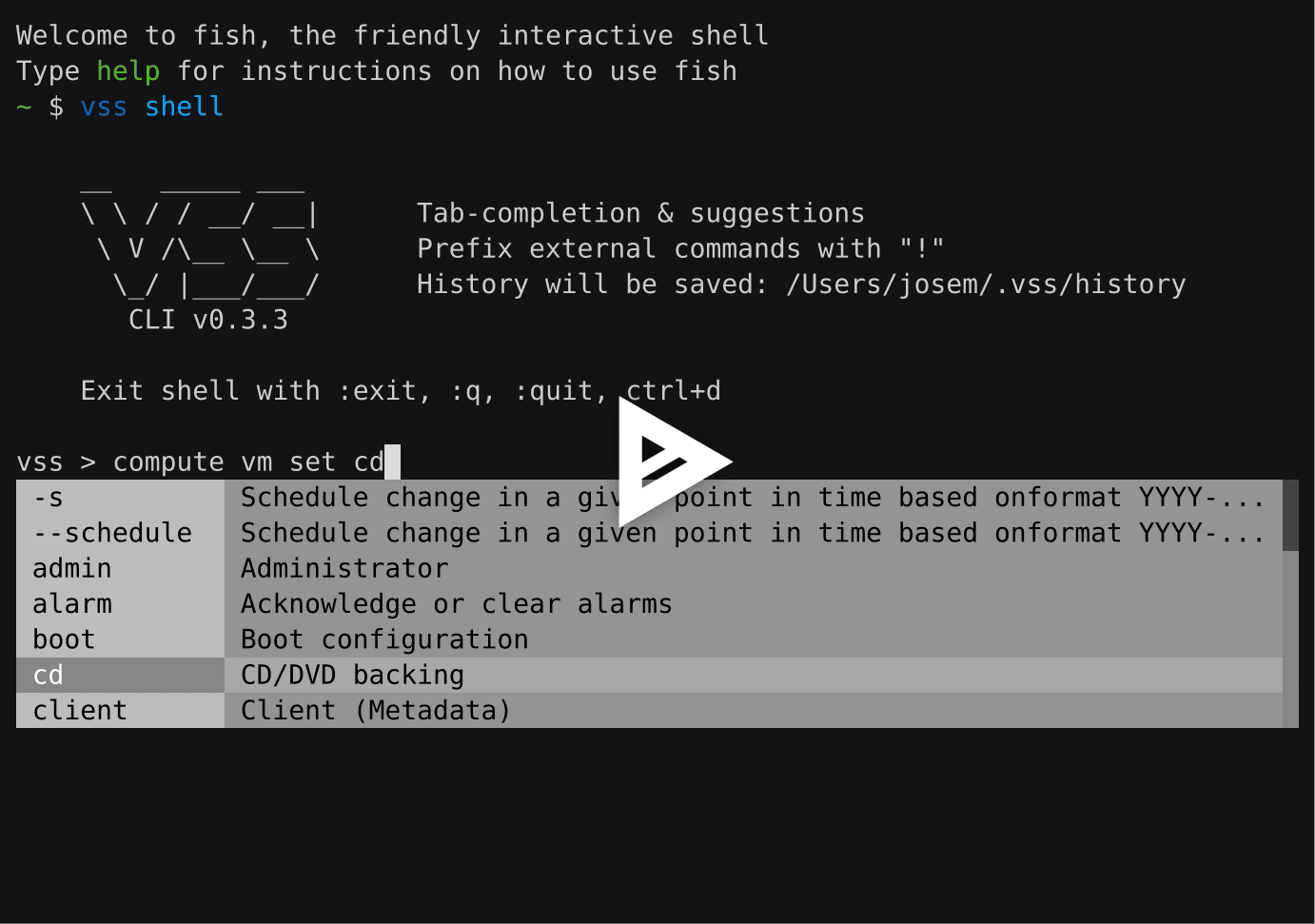
The VSS CLI provides a REPL interactive shell with tab-completion, suggestions and command history.
Usage: vss shell [OPTIONS]

  REPL interactive shell.

Options:
  -i, --history TEXT  File path to save history
  --help              Show this message and exit.
To enter the shell just execute vss shell and you will get the following welcome message:
Getting Help
We use GitLab issues for tracking bugs, enhancements and feature requests. If it turns out that you may have found a bug, please open a new issue.
Versioning
The API versions are tagged based on Semantic Versioning. Versions available in the tags section.
Contributing
Refer to the Contributing Guide for details on our code of conduct and the process of submitting code to the repository.


Release files for vsscli 0.5.1
For a detailed explanation of source distributions (sdists) and built distributions (wheels), please see the package formats documentation.
Source distribution (sdist)
| File | Size | Uploaded | Provenance | |
|---|---|---|---|---|
| vsscli-0.5.1.tar.gz | 41.3 kB | Without provenance | Details |
Built distribution (wheel)
| File | Interpreter | ABI | Platform | Reset |
|---|---|---|---|---|
| vsscli-0.5.1-py3-none-any.whl | Python 3 | none | any | Details |
Total release size: 81.2 kB
Release files / vsscli-0.5.1.tar.gz
| Download URL | vsscli-0.5.1.tar.gz |
|---|---|
| Size | 41.3 kB |
| Tags | Source |
|
SHA-256 checksum How to use checksums |
8100758c6bd6f40107eea5bd5a27131771fa7f96becc485b5f0437181a3968cd
|
|
BLAKE2b-256 checksum How to use checksums |
efdaa78f3ee47e623cad3818aff4d9d7ea85d95b0a4b32d7dc74aa5214734be4
|
| Upload date | |
|
Uploaded using Trusted Publishing? What is trusted publishing? |
No |
| Uploaded via |
twine/1.13.0 pkginfo/1.5.0.1 requests/2.21.0 setuptools/40.8.0 requests-toolbelt/0.9.1 tqdm/4.31.1 CPython/3.7.3
|
Release files / vsscli-0.5.1-py3-none-any.whl
| Download URL | vsscli-0.5.1-py3-none-any.whl |
|---|---|
| Size | 40.0 kB |
| Tags | Python 3 |
|
SHA-256 checksum How to use checksums |
9745ddd24f4a904fcb375a7262dbf8da8c73da617e8facaca1d66c62ac763b0e
|
|
BLAKE2b-256 checksum How to use checksums |
0cdbf9356ee95bbce1485849a0315128be463527ed2697af93abc7ba6d4cba9a
|
| Upload date | |
|
Uploaded using Trusted Publishing? What is trusted publishing? |
No |
| Uploaded via |
twine/1.13.0 pkginfo/1.5.0.1 requests/2.21.0 setuptools/40.8.0 requests-toolbelt/0.9.1 tqdm/4.31.1 CPython/3.7.3
|
Security for vsscli 0.5.1
Provenance
Provenance describes where a file came from. On PyPI, provenance is shared via attestations, which provide a verifiable record of the build or publishing details. View details, limitations and caveats.
No provenance found
None of the files in this release were uploaded with provenance metadata.
A note on package security
PyPI is a repository for distributing packages, not a service for auditing them. While third-party security researchers and our staff do their best to detect and remove malicious packages, PyPI cannot guarantee the quality, security or suitability of any given package.
To learn more about protecting yourself from malicious actors, visit our package security documentation.














