
watchdogs 




Watchdogs to keep an eye on the world's change.
Intro
- This is a web app based on fastapi, databases, uniparser, torequests.
- Smoothly deploy by pip:
pip install -U watchdogs;python3 -m watchdogs - Simple to create new crawler with the Web UI, not like old ways to duplicate crawler code.
- All the crawlers run in the async environment.
- Almost all the buttons have the title attribute to describe the features in Web UI, which means doc lay on the UI.
Usage
-
pip install -U watchdogs
-
python -m watchdogs
-
Open with a browser: http://127.0.0.1:9901
Args
python -m watchdogs -- -h
- db_url:
sqlite / mysql / postgresql(not test) url, which databases support. Defaults to 'sqlite:///{HOME_PATH}/watchdogs/storage.sqlite'
- password:
init password, if null can be set on the first visit on web.
- ignore_stdout_log:
remove stdout logging
- ignore_file_log:
remove file logging located at {HOME_PATH}/watchdogs folder.
- md5_salt:
md5_salt for custom md5(password) / md5(rss_tag)
- config_dir:
config dir to save the logs and config files, if using sqlite include sqlite file. defaults to {HOME_PATH}/watchdogs
- use_default_cdn:
If Config.cdn_urls not set, and use_default_cdn is True, will use online js/css cdn from staticfile.org.
- **uvicorn_kwargs:
uvicorn startup kwargs, such as port, host. Which can be set like:
python -m watchdogs --port=9999 --host=127.0.0.1
Screenshots
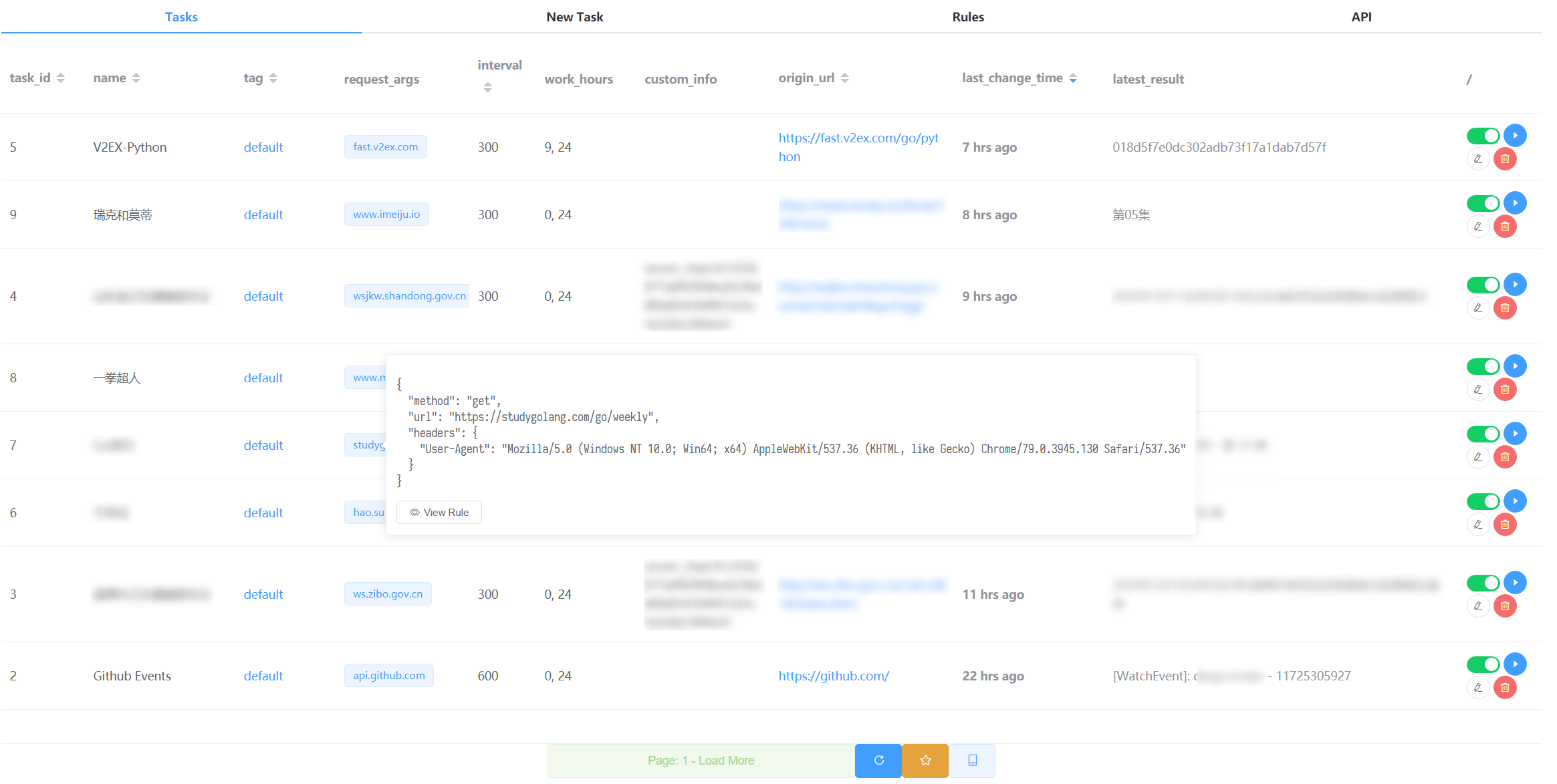
- Welcome Page (Tasks Page).
Here you can see all the tasks meta, goto RSS / Mobile Lite Page, and do some operations to the tasks.
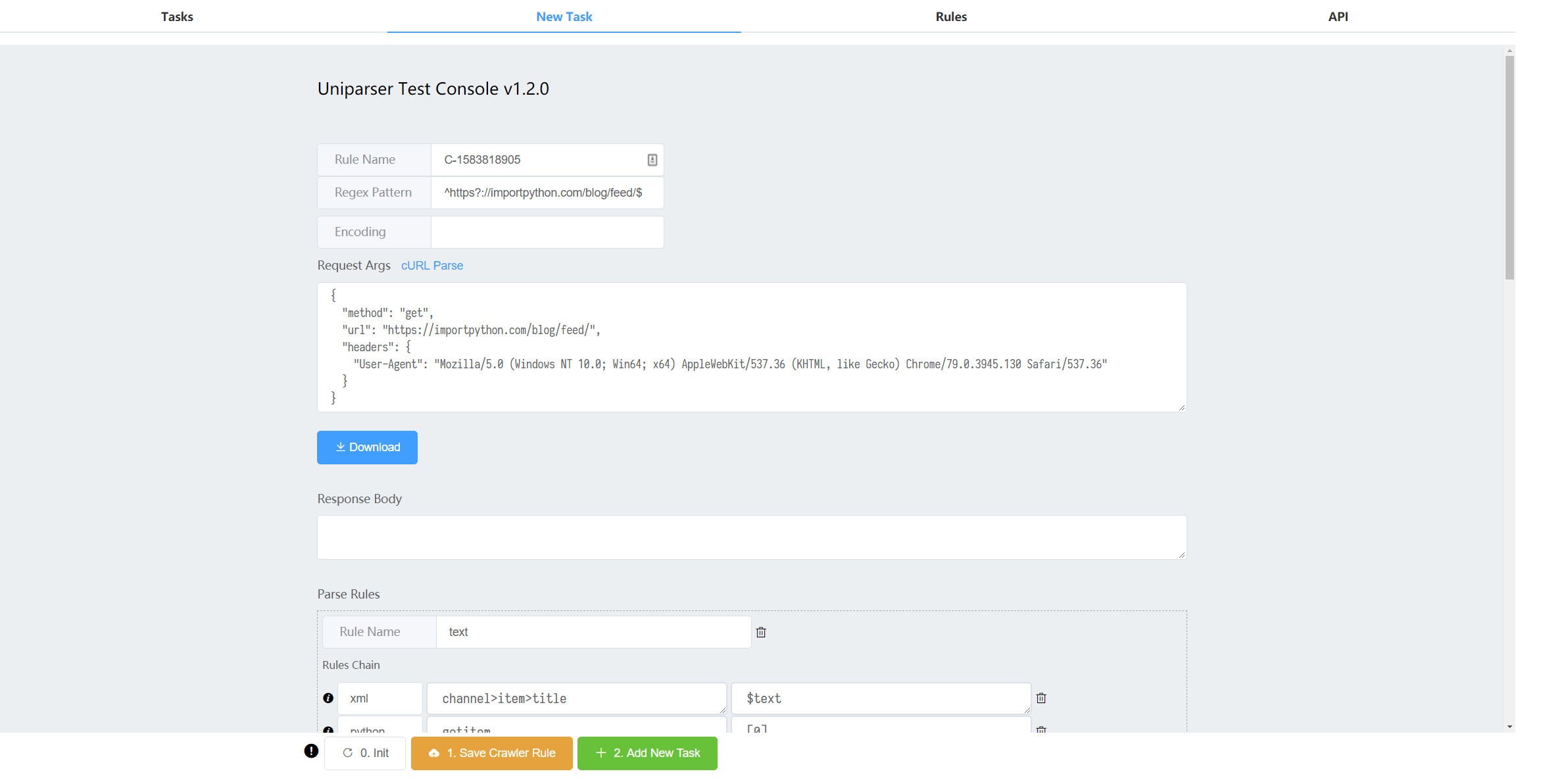
- New Task Page.
Here based on the latest uniparser web app, to create new rules and also tasks.
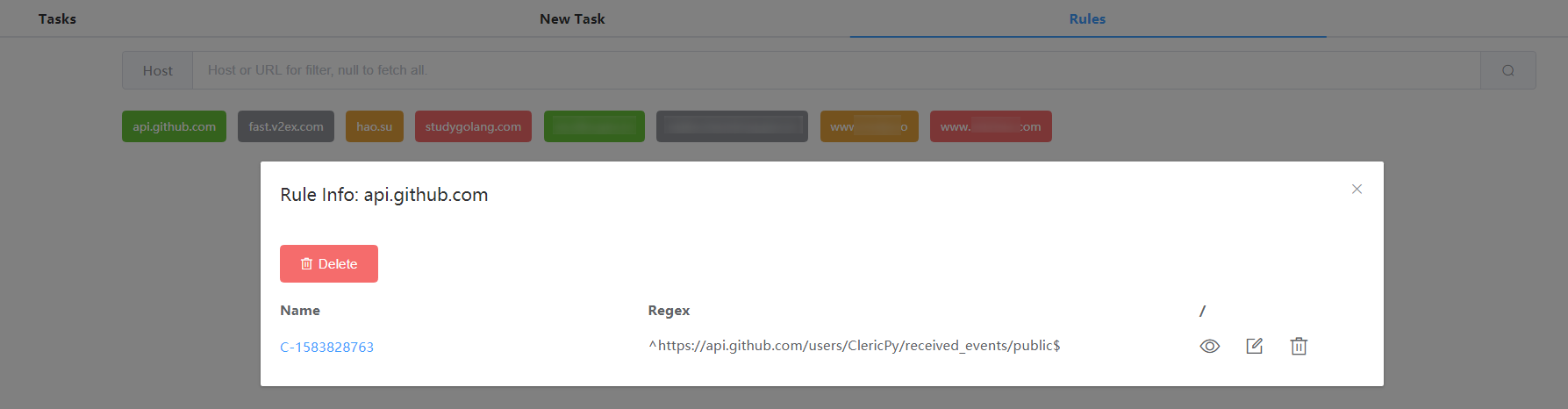
- Rules Page.
Do some operations for the rules.
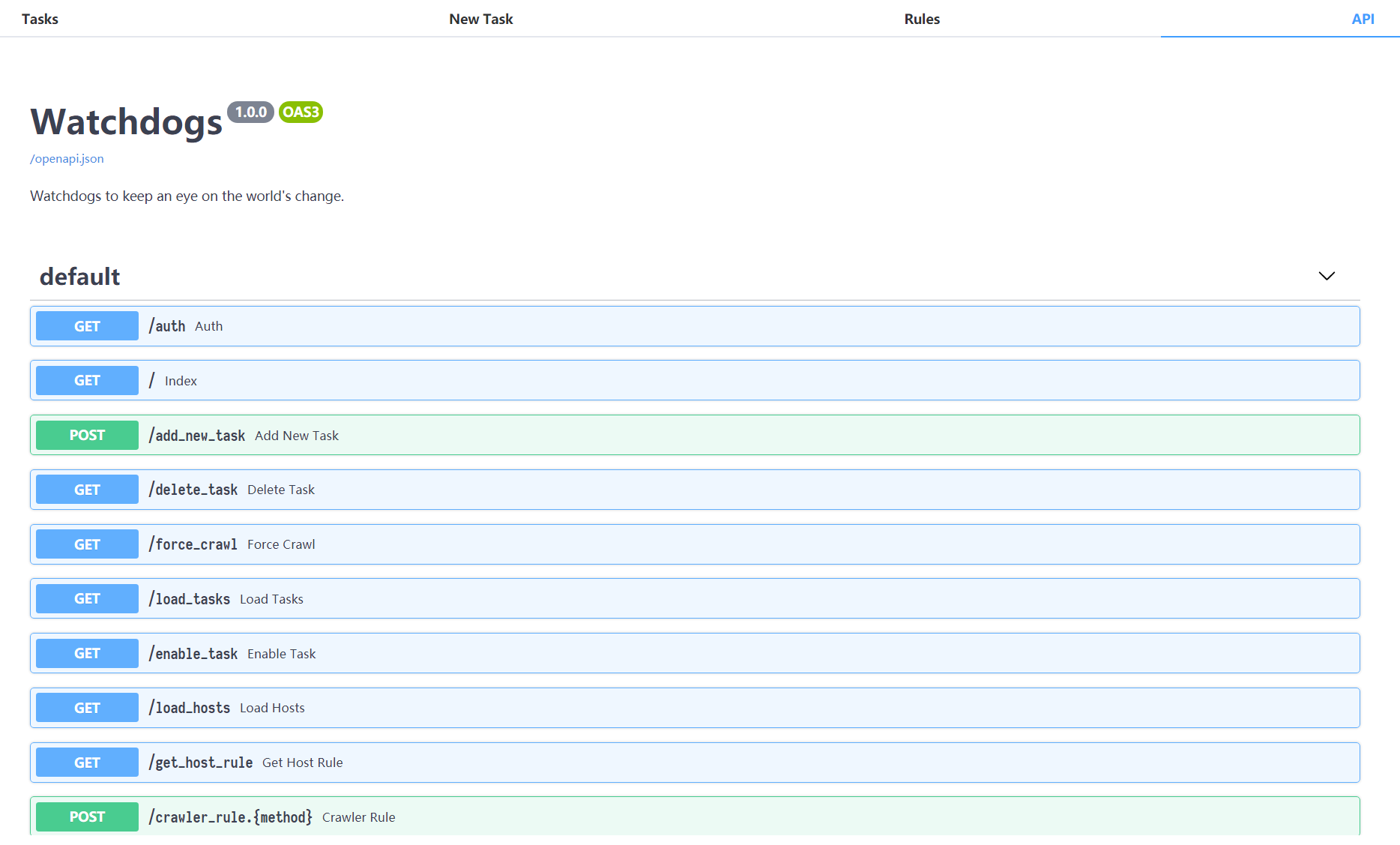
- API page.
Based on fastapi
/docswhich is generated automatically.
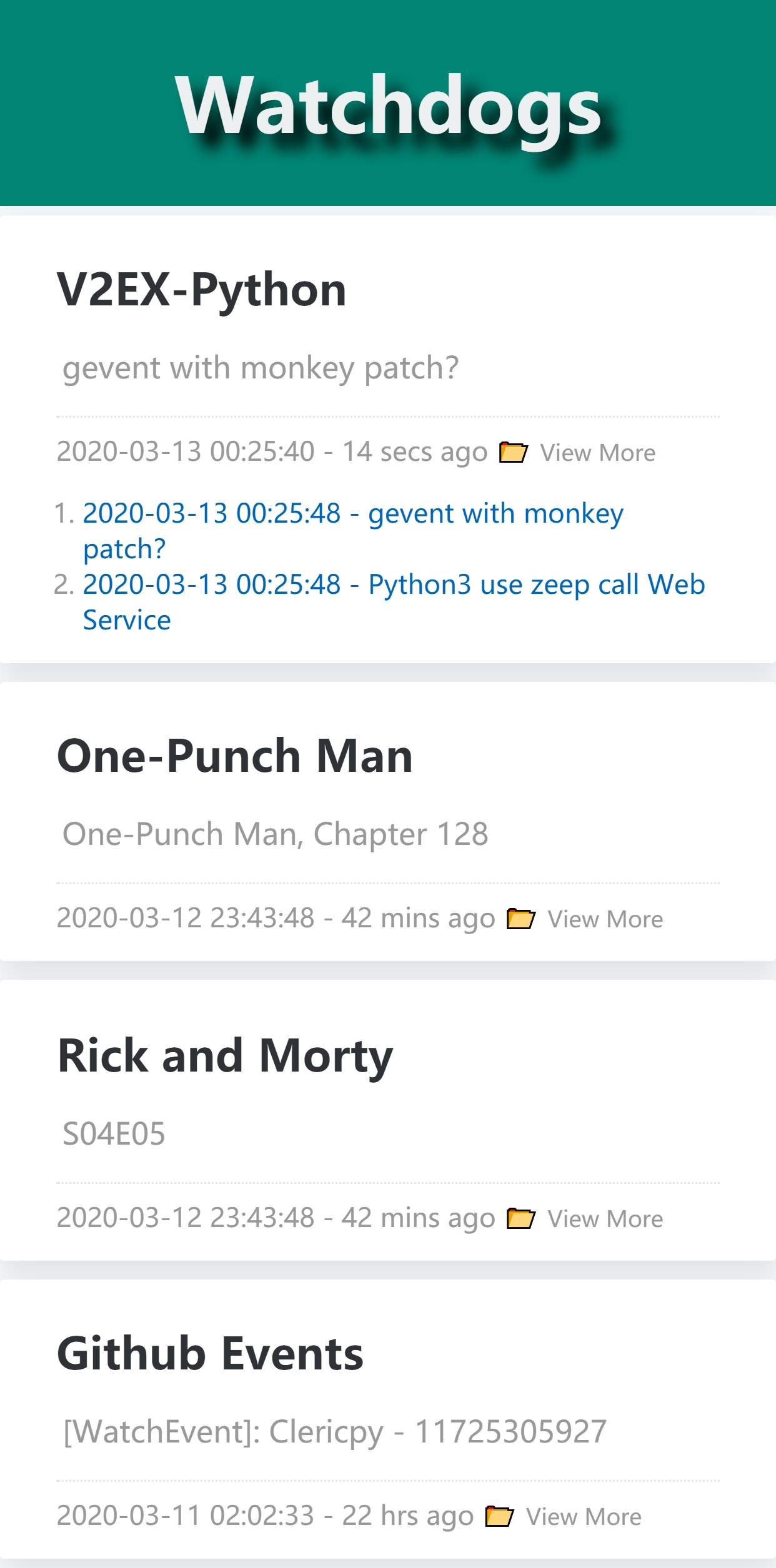
- Mobile Page (Lite View).
For mobile phone to glimpse the latest result for the current 30 tasks.
1 maintainer

Metadata
1 maintainer
Release files for watchdogs 1.1.8
For a detailed explanation of source distributions (sdists) and built distributions (wheels), please see the package formats documentation.
Built distribution (wheel)
| File | Interpreter | ABI | Platform | Actions Reset |
|---|---|---|---|---|
| watchdogs-1.1.8-py3-none-any.whl | Python 3 | none | any | Details for watchdogs-1.1.8-py3-none-any.whl |
Release files / watchdogs-1.1.8-py3-none-any.whl
| Download URL | watchdogs-1.1.8-py3-none-any.whl |
|---|---|
| Size | 296.5 kB |
| Tags | Python 3 |
|
SHA-256 checksum How to use checksums |
9fe0463c9763d32b2853e381b228609185e563c8a08052780279a59e8b1cf25d
|
|
BLAKE2b-256 checksum How to use checksums |
df7dbdb6a0ab12959d5ee7713b1e3dbabf5e6231af5a0782bd4c0aa5eeadfbca
|
| Upload date | |
|
Uploaded using Trusted Publishing? What is trusted publishing? |
No |
| Uploaded via |
twine/1.13.0 pkginfo/1.4.2 requests/2.22.0 setuptools/41.0.1 requests-toolbelt/0.8.0 tqdm/4.28.1 CPython/3.7.1
|
Security for watchdogs 1.1.8
Provenance
Provenance describes where a file came from. On PyPI, provenance is shared via attestations, which provide a verifiable record of the build or publishing details. View details, limitations and caveats.
No provenance found
None of the files in this release were uploaded with provenance metadata.
A note on package security
PyPI is a repository for distributing packages, not a service for auditing them. While third-party security researchers and our staff do their best to detect and remove malicious packages, PyPI cannot guarantee the quality, security or suitability of any given package.
To learn more about protecting yourself from malicious actors, visit our package security documentation.














