
Weather Command





A command line weather app
NOTE: OpenWeather is now requiring a credit card to use the service even if you stay under the paid amount of calls. I am not interesting in providing my credit card so instead I am archiving the project.
Installation
Installation with pipx is recommended.
pipx install weather-command
Alternatively Weather Command can be installed with pip.
pip install weather-command
Usage
First an API key is needed from OpenWeather, A free account is all that
is needed. Once you have your API key create an environment variable named OPEN_WEATHER_API_KEY that
constains your API key.
export OPEN_WEATHER_API_KEY=your-api-key
Each time the shell is restarted this variable will be cleared. To avoid this it can be added to your
profile. For example if your shell is zsh the API key can be added to the ~/.zshenv file. Doing this
will prevent the need to re-add the key each time the shell is started.
To get the weather for a city:
weather city seattle
Once installed you can also add aliases to your shell to make it quick to get a forecast. For example
if your shell is zsh you can add something like the following to your ~/.zshrc file:
alias we="weather zip 98109 -i --am-pm"
alias wed="weather zip 98109 -i --am-pm -f daily"
alias weh="weather zip 98109 -i --am-pm -f hourly"
After adding this to the ~/.zshrc you will need to restart your terminal. After that typing we
will get the current forecast, wed will get the daily forecast and weh will get the hourly forecast.
Examples
- Current Weather

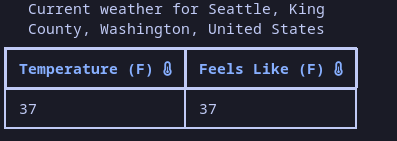
- Current Weather Temp Only
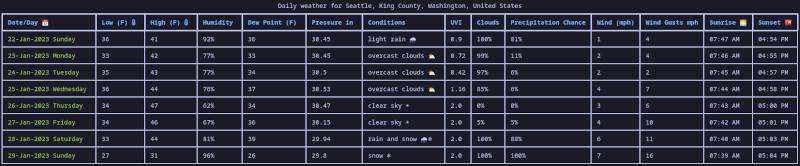
- Daily Weather
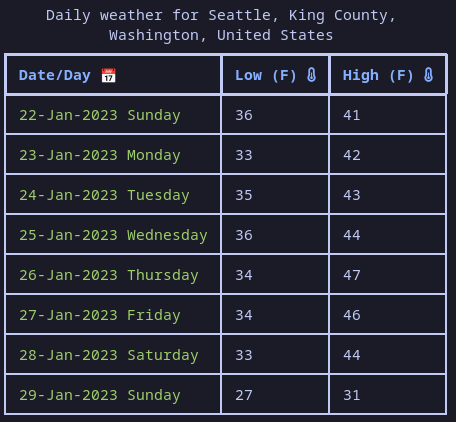
- Daily Weather Temp Only
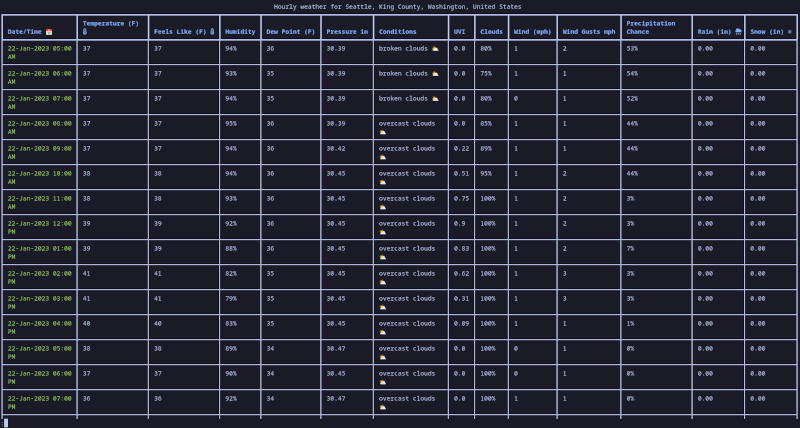
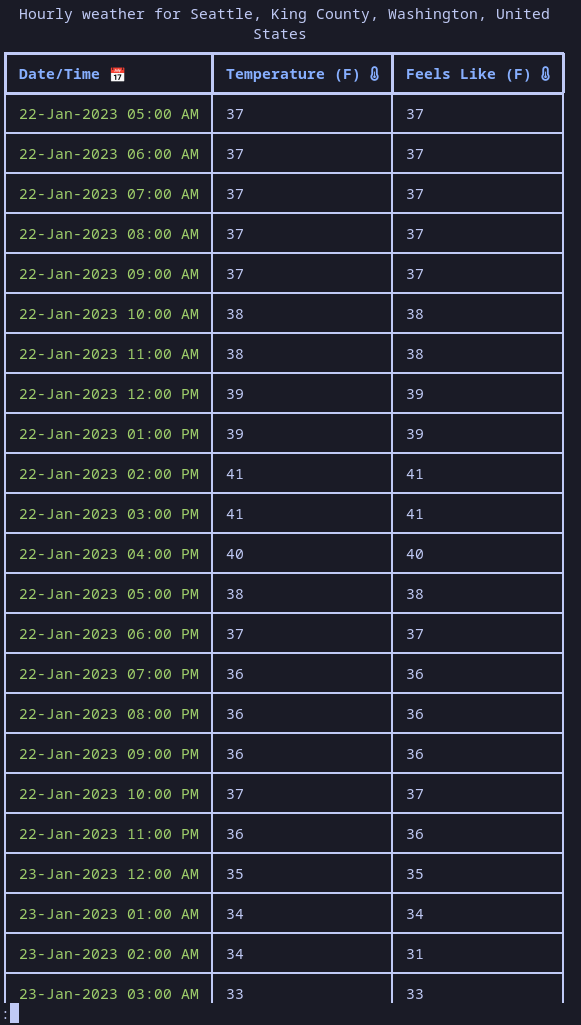
- Hourly Weather
- Hourly Weather Temp Only
Settings
weather now has the ability to save settings to default certain flags. The list of possible settings can be seen with:
weather settings --help
Contributing
Contributions to this project are welcome. If you are interested in contributing please see our contributing guide
1 maintainer

Release files for weather-command 6.1.7
For a detailed explanation of source distributions (sdists) and built distributions (wheels), please see the package formats documentation.
Source distribution (sdist)
| File | Size | Uploaded | |
|---|---|---|---|
| weather_command-6.1.7.tar.gz | 14.6 kB | Details |
Built distribution (wheel)
| File | Interpreter | ABI | Platform | Reset |
|---|---|---|---|---|
| weather_command-6.1.7-py3-none-any.whl | Python 3 | none | any | Details |
Total release size: 32.3 kB
Release files / weather_command-6.1.7.tar.gz
| Download URL | weather_command-6.1.7.tar.gz |
|---|---|
| Size | 14.6 kB |
| Tags | Source |
|
SHA-256 checksum How to use checksums |
d413e63a3aba5986a49921646832971b2f955d5c6dace91724ae86142f0160dc
|
|
BLAKE2b-256 checksum How to use checksums |
ac44d41a1ec92cbae2c02885563c0c67351b5b643bd5d58c4b7769079098fe10
|
| Upload date | |
|
Uploaded using Trusted Publishing? What is trusted publishing? |
No |
| Uploaded via |
poetry/1.8.3 CPython/3.10.12 Linux/6.5.0-1025-azure
|
Release files / weather_command-6.1.7-py3-none-any.whl
| Download URL | weather_command-6.1.7-py3-none-any.whl |
|---|---|
| Size | 17.6 kB |
| Tags | Python 3 |
|
SHA-256 checksum How to use checksums |
4f7c47285b55c41d2dd3f6312ceaee0965338e573966d77301025a1419b19b5f
|
|
BLAKE2b-256 checksum How to use checksums |
1ad208331c6344f4534706d4230cf12d2952559f32c2ec558a75a6afecef7953
|
| Upload date | |
|
Uploaded using Trusted Publishing? What is trusted publishing? |
No |
| Uploaded via |
poetry/1.8.3 CPython/3.10.12 Linux/6.5.0-1025-azure
|














