
Webasauna magic login addon


Project description
This is a Python package for magiclogin, an addon for Websauna framework.
To run this package you need Python 3.5.2+, PostgresSQL and Redis.
Features
Passwordless login with OAuth and email link options.
Throttle protection against brute forcing and spam
Interstitial page to require user to login and then continue what ever HTTP GET/POST action user was performing
Screenshots
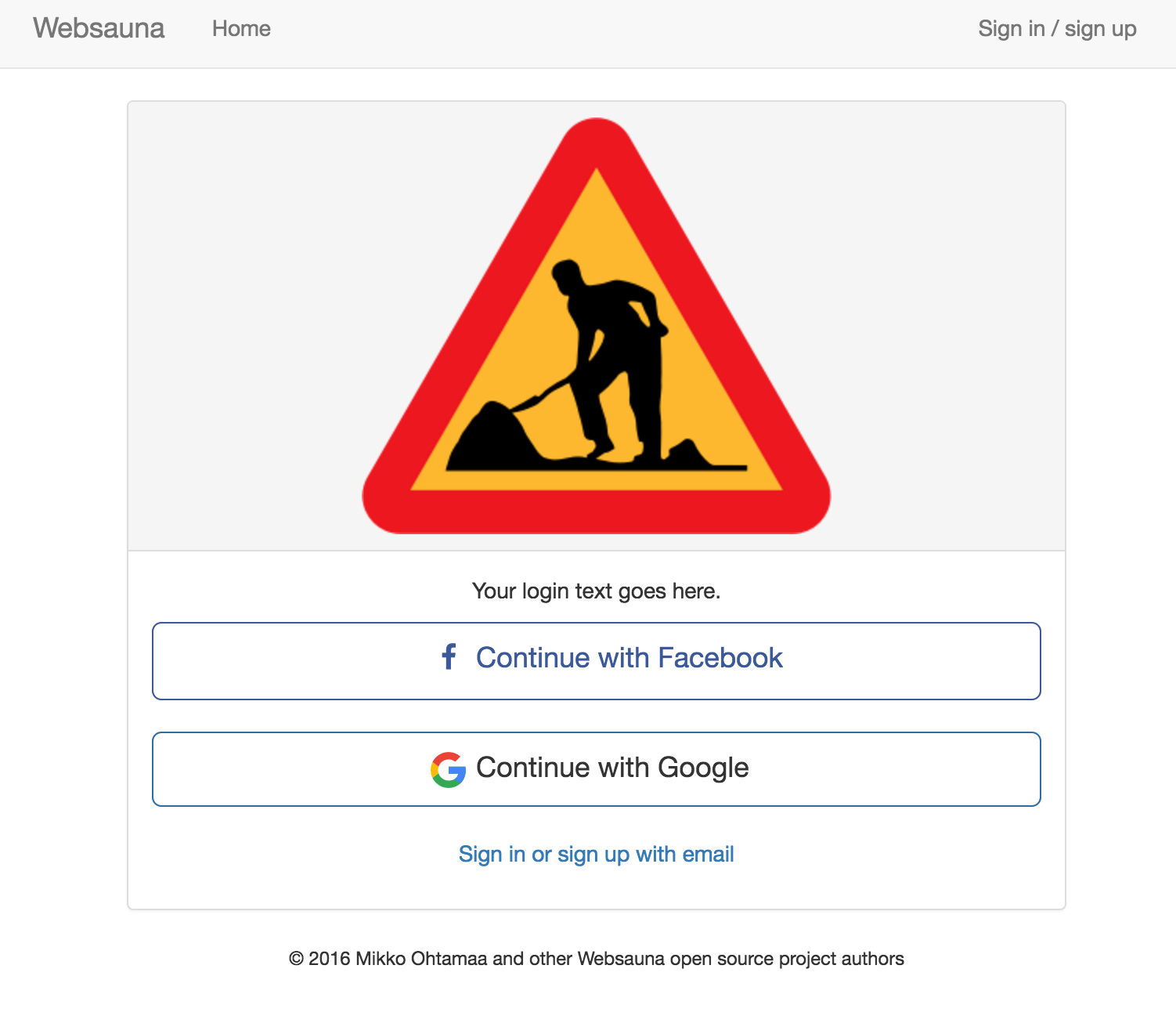
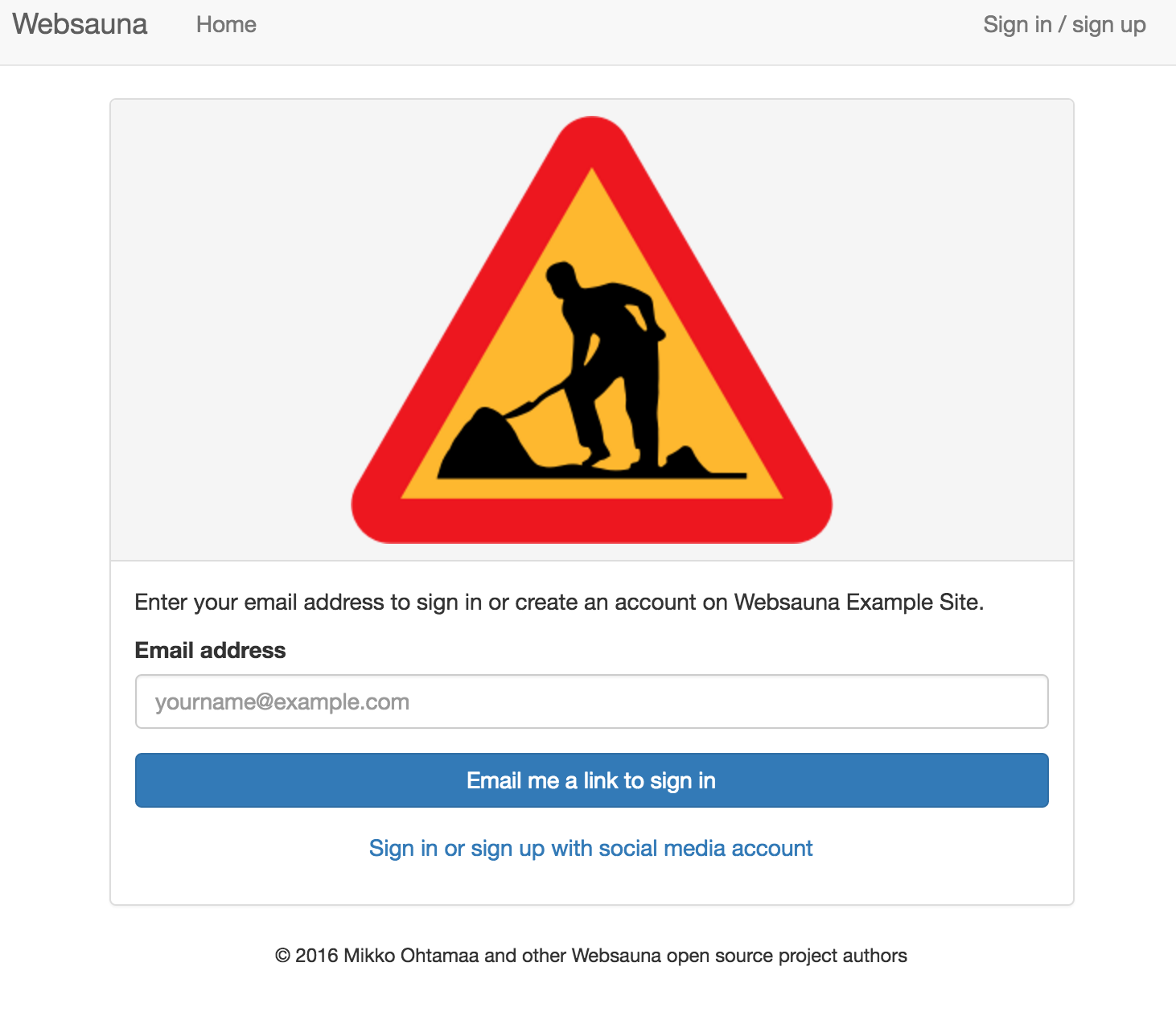
Installation
Setup OAuth credential in development.ini and development-secrets.ini according to Websauna documentation.
Example development.ini:
websauna.social_logins =
    facebook
    google
Example development-secrets.ini bits:
[facebook]
class = authomatic.providers.oauth2.Facebook
consumer_key = xxx
consumer_secret = yyy
scope = user_about_me, email
mapper = websauna.system.user.social.FacebookMapper

[google]
class = websauna.system.user.googleoauth.Google
consumer_key = xxx
consumer_secret = yyy
mapper = websauna.system.user.social.GoogleMapper
scope = profile email
Copy bits from demo.py to your application initializer.
Settings
Available INI settings:
# Throttle email login endpoints to this window
magiclogin.login_email_throttle = 50/3600

# How fast email login link dies
magiclogin.email_token_expiration_seconds = 300

# Text shown on the login panel
magiclogin.login_slogan = Your login text goes here
You might also have long, secure, sessions in production:
# Set session length to one year
redis.sessions.cookie_max_age = 31536000
redis.sessions.cookie_secure = True
redis.sessions.cookie_httponly = True
Running the development website
Local development machine
Example (OSX / Homebrew):
createdb magiclogin_dev
ws-sync-db  ws://websauna/magiclogin/conf/development.ini
pserve ws://websauna/magiclogin/conf/development.ini --reload
You can visit:
http://localhost:6543/login

http://localhost:6543/require_login_example_page
Running the test suite
First create test database:
# Create database used for unit testing
psql create magiclogin_test
Install test and dev dependencies (run in the folder with setup.py):
pip install -e ".[dev,test]"
Run test suite using py.test running:
py.test
More information
Please see https://websauna.org/
Changelog for Websauna Magic Login
1.0a2 (2018-04-22)
Fix missing ‘namespace_packages’.
1.0a1 (2018-03-06)
Initial Release
Release history Release notifications | RSS feed


Download files
Download the file for your platform. If you're not sure which to choose, learn more about installing packages.
Source Distribution
Built Distribution
Filter files by name, interpreter, ABI, and platform.
If you're not sure about the file name format, learn more about wheel file names.
Copy a direct link to the current filters
File details
Details for the file websauna.magiclogin-1.0a2.tar.gz.
File metadata
- Download URL: websauna.magiclogin-1.0a2.tar.gz
- Upload date:
- Size: 120.2 kB
- Tags: Source
- Uploaded using Trusted Publishing? No
File hashes
| Algorithm | Hash digest | |
|---|---|---|
| SHA256 |
a613bd8102a0be15f2c1756041d9e0dc4c01a2b9f30d222f452624272dfd589a
|
|
| MD5 |
a6c6357f1c5be97df786458bb7055494
|
|
| BLAKE2b-256 |
de85f6a34b11d5e07e2a39f062bac126bc847fe8ba496fc2b5211b42f3b2f567
|
File details
Details for the file websauna.magiclogin-1.0a2-py3-none-any.whl.
File metadata
- Download URL: websauna.magiclogin-1.0a2-py3-none-any.whl
- Upload date:
- Size: 127.4 kB
- Tags: Python 3
- Uploaded using Trusted Publishing? No
File hashes
| Algorithm | Hash digest | |
|---|---|---|
| SHA256 |
42fd7638338e0c04efc7a3be03205d326f205bdc18e15a7d2b69cd62a6a44b33
|
|
| MD5 |
dba3a6867eb592282f64c4b4e9997666
|
|
| BLAKE2b-256 |
5d027ef484251b2308ae8cdcede1f89c4c19412f35eaf0b4b31e51d474f35305
|






