
Workoutizer





Workoutizer is a simple web application for organizing your workouts and sports activities. It is designed to work locally on any UNIX-like system running Python.
Track your activities to get an overview of your overall training, similar to platforms like strava or garmin connect - but without uploading all your sensitive health data to some 3rd party cloud.
Features
- Automatic import of Garmin
.fitfiles and.gpxfiles - Automatic naming of activities based on daytime, sport and geo location
- Render your activity gps data on different OSM maps
- Plot your activity specific data e.g. heart rate, pace, temperature, cadence and altitude
- Integrate laps into both plots and maps
- Connected plots and map via mouse hovering
- Find sections with highest speed and max altitude gain using sportgems and highlight on map
- Add untracked activities manually via the GUI
- Export activities as
.gpxfiles - Add as many different sports as you want
Status
Workoutizer is still in a somewhat experimental phase. Things might change a lot from one version to another. However, I'm happy to receive bug reports and feedback.
Getting Started
Install workoutizer using pip
pip install workoutizer
Initialize workoutizer to provide some demo data and run it:
wkz init --demo
wkz run
See the help description of the CLI with wkz --help and subcommands, e.g.: wkz manage --help.
In case you want to run workoutizer on a Raspberry Pi in your local network, follow the Raspberry Pi setup instructions.
Gallery
| Dashboard | Sport Page |
|---|---|
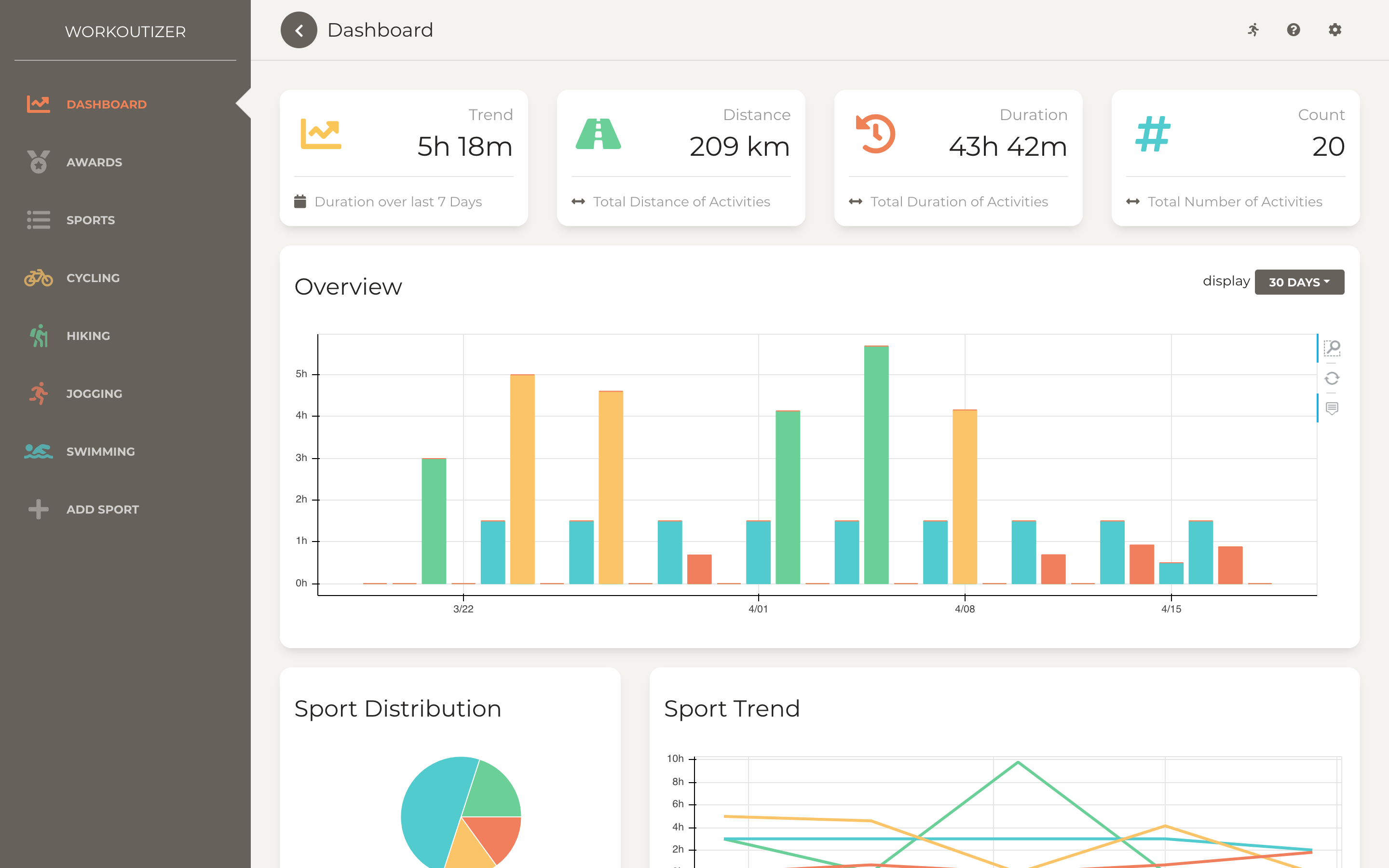 |
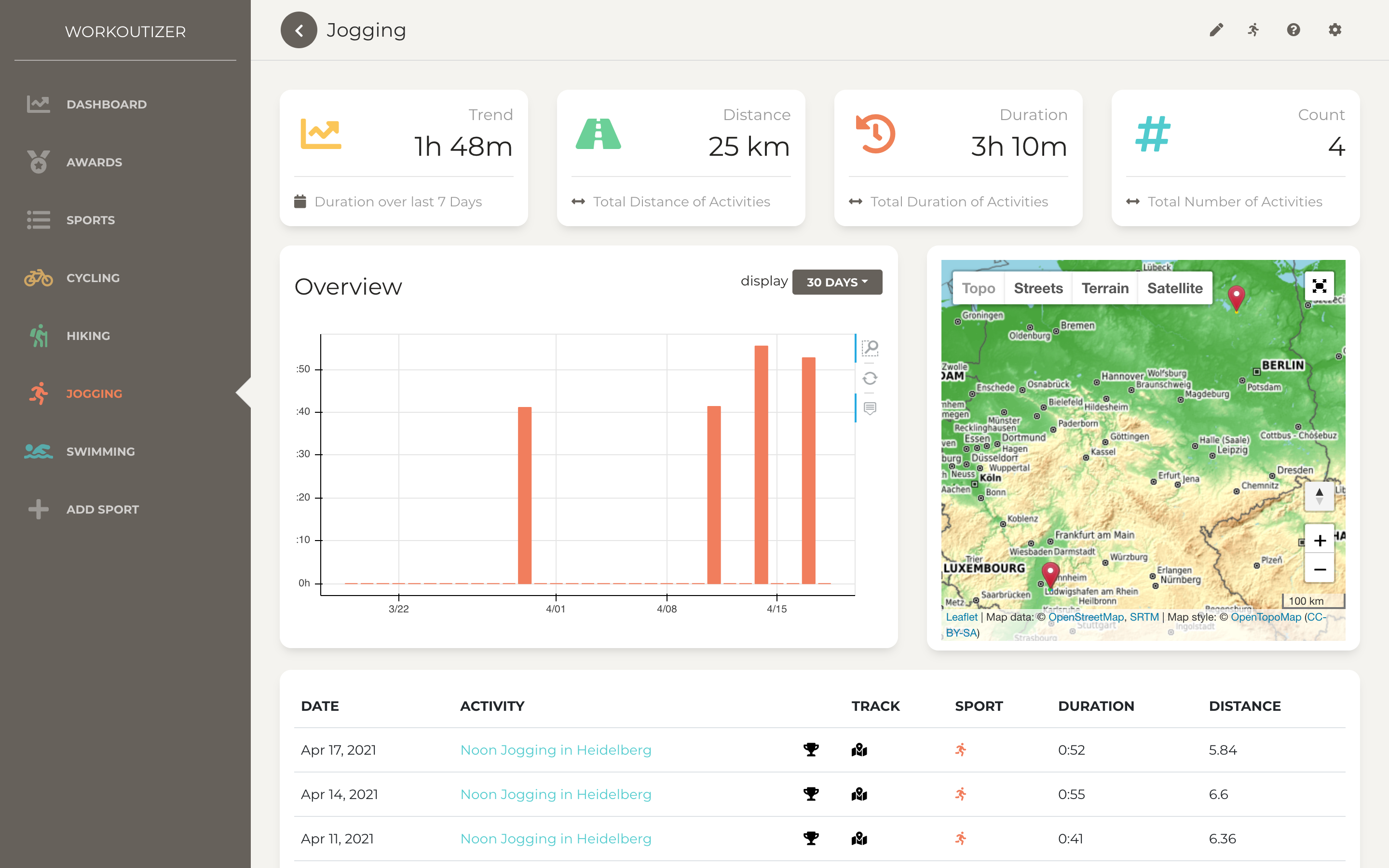 |
| Activity Page 1/2 | Activity Page 2/2 |
|---|---|
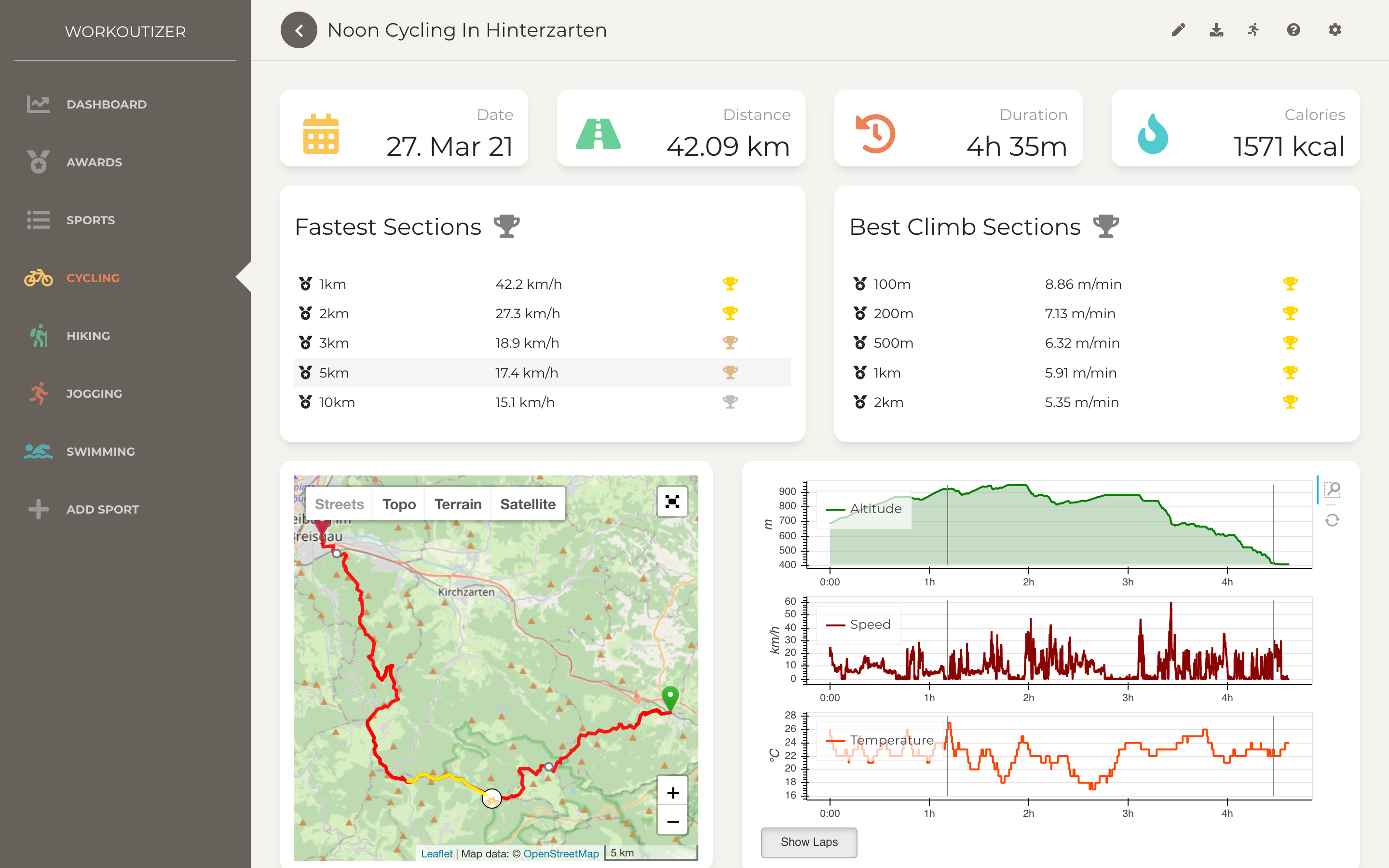 |
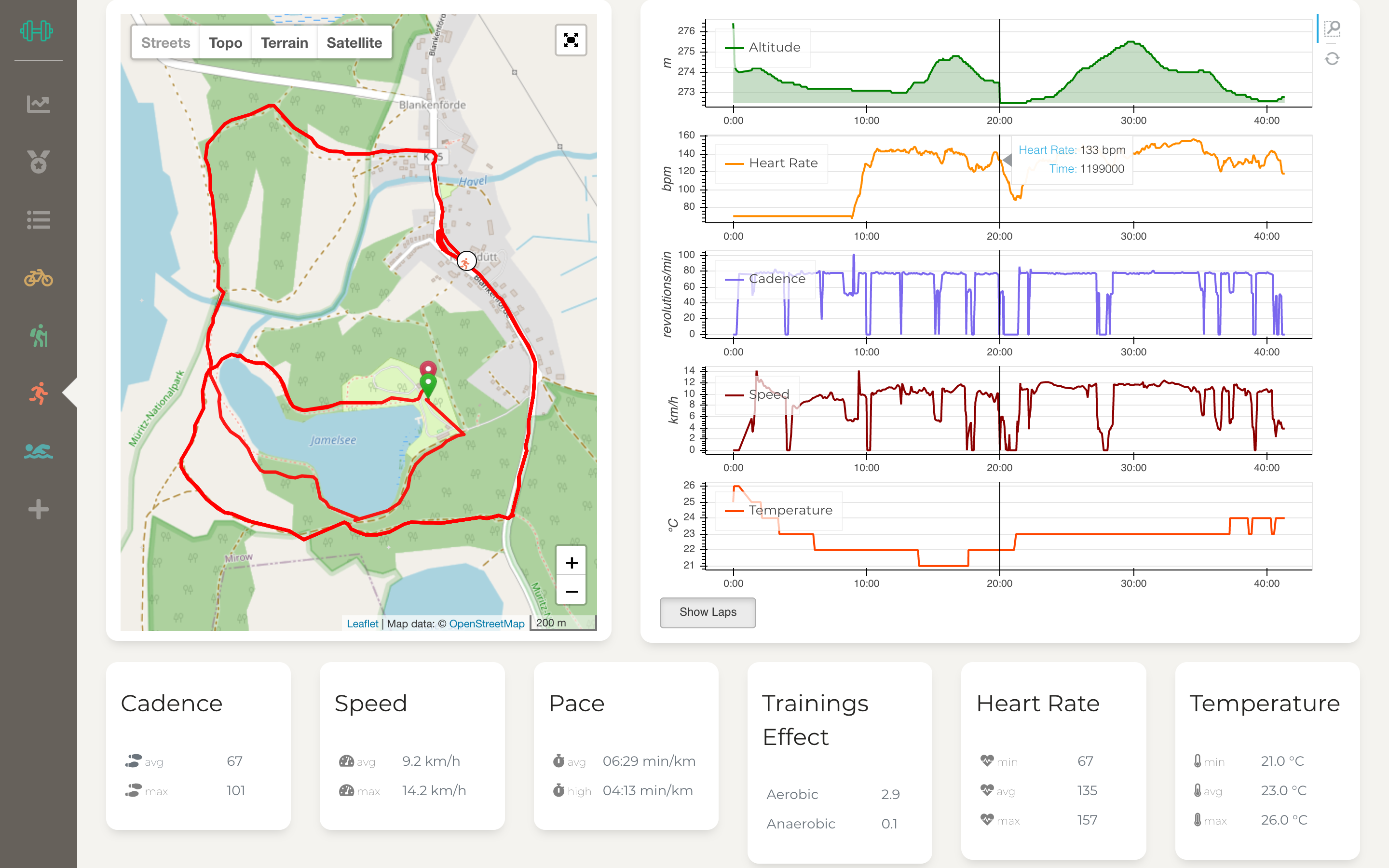 |
Changelog
See Changelog.
Contributing
Contributions are welcome - check out the Contribution Guidelines.
Thanks
Libraries and other tools used by Workoutizer:
1 maintainer

Metadata
1 maintainer
Release files for workoutizer 0.25.1
For a detailed explanation of source distributions (sdists) and built distributions (wheels), please see the package formats documentation.
Source distribution (sdist)
| File | Size | Uploaded | Provenance | Actions |
|---|---|---|---|---|
| workoutizer-0.25.1.tar.gz | 958.6 kB | Without provenance | Details for workoutizer-0.25.1.tar.gz |
Built distribution (wheel)
| File | Interpreter | ABI | Platform | Actions Reset |
|---|---|---|---|---|
| workoutizer-0.25.1-py3-none-any.whl | Python 3 | none | any | Details for workoutizer-0.25.1-py3-none-any.whl |
Total release size: 2.0 MB
Release files / workoutizer-0.25.1.tar.gz
| Download URL | workoutizer-0.25.1.tar.gz |
|---|---|
| Size | 958.6 kB |
| Tags | Source |
|
SHA-256 checksum How to use checksums |
64b0d96d35e1bf3b6977e05e9fc1d32d6ea15f200eeb11d23e083b3403e0a953
|
|
BLAKE2b-256 checksum How to use checksums |
7f5168185ab3000e5c14bf73a39a85d625b26242c9b8090487314596c0ba353c
|
| Upload date | |
|
Uploaded using Trusted Publishing? What is trusted publishing? |
No |
| Uploaded via |
poetry/1.6.1 CPython/3.8.18 Linux/6.2.0-1012-azure
|
Release files / workoutizer-0.25.1-py3-none-any.whl
| Download URL | workoutizer-0.25.1-py3-none-any.whl |
|---|---|
| Size | 999.9 kB |
| Tags | Python 3 |
|
SHA-256 checksum How to use checksums |
33cabda302b21e547bcb303c3c63049584f4934a9b19feb80ea8a2e6b4de6454
|
|
BLAKE2b-256 checksum How to use checksums |
0c9448f18a26af6ac6292c9266bb599f0515a55693e24d20df0f2cca1f02d7f4
|
| Upload date | |
|
Uploaded using Trusted Publishing? What is trusted publishing? |
No |
| Uploaded via |
poetry/1.6.1 CPython/3.8.18 Linux/6.2.0-1012-azure
|
Security for workoutizer 0.25.1
Provenance
Provenance describes where a file came from. On PyPI, provenance is shared via attestations, which provide a verifiable record of the build or publishing details. View details, limitations and caveats.
No provenance found
None of the files in this release were uploaded with provenance metadata.
A note on package security
PyPI is a repository for distributing packages, not a service for auditing them. While third-party security researchers and our staff do their best to detect and remove malicious packages, PyPI cannot guarantee the quality, security or suitability of any given package.
To learn more about protecting yourself from malicious actors, visit our package security documentation.














