
WorldEngine - a world generator


The current stable version is 0.19.0
You can generate the data for your own world, including a number of images (heightmap, biomes, etc.).
For example:
worldengine world -s 1 -n seed1
Worlds are generated using plate simulations, erosion, rain shadows, Holdridge life zones model and plenty of other phenomenons.
The created world can be used for simulating the evolution of a civilization (see project civs).
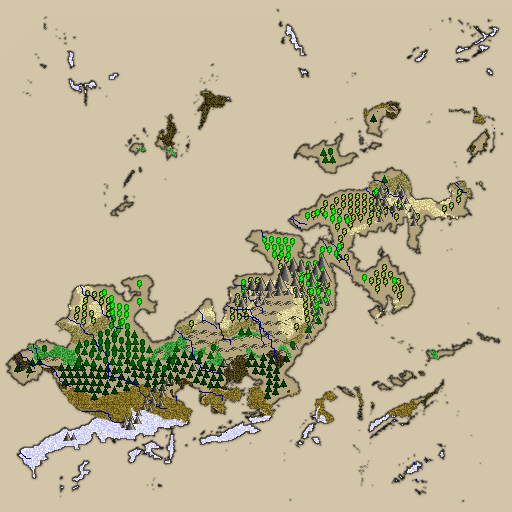
It is also possible to generate additional maps, for example an ancient looking map:
worldengine ancient_map -w seed1.world
We started a Google group: Should you have ideas, problems, suggestions or want to contribute, please join us!
Manual
The Manual for Worldengine : http://worldengine.readthedocs.io/en/latest/
Interoperability (Python, Java)
We would love to see WorldEngine used together with other tools. Worlds generated by WorldEngine can be loaded into python applications using WorldEngine itself as a library. Java applications can instead use WorldEngine-Java, a java library to load WorldEngine files.
Worlds can be saved using the protobuf format or hdf5, for which there are libraries in several languages. We keep working on supporting more formats and always interested in ways to improve interoperability.
Binary packages
For Windows, Linux and Mac are available on the releases page.
Gui
An experimental (and limited!) GUI is available as a separate project: https://github.com/Mindwerks/worldengine-gui.
Install
Python 3.9+ required. WorldEngine supports Python 3.9 through 3.14.
Using Docker
First, git clone or download the code, then:
bin/run_in_docker.sh
Using pip
# Currently not yet released on pypi, you may want to still use Lands or WorldSynth
# or alternatively download the source
pip install worldengine
Using uv (Recommended - Fast!)
uv is a fast Python package installer (10-100x faster than pip):
# Install uv if you haven't already
curl -LsSf https://astral.sh/uv/install.sh | sh

# Create environment and install
uv venv
uv pip install -e ".[hdf5,dev]"
From source code
git clone https://github.com/Mindwerks/worldengine.git
cd worldengine

# Quick setup with provided script (requires pyenv)
./setup_venv.sh
source venv/bin/activate

# Or manual setup
python -m venv venv
source venv/bin/activate  # On Windows: venv\Scripts\activate
pip install -e ".[dev]"

# Run tests
pytest -v tests

# Or test across all Python versions (requires tox)
tox
On Windows
If you want to install Worldengine on Windows you can read these instructions.
Executable file is also available under releases, but is currently out of date.
Note: you need also a copy of the worldengine src directory in the same folder as the exe.
Dependencies
Core dependencies are managed via pyproject.toml. Optional dependencies:
hdf5: For HDF5 world format support (requires h5py)dev: Development tools (pytest, tox, etc.)
The GUI (separate project) is based on Qt
Output
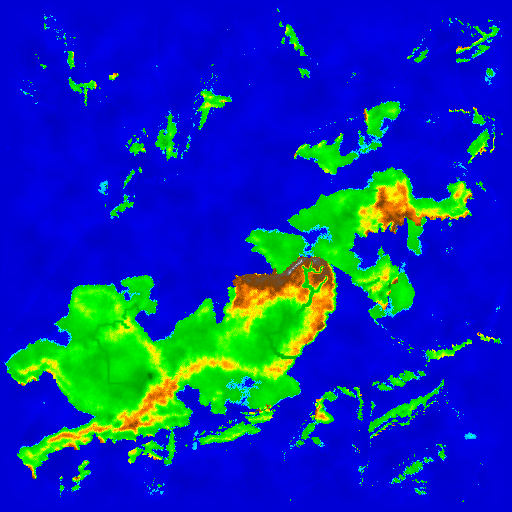
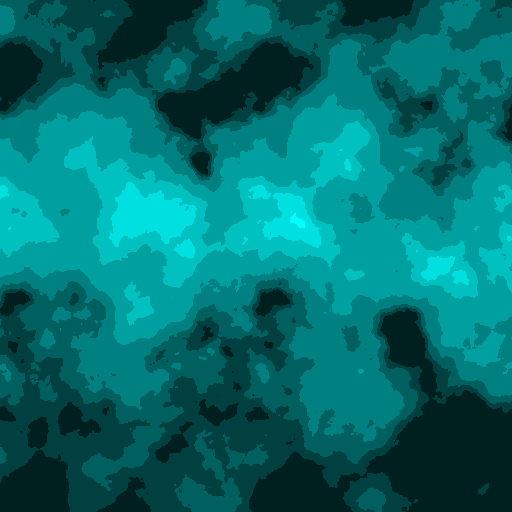
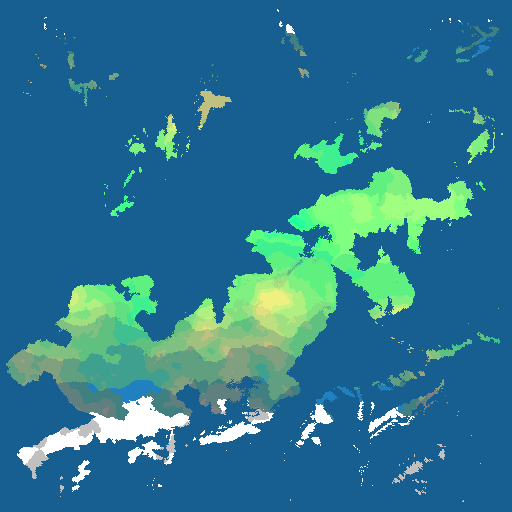
The program produces a binary format with all the data of the generated world and a set of images. For examples seed 1 produces.
Elevation Map
Precipitation Map
Temperature Map

Biome Map
Ocean Map
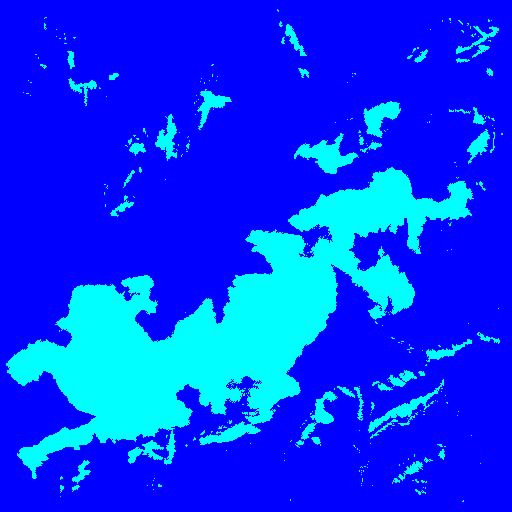
There are several optional outputs and many options to control the result. The manual is your friend!
Usage
worldengine [options] [world|plates|ancient_map|info]
For details about all the possible options please refer to the manual.
For example these commands:
worldengine -s 4 -n an_example -q 25 -x 2048 -y 2048
Produce this output
Worldengine - a world generator (v. 0.19.0)
-----------------------
 operation            : world generation
 seed                 : 4
 name                 : an_example
 width                : 2048
 height               : 2048
 number of plates     : 25
 world format         : protobuf
 black and white maps : False
 step                 : full
 greyscale heightmap  : False
 rivers map           : False
 scatter plot         : False
 fade borders         : True

starting (it could take a few minutes) ...

Producing ouput:
* world data saved in './an_example.world'
* ocean image generated in './an_example_ocean.png'
* precipitation image generated in './an_example_precipitation.png'
* temperature image generated in './an_example_temperature.png'
* biome image generated in './an_example_biome.png'
* elevation image generated in './an_example_elevation.png'
...done
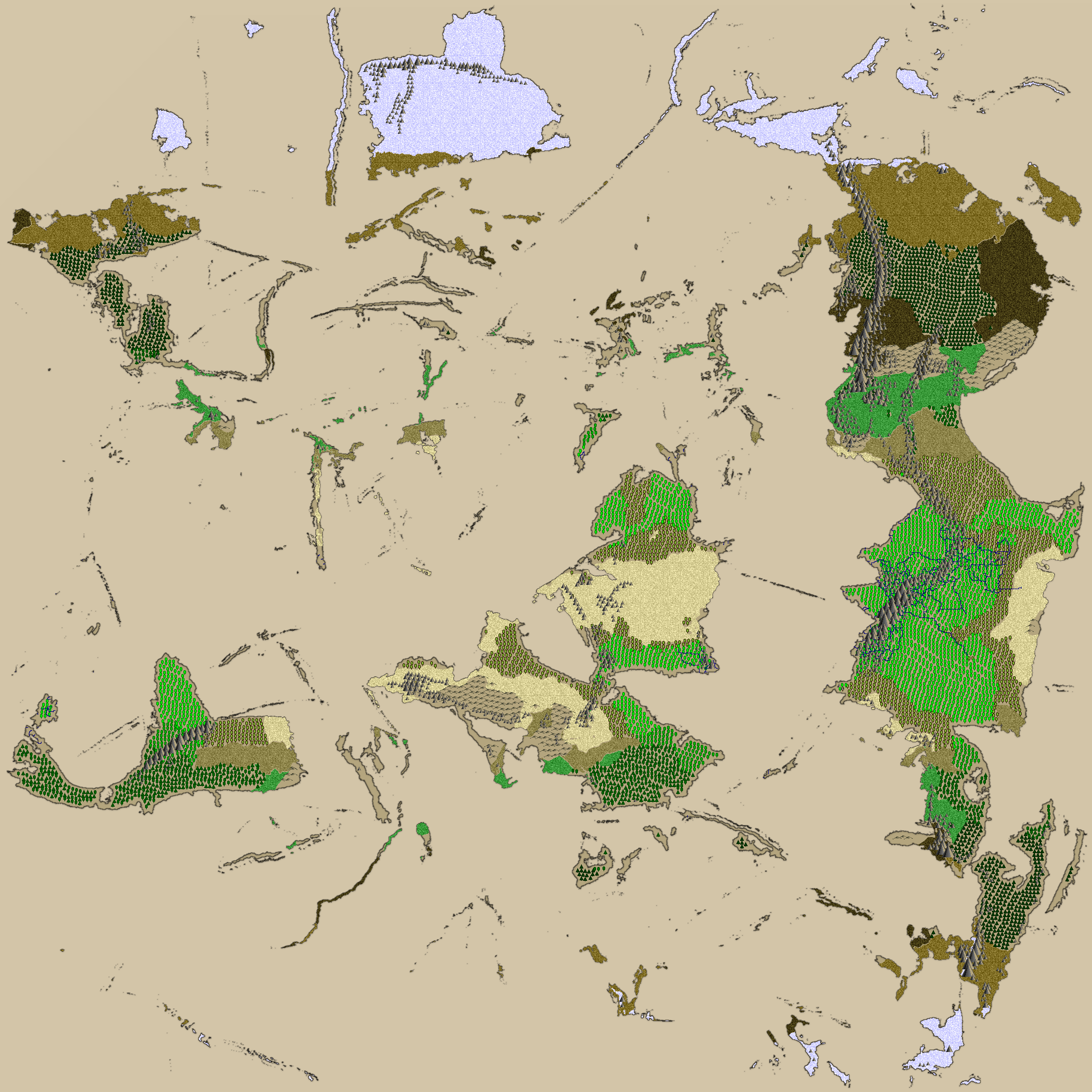
This is the corresponding ancient map
worldengine ancient_map -w an_example.world
Algorithm
The world generation algorithm goes through different phases:
- plates simulation: it is the best way to get proper mountain chains. For this pyplatec is used
- noise techniques are used at different steps
- precipitations are calculated considering latitude and rain shadow effects
- erosion is calculated
- humidity in each zone is calculated
- terrain permeability is calculated
- biome is calculated using the Holdridge life zones model
Development
Python 3.9-3.14 supported. Using the provided setup script or virtualenv you can create a sandbox in which to develop.
Quick Setup with uv (Fast!)
# Install uv if needed
curl -LsSf https://astral.sh/uv/install.sh | sh

# Setup environment
uv venv
uv pip install -e ".[hdf5,dev]"

# Setup pre-commit hooks (recommended)
pre-commit install

# Run tests
pytest -v tests

# Test across all Python versions (blazing fast with tox-uv)
tox
Traditional Setup
# Using the provided setup script (requires pyenv)
./setup_venv.sh
source venv/bin/activate

# Or manually
python -m venv venv
source venv/bin/activate
pip install --upgrade pip setuptools
pip install -e ".[dev]"
pytest -v tests
Distribution
We use PyInstaller to wrap everything up into one binary.
This will create a binary located dist/worldengine that has all the
required libs necessary to run.
Linux
Because of the libraries we use, it is best to use their develop branch.
pip install git+https://github.com/pyinstaller/pyinstaller.git@develop
pyinstaller --clean -F -n worldengine worldengine/__main__.py
OSX
You'll need to have brew installed, this should give you all the tools you'll need.
pyinstaller --clean -F -n worldengine worldengine/__main__.py
At this time, it doesn't gather everything from protobuf. So you'll need to copy google/protobuf python to dist/google/protobuf and create init.py in dist/google
Windows
Turning your Windows into a developer environment is a long and drawn out process. I'll try to keep this as short as possible and to the point.
Remember, be consistent if you are either win32 or win64 and everything you download and install is either one or the other, but not both.
You'll want to install msysgit: https://msysgit.github.io/ which will get you a Linux like environment. After that, clone the repo and install Python 3.14+ for Windows: https://www.python.org/downloads/windows/ This will get you pip as well, which is required for the rest.
The layout is a bit different than in Linux.
python -m venv venv
venv\Scripts\pip install -e .
Numpy install will fail, so you'll need download a pre-compiled wheel file and install it with pip. http://www.lfd.uci.edu/~gohlke/pythonlibs/#numpy numpy‑1.9.2+mkl‑cp27‑none‑win_amd64.whl Pick one for your arch, 32 or 64.
venv/Scripts/pip install ../numpy‑1.9.2+mkl‑cp27‑none‑win_amd64.whl
Next step is to get pywin32 which are win32api hooks for python, when downloading, you'll need to pick either 32 or 64-bit otherwise it won't work. You'll also install it via pip. http://sourceforge.net/projects/pywin32/files/pywin32/
venv/Scripts/pip install ../pywin32-219.win-amd64-py2.7.exe
The last step is to get pyinstaller installed and this can be tricky because as of right now, we have to use a specific revision that "good-enough". The issue is being tracked here: https://github.com/pyinstaller/pyinstaller/issues/1291
venv/Scripts/pip install git+https://github.com/pyinstaller/pyinstaller.git@67610f2
venv/Scripts/pyinstaller --clean --console -F -n worldengine worldengine/__main__.py
Do you have problems or suggestions for improvements?
Please write to us! You can write us at:
- f dot tomassetti at gmail dot com
- psi29a at gmail dot com Thank you, all the feedback is precious for us!
Projects using WorldEngine
WorldEngine is being used in several products and we are starting to list them here:
- Lost Islands WorldEngine has been used to generate a map for Widelands, an open-source real time strategy game
- AX:EL - Air XenoDawn a sci-fi aerial dogfighting commercial game released on Steam
If you are using WorldEngine please let us know!
Contributors
This project is maintained by Bret Curtis and Federico Tomassetti.
All contributions, questions, ideas are more than welcome! Feel free to open an issue or write in our google group.
We would like to thank you great people who helped us while working on WorldEngine and the projects from which it was derived:
-
Evan Sampson contributed the amazing implementation of the Holdridge life zones model and improved a lot the ancient-looking-map, biome, precipitation and temperature generators. Thanks a million!
-
Ryan contributed the Windows binary version and discussed Lands on Reddit bringing a lot of users. Thanks a million!
-
stefan-feltmann made Lands depends on pillow instead that on PIL (which is deprecated). This could also help when moving to Python 3. Thanks a million!
-
Russell Brinkmann helped saving the generation parameters in the generated world (so that we can use it to generate the same world again, for example), improved the command line options and added tracing information (useful for understanding the performance of the various generation steps)
-
Joshua Coppola implemented the satellite view. Thanks a lot, it looks gorgeous!
-
Stephan made WorldEngine make heavy use of numpy, helping to speed up the generation. He also made world-generation much more reproducible and helped improve compatibility with Python 3.
-
Alex made things generally run faster and look cleaner by better employing numpy.
History
WorldEngine has been created by merging Lands and WorldSynth. Last Lands version was 0.5.3, last WorldSynth version: 0.12, first WorldEngine version has been 0.18.
License
WorldEngine is available under the MIT License. You should find the LICENSE in the root of the project.
2 maintainers


Metadata
2 maintainers
Release files for worldengine 0.20.0
For a detailed explanation of source distributions (sdists) and built distributions (wheels), please see the package formats documentation.
Source distribution (sdist)
| File | Size | Uploaded | Provenance | Actions |
|---|---|---|---|---|
| worldengine-0.20.0.tar.gz | 75.0 kB | With provenance | Details for worldengine-0.20.0.tar.gz |
Built distribution (wheel)
| File | Interpreter | ABI | Platform | Actions Reset |
|---|---|---|---|---|
| worldengine-0.20.0-py2.py3-none-any.whl | Python 3, Python 2 | none | any | Details for worldengine-0.20.0-py2.py3-none-any.whl |
Total release size: 145.0 kB
Release files / worldengine-0.20.0.tar.gz
| Download URL | worldengine-0.20.0.tar.gz |
|---|---|
| Size | 75.0 kB |
| Tags | Source |
|
SHA-256 checksum How to use checksums |
cdaa77bcafb20a77ab201161d7a7ae4b91f63d678f988e7efb175cc6c8ed0e52
|
|
BLAKE2b-256 checksum How to use checksums |
270146ad12a9df72b080043e398fa968f7d044b877db585985761e31ce268622
|
| Upload date | |
|
Uploaded using Trusted Publishing? What is trusted publishing? |
Yes |
| Uploaded via |
twine/6.1.0 CPython/3.13.7
|
Provenance
Provenance describes where a file came from. On PyPI, provenance is shared via attestations, which provide a verifiable record of the build or publishing details. View details, limitations and caveats.


PyPI Publish Attestation
PyPI verified that this artifact, at this checksum, originated from the publisher listed below.
Signed by GitHub Actions, verified by PyPI on Nov 18, 2025.
Transparency logRelease files / worldengine-0.20.0-py2.py3-none-any.whl
| Download URL | worldengine-0.20.0-py2.py3-none-any.whl |
|---|---|
| Size | 70.0 kB |
| Tags | Python 2 Python 3 |
|
SHA-256 checksum How to use checksums |
9c0e22882daec0d691dea74c0f6b104e4c995ccf80e5c1b66845e5cd272920de
|
|
BLAKE2b-256 checksum How to use checksums |
e21da5fac6520aafa85d2400684ab4f314dc44452544bd46a83a3f7e392dd1c9
|
| Upload date | |
|
Uploaded using Trusted Publishing? What is trusted publishing? |
Yes |
| Uploaded via |
twine/6.1.0 CPython/3.13.7
|
Provenance
Provenance describes where a file came from. On PyPI, provenance is shared via attestations, which provide a verifiable record of the build or publishing details. View details, limitations and caveats.
PyPI Publish Attestation
PyPI verified that this artifact, at this checksum, originated from the publisher listed below.
Signed by GitHub Actions, verified by PyPI on Nov 18, 2025.
Transparency logSecurity for worldengine 0.20.0
Provenance
Provenance describes where a file came from. On PyPI, provenance is shared via attestations, which provide a verifiable record of the build or publishing details. View details, limitations and caveats.
Full provenance
All 2 files in this release have been uploaded with provenance metadata.
Attestation for worldengine-0.20.0.tar.gz
PyPI Publish Attestation
PyPI verified that this artifact, at this checksum, originated from the publisher listed below.
Signed by GitHub Actions, verified by PyPI on Nov 18, 2025.
Transparency logA note on package security
PyPI is a repository for distributing packages, not a service for auditing them. While third-party security researchers and our staff do their best to detect and remove malicious packages, PyPI cannot guarantee the quality, security or suitability of any given package.
To learn more about protecting yourself from malicious actors, visit our package security documentation.














