
WriteOnChain
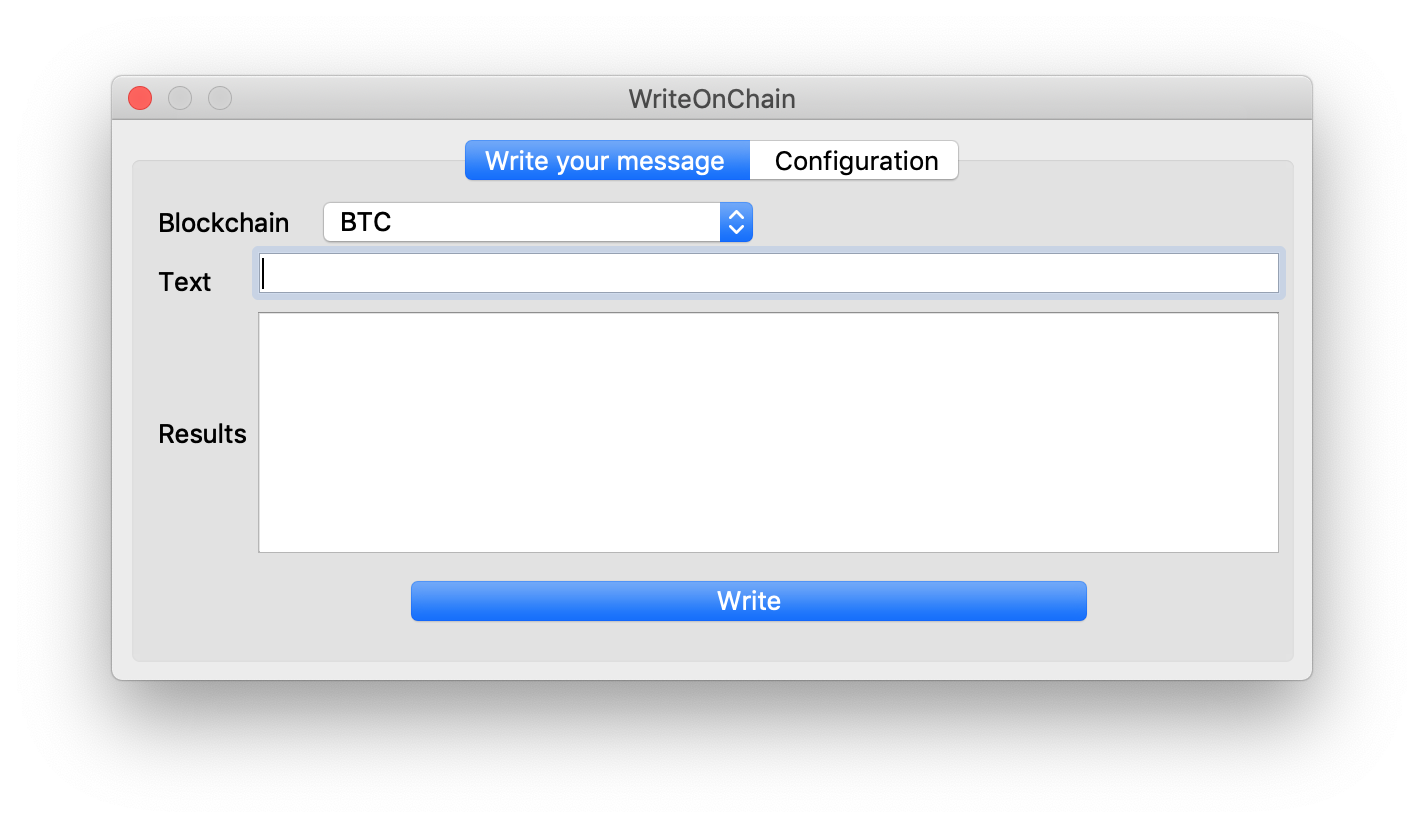
Write your messages on public blockchain (BTC, LTC, Liquid) with a QT GUI.
Install
Install using pip.
pip install writeonchain
Configuration
The configuration file is available in your home folder in the file .woc/main.conf and has the following format.
[BTC]
host:
port: 8332
username:
password:
wallet: wallet.dat
passphrase:

[LTC]
host:
port: 9332
username:
password:
wallet: wallet.dat
passphrase:

[tBTC]
host:
port: 18332
username:
password:
wallet: wallet.dat
passphrase:

[tLTC]
host:
port: 19332
username:
password:
wallet: wallet.dat
passphrase:

[LIQUID]
host:
port: 7041
username:
password:
wallet: wallet.dat
passphrase:
You can configure the content of the file directy from the config tab in the app.
Usage
You can easily start the app using the woc command.
Modify the GUI
Using the designer for QT5 you can modify the dialog.ui that contain all the graphical structure of the app.
1 maintainer

Metadata
1 maintainer
Release files for writeonchain 0.0.1
For a detailed explanation of source distributions (sdists) and built distributions (wheels), please see the package formats documentation.
Source distribution (sdist)
| File | Size | Uploaded | |
|---|---|---|---|
| writeonchain-0.0.1.tar.gz | 8.1 kB | Details |
Built distribution (wheel)
| File | Interpreter | ABI | Platform | Reset |
|---|---|---|---|---|
| writeonchain-0.0.1-py3-none-any.whl | Python 3 | none | any | Details |
Total release size: 16.5 kB
Release files / writeonchain-0.0.1.tar.gz
| Download URL | writeonchain-0.0.1.tar.gz |
|---|---|
| Size | 8.1 kB |
| Tags | Source |
|
SHA-256 checksum How to use checksums |
58b33ba17f0dcb739f54ef16aedf9cfd1a7f4423c2493f1c5519897564dacc7e
|
|
BLAKE2b-256 checksum How to use checksums |
82e931c6cf6e58d0774869ba70f75245061528a0b3525e7c40692abdeb46ab2a
|
| Upload date | |
|
Uploaded using Trusted Publishing? What is trusted publishing? |
No |
| Uploaded via |
twine/4.0.1 CPython/3.10.6
|
Release files / writeonchain-0.0.1-py3-none-any.whl
| Download URL | writeonchain-0.0.1-py3-none-any.whl |
|---|---|
| Size | 8.4 kB |
| Tags | Python 3 |
|
SHA-256 checksum How to use checksums |
b7d07f232963eac976470dcfc93c379ee13462ee9f11bef15d0fa12fb385e836
|
|
BLAKE2b-256 checksum How to use checksums |
6b4160b2429d314cb5135af9bd5f3bfa9294d672eae2c9c7de6229affbbfbcda
|
| Upload date | |
|
Uploaded using Trusted Publishing? What is trusted publishing? |
No |
| Uploaded via |
twine/4.0.1 CPython/3.10.6
|













