
xart: generate art ascii texts. 

xart is a pure Python library that provides an easy way to generate art ascii texts. Life is short, be cool.
██╗  ██╗ █████╗ ██████╗ ████████╗
╚██╗██╔╝██╔══██╗██╔══██╗╚══██╔══╝
 ╚███╔╝ ███████║██████╔╝   ██║
 ██╔██╗ ██╔══██║██╔══██╗   ██║
██╔╝ ██╗██║  ██║██║  ██║   ██║
╚═╝  ╚═╝╚═╝  ╚═╝╚═╝  ╚═╝   ╚═╝
### Getting Started
help
$ xart -h
usage: __init__.py [-h] [-f FONT] [-c COLOR] [-i] [-s] [-l] [-v]

xart : generate art ascii texts.

optional arguments:
  -h, --help            show this help message and exit
  -f FONT, --font FONT  font to render with, default random
  -c COLOR, --color COLOR
                        font color, default WHITE, all : BLACK, RED, GREEN,
                        YELLOW, BLUE, PURPLE, CYAN, GRAY, WHITE
  -i, --info            show information of given font
  -s, --show            show random fonts
  -l, --list            list all supported fonts
  -v, --version         version
generate ascii text via random font
$ xart test
    ███        ▄████████    ▄████████     ███
▀█████████▄   ███    ███   ███    ███ ▀█████████▄
   ▀███▀▀██   ███    █▀    ███    █▀     ▀███▀▀██
    ███   ▀  ▄███▄▄▄       ███            ███   ▀
    ███     ▀▀███▀▀▀     ▀███████████     ███
    ███       ███    █▄           ███     ███
    ███       ███    ███    ▄█    ███     ███
   ▄████▀     ██████████  ▄████████▀     ▄████▀
generate ascii text via given font
$ xart test -f 3D_Diagonal

    ___                                 ___
  ,--.'|_                             ,--.'|_
  |  | :,'                            |  | :,'
  :  : ' :               .--.--.      :  : ' :
.;__,'  /      ,---.    /  /    '   .;__,'  /
|  |   |      /     \  |  :  /`./   |  |   |
:__,'| :     /    /  | |  :  ;_     :__,'| :
  '  : |__  .    ' / |  \  \    `.    '  : |__
  |  | '.'| '   ;   /|   `----.   \   |  | '.'|
  ;  :    ; '   |  / |  /  /`--'  /   ;  :    ;
  |  ,   /  |   :    | '--'.     /    |  ,   /
   ---`-'    \   \  /    `--'---'      ---`-'
              `----'
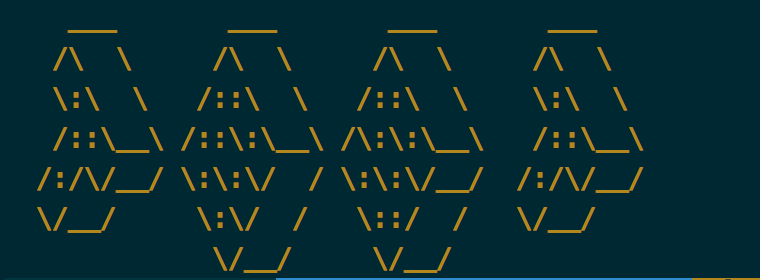
generate ascii text via given color
COLOR
show all supported fonts
$ xart -l
xart : generate art ascii texts.

  0. 1Row
  1. 3-D
  ...
  277. Wow

All 278 fonts.
show font infomation
$ xart -i -f Weird
weird.flf (version 2)
by:  Bas Meijer   meijer@info.win.tue.nl   bas@damek.kth.se
fixed by: Ryan Youck   youck@cs.uregina.ca
some special characters '#%*' etc. are not matching, they are from other fonts.
Explanation of first line:
flf2 - "magic number" for file identification
a    - should always be `a', for now
$    - the "hardblank" -- prints as a blank, but can't be smushed
6    - height of a character
5    - height of a character, not including descenders
20   - max line length (excluding comment lines) + a fudge factor
15   - default smushmode for this font (like "-m 15" on command line)
13   - number of comment lines
version
$ xart -v
xart : generate art ascii fonts, version 0.1.5.
  ___      ____       ___
 / _ \    (___ \     / _ \
| | | |     __) )   | | | |
| | | |    / __/    | | | |
| |_| | _ | |___  _ | |_| |
 \___/ (_)|_____)(_) \___/
### Installation
xart is hosted on PYPI and can be installed as such:
$ pip install xart
Alternatively, you can also get the latest source code from GitHub and install it manually:
$ git clone git@github.com:xlzd/xart.git
$ cd xart
$ python setup.py install
For update:
$ pip install xart --upgrade
### License
WTFPL (here)
1 maintainer

Metadata
1 maintainer
Release files for xart 0.2.0
For a detailed explanation of source distributions (sdists) and built distributions (wheels), please see the package formats documentation.
Source distribution (sdist)
| File | Size | Uploaded | Provenance | Actions |
|---|---|---|---|---|
| xart-0.2.0.tar.gz | 451.1 kB | Without provenance | Details for xart-0.2.0.tar.gz |
Release files / xart-0.2.0.tar.gz
| Download URL | xart-0.2.0.tar.gz |
|---|---|
| Size | 451.1 kB |
| Tags | Source |
|
SHA-256 checksum How to use checksums |
cab88ad68dc861d78ec4bd3dbeb815f9dcbd3e90972449cd95944442ca6e39aa
|
|
BLAKE2b-256 checksum How to use checksums |
df0b607ebe1853f4797714e06917b29aafe9120f309991c607c20b542fc716b7
|
| Upload date | |
|
Uploaded using Trusted Publishing? What is trusted publishing? |
No |
Security for xart 0.2.0
Provenance
Provenance describes where a file came from. On PyPI, provenance is shared via attestations, which provide a verifiable record of the build or publishing details. View details, limitations and caveats.
No provenance found
None of the files in this release were uploaded with provenance metadata.
A note on package security
PyPI is a repository for distributing packages, not a service for auditing them. While third-party security researchers and our staff do their best to detect and remove malicious packages, PyPI cannot guarantee the quality, security or suitability of any given package.
To learn more about protecting yourself from malicious actors, visit our package security documentation.













