
This release is a pre-release and may not be stable for production use.
Xcompact3d Toolbox
| QA |     |
| Docs |   |
| Package |   |
| Meta |       |
It is a Python package designed to handle the pre and postprocessing of the high-order Navier-Stokes solver XCompact3d. It aims to help users and code developers to build case-specific solutions with a set of tools and automated processes.
The physical and computational parameters are built on top of traitlets, a framework that lets Python classes have attributes with type checking, dynamically calculated default values, and ‘on change’ callbacks. In addition to ipywidgets for an user friendly interface.
Data structure is provided by xarray (see Why xarray?), that introduces labels in the form of dimensions, coordinates and attributes on top of raw NumPy-like arrays, which allows for a more intuitive, more concise, and less error-prone developer experience. It integrates tightly with dask for parallel computing and hvplot for interactive data visualization.
Finally, Xcompact3d-toolbox is fully integrated with the new Sandbox Flow Configuration. The idea is to easily provide everything that XCompact3d needs from a Jupyter Notebook, like initial conditions, solid geometry, boundary conditions, and the parameters (see examples). It makes life easier for beginners, that can run any new flow configuration without worrying about Fortran and 2decomp. For developers, it works as a rapid prototyping tool, to test concepts and then compare results to validate any future Fortran implementation.
Useful links
- Documentation;
- Changelog;
- Suggestions for new features and bug report;
- See what is coming next (Project page);
- Xcompact3d's repository.
Installation
It is possible to install using pip:
pip install xcompact3d-toolbox
There are other dependency sets for extra functionality:
pip install xcompact3d-toolbox[visu] # interactive visualization with hvplot and others
To install from source, clone de repository:
git clone https://github.com/fschuch/xcompact3d_toolbox.git
And then install it interactively with pip:
cd xcompact3d_toolbox
pip install -e .
You can install additional dependencies as well:
pip install -e .[visu]
Now, any change you make at the source code will be available at your local installation, with no need to reinstall the package every time.
Try it Online


Click on any link above to launch Binder and interact with our notebooks in a live environment!
Examples
-
Importing the package:
import xcompact3d_toolbox as x3d
-
Loading the parameters file (both
.i3dand.prmare supported, see #7) from the disc:prm = x3d.Parameters(loadfile="input.i3d") prm = x3d.Parameters(loadfile="incompact3d.prm")
-
Specifying how the binary fields from your simulations are named, for instance:
-
If the simulated fields are named like
ux-000.bin:prm.dataset.filename_properties.set( separator = "-", file_extension = ".bin", number_of_digits = 3 )
-
If the simulated fields are named like
ux0000:prm.dataset.filename_properties.set( separator = "", file_extension = "", number_of_digits = 4 )
-
There are many ways to load the arrays produced by your numerical simulation, so you can choose what best suits your post-processing application. All arrays are wrapped into xarray objects, with many useful methods for indexing, comparisons, reshaping and reorganizing, computations and plotting. See the examples:
-
Load one array from the disc:
ux = prm.dataset.load_array("ux-0000.bin")
-
Load the entire time series for a given variable:
ux = prm.dataset["ux"]
-
Load all variables from a given snapshot:
snapshot = prm.dataset[10]
-
Loop through all snapshots, loading them one by one:
for ds in prm.dataset:
   # compute something
   vort = ds.uy.x3d.first_derivative("x") - ds.ux.x3d.first_derivative("y")
   # write the results to the disc
   prm.dataset.write(data = vort, file_prefix = "w3")
-
Or simply load all snapshots at once (if you have enough memory):
ds = prm.dataset[:]
-
It is possible to produce a new xdmf file, so all data can be visualized on any external tool:
-
Loop through all snapshots, loading them one by one:
-
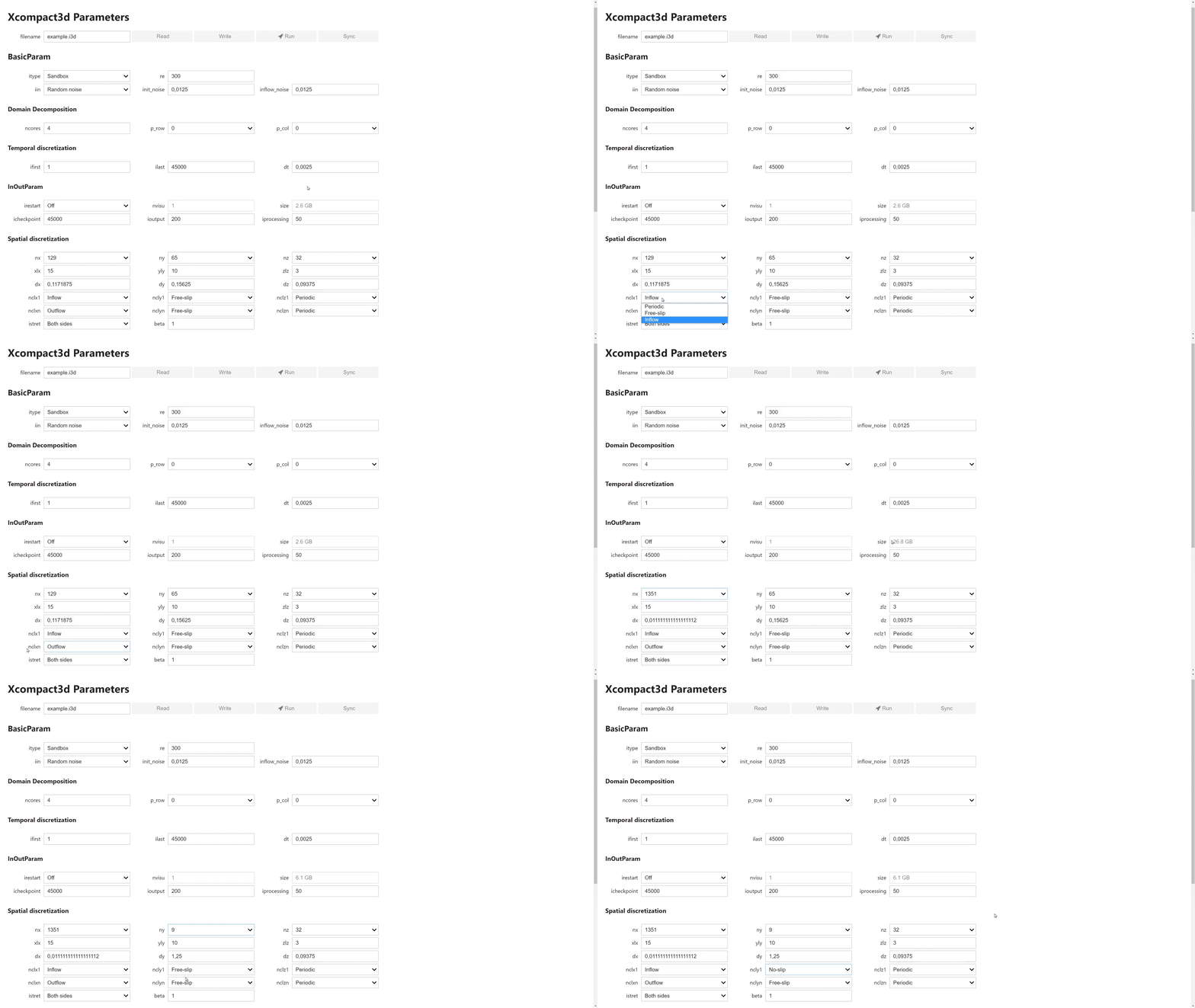
User interface for the parameters with IPywidgets:
ds = prm.dataset[:]
-
It is possible to produce a new xdmf file, so all data can be visualized on any external tool:
prm.dataset.write_xdmf()
-
User interface for the parameters with IPywidgets:
prm = x3d.ParametersGui()
prm
Copyright and License
© 2020 Felipe N. Schuch. All content is under GPL-3.0 License.
1 maintainer

Metadata
1 maintainer
Release files for xcompact3d-toolbox 1.2.0rc0
For a detailed explanation of source distributions (sdists) and built distributions (wheels), please see the package formats documentation.
Source distribution (sdist)
| File | Size | Uploaded | Provenance | Actions |
|---|---|---|---|---|
| xcompact3d_toolbox-1.2.0rc0.tar.gz | 409.0 kB | Without provenance | Details for xcompact3d_toolbox-1.2.0rc0.tar.gz |
Built distribution (wheel)
| File | Interpreter | ABI | Platform | Actions Reset |
|---|---|---|---|---|
| xcompact3d_toolbox-1.2.0rc0-py3-none-any.whl | Python 3 | none | any | Details for xcompact3d_toolbox-1.2.0rc0-py3-none-any.whl |
Total release size: 476.5 kB
Release files / xcompact3d_toolbox-1.2.0rc0.tar.gz
| Download URL | xcompact3d_toolbox-1.2.0rc0.tar.gz |
|---|---|
| Size | 409.0 kB |
| Tags | Source |
|
SHA-256 checksum How to use checksums |
5e9e30528234197b093a5b7cb13bf0c224b46bf00ccb2bbeb25cb203bf0df774
|
|
BLAKE2b-256 checksum How to use checksums |
36184f6f007a8758abfa0ad45e4a5e510e55d91ce03f73e064f4ae4d363e3a93
|
| Upload date | |
|
Uploaded using Trusted Publishing? What is trusted publishing? |
Yes |
| Uploaded via |
twine/5.0.0 CPython/3.12.2
|
Release files / xcompact3d_toolbox-1.2.0rc0-py3-none-any.whl
| Download URL | xcompact3d_toolbox-1.2.0rc0-py3-none-any.whl |
|---|---|
| Size | 67.5 kB |
| Tags | Python 3 |
|
SHA-256 checksum How to use checksums |
811c1e2ac2ff374f49e260c7cba465a2c0d9ec6b0f3b52e03d5b0a247a8b42b9
|
|
BLAKE2b-256 checksum How to use checksums |
d097df10323cc6c978b1f332c5ea40fe42c8bb4b8cd62623fd1fd44fec52d92d
|
| Upload date | |
|
Uploaded using Trusted Publishing? What is trusted publishing? |
Yes |
| Uploaded via |
twine/5.0.0 CPython/3.12.2
|
Security for xcompact3d-toolbox 1.2.0rc0
Provenance
Provenance describes where a file came from. On PyPI, provenance is shared via attestations, which provide a verifiable record of the build or publishing details. View details, limitations and caveats.
No provenance found
None of the files in this release were uploaded with provenance metadata.
A note on package security
PyPI is a repository for distributing packages, not a service for auditing them. While third-party security researchers and our staff do their best to detect and remove malicious packages, PyPI cannot guarantee the quality, security or suitability of any given package.
To learn more about protecting yourself from malicious actors, visit our package security documentation.














