
ytTerm player (BETA)
Play youtube playlists as audio on linux terminal




About
ytTerm player is a terminal youtube music player. It's completely written in python.
UI: Made using a wrapper for curses called urwid
Player: Handled using python-mpv
Stream fetch: Audio streams from youtube are fetched using pafy
Features:
- Import and play youtube playlists on terminal
- Save playlists in library
- Use several playback modes such as repeat one, repeat list, random
- Download complete list (coming soon)
Installation
Set up a virtual environment and install the dependencies:
$ pip install -r requirements.txt
python3 pip :-
$ pip install ytermplayer
$ yterm
or Git clone :-
$ git clone https://github.com/TimeTraveller-San/yTermPlayer
$ cd yTermPlayer/yTermPlayer/
$ python __main__.py
Dependencies
Python 3
ytTerm player uses a number of open source projects to work properly:
- urwid
- python-mpv
- pafy
- python3
- mpv player (sudo pacman -S mpv) or (sudo apt-get install mpv)
ytTerm player itself is open source. Feel free to modify and distribute the code
KeyBindings
| Key | Function |
|---|---|
| s | save current list |
| enter | select option/play song at selection |
| n | play next song |
| p | play previous song |
| space | pause/play song |
| u | volume up |
| d | volume down |
| q | quit |
| 1 | playback mode: Repeat one |
| 2 | playback mode: Repeat list |
| 3 | playback mode: None |
| r | playback mode: Random |
| more features coming soon |
Screenshots
Working video: https://youtu.be/rQpO1qBmxlY
Working video 2: https://youtu.be/bQrNtcIcHc0
Start screen :
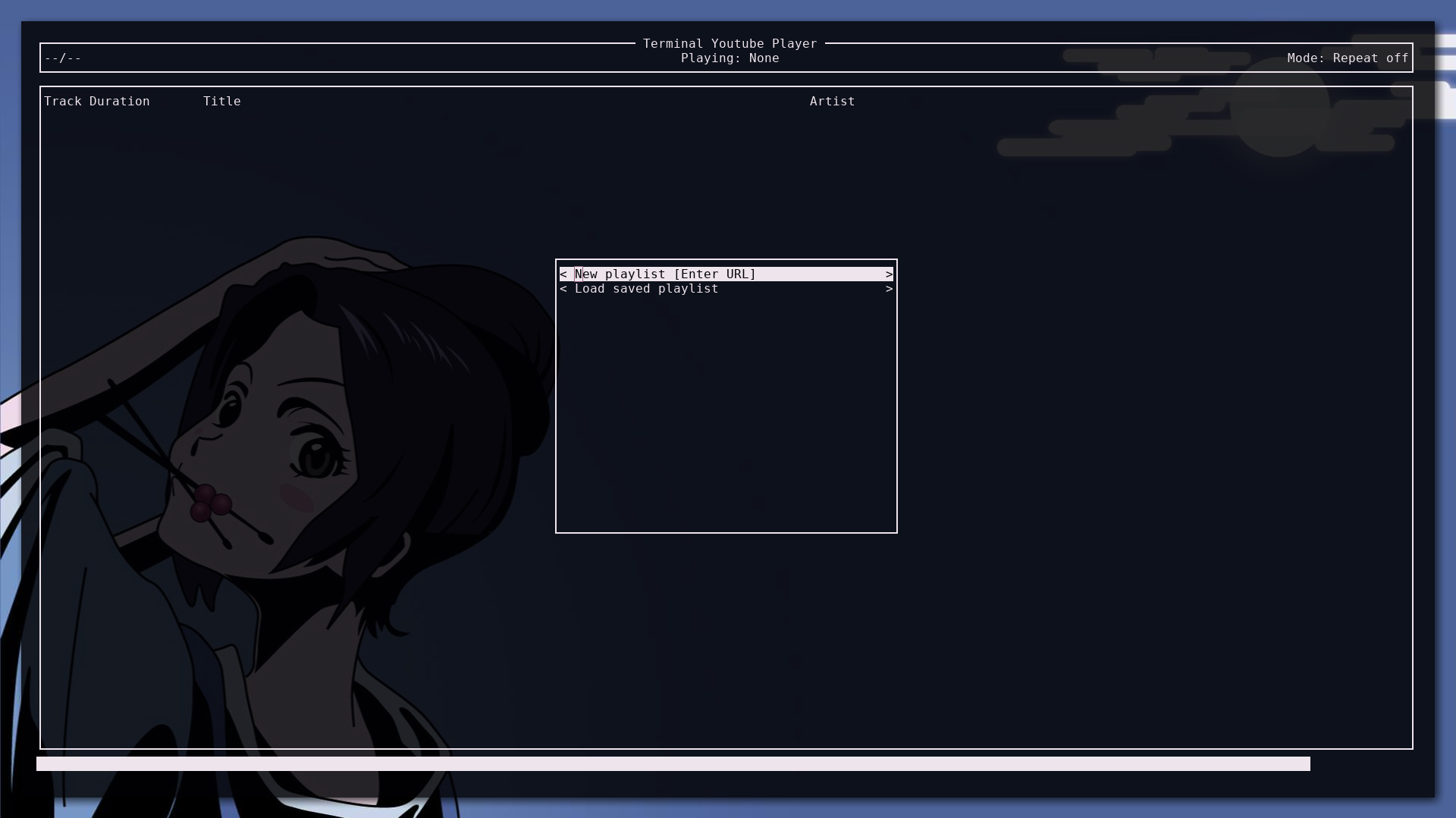
The UI will automatically use your terminal colors.
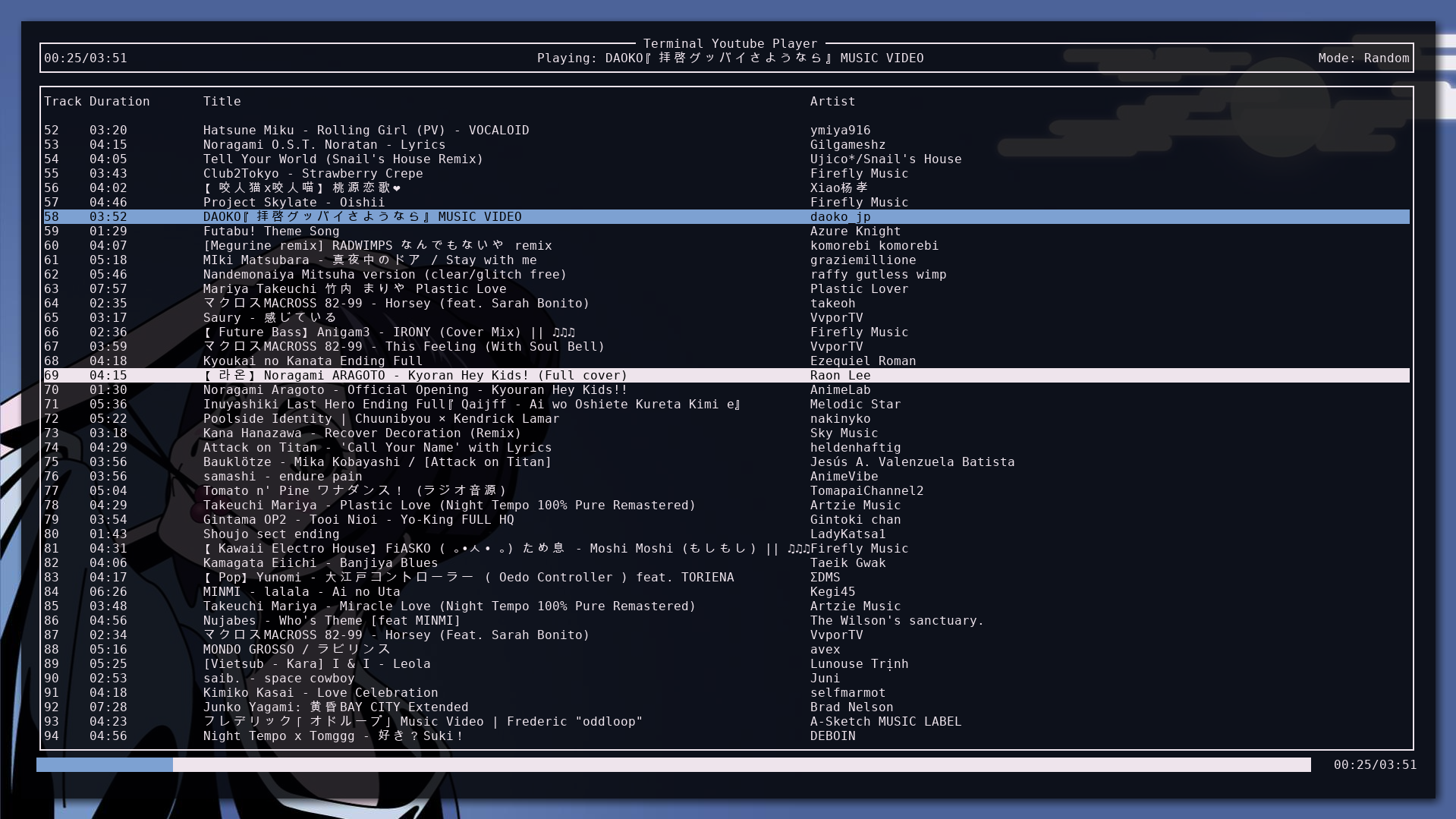
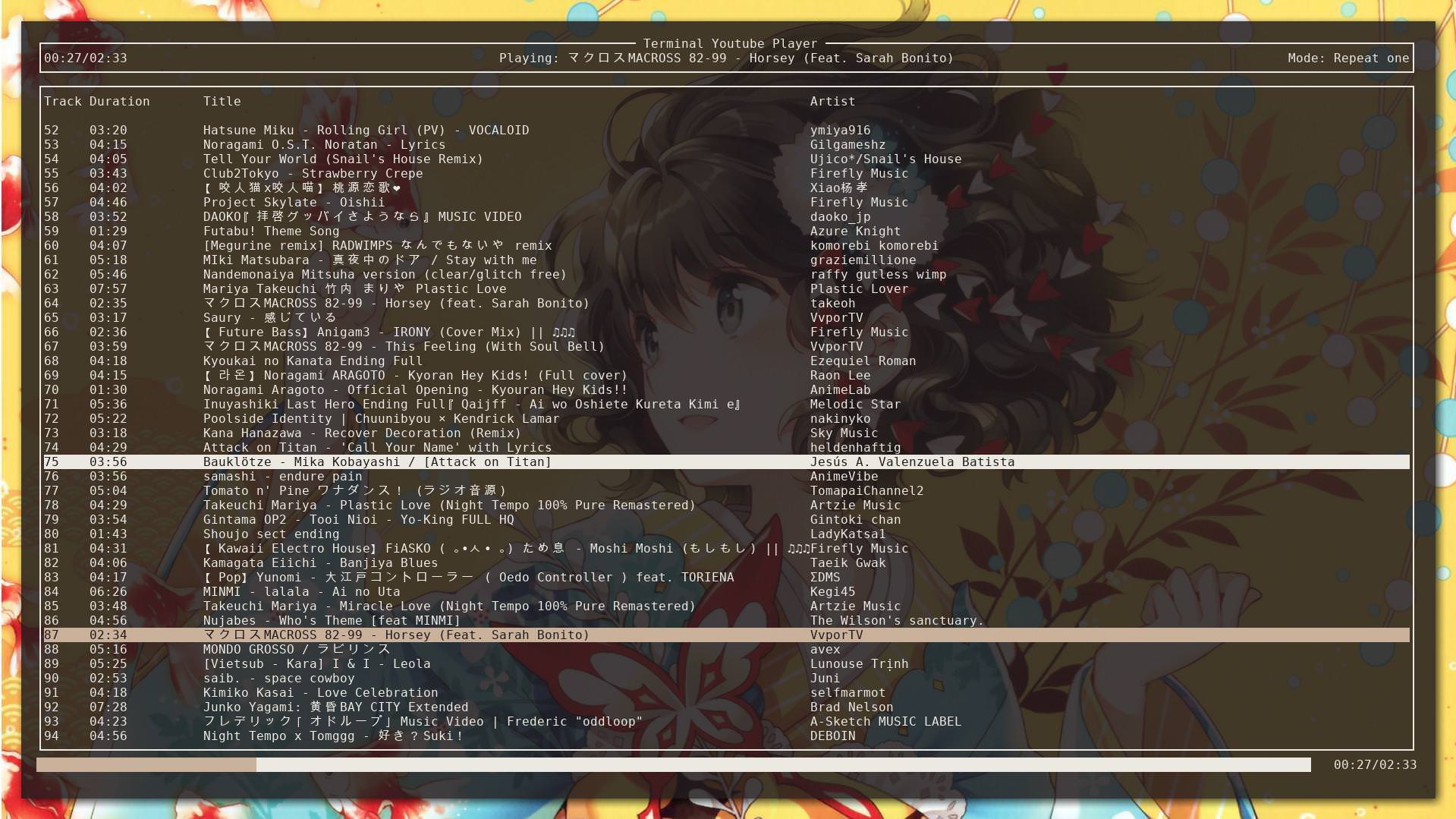
FAQ
- How to fix out of range/url not found errors?
YouTube keeps changing its structure so it's important you have installed the latest version of youtube-dl as follows:
pip install --upgrade youtube_dl
- Where are my playlists stored and how to delete playlists?
Playlists are saved in $HOME/.yTermPlayer/playlists as plain text. You may delete or add new playlists directly here.
- How to contact me?
Email: time.traveller.san@gmail.com Twitter: https://twitter.com/timetravellertt
Known Bugs
-
Buggy / unexpected playback behaviorIt was caused because of race conditions and absence of critical section among the threads. Fixed it using semaphores -
If some VLC error starts showing up on the screen, just resize the terminal and it will be goneCompletely removed VLC and replaced it with much more minimal and faster mpv player. Thank to python-mpv by jaseg
1 maintainer

Release files for yTermPlayer 1.2.2
For a detailed explanation of source distributions (sdists) and built distributions (wheels), please see the package formats documentation.
Source distribution (sdist)
| File | Size | Uploaded | |
|---|---|---|---|
| yTermPlayer-1.2.2.tar.gz | 10.6 kB | Details |
Built distribution (wheel)
| File | Interpreter | ABI | Platform | Reset |
|---|---|---|---|---|
| yTermPlayer-1.2.2-py3-none-any.whl | Python 3 | none | any | Details |
Total release size:34.4 kB
Release files / yTermPlayer-1.2.2.tar.gz
| Download URL | yTermPlayer-1.2.2.tar.gz |
|---|---|
| Size | 10.6 kB |
| Tags | Source |
|
SHA-256 checksum How to use checksums |
b2a5c124e192b958134cccb9080ee7b664f341effb07e397504edcd750a5e9e5
|
|
BLAKE2b-256 checksum How to use checksums |
5f51327782848198bcdb3f3005601e0106257b10d209cd626ac33b7f006cda1b
|
| Upload date | |
|
Uploaded using Trusted Publishing? What is trusted publishing? |
No |
| Uploaded via |
twine/1.12.1 pkginfo/1.4.2 requests/2.22.0 setuptools/40.6.3 requests-toolbelt/0.8.0 tqdm/4.26.0 CPython/3.6.8
|
Release files / yTermPlayer-1.2.2-py3-none-any.whl
| Download URL | yTermPlayer-1.2.2-py3-none-any.whl |
|---|---|
| Size | 23.7 kB |
| Tags | Python 3 |
|
SHA-256 checksum How to use checksums |
2346a5732f059612d6fb93a1a5be80e549bf08a388d0f63642abe53cf771de75
|
|
BLAKE2b-256 checksum How to use checksums |
2f510d423536105fb88a89bacfac36af4fde95c91d52d809e2955caddff1b66c
|
| Upload date | |
|
Uploaded using Trusted Publishing? What is trusted publishing? |
No |
| Uploaded via |
twine/1.12.1 pkginfo/1.4.2 requests/2.22.0 setuptools/40.6.3 requests-toolbelt/0.8.0 tqdm/4.26.0 CPython/3.6.8
|














