
zenbu (全部)
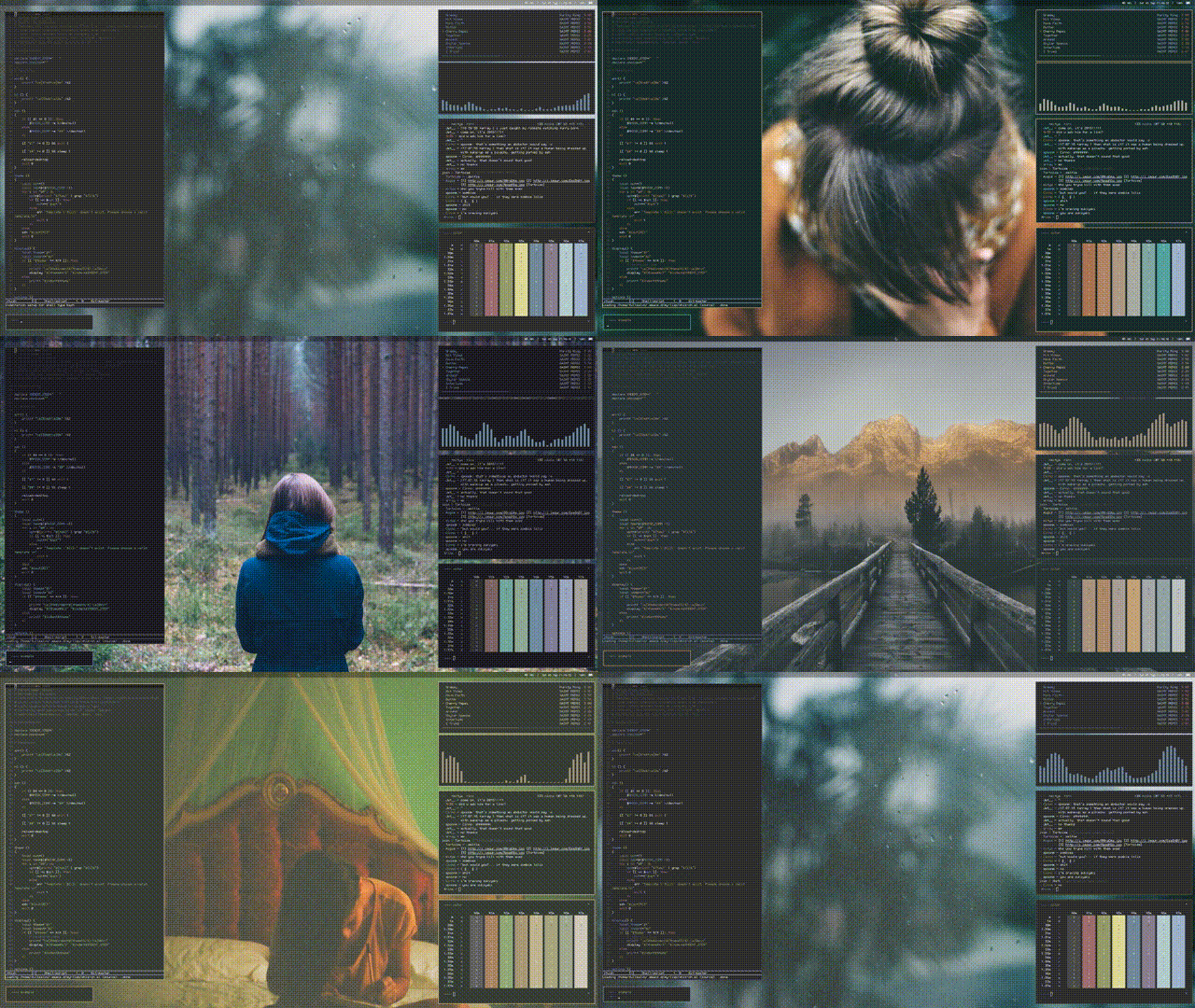
A setup-agnostic cascading theme engine. Uses Jinja2 for templates and YAML for variable definition.
The above gif was brought to you by wzb-utils.
Installation
pip install zenbu
or just move zenbu.py to somewhere in your $PATH. If you do the latter, you must install the dependencies in the following section manually.
If you are running Arch Linux, you can also use the AUR package zenbu-git (AUR).
If you are running Gentoo:
layman -o https://raw.githubusercontent.com/azahi/ricerlay/master/overlay.xml -f -a ricerlay
layman -s ricerlay
emerge app-misc/zenbu
Dependencies
Python (2 or 3)
The below are Python libraries that should be installed via pip. Alternatively, if you did pip install zenbu, these should have been automatically installed.
argcomplete
colorlog
Jinja2
PyYAML
termcolor
watchdog
Tab completion
sudo activate-global-python-argcomplete
If you installed via pip, you may need to run the following before autocompletion works:
grep 'PYTHON_ARGCOMPLETE_OK' "$(which zenbu)" &>/dev/null || sudo sed -i "1a # PYTHON_ARGCOMPLETE_OK" "$(which zenbu)"
Usage
Check the example folder for some sample usage!
For a more detailed explanation, check out the wiki homepage.
For common issues, check the common gotchas wiki page.
For some neat tools (including automatic desktop reloads), check the tools wiki page.
usage: zenbu [-h] [-l] [-t TEMPLATE_DIR] [-d DEST_DIR] [-s VAR_SET_DIR]
             [-f FILTERS_FILE] [-i IGNORES_FILE] [-e] [-w]
             [--watch-command WATCH_COMMAND] [--watch-dirs WATCH_DIRS]
             [--diff] [--dry]
             [variable_files [variable_files ...]]

A Jinja2 + YAML based config templater.

Searches for an optional yaml file with a variable mapping in
~/.config/zenbu/defaults.yaml,

an optional python file with filters in (by default)
~/.config/zenbu/filters.py,

an optional yaml file with an ignore scalar of regexes in (by default)
~/.config/zenbu/ignores.yaml,

and uses the Jinja2 templates in (by default)
~/.config/zenbu/templates/

to render into your home directory (by default).

Additional variable files can be applied
by supplying them as arguments, in order of application.

They can either be paths or, if located in (by default)
~/.config/zenbu/variable_sets/,
extension-less filenames.

Environment variable support is available;
simply run with the `-e` flag and
put the name of the variable in Jinja2 brackets.

The default Jinja2 globals and filters are available.

Order of precedence is:
last YAML variable defined >
first YAML variable defined >
environment variables.

Variables are shallowly resolved once. Thus, for example you may have the
following in your defaults.yaml for convenience:

n_primary:  "{{ colors[colors.primary].normal }}"

Autocomplete support available, but only for the default
variable set directory.

A file watcher is available via the -w flag.
Whenever a variable file in use, the filters file, the ignores file,
or a template file changes, the templates are rendered
if there are any differences. This can be overridden with a custom list of
directories via the --watch-dirs flag.

Diffs between the current destination files and
template renderings are available via the --diff flag.

For help on designing templates, refer to
http://jinja.pocoo.org/docs/dev/templates/

For help on creating filters, refer to
http://jinja.pocoo.org/docs/dev/api/#custom-filters

positional arguments:
  variable_files        additional variable files

optional arguments:
  -h, --help            show this help message and exit
  -l                    list variable sets.
  -t TEMPLATE_DIR       template directory. Default:
                        /Users/echan/.config/zenbu/templates
  -d DEST_DIR           destination directory. Default: /Users/echan
  -s VAR_SET_DIR        variable set directory. Default:
                        /Users/echan/.config/zenbu/variable_sets
  -f FILTERS_FILE       filters file. Default:
                        /Users/echan/.config/zenbu/filters.py
  -i IGNORES_FILE       ignores file. Default:
                        /Users/echan/.config/zenbu/ignores.yaml
  -e                    whether or not to use environment variables. Default:
                        don't use environment variables
  -w                    start file watcher.
  --watch-command WATCH_COMMAND
                        what to execute when a change occurs. Default: Nothing
  --watch-dirs WATCH_DIRS
                        override what directories to watch, colon-separated.
                        Default: Nothing
  --diff                show diff between template renderings and current
                        destination files
  --dry                 do a dry run
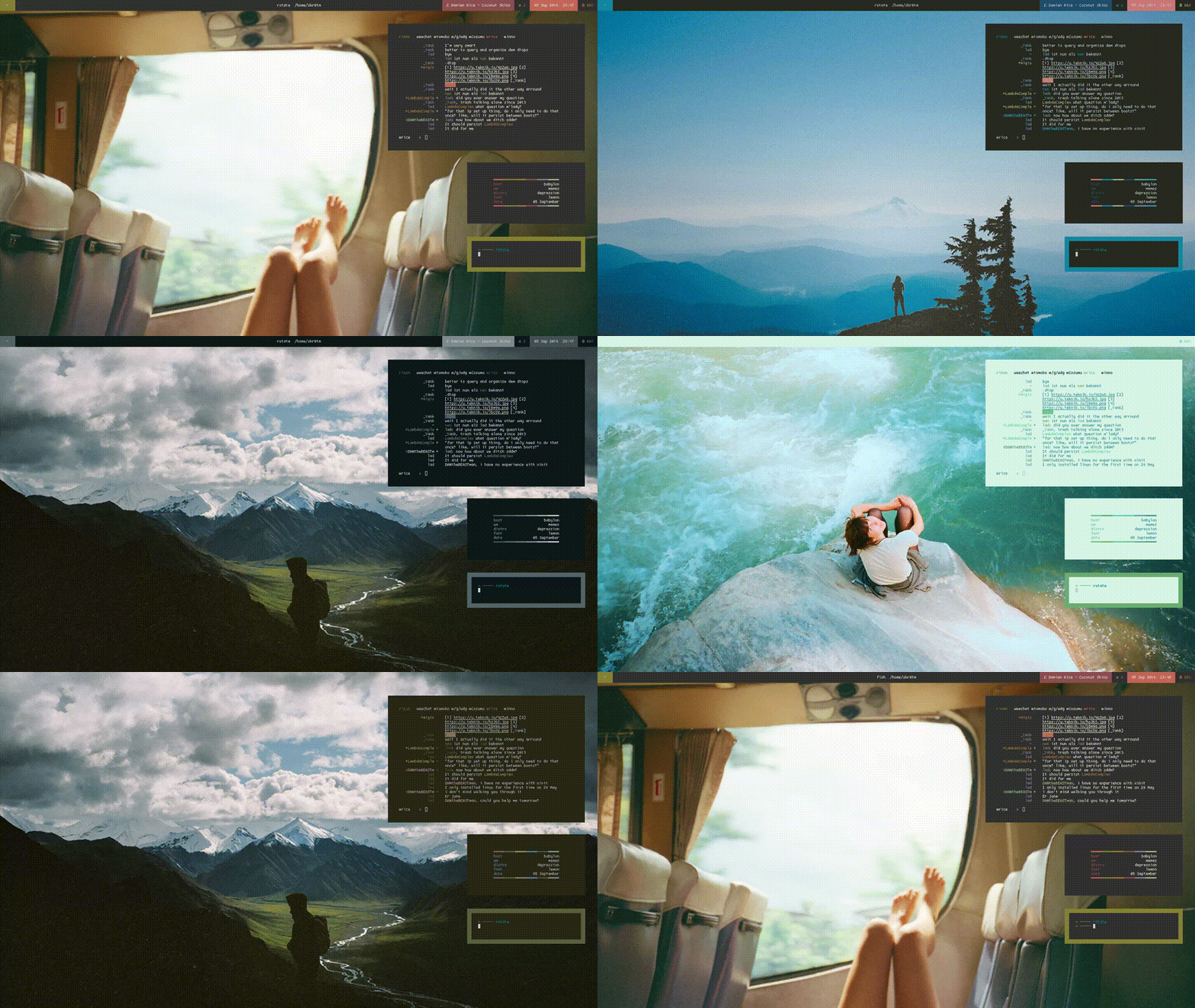
Zenbu in the wild
What happened to whizkers?
This project may seem awfully similar to whizkers; in fact, this is a fork of whizkers which swaps the Mustache backend out with Jinja2. I’m keeping whizkers around for compatibility reasons. So what are the reasons for switching?
Comprehensive documentation: See the Jinja2 Template Designer Documentation.
Better logic: Everything from if/else to macros. I originally praised Mustache for its logic-less philosophy, but then I realized that there would be no place to put logic other than the variable sets, which is a nightmare.
Expressions: You can now do {{ ':bold' if use_bold else '' }}. You can even do {{ colors[colors.primary]['normal'] }}, which has led to the deprecation of the {` ... `} eval syntax.
Filters: You can now do {{ colors.black.bold | to_rgb }}. A lot better than Mustache’s syntax.
Better whitespace control: This means increased readability.
To help ease the transition to zenbu, there are some tips under the migration wiki page.
Thanks to
fullsalvo for ideas, opinions, the readme gif, contributing to documentation, shilling, and overall being a good guy
1 maintainer

Metadata
1 maintainer
Release files for zenbu 1.0.6
For a detailed explanation of source distributions (sdists) and built distributions (wheels), please see the package formats documentation.
Source distribution (sdist)
| File | Size | Uploaded | Provenance | Actions |
|---|---|---|---|---|
| zenbu-1.0.6.tar.gz | 12.1 kB | Without provenance | Details for zenbu-1.0.6.tar.gz |
Built distribution (wheel)
| File | Interpreter | ABI | Platform | Actions Reset |
|---|---|---|---|---|
| zenbu-1.0.6-py2.py3-none-any.whl | Python 2, Python 3 | none | any | Details for zenbu-1.0.6-py2.py3-none-any.whl |
Total release size: 23.8 kB
Release files / zenbu-1.0.6.tar.gz
| Download URL | zenbu-1.0.6.tar.gz |
|---|---|
| Size | 12.1 kB |
| Tags | Source |
|
SHA-256 checksum How to use checksums |
739f278e4c404713d3eef6296e091351fe7dc6e1cc733ddbeeae8aa94880ada5
|
|
BLAKE2b-256 checksum How to use checksums |
f351c2116a05c3d7e6371e21e1d21cdb885ed672c83f33d0b73ef595e52fae49
|
| Upload date | |
|
Uploaded using Trusted Publishing? What is trusted publishing? |
No |
| Uploaded via |
twine/3.8.0 pkginfo/1.8.2 readme-renderer/32.0 requests/2.25.1 requests-toolbelt/0.9.1 urllib3/1.26.4 tqdm/4.62.3 importlib-metadata/4.11.1 keyring/23.5.0 rfc3986/2.0.0 colorama/0.4.4 CPython/3.9.7
|
Release files / zenbu-1.0.6-py2.py3-none-any.whl
| Download URL | zenbu-1.0.6-py2.py3-none-any.whl |
|---|---|
| Size | 11.7 kB |
| Tags | Python 2 Python 3 |
|
SHA-256 checksum How to use checksums |
3ca73b826727d8112bf65452448acfa73643e49db67d4b8e66c10dbd19d73a95
|
|
BLAKE2b-256 checksum How to use checksums |
251ee4fcb9955628a542f30e7b85caca96996c41425ff307a117275469062224
|
| Upload date | |
|
Uploaded using Trusted Publishing? What is trusted publishing? |
No |
| Uploaded via |
twine/3.8.0 pkginfo/1.8.2 readme-renderer/32.0 requests/2.25.1 requests-toolbelt/0.9.1 urllib3/1.26.4 tqdm/4.62.3 importlib-metadata/4.11.1 keyring/23.5.0 rfc3986/2.0.0 colorama/0.4.4 CPython/3.9.7
|
Security for zenbu 1.0.6
Provenance
Provenance describes where a file came from. On PyPI, provenance is shared via attestations, which provide a verifiable record of the build or publishing details. View details, limitations and caveats.
No provenance found
None of the files in this release were uploaded with provenance metadata.
A note on package security
PyPI is a repository for distributing packages, not a service for auditing them. While third-party security researchers and our staff do their best to detect and remove malicious packages, PyPI cannot guarantee the quality, security or suitability of any given package.
To learn more about protecting yourself from malicious actors, visit our package security documentation.














