

Compylr
A modern, powerful, and intuitive GUI for transforming Python scripts into standalone executables using Nuitka.


Stop memorizing Nuitka flags. Compylr gives you a clean, modern interface to configure, preview, and run your Python-to-EXE builds — visually. Just point, click, and ship.
🚀 Quick Start
Install:
pip install compylr
Run:
compylr
Requirements: Python 3.8+ and a C compiler for Nuitka to work. Supported backends on Windows: MSVC (Visual Studio C++ tools), MinGW64, Clang (from Visual Studio), and Zig.
📖 How to Use
- Select Target & Environment: At the top of any page, select the Python script you want to compile and the Python interpreter to run it with.
- Configure Build Settings: Navigate through the sidebar sections (Compilation Mode, Output Settings, Windows Options, version metadata, Python flags, package inclusions, and plugins) to customize your build.
- Manage Config Profiles:
- Export: Click 💾 Export Config on the Build page to save your setup as a
.comphylrfile. - Load: Click 📂 Load Config on the Build page to restore all settings from a saved profile instantly.
- Export: Click 💾 Export Config on the Build page to save your setup as a
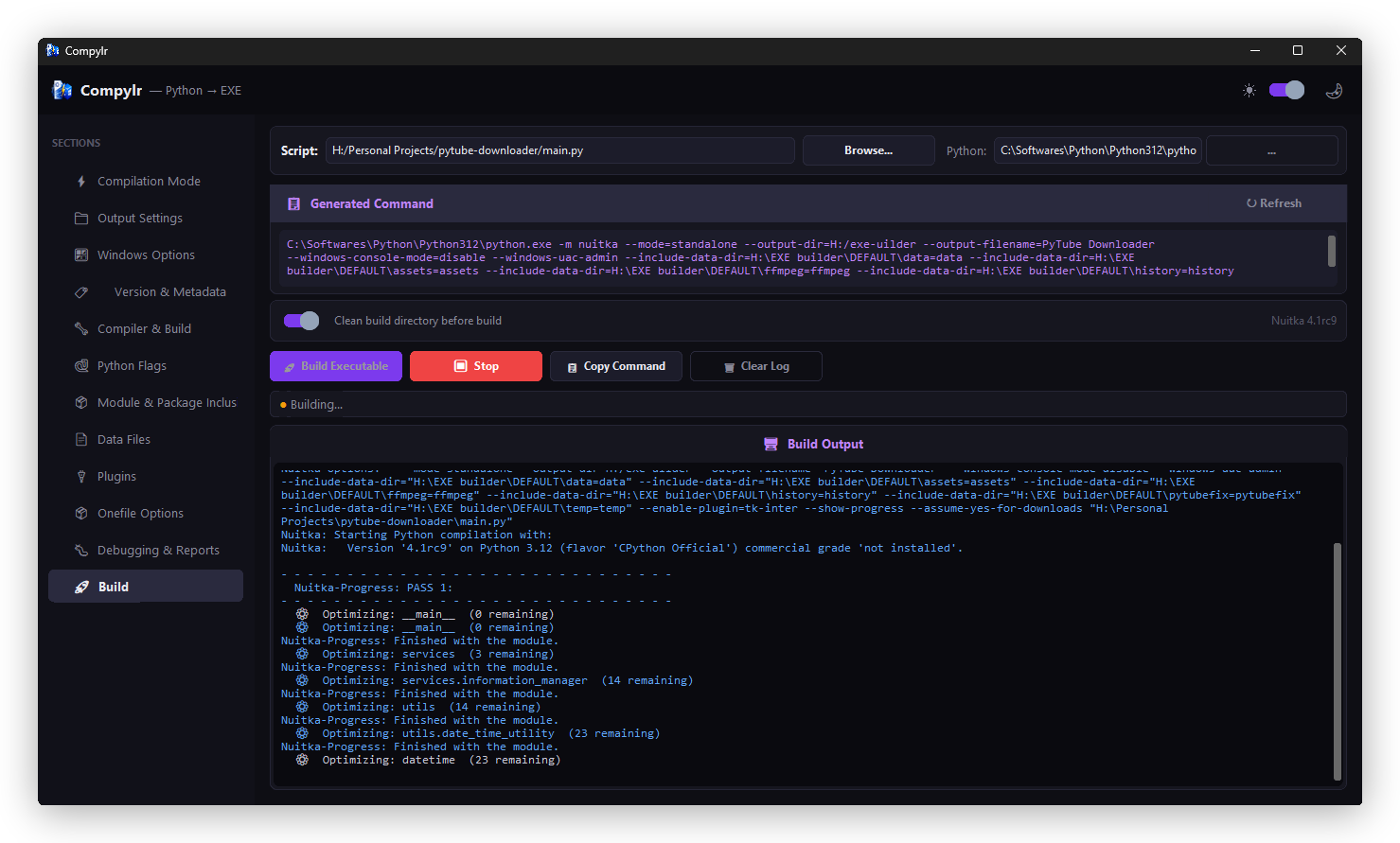
- Compile: In the Build page, click 🚀 Build Executable to begin. The integrated terminal will stream and filter Nuitka's compilation logs in real time.
✨ What You Get
| Feature | Description |
|---|---|
| 🎨 Modern UI | Built with CustomTkinter — supports dark & light mode out of the box |
| 🖱 Visual Configuration | Every Nuitka flag exposed as a clean GUI control — no CLI needed |
| 👁 Live Command Preview | See the exact Nuitka command generated as you configure |
| 🖥 Integrated Terminal | Color-coded build output with warnings, errors, and progress |
| 🧠 Smart Hints | Automatically diagnoses common build failures and suggests fixes |
| 🧹 Clean Build | One-click wipe of stale .build / .dist directories before a fresh compile |
| 💾 Config Profiles | Export all settings to a .comphylr file and reload them instantly on any project |
📸 Screenshots
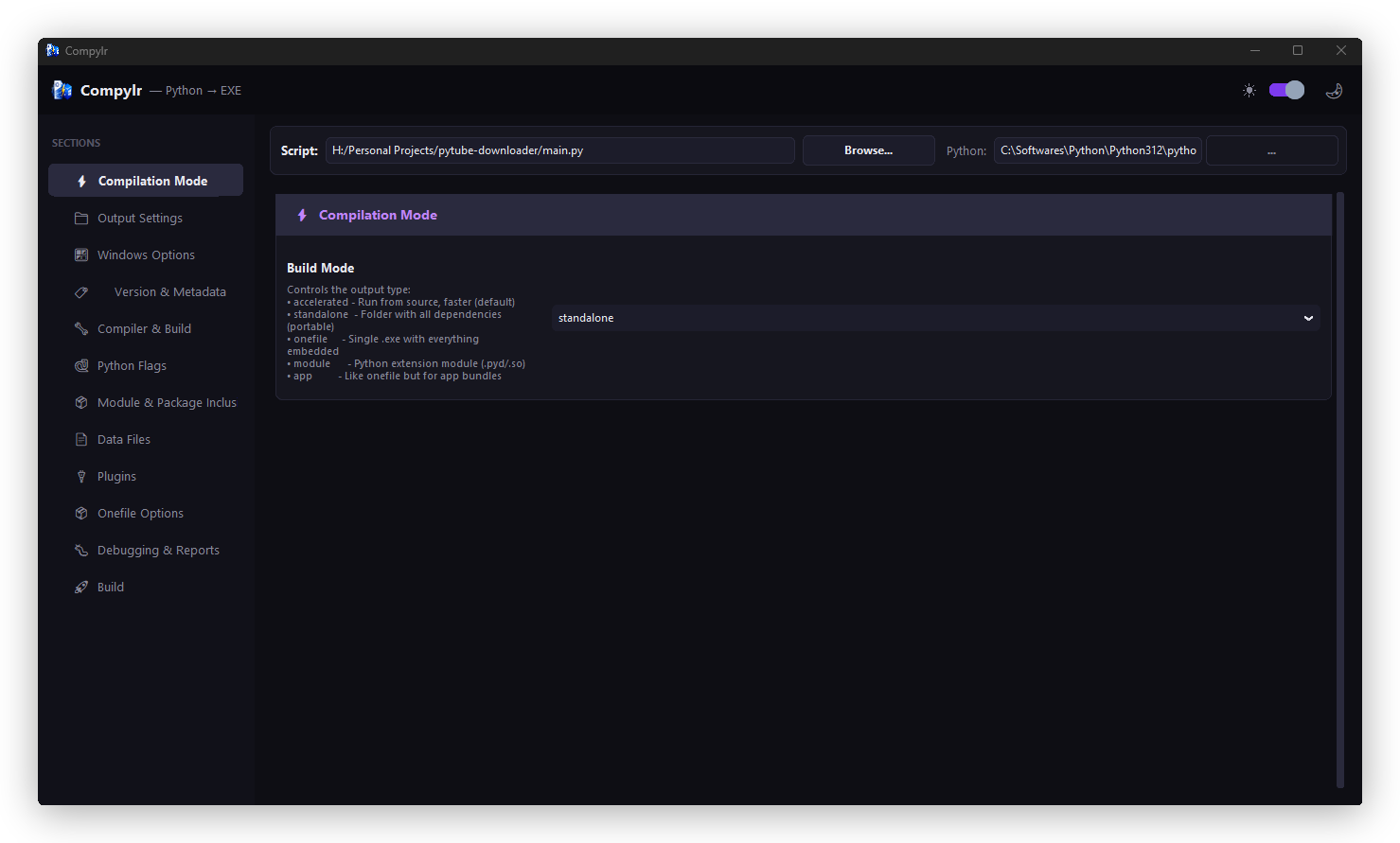
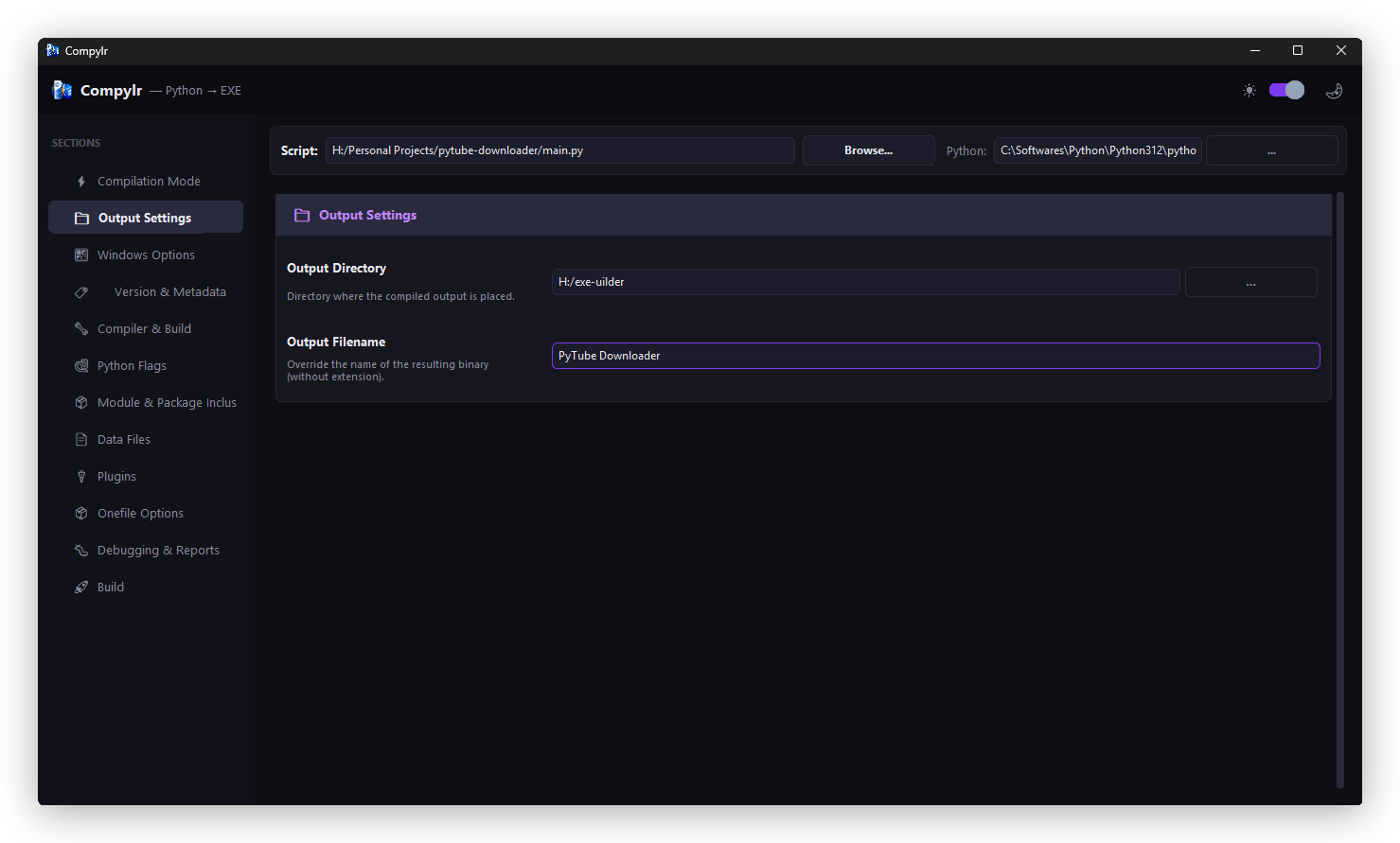
Compilation Mode & Output Settings
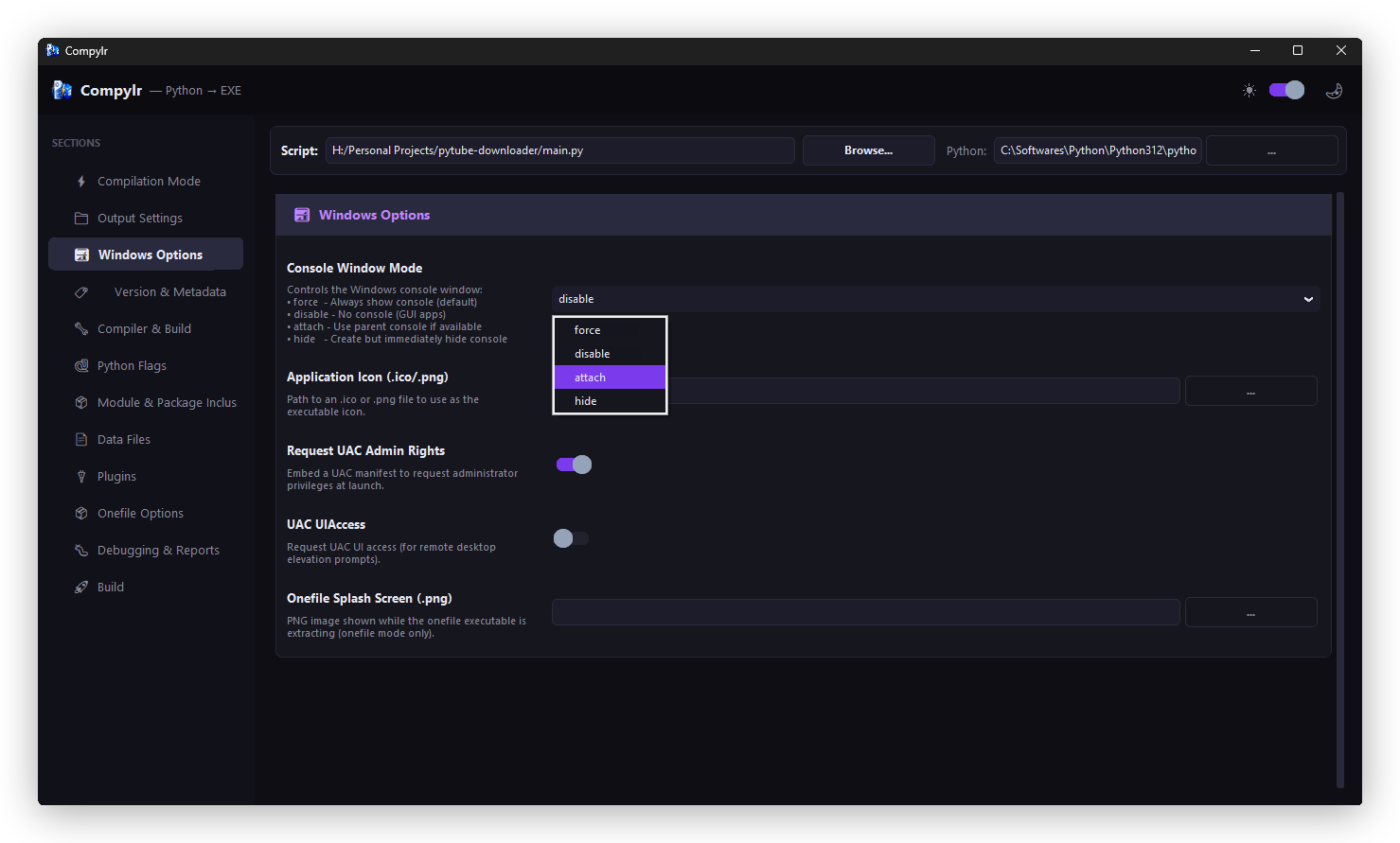
Windows Options & Version Metadata
Compiler & Build Options
Python Flags & Package Inclusions
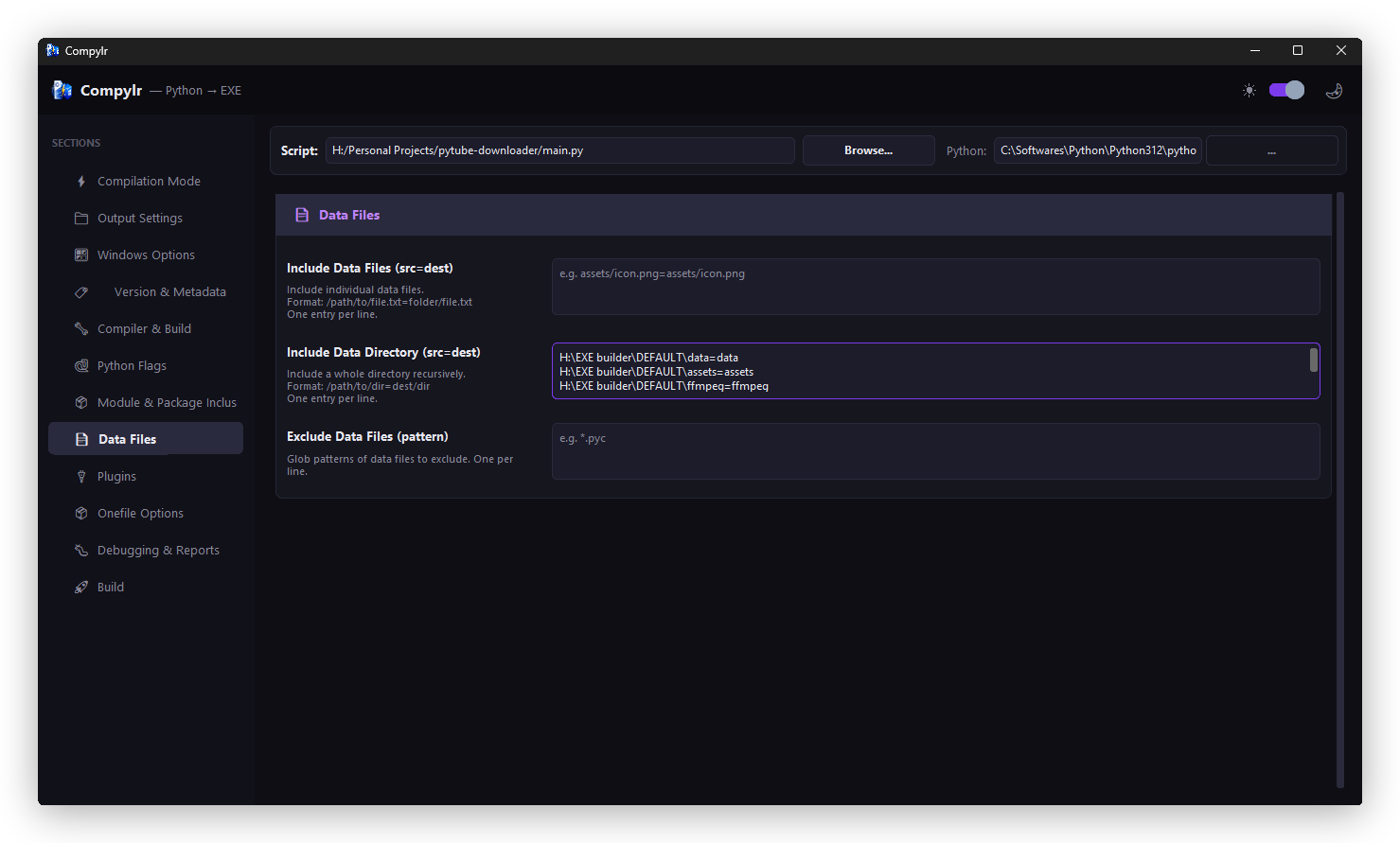
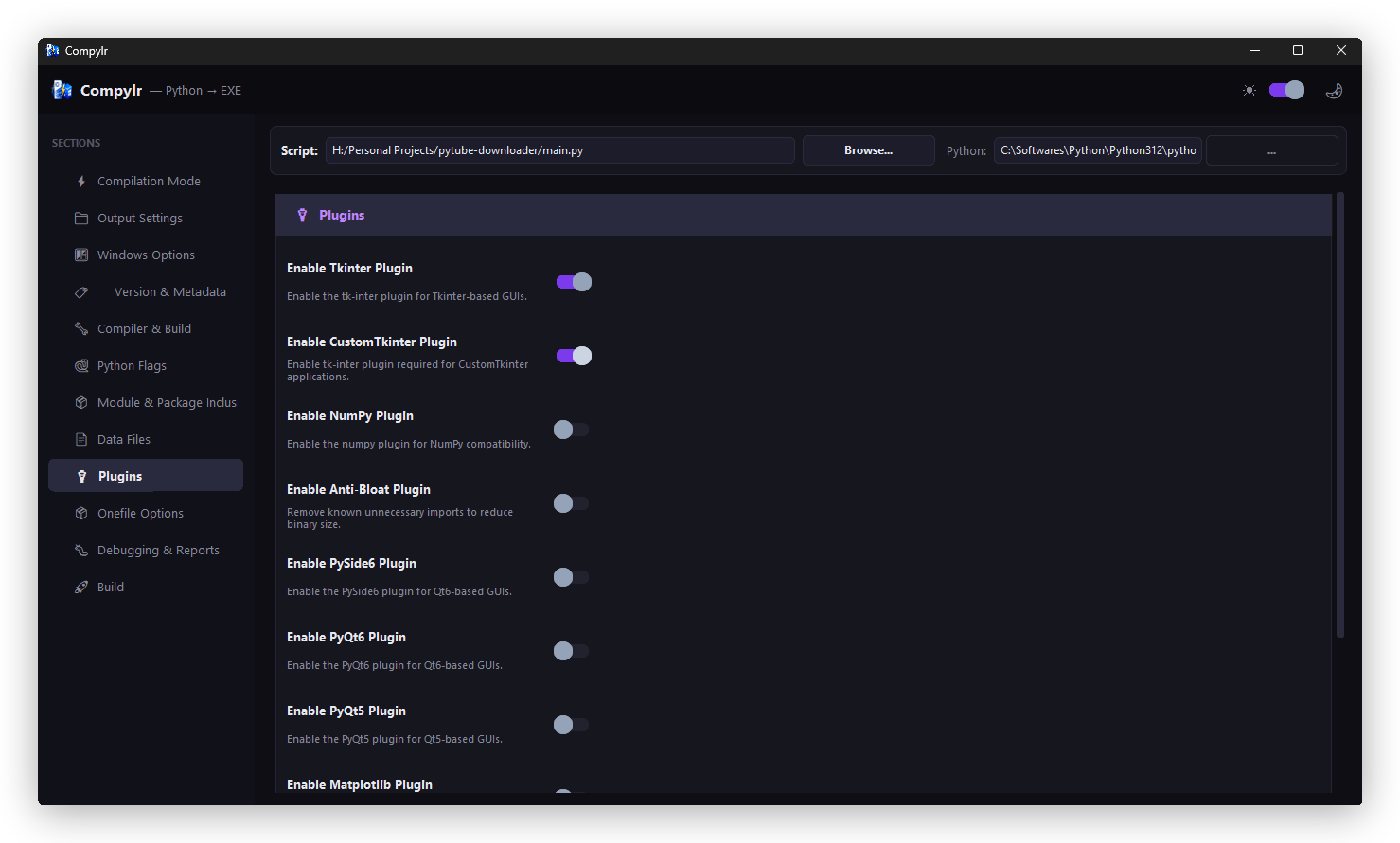
Plugins & Data Files
Live Build Terminal
📁 Project Structure
compylr/
├── src/
│   └── compylr/
│       ├── logo/              # Window icon and branding assets
│       │   ├── logo.ico
│       │   └── logo.png
│       ├── nuitka/            # Nuitka compiler logic and options
│       ├── theme/             # Color palettes and font tokens
│       ├── widgets/           # Reusable UI components
│       ├── __init__.py
│       ├── main.py            # Entry point
│       └── app.py             # Main application window
├── readme-assets/             # Screenshots and logo for README
├── requirements.txt
├── pyproject.toml
├── LICENSE
└── README.md
🛠 Built With
- Python — Core language
- CustomTkinter — Modern UI framework
- Nuitka — Python-to-native compiler
🔮 Roadmap
- macOS / Linux build support (when Nuitka adds it)
- Integrated dependency analyzer
🤝 Contributing
Contributions, issues, and feature requests are welcome! Check the issues page to get started.
📝 License
MIT — do whatever you want with it.
1 maintainer

Metadata
1 maintainer
Release files for compylr 1.3.0
For a detailed explanation of source distributions (sdists) and built distributions (wheels), please see the package formats documentation.
Source distribution (sdist)
| File | Size | Uploaded | Provenance | Actions |
|---|---|---|---|---|
| compylr-1.3.0.tar.gz | 304.2 kB | Without provenance | Details for compylr-1.3.0.tar.gz |
Built distribution (wheel)
| File | Interpreter | ABI | Platform | Actions Reset |
|---|---|---|---|---|
| compylr-1.3.0-py3-none-any.whl | Python 3 | none | any | Details for compylr-1.3.0-py3-none-any.whl |
Total release size: 610.0 kB
Release files / compylr-1.3.0.tar.gz
| Download URL | compylr-1.3.0.tar.gz |
|---|---|
| Size | 304.2 kB |
| Tags | Source |
|
SHA-256 checksum How to use checksums |
d6d3a48fca6b0e857b24a32f81377b94742df1aa44bbd55fe6c9ea0d20ac49be
|
|
BLAKE2b-256 checksum How to use checksums |
b50b2201270f9f4e73ed2842b72232b9dd6255c0468f85c1ace75fe23766825e
|
| Upload date | |
|
Uploaded using Trusted Publishing? What is trusted publishing? |
No |
| Uploaded via |
twine/6.2.0 CPython/3.12.10
|
Release files / compylr-1.3.0-py3-none-any.whl
| Download URL | compylr-1.3.0-py3-none-any.whl |
|---|---|
| Size | 305.7 kB |
| Tags | Python 3 |
|
SHA-256 checksum How to use checksums |
e13bea974ac8f9c954cd5c4e87014a71ec7dcd0b8f87f94f475f9a0b76b7dcae
|
|
BLAKE2b-256 checksum How to use checksums |
1d343649ba9a62ea21f361cf7e8fc47cf810ba11c5ac99afc783336d77f85de6
|
| Upload date | |
|
Uploaded using Trusted Publishing? What is trusted publishing? |
No |
| Uploaded via |
twine/6.2.0 CPython/3.12.10
|
Security for compylr 1.3.0
Provenance
Provenance describes where a file came from. On PyPI, provenance is shared via attestations, which provide a verifiable record of the build or publishing details. View details, limitations and caveats.
No provenance found
None of the files in this release were uploaded with provenance metadata.
A note on package security
PyPI is a repository for distributing packages, not a service for auditing them. While third-party security researchers and our staff do their best to detect and remove malicious packages, PyPI cannot guarantee the quality, security or suitability of any given package.
To learn more about protecting yourself from malicious actors, visit our package security documentation.














