

Compylr
A modern, powerful, and intuitive GUI for transforming Python scripts into standalone executables using Nuitka.








Stop memorizing Nuitka flags. Compylr gives you a clean, modern interface to configure, preview, and run your Python-to-EXE builds — visually. Just point, click, and ship.
🚀 Quick Start
Install:
pip install compylr
Run:
compylr
Requirements: Python 3.8+ and a C compiler for Nuitka to work. Supported backends on Windows: MSVC (Visual Studio C++ tools), MinGW64, Clang (from Visual Studio), and Zig.
📖 How to Use
- Select Target & Environment: At the top of any page, select the Python script you want to compile and the Python interpreter to run it with.
- Configure Build Settings: Navigate through the sidebar sections (Compilation Mode, Output Settings, Windows Options, version metadata, Python flags, package inclusions, and plugins) to customize your build.
- Manage Config Profiles:
- Export: Click 💾 Export Config on the Build page to save your setup as a
.comphylrfile. - Load: Click 📂 Load Config on the Build page to restore all settings from a saved profile instantly.
- Export: Click 💾 Export Config on the Build page to save your setup as a
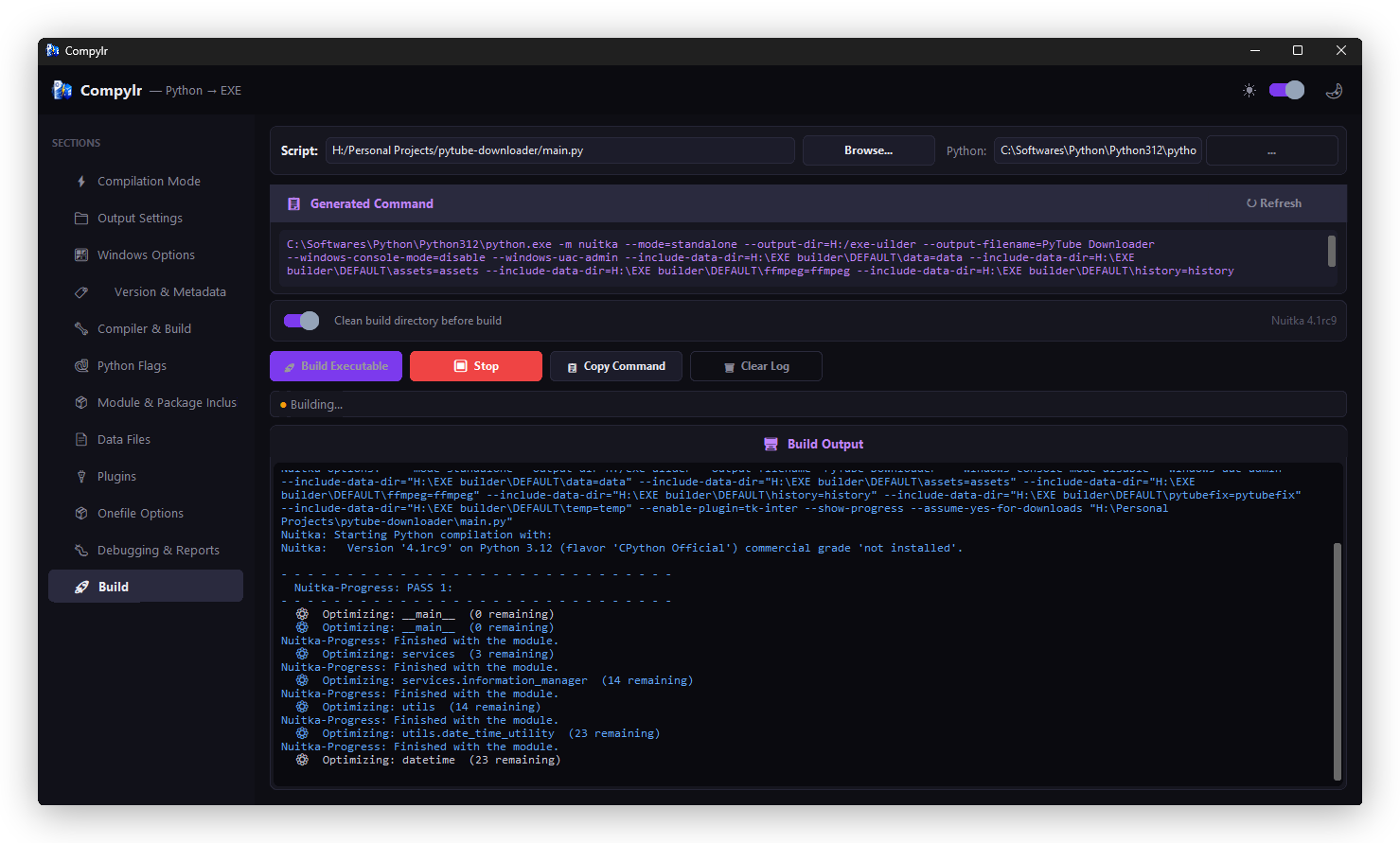
- Compile: In the Build page, click 🚀 Build Executable to begin. The integrated terminal will stream and filter Nuitka's compilation logs in real time.
✨ What You Get
| Feature | Description |
|---|---|
| 🎨 Modern UI | Built with CustomTkinter — supports dark & light mode out of the box |
| 🖱 Visual Configuration | Every Nuitka flag exposed as a clean GUI control — no CLI needed |
| 👁 Live Command Preview | See the exact Nuitka command generated as you configure |
| 🖥 Integrated Terminal | Color-coded build output with warnings, errors, and progress |
| 🧠 Smart Hints | Automatically diagnoses common build failures and suggests fixes |
| 🧹 Clean Build | One-click wipe of stale .build / .dist directories before a fresh compile |
| 💾 Config Profiles | Export all settings to a .comphylr file and reload them instantly on any project |
📸 Screenshots
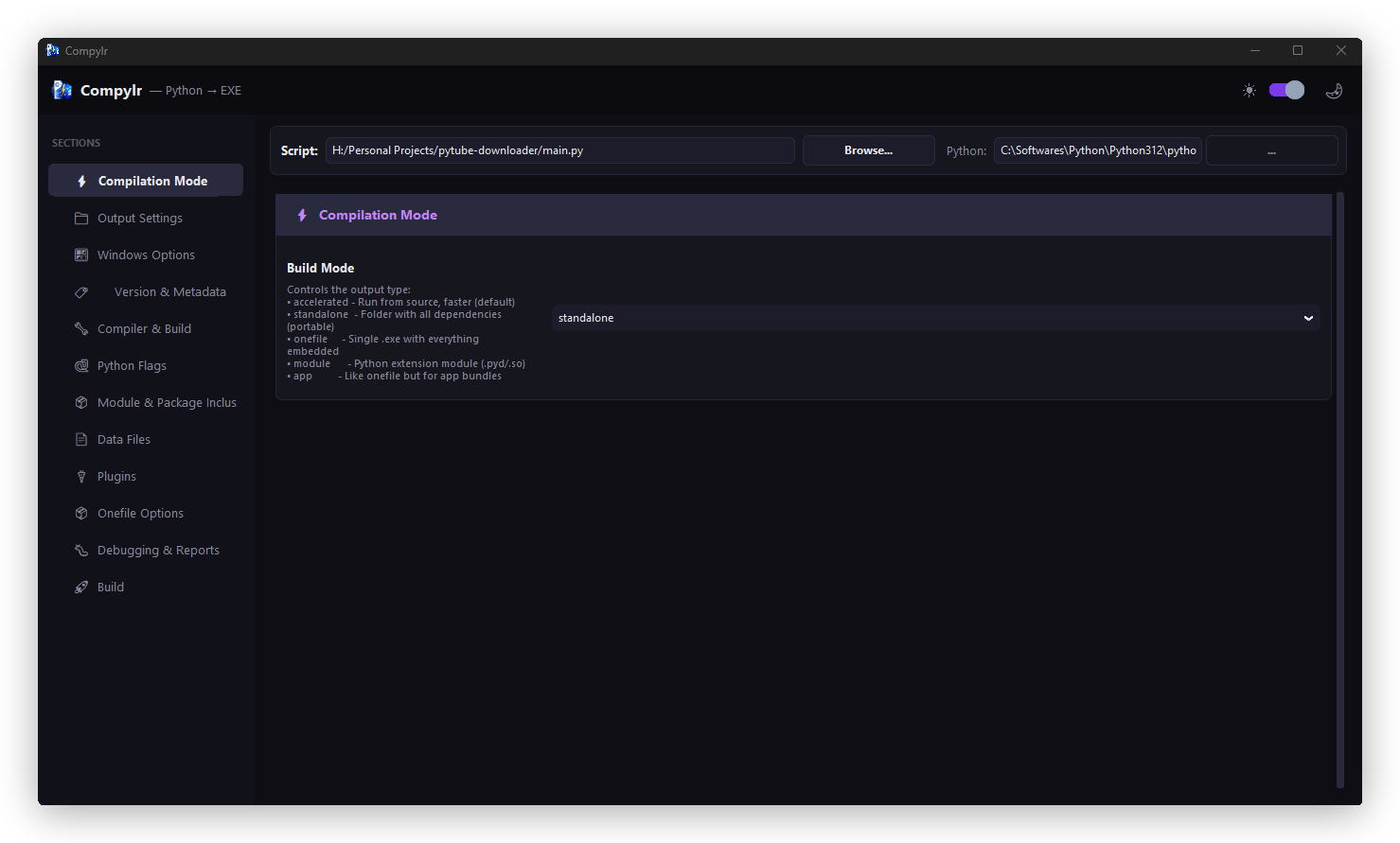
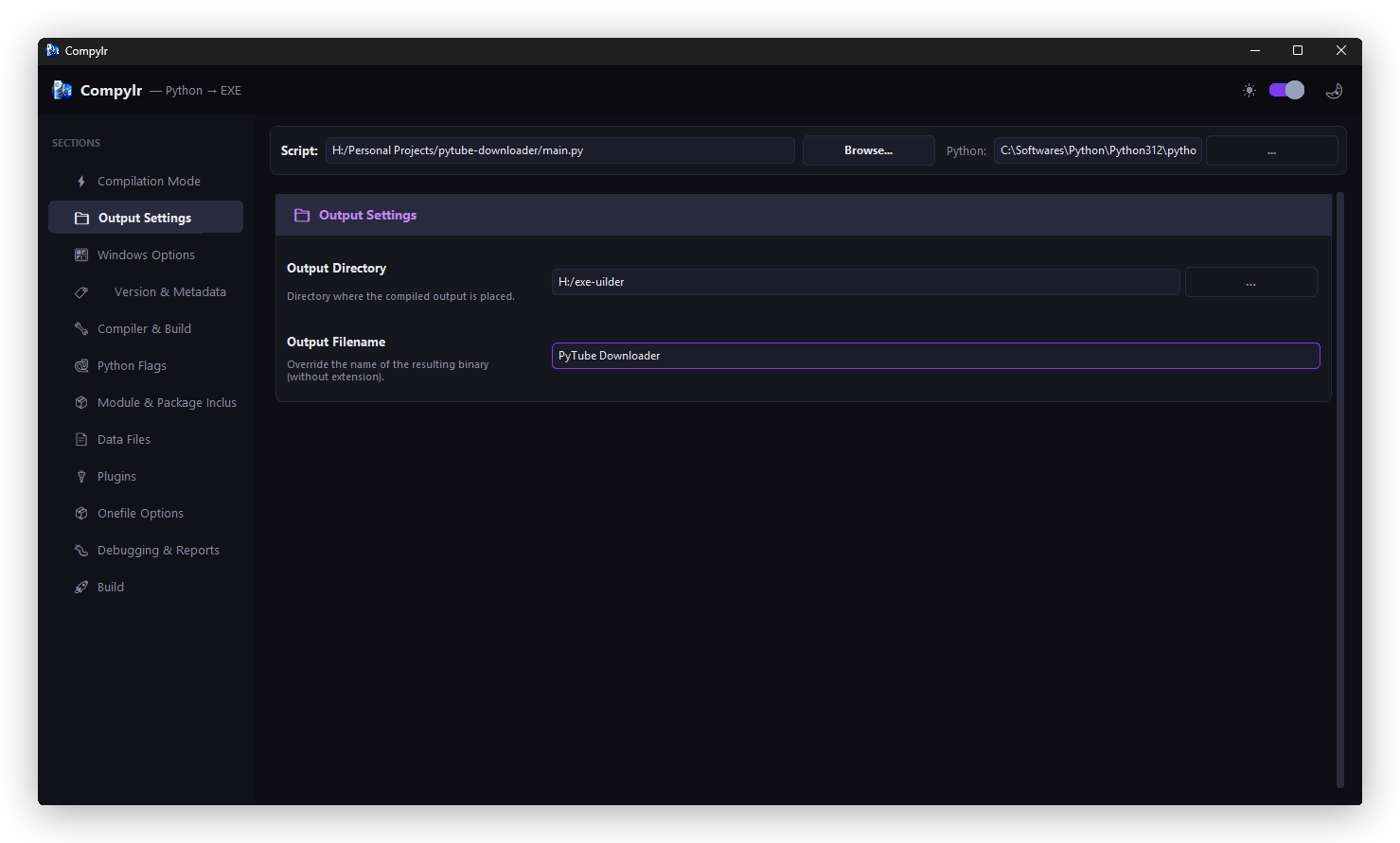
Compilation Mode & Output Settings
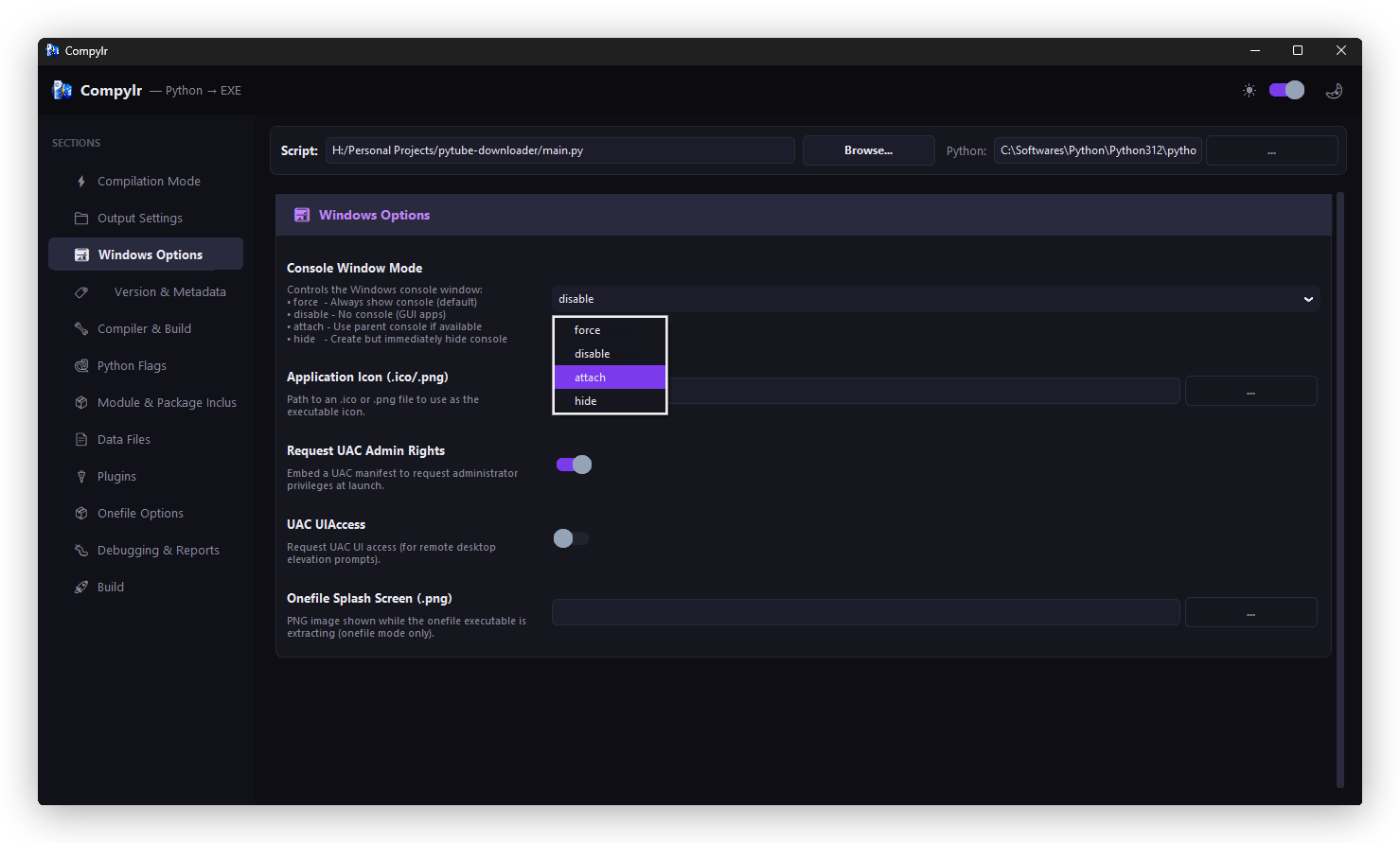
Windows Options & Version Metadata
Compiler & Build Options
Python Flags & Package Inclusions
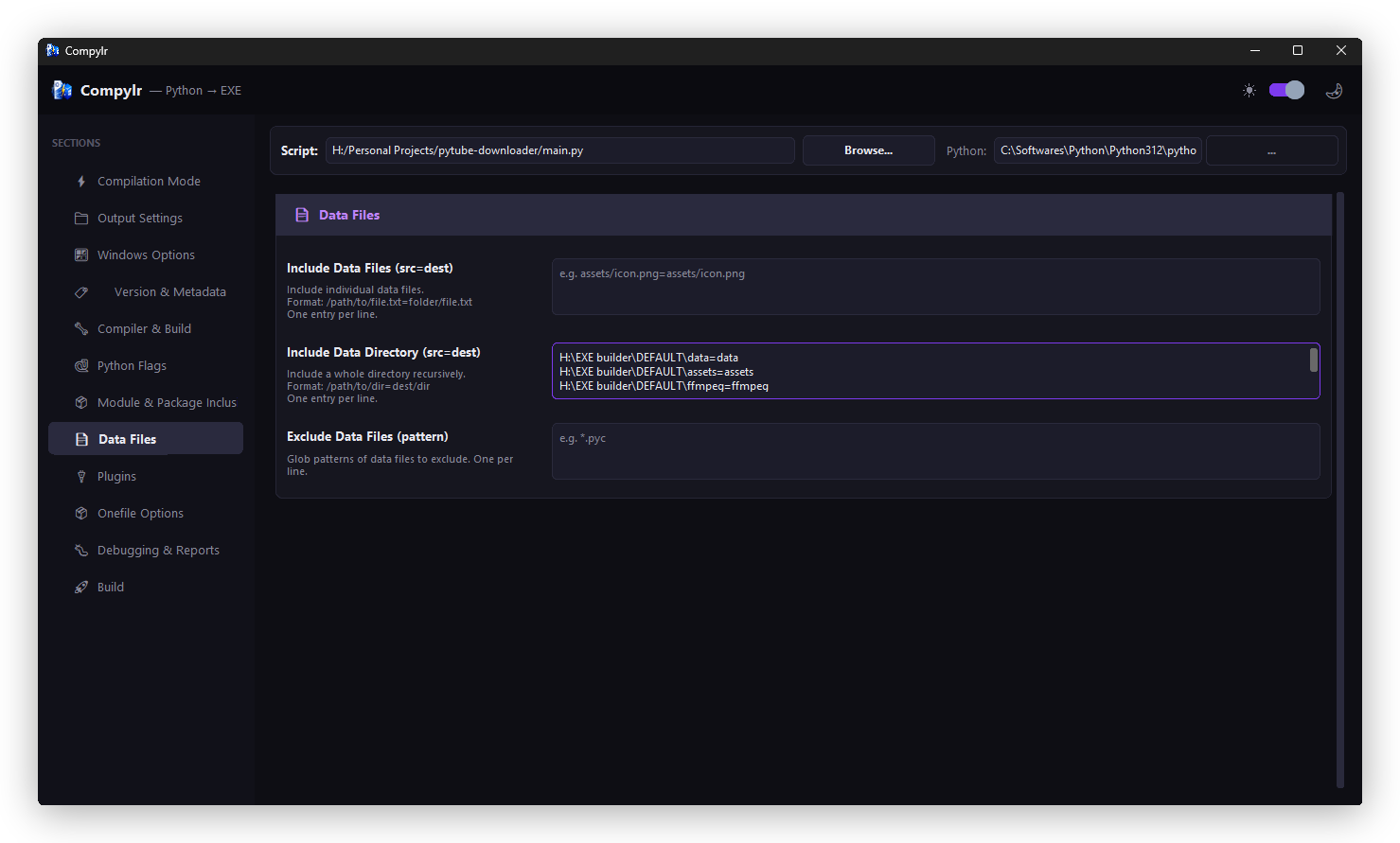
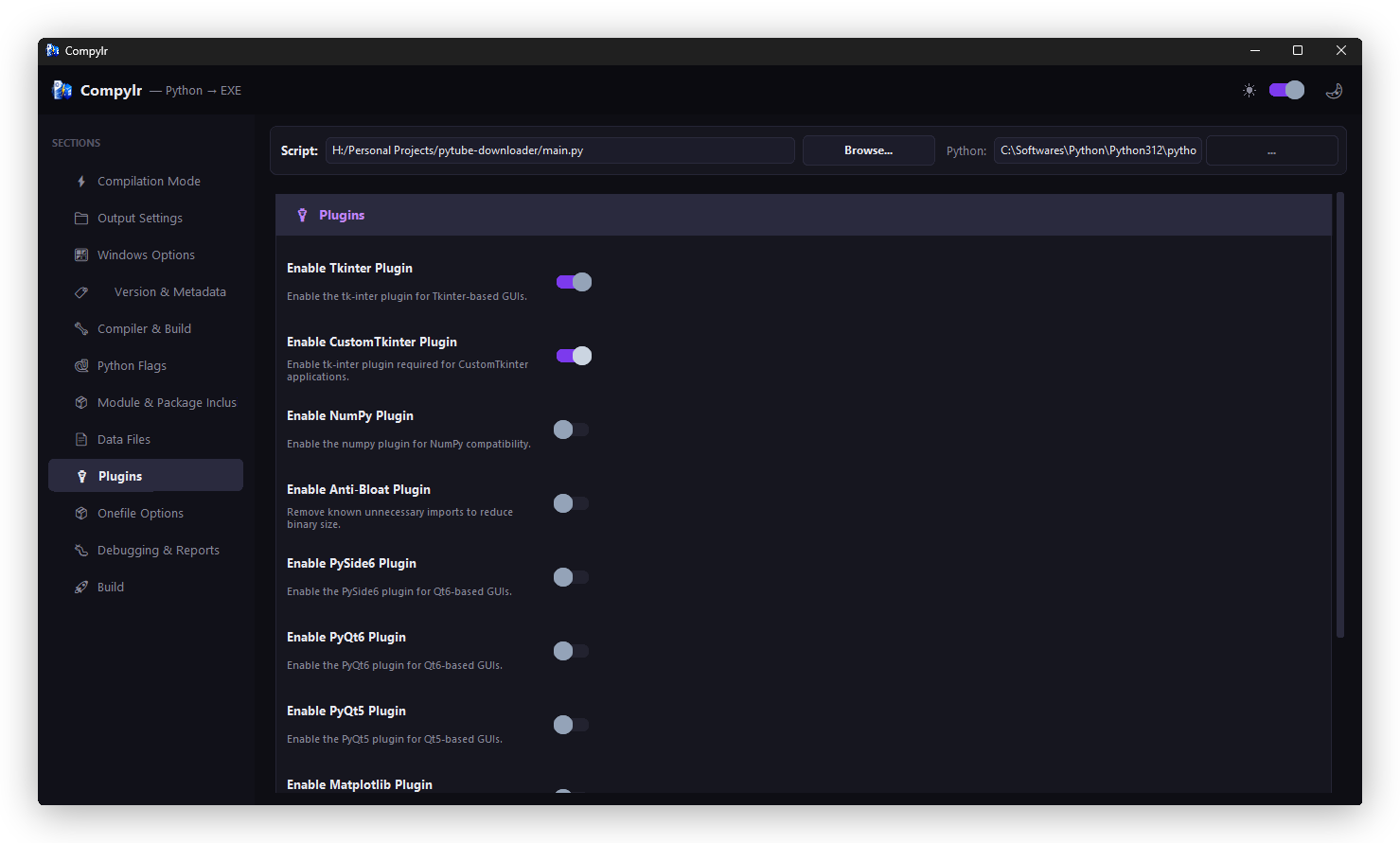
Plugins & Data Files
Live Build Terminal
📁 Project Structure
compylr/
├── src/
│   └── compylr/
│       ├── logo/              # Window icon and branding assets
│       │   ├── logo.ico
│       │   └── logo.png
│       ├── nuitka/            # Nuitka compiler logic and options
│       ├── theme/             # Color palettes and font tokens
│       ├── widgets/           # Reusable UI components
│       ├── __init__.py
│       ├── main.py            # Entry point
│       └── app.py             # Main application window
├── readme-assets/             # Screenshots and logo for README
├── requirements.txt
├── pyproject.toml
├── LICENSE
└── README.md
🛠 Built With
- Python — Core language
- CustomTkinter — Modern UI framework
- Nuitka — Python-to-native compiler
🔮 Roadmap
- macOS / Linux build support (when Nuitka adds it)
- Integrated dependency analyzer
🤝 Contributing
Contributions, issues, and feature requests are welcome! Check the issues page to get started.
📝 License
MIT — do whatever you want with it.
1 maintainer

Metadata
1 maintainer
Release files for compylr 1.3.0
For a detailed explanation of source distributions (sdists) and built distributions (wheels), please see the package formats documentation.
Source distribution (sdist)
| File | Size | Uploaded | Provenance | |
|---|---|---|---|---|
| compylr-1.3.0.tar.gz | 304.2 kB | Without provenance | Details |
Built distribution (wheel)
| File | Interpreter | ABI | Platform | Reset |
|---|---|---|---|---|
| compylr-1.3.0-py3-none-any.whl | Python 3 | none | any | Details |
Total release size: 610.0 kB
Release files / compylr-1.3.0.tar.gz
| Download URL | compylr-1.3.0.tar.gz |
|---|---|
| Size | 304.2 kB |
| Tags | Source |
|
SHA-256 checksum How to use checksums |
d6d3a48fca6b0e857b24a32f81377b94742df1aa44bbd55fe6c9ea0d20ac49be
|
|
BLAKE2b-256 checksum How to use checksums |
b50b2201270f9f4e73ed2842b72232b9dd6255c0468f85c1ace75fe23766825e
|
| Upload date | |
|
Uploaded using Trusted Publishing? What is trusted publishing? |
No |
| Uploaded via |
twine/6.2.0 CPython/3.12.10
|
Release files / compylr-1.3.0-py3-none-any.whl
| Download URL | compylr-1.3.0-py3-none-any.whl |
|---|---|
| Size | 305.7 kB |
| Tags | Python 3 |
|
SHA-256 checksum How to use checksums |
e13bea974ac8f9c954cd5c4e87014a71ec7dcd0b8f87f94f475f9a0b76b7dcae
|
|
BLAKE2b-256 checksum How to use checksums |
1d343649ba9a62ea21f361cf7e8fc47cf810ba11c5ac99afc783336d77f85de6
|
| Upload date | |
|
Uploaded using Trusted Publishing? What is trusted publishing? |
No |
| Uploaded via |
twine/6.2.0 CPython/3.12.10
|
Security for compylr 1.3.0
Provenance
Provenance describes where a file came from. On PyPI, provenance is shared via attestations, which provide a verifiable record of the build or publishing details. View details, limitations and caveats.
No provenance found
None of the files in this release were uploaded with provenance metadata.
A note on package security
PyPI is a repository for distributing packages, not a service for auditing them. While third-party security researchers and our staff do their best to detect and remove malicious packages, PyPI cannot guarantee the quality, security or suitability of any given package.














