
Python compatibility wrapper around Qt5 and Qt6 bindings - PySide2, PySide6, PyQt5 and PyQt6.
Verified details
These details have been verified by PyPIProject links
GitHub Statistics
Maintainers

Project description







Qt.py enables you to write software that runs on any of the 4 supported bindings - PySide6, PyQt6, PySide2, PyQt5.
News
| Date | Version | Event |
|---|---|---|
| Jan 2025 | [2.0.0][] | Dropped support for Qt 4 and python versions older than 3.7 |
| May 2024 | 1.4.1 | Added support for Qt 6 |
| Jan 2024 | 1.3.9 | Run CI on Github Actions, instead of Travis CI. |
| Sep 2020 | 1.3.0 | Stability improvements and greater ability for QtCompat.wrapInstance to do its job |
| Jun 2019 | 1.2.1 | Bugfixes and additional members |
| Jan 2018 | 1.1.0 | Adds new test suite, new members |
| Mar 2017 | 1.0.0 | Increased safety, backwards incompatible |
| Sep 2016 | 0.6.9 | Stable release |
| Sep 2016 | 0.5.0 | Alpha release of --convert |
| Jun 2016 | 0.2.6 | First release of Qt.py |
Guides
- Qt 6 Transition Guide
- Developing with Qt.py
- Dealing with Maya 2017 and PySide2
- Vendoring Qt.py
- Udemy Course
- PythonBytes #77 (Starts at 5:00)
Table of contents
- Project goals
- Install
- Usage
- Documentation
- Rules
- How it works
- Known problems
- Who's using Qt.py?
- Projects using Qt.py
- Projects similar to Qt.py
- Developer guide
Project goals
Write once, run in any binding.
Qt.py was born in the film and visual effects industry to address the growing need for software capable of running with more than one flavor of the Qt bindings for Python - PySide6, PySide2, PyQt6 and PyQt5.
| Goal | Description |
|---|---|
| Support co-existence | Qt.py should not affect other bindings running in same interpreter session. |
| Build for one, run with all | Code written with Qt.py should run on any binding. |
| Explicit is better than implicit | Differences between bindings should be visible to you. |
See CONTRIBUTING.md for more details.
Install
Qt.py is a single file and can either be copy/pasted into your project, downloaded as-is, cloned as-is or installed via pip or conda.
# From PyPI
$ pip install Qt.py
# From Anaconda
$ conda config --add channels conda-forge
$ conda install qt.py
- Pro tip: Never use the latest commit for production. Instead, use the latest release. That way, when you read bug reports or make one for yourself you will be able to match a version with the problem without which you will not know which fixes apply to you nor would we be able to help you. Installing via pip or conda as above ensures you are provided the latest stable release. Unstable releases are suffixed with a
.b, e.g.1.1.0.b3. - Pro tip: Supports vendoring
Usage
Use Qt.py as you would use PySide6.
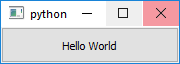
import sys
from Qt import QtWidgets, QtCompat

app = QtWidgets.QApplication(sys.argv)
button = QtWidgets.QPushButton("Hello World")
button.show()
QtCompat.QApplication.exec_()
- Also see /examples
Documentation
All members of Qt stem directly from those available via PySide6, along with these additional members.
| Attribute | Returns | Description |
|---|---|---|
__version__ |
str |
Version of this project |
__binding__ |
str |
A string reference to binding currently in use |
__qt_version__ |
str |
Reference to version of Qt, such as Qt 5.6.1 |
__binding_version__ |
str |
Reference to version of binding, such as PySide 1.2.6 |
Example
>>> from Qt import __binding__
>>> __binding__
'PyQt5'
Compatibility
Qt.py also provides compatibility wrappers for critical functionality that differs across bindings, these can be found in the added QtCompat submodule.
| Attribute | Returns | Description |
|---|---|---|
loadUi(uifile=str, baseinstance=QWidget) |
QObject |
Minimal wrapper of PyQt6.loadUi and PySide6 equivalent |
translate(...) |
function |
Compatibility wrapper around QCoreApplication.translate |
wrapInstance(addr=long, type=QObject) |
QObject |
Wrapper around shiboken6.wrapInstance and PyQt equivalent |
getCppPointer(object=QObject) |
long |
Wrapper around shiboken6.getCppPointer and PyQt equivalent |
isValid(object=QObject) |
bool |
Wrapper around shiboken6.isValid and PyQt equivalent |
dataChanged(topLeft=QModelIndex, bottomRight=QModelIndex, roles=[]) |
None |
Wrapper around QtCore.QAbstractItemModel.dataChanged.emit |
Example
>>> from Qt import QtCompat
>>> QtCompat.loadUi
Class specific compatibility objects
Note: Most of these are for Qt4 and Qt5 compatibility. With 2.0 dropping support for Qt4 many of them are no longer needed, but we are leaving them in for backwards compatibility.
Between Qt4 and Qt5 there have been many classes and class members that are obsolete. Under Qt.QtCompat there are many classes with names matching the classes they provide compatibility functions. These will match the PySide2 naming convention.
from Qt import QtCore, QtWidgets, QtCompat
header = QtWidgets.QHeaderView(QtCore.Qt.Horizontal)
QtCompat.QHeaderView.setSectionsMovable(header, False)
movable = QtCompat.QHeaderView.sectionsMovable(header)
This also covers inconsistencies between bindings. For example PyQt4's QFileDialog matches Qt4's return value of the selected. While all other bindings return the selected filename and the file filter the user used to select the file. Qt.QtCompat.QFileDialog ensures that getOpenFileName(s) and getSaveFileName always return the tuple.
Environment Variables
These are the publicly facing environment variables that in one way or another affect the way Qt.py is run.
| Variable | Type | Description |
|---|---|---|
| QT_PREFERRED_BINDING_JSON | str | Override order and content of binding to try. This can apply per Qt.py namespace. |
| QT_PREFERRED_BINDING | str | Override order and content of binding to try. Used if QT_PREFERRED_BINDING_JSON does not apply. |
| QT_VERBOSE | bool | Be a little more chatty about what's going on with Qt.py |
Subset (or "common members")
Members of Qt.py is a subset of PySide6. Which means for a member to be made accessible via Qt.py, it will need to (1) be accessible via PySide6 and (2) each of the other supported bindings. This excludes large portions of the Qt framework, including the newly added QtBluetooth and QtQuick3D modules but guarantees that anything you develop with Qt.py will work identically on any binding - PySide2, PySide6, PyQt5 and PyQt6. If you need to use such excluded modules with Qt.py, please see QtSiteConfig.py.
We call this subset "common members" and these can be generated by running the tox tests. The membership tests will output all modules and members of each binding into individual JSON files. These JSON files are then compared and a /.members/common_members.json file is generated. The contents of the members dictionary of this file is copy-pasted into the _common_members dictionary of Qt.py. Please note that the script will only use the most up-to-date set of VFX Platform-stipulated software versions.
See the wiki for a breakdown of what members are common across the supported Qt python bindings:
- Qt.py<1.4: PySide2, PyQt5, PySide, PyQt4
- Qt.py==1.4.*: PySide6, PyQt6, PySide2, PyQt5, PySide, PyQt4
- Qt.py==2.0.*: PySide6, PyQt6, PySide2, PyQt5. (Minimum Qt version 5.13)
Branch binding-specific code
Some bindings offer features not available in others, you can use __binding__ to capture those.
if "PySide" in __binding__:
  do_pyside_stuff()
Override preferred choice
If your system has multiple choices where one or more is preferred, you can override the preference and order in which they are tried with this environment variable.
$ set QT_PREFERRED_BINDING=PyQt5  # Windows
$ export QT_PREFERRED_BINDING=PyQt5  # Unix/OSX
$ python -c "import Qt;print(Qt.__binding__)"
PyQt5
Constrain available choices and order of discovery by supplying multiple values.
# Try PyQt5 first and then PySide2, but nothing else.
$ export QT_PREFERRED_BINDING=PyQt5:PySide2
Using the OS path separator (os.pathsep) which is : on Unix systems and ; on Windows.
If you need to control the preferred choice of a specific vendored Qt.py you can use the QT_PREFERRED_BINDING_JSON environment variable instead.
{
    "Qt":["PyQt5"],
    "myproject.vendor.Qt":["PyQt5"],
    "default":["PySide2"]
}
This json data forces any code that uses import Qt or import myproject.vendor.Qt to use PyQt5(from x import Qt etc works too, this is based on __name__ of the Qt.py being imported). Any other imports of a Qt module will use the "default" PySide2 only. If "default" is not provided or a Qt.py being used does not support QT_PREFERRED_BINDING_JSON, QT_PREFERRED_BINDING will be respected.
# Try PyQt6 first and then PyQt5 for the Qt module name space.
$ export QT_PREFERRED_BINDING_JSON="{"Qt":["PyQt6","PyQt5"]}"
# Use PySide2 for any other Qt module name spaces.
$ export QT_PREFERRED_BINDING=PySide2
QtSiteConfig.py
Add or remove members from Qt.py at run-time.
If you need to expose a module that isn't included in Qt.py by default or wish to remove something from being exposed in Qt.py you can do so by creating a QtSiteConfig.py module and making it available to Python.
- Create a new file
QtSiteConfig.py - Implement
update_members - Expose to Python
# QtSiteConfig.py
def update_members(members):
    """Called by Qt.py at run-time to modify the modules it makes available.

    Arguments:
        members (dict): The members considered by Qt.py
    """
    members.pop("QtCore")
Finally, expose the module to Python.
$ set PYTHONPATH=/path/to
$ python -c "import Qt.QtCore"
ImportError: No module named Qt.QtCore
Linux and MacOS users, replace
setwithexport
Compile Qt Designer files
WARNING - ALPHA FUNCTIONALITY
See #132 for details.
.ui files compiled via pyside2-uic inherently contain traces of PySide2 - e.g. the line from PySide2 import QtGui.
In order to use these with Qt.py, or any other binding, one must first erase such traces and replace them with cross-compatible code.
$ pyside2-uic my_ui.ui -o my_ui.py
$ python -m Qt --convert my_ui.py
# Creating "my_ui_backup.py"..
# Successfully converted "my_ui.py"
Now you may use the file as you normally would, with Qt.py
Loading Qt Designer files
The uic.loadUi function of PyQt5 and PyQt6 as well as the QtUiTools.QUiLoader().load function of PySide6/PySide2 are mapped to a convenience function loadUi.
import sys
from Qt import QtCompat, QtWidgets

app = QtWidgets.QApplication(sys.argv)
ui = QtCompat.loadUi(uifile="my.ui")
ui.show()
QtCompat.QApplication.exec_()
For PyQt bindings it uses their native implementation, whereas for PySide bindings it uses our custom implementation borrowed from the qtpy project.
loadUi has two arguments as opposed to the multiple that PyQt ships with. See here for details - in a nutshell, those arguments differ between PyQt and PySide in incompatible ways.
The second argument is baseinstance which allows a ui to be dynamically loaded onto an existing QWidget instance.
QtCompat.loadUi(uifile="my.ui", baseinstance=QtWidgets.QWidget)
uifile is the string path to the ui file to load.
If baseinstance is None, the a new instance of the top-level
widget will be created. Otherwise, the user interface is created within
the given baseinstance. In this case baseinstance must be an
instance of the top-level widget class in the UI file to load, or a
subclass thereof. In other words, if you've created a QMainWindow
interface in the designer, baseinstance must be a QMainWindow
or a subclass thereof, too. You cannot load a QMainWindow UI file
with a plain QWidget as baseinstance.
loadUi returns baseinstance, if baseinstance is provided.
Otherwise it will return the newly created instance of the user interface.
Rules
The PyQt and PySide bindings are similar, but not identical. Where there is ambiguity, there must to be a clear direction on which path to take.
Governing API
The official Qt 6 documentation is always right. Where the documentation lacks answers, PySide6 is right.
For example.
# PyQt6 adheres to PySide6 signals and slots
PyQt6.Signal = PyQt6.pyqtSignal
PyQt6.Slot = PyQt6.pyqtSlot
Caveats
There are cases where Qt.py is not handling incompatibility issues. Please see CAVEATS.md for more information.
Known Problems
Send us a pull-request with known problems here!
Who's using Qt.py?
Send us a pull-request with your studio here.
- Atomic Fiction
- Bläck
- Blur Studio
- CGRU
- Colorbleed
- Digital Domain
- Disney Animation
- Dreamworks Animation
- Epic Games
- Fido
- Framestore
- ftrack
- Futureworks
- Industrial Brothers
- Industriromantik
- Mackevision
- Method Studios
- Mikros Image
- Moonbot Studios
- MPC
- Overmind Studios
- Psyop
- Raynault VFX
- Rising Sun Pictures
- Rodeo FX
- Sony Pictures Imageworks
- Spin VFX
- Weta Digital
- GermanTechJobs
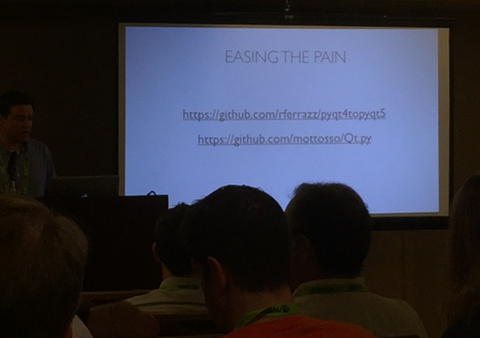
Presented at Siggraph 2016, BOF!
Projects using Qt.py
Send us a pull-request with your project here.
- USD Manager
- Cosmos
- maya-capture-gui
- pyblish-lite
- pyvfx-boilerplate
- riffle
- cmt
- PythonForMayaSamples
- Kraken
- AFANASY
- Syncplay
- BlenderUpdater
- QtPyConvert
- Pyper
Projects similar to Qt.py
Comparison matrix.
| Project | Audience | Reference binding | License | PEP8 | Standalone | PyPI | Co-existence |
|---|---|---|---|---|---|---|---|
| Qt.py | Film | PySide2 | MIT | X | X | X | X |
| jupyter | Scientific | N/A | N/A | X | |||
| QtPy | Scientific | N/A | MIT | X | X | ||
| pyqode.qt | Scientific | PyQt5 | MIT | X | X | ||
| QtExt | Film | N/A | N/A | X | |||
| python_qt_binding | Robotics | N/A | BSD | X | X | X | X |
Also worth mentioning, pyqt4topyqt5; a good starting point for transitioning to Qt.py.
Send us a pull-request with your project here.
Developer Guide
Tests are performed on each aspect of the shim.
Each of these are run under..
- Python 3.7
- Python 3.9
- Python 3.10
- Python 3.11
..once for each binding or under a specific binding only.
Each test is run within it's own isolated process, so as to allow an import to occur independently from other tests. Process isolation is handled via nosepipe.
Tests that are written at module level are run four times - once per binding - whereas tests written under a specific if-statement are run only for this particular binding.
if binding("PyQt5"):
    def test_something_related_to_pyqt5():
        pass
Code convention
Below are some of the conventions that used throughout the Qt.py module and tests.
- Etiquette: PEP8
- All code is checked using ruff check and format. Use
tox -e check,format.
- All code is checked using ruff check and format. Use
- Etiquette: Double quotes
- " = yes, ' = no.
- Etiquette: Napoleon docstrings
- Any docstrings are made in Google Napoleon format. See Napoleon for details.
- Etiquette: Semantic Versioning
- This project follows semantic versioning.
- Etiquette: Underscore means private
- Anything prefixed with an underscore means that it is internal to Qt.py and not for public consumption.
Running tests
Due to the nature of multiple bindings and multiple interpreter support, setting up a development environment in which to properly test your contraptions can be challenging. So here is a guide for how to do just that using tox.
Setup:
You will need to install python 3.7 or higher. It's recommended that you install python 3.7, 3.9, 3.10 and 3.11 so you can test all supported versions of python but tox is configured to allow you to skip test for missing python versions. However when the tests run on github all versions of python are required to work.
Install tox using pip in your preferred version of python. pip install tox For
the rest of this guide it's assumed that you have this version of python added to
your PATH env var and can run the command tox.
Running tox
When running tox, its expected that you are in a terminal and have cd'd into the root of the git checkout.
To run all tests run the command tox. This will run all default tests in order
sequentially. This lets you see all output from each test as it runs. This project
is configured run tests in parallel using tox -p. This lets you run all of the
tests much quicker but you only see output if there is a problem.
A successful run should generate output similar to this once finished:
  membership-begin: OK (0.16=setup[0.06]+cmd[0.09] seconds)
  membership-py39-PySide5.15: OK (0.38=setup[0.02]+cmd[0.36] seconds)
  membership-py39-PyQt5.15: OK (0.28=setup[0.02]+cmd[0.27] seconds)
  membership-py311-PySide6.5: OK (0.67=setup[0.08]+cmd[0.59] seconds)
  membership-py311-PyQt6.7: OK (0.42=setup[0.14]+cmd[0.28] seconds)
  membership-end: OK (0.17=setup[0.00]+cmd[0.17] seconds)
  test-begin: OK (0.06=setup[0.00]+cmd[0.06] seconds)
  test-py37-PySide5.13-impl: OK (11.03=setup[5.59]+cmd[1.22,4.22] seconds)
  test-py37-PySide5.13-caveats: OK (7.05=setup[5.64]+cmd[1.17,0.24] seconds)
  test-py37-PySide5.13-examples: OK (7.78=setup[5.61]+cmd[1.20,0.61,0.36] seconds)
...
  test-py311-PyQt6.5-impl: OK (9.45=setup[6.81]+cmd[2.64] seconds)
  test-py311-PyQt6.5-caveats: OK (7.09=setup[6.80]+cmd[0.30] seconds)
  test-py311-PyQt6.5-examples: OK (7.86=setup[6.81]+cmd[0.72,0.33] seconds)
  congratulations :) (13.30 seconds)
Running all tests is useful for verifying that there are no problems, but when
you run into a problem its useful to only run one or a couple of tests. You can
use the -e flag to specify specific test names. When using -e you have to
pass specific test names you want to run as a comma separated list. Any of the
test names(text before the : OK) listed above can be used.
Running a single test:
tox -e membership-py311-PySide6.5
Running multiple tests:
tox -e membership-begin,membership-py311-PySide6.5,membership-py311-PyQt6.7,membership-end
This would run just those 4 tests.
The membership-begin is used to clean up files left from previous tests. The next to jobs are used to run specifically configured tests in this case generating a list of bindings for PySide6 and PyQt6 in python 3.11. The membership-end job is used to combine the files generated by the previous tests.
The Github Actions are using the same tox configuration to run all of the tests which means that when the tests pass on your machine, they pass on Github Actions. And everybody wins!
See CONTRIBUTING.md for more of the good stuff.
Test breakdown
- Tests starting with
membership-are used to generate the common members dictionary. These are written into the/.membersdirectory.membership-beginremoves files created by the other membership tests to ensure the new test run doesn't have old data.membership-*-*Each test uses a specific version of python and Qt to generate a mapping of members available.membership-endcombines the data generated by eachmembership-*-*into the final common members dictionary for all Qt versions as well as per-major Qt version. It also creates some reference .md files to make it easy to see all possible members and which bindings implement them.
- Tests starting with
test-are used to run the testing suite on a specific set of python and Qt.test-begingenerates files needed to run the other tests.test-*-*-implruns implementation tests defined in test.py.test-*-*-caveatstests the code found inCAVEATS.md.test-*-*-examplestests the code found in /examples.
Upload to PyPI
To make a new release onto PyPI, you'll need to have the correct permissions and:
- Increment version in Qt.py
- Make a new release here on GitHub, see prior releases for naming-scheme; but in short, it's the version string. No prefix or suffix.
- The rest is automated, the release ends up on PyPI shortly thereafter
Qt 6 Transition Guide
| Replace | With | Notes |
|---|---|---|
QFont().fromString(...) |
QtCompat.QFont.fromString(font, ...) |
Qt6 adds extra data to font strings and changes weight if you want to pass a font string from Qt6 to Qt4/5 use this |
QFont().setWeight(...) |
QtCompat.QFont.setWeight(font, ...) |
|
QFont().setWeight(QFont().Bold) |
QFont().setWeight(QFont.Weight.Bold) |
Instance of class don't have enums, see see Fully Qualified Enums |
QEvent().Resize |
QEvent.Type.Resize |
All instances of class don't have enums, see see Fully Qualified Enums |
QtCore.Qt.MidButton |
QtCompat.Qt.MidButton |
|
QLabel.setPixmap(str) |
QLabel.setPixmap(QPixmap()) |
Can't take a string anymore (tested in Maya 2025.0) |
QModelIndex.child |
QModel.index |
This one is apparently from Qt 4 and should not have been in Qt.py to begin with |
QApplication.exec_() |
QtCompat.QApplication.exec_() |
exec is no longer a reserved keyword in python 3 so Qt6 is removing the underscore from exec_. Qt.py is using exec_ to preserve compatibility with python 2. The same applies for QCoreApplication. |
QAction().setShortcut(Qt.SHIFT|Qt.Key_Backspace) |
QAction().setShortcut(QKeySequence(Qt.Modifier.SHIFT|Qt.Key.Key_Backspace)) |
PyQt6 doesn't accept QKeyCombination objects for shortcuts. To work around this cast them to QKeySequence objects. |
| int(QMainWindow().windowState()) | QtCompat.enumValue(QMainWindow().windowState()) | Consistent interface to convert an enum to an int |
QMouseEvent.globalPos() |
QtCompat.QMouseEvent.globalPosition(event).toPoint() |
Deprecated in Qt6.0 and removed from PyQt6, currently still in PySide6. Changes from QPoint to QPointF. |
QMouseEvent.globalX() |
QtCompat.QMouseEvent.globalPosition(event).x() |
See globalPos() |
QMouseEvent.globalY() |
QtCompat.QMouseEvent.globalPosition(event).y() |
See globalPos() |
QMouseEvent.localPos() |
QtCompat.QMouseEvent.position(event) |
See globalPos() |
QMouseEvent.pos() |
QtCompat.QMouseEvent.position(event) |
Changes from QPoint to QPointF. See globalPos() |
QMouseEvent.screenPos() |
QtCompat.QMouseEvent.globalPosition(event) |
See globalPos() |
QMouseEvent.windowPos() |
QtCompat.QMouseEvent.scenePosition(event) |
See globalPos() |
QMouseEvent.x() |
QtCompat.QMouseEvent.position(event).x() |
See globalPos() |
QMouseEvent.y() |
QtCompat.QMouseEvent.position(event).y() |
See globalPos() |
| Submit your known issues here! |
Removed Members (Qt.py==2.*)
With the removal of support PySide and PyQt4 Qt.QT_SIP_API_HINT was removed. Qt.IsPySide and Qt.IsPyQt4 remain for compatibility, but will always return False now.
Removed Members (Qt.py==1.4.*)
Many members were removed from Qt.py due to no longer existing in PySide 6 and PyQt6. They were removed to support Qt 4, 5 and 6.
See removed members
"QtCore": [
    "QAbstractState",
    "QAbstractTransition",
    "QEventTransition",
    "QFinalState",
    "QSignalTransition",
    "QT_TR_NOOP_UTF8",
    "QTextCodec",
    "QTextDecoder",
    "QTextEncoder",
    "QtCriticalMsg",
    "QtDebugMsg",
    "QtFatalMsg",
    "QtSystemMsg",
    "QtWarningMsg",
    "qChecksum",
    "qIsNull",
    "QPictureIO"
],
"QtGui": [
    "qIsGray"
]
"QtMultimedia": [
    "QAbstractVideoBuffer",
    "QAbstractVideoSurface",
    "QAudio",
    "QAudioDeviceInfo",
    "QAudioFormat",
    "QAudioInput",
    "QAudioOutput",
    "QVideoFrame",
    "QVideoSurfaceFormat"
],
"QtNetwork": [
    "QNetworkConfiguration",
    "QNetworkConfigurationManager",
    "QNetworkSession"
],
"QtOpenGL": [
    "QGL",
    "QGLContext",
    "QGLFormat",
    "QGLWidget"
],
"QtSql": [
    "QSql",
    "QSqlDatabase",
    "QSqlDriver",
    "QSqlDriverCreatorBase",
    "QSqlError",
    "QSqlField",
    "QSqlIndex",
    "QSqlQuery",
    "QSqlQueryModel",
    "QSqlRecord",
    "QSqlRelation",
    "QSqlRelationalDelegate",
    "QSqlRelationalTableModel",
    "QSqlResult",
    "QSqlTableModel"
],
"QtWidgets": [
    "QActionGroup",
    "QDesktopWidget",
    "QDirModel",
    "QKeyEventTransition",
    "QMouseEventTransition",
    "QUndoCommand",
    "QUndoGroup",
    "QUndoStack"
],
"QtX11Extras": [
    "QX11Info"
],
"QtXml": [
    "QXmlAttributes",
    "QXmlContentHandler",
    "QXmlDTDHandler",
    "QXmlDeclHandler",
    "QXmlDefaultHandler",
    "QXmlEntityResolver",
    "QXmlErrorHandler",
    "QXmlInputSource",
    "QXmlLexicalHandler",
    "QXmlLocator",
    "QXmlNamespaceSupport",
    "QXmlParseException",
    "QXmlReader",
    "QXmlSimpleReader"
],
"QtXmlPatterns": [
    "QAbstractMessageHandler",
    "QAbstractUriResolver",
    "QAbstractXmlNodeModel",
    "QAbstractXmlReceiver",
    "QSourceLocation",
    "QXmlFormatter",
    "QXmlItem",
    "QXmlName",
    "QXmlNamePool",
    "QXmlNodeModelIndex",
    "QXmlQuery",
    "QXmlResultItems",
    "QXmlSchema",
    "QXmlSchemaValidator",
    "QXmlSerializer"
]
Static Members Missing from Instances
An overall change is that instances of classes, like QFont() no longer provides access to static members, such as QFont.Bold. So things like:
font = QFont()
font.setWeight(font.Bold)
Must be replaced with:
font = QFont()
font.setWeight(QFont.Weight.Bold)
Or:
This method is not recommended.
font.setWeight(type(font).Weight.Bold)
Tedious and seemingly unnecessary.. But there you have it!
Note: You should also see Fully Qualified Enums
Notes
Qt.py 1.4.0, released in May 2024, added support for Qt 6 whilst preserving compatibility with Qt 4 and 5. That means that in most cases, code you've already written for Qt 4 or 5 will now continue to work with Qt 6, such as Maya 2025.
However, some changes between 5 and 6 require up-front work by you the developer to make your codebase run on Qt 6 whilst continuing to run on Qt 4 and 5.
The above is what we know, please do submit issues and pull-request with what else you find!
See also
The official PySide2 to PySide6 transition guide, which is especially helpful since Qt.py is modeled after PySide2.
Project details
Verified details
These details have been verified by PyPIProject links
GitHub Statistics
Maintainers
Release history Release notifications | RSS feed


Download files
Download the file for your platform. If you're not sure which to choose, learn more about installing packages.
Source Distribution
Built Distribution
Filter files by name, interpreter, ABI, and platform.
If you're not sure about the file name format, learn more about wheel file names.
Copy a direct link to the current filters
File details
Details for the file qt_py-2.0.2.tar.gz.
File metadata
- Download URL: qt_py-2.0.2.tar.gz
- Upload date:
- Size: 63.5 kB
- Tags: Source
- Uploaded using Trusted Publishing? Yes
- Uploaded via: twine/6.1.0 CPython/3.13.7
File hashes
| Algorithm | Hash digest | |
|---|---|---|
| SHA256 |
c6240e1b9bc6f79f3867585fe9298fba941191c45aaf4c0d1260b498ab9d93dd
|
|
| MD5 |
189e90b449b682bf6995fa23dff601ba
|
|
| BLAKE2b-256 |
91c530c27e199370f86b527ae254e8b3428063610ab12458f9293898c23ee163
|
Provenance
The following attestation bundles were made for qt_py-2.0.2.tar.gz:
Publisher:
release-to-pypi.yml on mottosso/Qt.py
-
Statement:
-
Statement type:
https://in-toto.io/Statement/v1 -
Predicate type:
https://docs.pypi.org/attestations/publish/v1 -
Subject name:
qt_py-2.0.2.tar.gz -
Subject digest:
c6240e1b9bc6f79f3867585fe9298fba941191c45aaf4c0d1260b498ab9d93dd - Sigstore transparency entry: 870897997
- Sigstore integration time:
-
Permalink:
mottosso/Qt.py@0531dea7fe4422a85ee2f070bd07847737c1b88d -
Branch / Tag:
refs/tags/2.0.2 - Owner: https://github.com/mottosso
-
Access:
public
-
Token Issuer:
https://token.actions.githubusercontent.com -
Runner Environment:
github-hosted -
Publication workflow:
release-to-pypi.yml@0531dea7fe4422a85ee2f070bd07847737c1b88d -
Trigger Event:
push
-
Statement type:
File details
Details for the file qt_py-2.0.2-py3-none-any.whl.
File metadata
- Download URL: qt_py-2.0.2-py3-none-any.whl
- Upload date:
- Size: 45.7 kB
- Tags: Python 3
- Uploaded using Trusted Publishing? Yes
- Uploaded via: twine/6.1.0 CPython/3.13.7
File hashes
| Algorithm | Hash digest | |
|---|---|---|
| SHA256 |
57067dec618bcb95f5ee90760d807c2d6ea6f2db43b88796410df5ba365a3d3d
|
|
| MD5 |
692d1007b9b80bc154802fa82e95d085
|
|
| BLAKE2b-256 |
5a3eab4d04ff7227c4c10e57af28a50fca7b280b002a84d5851696a0cf3f6458
|
Provenance
The following attestation bundles were made for qt_py-2.0.2-py3-none-any.whl:
Publisher:
release-to-pypi.yml on mottosso/Qt.py
-
Statement:
-
Statement type:
https://in-toto.io/Statement/v1 -
Predicate type:
https://docs.pypi.org/attestations/publish/v1 -
Subject name:
qt_py-2.0.2-py3-none-any.whl -
Subject digest:
57067dec618bcb95f5ee90760d807c2d6ea6f2db43b88796410df5ba365a3d3d - Sigstore transparency entry: 870897999
- Sigstore integration time:
-
Permalink:
mottosso/Qt.py@0531dea7fe4422a85ee2f070bd07847737c1b88d -
Branch / Tag:
refs/tags/2.0.2 - Owner: https://github.com/mottosso
-
Access:
public
-
Token Issuer:
https://token.actions.githubusercontent.com -
Runner Environment:
github-hosted -
Publication workflow:
release-to-pypi.yml@0531dea7fe4422a85ee2f070bd07847737c1b88d -
Trigger Event:
push
-
Statement type:






