











A library and CLI app for rendering project templates.
- Works with local paths and Git URLs.
- Your project can include any file and Copier can dynamically replace values in any kind of text file.
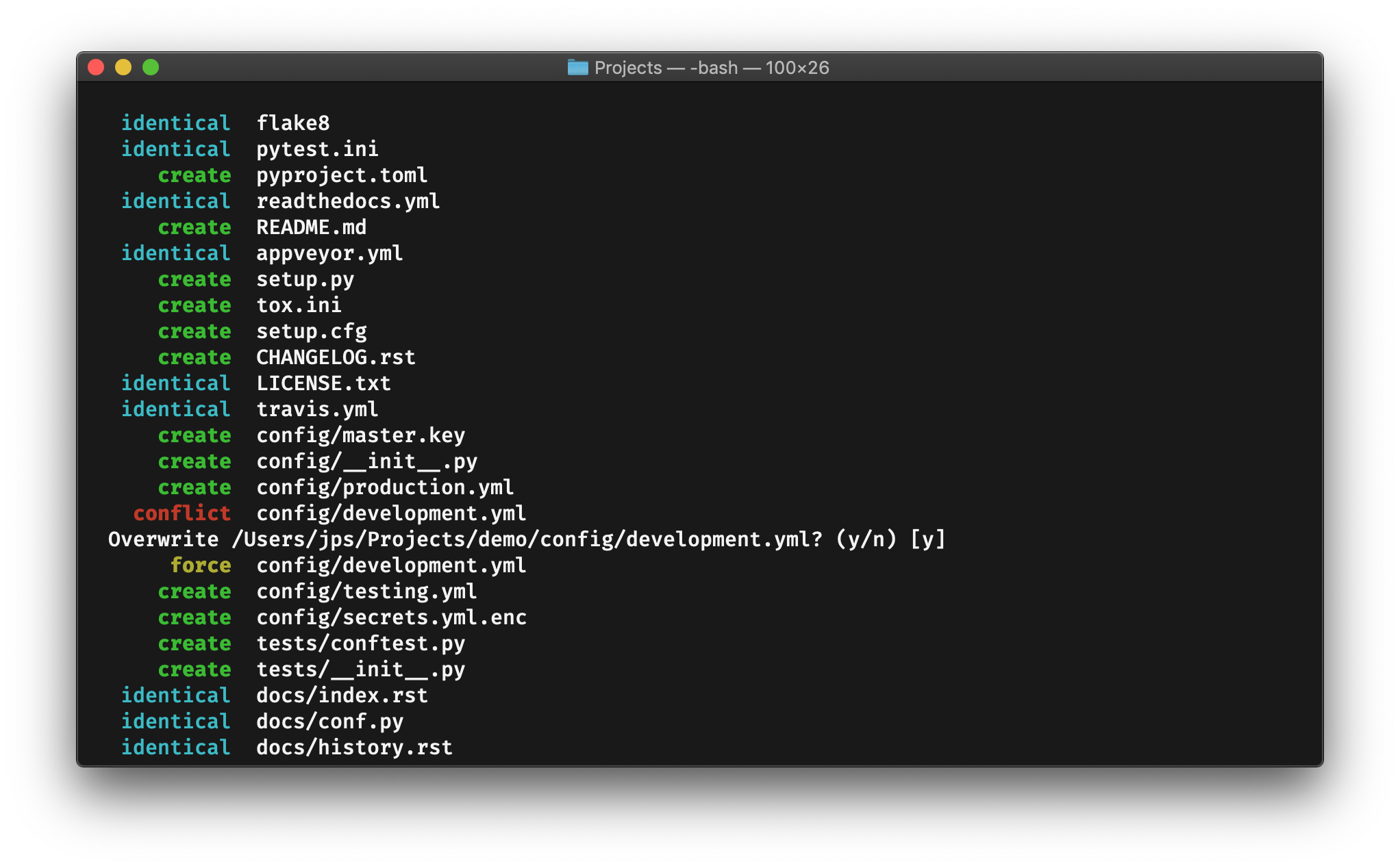
- It generates a beautiful output and takes care of not overwriting existing files unless instructed to do so.
Installation
- Install Python 3.10 or newer.
- Install Git 2.27 or newer.
- To use as a CLI app:
pipx install copieroruv tool install copier - To use as a library:
pip install copierorconda install -c conda-forge copier
Homebrew formula
To install the latest Copier release using its Homebrew formula for macOS or Linux:
brew install copier
Quick start
To create a template:
📁 my_copier_template                        # your template project
├── 📄 copier.yml                            # your template configuration
├── 📁 .git/                                 # your template is a Git repository
├── 📁 {{project_name}}                      # a folder with a templated name
│   └── 📄 {{module_name}}.py.jinja          # a file with a templated name
└── 📄 {{_copier_conf.answers_file}}.jinja   # answers are recorded here
Content of the copier.yml file:
# questions
project_name:
    type: str
    help: What is your project name?

module_name:
    type: str
    help: What is your Python module name?
Content of the {{project_name}}/{{module_name}}.py.jinja file:
print("Hello from {{module_name}}!")
Content of the {{_copier_conf.answers_file}}.jinja file:
# Changes here will be overwritten by Copier
{{ _copier_answers|to_nice_yaml -}}
To generate a project from the template:
-
On the command-line:
copier copy path/to/project/template path/to/destination
-
Or in Python code, programmatically:
from copier import run_copy

# Create a project from a local path
run_copy("path/to/project/template", "path/to/destination")

# Or from a Git URL.
run_copy("https://github.com/copier-org/copier.git", "path/to/destination")

# You can also use "gh:" as a shortcut of "https://github.com/"
run_copy("gh:copier-org/copier.git", "path/to/destination")

# Or "gl:" as a shortcut of "https://gitlab.com/"
run_copy("gl:copier-org/copier.git", "path/to/destination")
Basic concepts
Copier is composed of these main concepts:
- Templates. They lay out how to generate the subproject.
- Questionnaires. They are configured in the template. Answers are used to generate projects.
- Projects. This is where your real program lives. But it is usually generated and/or updated from a template.
Copier targets these main human audiences:
-
Template creators. Programmers that repeat code too much and prefer a tool to do it for them.
Tip: Copier doesn't replace the DRY principle... but sometimes you simply can't be DRY and you need a DRYing machine...
-
Template consumers. Programmers that want to start a new project quickly, or that want to evolve it comfortably.
Non-humans should be happy also by using Copier's CLI or API, as long as their expectations are the same as for those humans... and as long as they have feelings.
Templates have these goals:
- Code scaffolding. Help consumers have a working source code tree as quickly as possible. All templates allow scaffolding.
- Code lifecycle management. When the template evolves, let consumers update their projects. Not all templates allow updating.
Copier tries to have a smooth learning curve that lets you create simple templates that can evolve into complex ones as needed.
Browse or tag public templates
You can browse public Copier templates on GitHub using
the copier-template topic. Use them as
inspiration!
If you want your template to appear in that list, just add the topic to it! 🏷
Show your support
If you're using Copier, consider adding the Copier badge to your project's README.md:
[](https://github.com/copier-org/copier)
...or README.rst:
.. image:: https://img.shields.io/endpoint?url=https://raw.githubusercontent.com/copier-org/copier/master/img/badge/badge-grayscale-inverted-border-orange.json
    :target: https://github.com/copier-org/copier
    :alt: Copier
...or, as HTML:
<a href="https://github.com/copier-org/copier"><img src="https://img.shields.io/endpoint?url=https://raw.githubusercontent.com/copier-org/copier/master/img/badge/badge-grayscale-inverted-border-orange.json" alt="Copier" style="max-width:100%;"/></a>
Copier badge variations
-
Badge Grayscale Border
-
Badge Grayscale Inverted Border
-
Badge Grayscale Inverted Border Orange
-
Badge Grayscale Inverted Border Red
-
Badge Grayscale Inverted Border Teal
-
Badge Grayscale Inverted Border Purple
-
Badge Black






Credits
Special thanks go to jpsca for originally creating Copier.
This project would not be a thing without him.
Many thanks to pykong who took over maintainership on the project, promoted it, and laid out the bases of what the project is today.
Big thanks also go to yajo for his relentless zest for
improving Copier even further.
Thanks a lot, pawamoy for polishing very important rough edges and improving the documentation and UX a lot.
Also special thanks to sisp for being very helpful in polishing documentation, fixing bugs, helping the community and cleaning up the codebase.
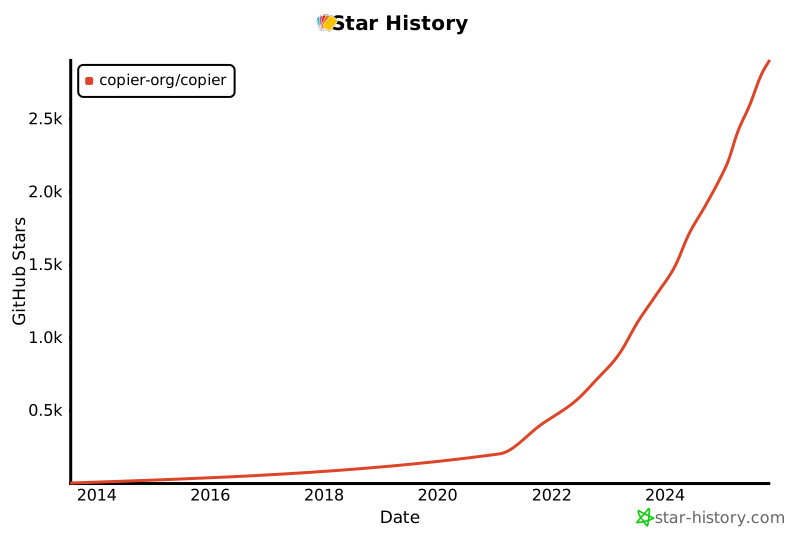
And thanks to all financial supporters and folks that give us a shiny star! ⭐


Download files
Download the file for your platform. If you're not sure which to choose, learn more about installing packages.
Source Distribution
Built Distribution
Filter files by name, interpreter, ABI, and platform.
If you're not sure about the file name format, learn more about wheel file names.
Copy a direct link to the current filters
File details
Details for the file copier-9.17.2.tar.gz.
File metadata
- Download URL: copier-9.17.2.tar.gz
- Upload date:
- Size: 650.5 kB
- Tags: Source
- Uploaded using Trusted Publishing? Yes
- Uploaded via:
twine/7.0.0 CPython/3.13.14
File hashes
| Algorithm | Hash digest | |
|---|---|---|
| SHA256 |
02e9c0d05281603c06d52f48350e48ffca0b4283d9f025664fbce4befabaa555
|
|
| MD5 |
f7ed0bf223551369a6f4854f7b7135ca
|
|
| BLAKE2b-256 |
2e4c2e593d85827c49f478ea4925d1008a144bb8ff2189c6e9f405c37bb56edb
|
Provenance
The following attestation bundles were made for copier-9.17.2.tar.gz:
Publisher:
release.yml on copier-org/copier
-
Statement:
-
Statement type:
https://in-toto.io/Statement/v1 -
Predicate type:
https://docs.pypi.org/attestations/publish/v1 -
Subject name:
copier-9.17.2.tar.gz -
Subject digest:
02e9c0d05281603c06d52f48350e48ffca0b4283d9f025664fbce4befabaa555 - Sigstore transparency entry: 2516023919
- Sigstore integration time:
-
Permalink:
copier-org/copier@76239f5250ed14280a6fe45cbf1ffa9c6bb57185 -
Branch / Tag:
refs/tags/v9.17.2 - Owner: https://github.com/copier-org
-
Access:
public
-
Token Issuer:
https://token.actions.githubusercontent.com -
Runner Environment:
github-hosted -
Publication workflow:
release.yml@76239f5250ed14280a6fe45cbf1ffa9c6bb57185 -
Trigger Event:
push
-
Statement type:
File details
Details for the file copier-9.17.2-py3-none-any.whl.
File metadata
- Download URL: copier-9.17.2-py3-none-any.whl
- Upload date:
- Size: 67.0 kB
- Tags: Python 3
- Uploaded using Trusted Publishing? Yes
- Uploaded via:
twine/7.0.0 CPython/3.13.14
File hashes
| Algorithm | Hash digest | |
|---|---|---|
| SHA256 |
24757d8875cdf4e076ff338e5ea984e85f5d5da9afcecea8a9dde0f151310b19
|
|
| MD5 |
dc535145ef8840f72dda4b72f5f180e8
|
|
| BLAKE2b-256 |
ecec466bbf501af8e9f718b3f4875cb32fe75a1f17538c2fba507f64a32c2b0f
|
Provenance
The following attestation bundles were made for copier-9.17.2-py3-none-any.whl:
Publisher:
release.yml on copier-org/copier
-
Statement:
-
Statement type:
https://in-toto.io/Statement/v1 -
Predicate type:
https://docs.pypi.org/attestations/publish/v1 -
Subject name:
copier-9.17.2-py3-none-any.whl -
Subject digest:
24757d8875cdf4e076ff338e5ea984e85f5d5da9afcecea8a9dde0f151310b19 - Sigstore transparency entry: 2516024115
- Sigstore integration time:
-
Permalink:
copier-org/copier@76239f5250ed14280a6fe45cbf1ffa9c6bb57185 -
Branch / Tag:
refs/tags/v9.17.2 - Owner: https://github.com/copier-org
-
Access:
public
-
Token Issuer:
https://token.actions.githubusercontent.com -
Runner Environment:
github-hosted -
Publication workflow:
release.yml@76239f5250ed14280a6fe45cbf1ffa9c6bb57185 -
Trigger Event:
push
-
Statement type:














