
Youtube-based Karaoke machine for Raspberry Pi, OSX, Windows, and Linux
Verified details
These details have been verified by PyPIProject links
GitHub Statistics
Maintainers

Project description
PiKaraoke

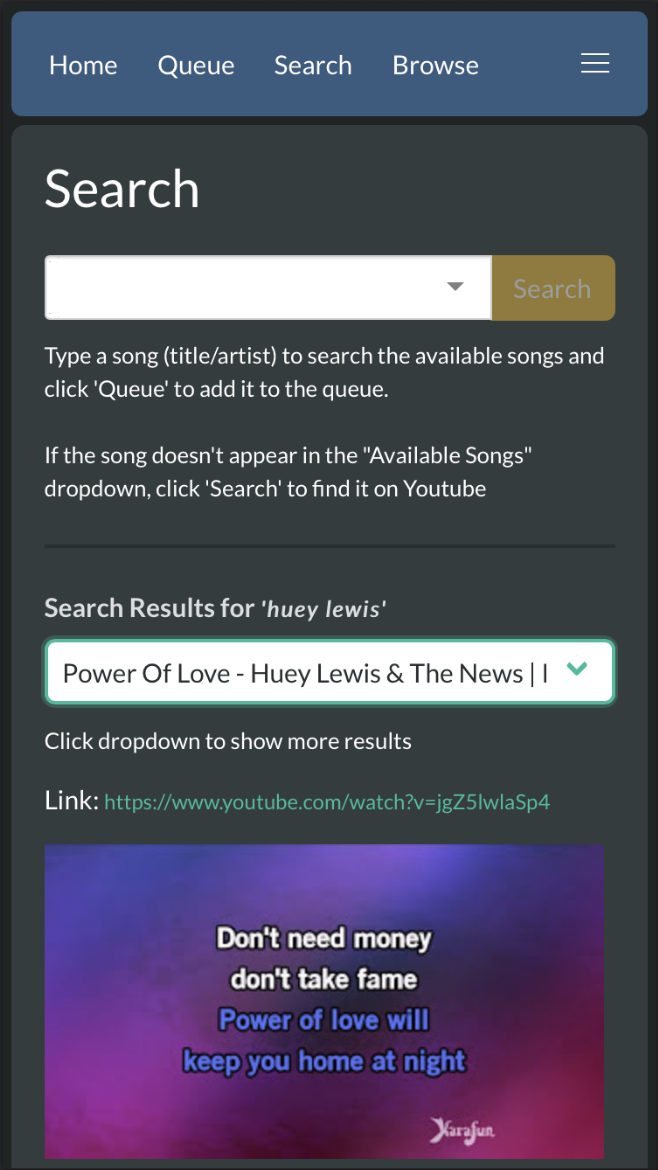
PiKaraoke is a cross-platform karaoke server that brings the professional "KTV" experience to your home. It transforms your computer or Raspberry Pi into a dedicated karaoke station with a full-screen player and an instant web interface. Guests can join by simply scanning a QR code—no app downloads required—to browse your local library, manage the queue, and access countless karaoke hits from YouTube.
- 📱 Instant Mobile Remote: Search and queue songs from any smartphone—just scan and sing.
- 📺 Dedicated Player: High-performance splash screen that can be opened on any web browser for a true karaoke room feel.
- 🌐 YouTube & Local Media: Play your own files or access more from the web.
- 🎹 Live Pitch Shifting: Adjust the key of any song to match your vocal range.
- 🛠️ Admin Control: Manage the queue and settings via a password-protected admin mode.
- 🎯 Hyper-accurate vocal performance scoring system: (not really, it's random. But kind of fun!)
- 🐧 Lightweight & Versatile: Runs anywhere from a basic Raspberry Pi to a high-end PC.
Love PiKaraoke? This project is independently maintained and free for everyone to enjoy. If PiKaraoke has made your parties better and you'd like to help keep the project alive and growing, feel free to buy me a coffee!


Table of Contents
- Supported Devices / OS / Platforms
- Quick Install
- Manual Installation
- Usage
- Docker
- Screenshots
- Developing pikaraoke
- Troubleshooting
Supported Devices / OS / Platforms
- OSX
- Windows
- Linux
- Raspberry Pi 4 or higher (Pi3 works ok with overclocking)
Quick Install
For a streamlined installation that handles all dependencies (uv, ffmpeg, deno) and installs PiKaraoke, run the following in your terminal:
Linux & macOS
curl -fsSL https://raw.githubusercontent.com/vicwomg/pikaraoke/master/build_scripts/install/install.sh | bash
Windows (PowerShell)
irm https://raw.githubusercontent.com/vicwomg/pikaraoke/master/build_scripts/install/install.ps1 | iex
After installation, you can launch pikaraoke from the command line with pikaraoke or from a desktop shortcut. Re-running the above command will update a previous pikaraoke installation to the latest version.
Manual installation (advanced users)
Prerequisites
- A modern web browser (Chrome/Chromium/Edge recommended)
- Python 3.10 or greater: Python downloads
- FFmpeg (preferably a build with lib-rubberband for transposing): FFmpeg downloads
- A js runtime installed to your PATH. Node.js is most common, Deno is probably easiest for non-developers.
Install the pikaraoke package
We recommend installing pikaraoke via uv.
uv tool install pikaraoke
You may alternately use the standard python pip install pikaraoke installer if you are familiar with virtual environments or you are not concerned with global package isolation.
Usage
Run pikaraoke from the command line with:
pikaraoke
Launches the player in "headed" mode via your default browser. Scan the QR code to connect mobile remotes. Use pikaraoke --headless to run as a background server for external browsers.
See the help command pikaraoke --help for available options.
To upgrade to the latest version of pikaraoke, run:
uv tool upgrade pikaraoke
Docker instructions
Run PiKaraoke in Docker using the command below. Note the requirements for port mapping, LAN IP specification, and persistent volume mounts (set to ~/.pikaraoke in the example for simplicity):
docker run -p 5555:5555 \
  -v ~/pikaraoke-songs:/app/pikaraoke-songs \
  -v ~/.pikaraoke:/home/pikaraoke/.pikaraoke \
  vicwomg/pikaraoke:latest \
  -u http://<YOUR_LAN_IP>:5555
For more information and a configurable docker-compose example, see official Dockerhub repo
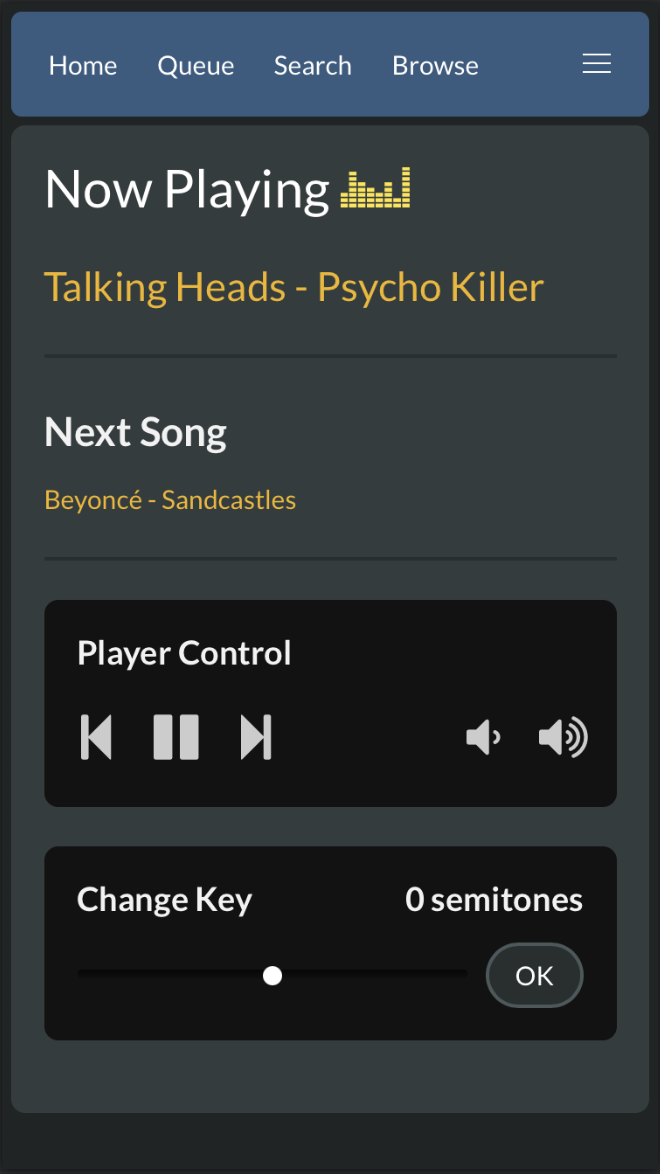
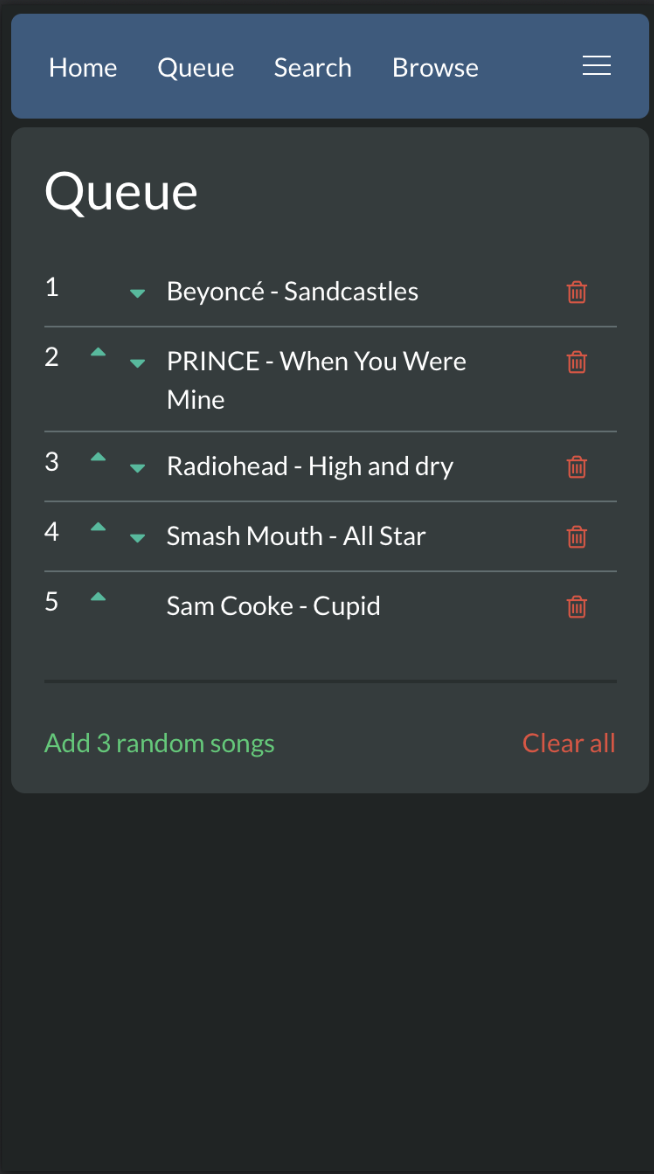
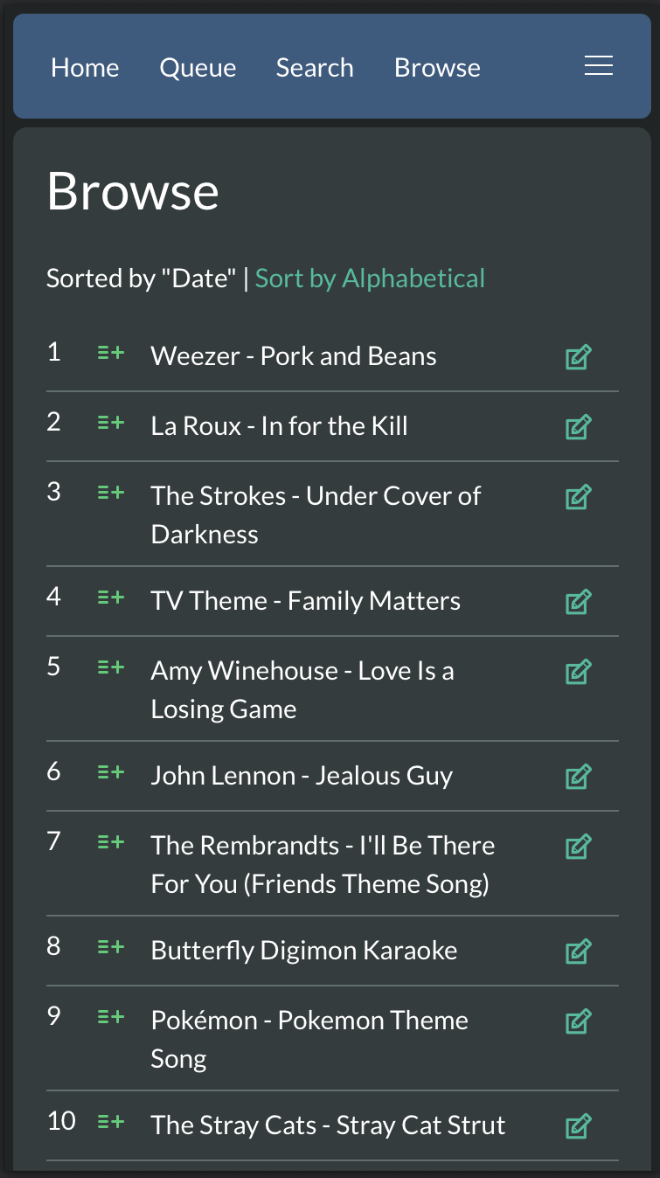
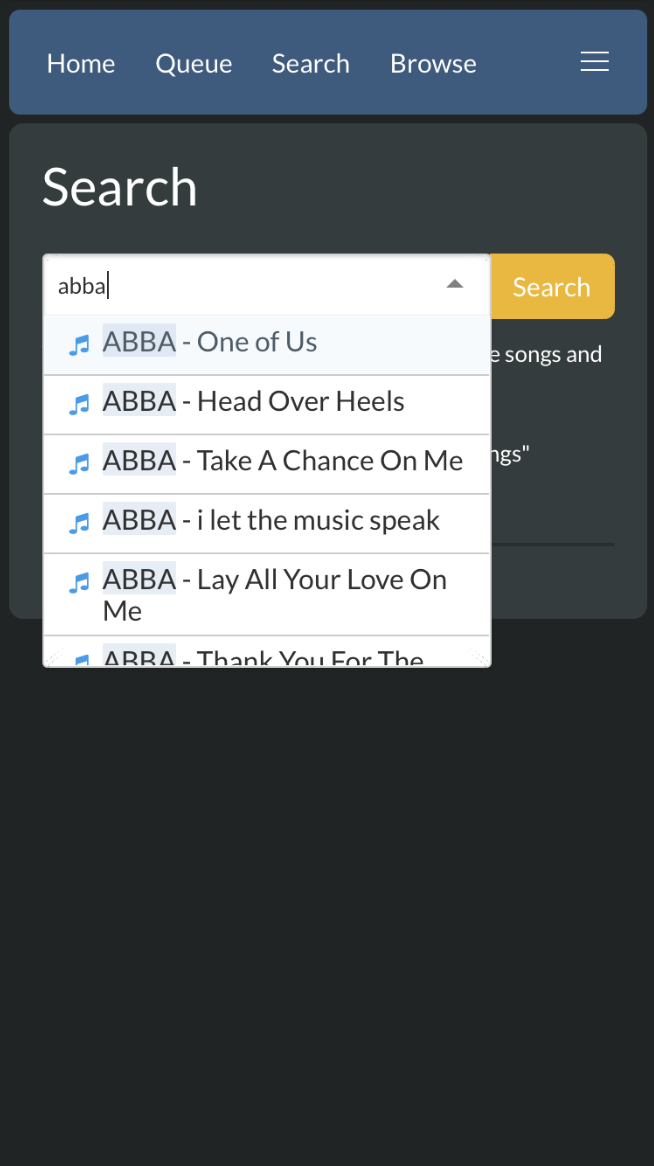
Screenshots

Developing pikaraoke
The Pikaraoke project utilizes uv for dependency management and local development.
- Install uv
- Git clone this repo
From the pikaraoke directory:
# install dependencies and run pikaraoke from local code
uv run pikaraoke
See the Pikaraoke development guide for more details.
Troubleshooting and guides
See the TROUBLESHOOTING wiki for help with issues.
There are also some great guides on the wiki to running pikaraoke in all manner of bizarre places including Android, Chromecast, and embedded TVs!
Project details
Verified details
These details have been verified by PyPIProject links
GitHub Statistics
Maintainers
Release history Release notifications | RSS feed


Download files
Download the file for your platform. If you're not sure which to choose, learn more about installing packages.
Source Distribution
Built Distribution
Filter files by name, interpreter, ABI, and platform.
If you're not sure about the file name format, learn more about wheel file names.
Copy a direct link to the current filters
File details
Details for the file pikaraoke-1.18.4.tar.gz.
File metadata
- Download URL: pikaraoke-1.18.4.tar.gz
- Upload date:
- Size: 13.2 MB
- Tags: Source
- Uploaded using Trusted Publishing? Yes
- Uploaded via: twine/6.1.0 CPython/3.13.7
File hashes
| Algorithm | Hash digest | |
|---|---|---|
| SHA256 |
fe2a49bd694394986dac565f09f1d577782b5cce39a6056cf54dd49c7b344def
|
|
| MD5 |
b70ff8f3e1e5f2542254a13abcf941b6
|
|
| BLAKE2b-256 |
f8633a90c70372e6fe01dd6b3fabb3235f336b6e8a73636f780b305a08ea97cb
|
Provenance
The following attestation bundles were made for pikaraoke-1.18.4.tar.gz:
Publisher:
release-please.yml on vicwomg/pikaraoke
-
Statement:
-
Statement type:
https://in-toto.io/Statement/v1 -
Predicate type:
https://docs.pypi.org/attestations/publish/v1 -
Subject name:
pikaraoke-1.18.4.tar.gz -
Subject digest:
fe2a49bd694394986dac565f09f1d577782b5cce39a6056cf54dd49c7b344def - Sigstore transparency entry: 931679815
- Sigstore integration time:
-
Permalink:
vicwomg/pikaraoke@6832718a4a09d46d45242afb5af0ca0ce6ea4f30 -
Branch / Tag:
refs/heads/master - Owner: https://github.com/vicwomg
-
Access:
public
-
Token Issuer:
https://token.actions.githubusercontent.com -
Runner Environment:
github-hosted -
Publication workflow:
release-please.yml@6832718a4a09d46d45242afb5af0ca0ce6ea4f30 -
Trigger Event:
workflow_dispatch
-
Statement type:
File details
Details for the file pikaraoke-1.18.4-py3-none-any.whl.
File metadata
- Download URL: pikaraoke-1.18.4-py3-none-any.whl
- Upload date:
- Size: 13.2 MB
- Tags: Python 3
- Uploaded using Trusted Publishing? Yes
- Uploaded via: twine/6.1.0 CPython/3.13.7
File hashes
| Algorithm | Hash digest | |
|---|---|---|
| SHA256 |
fcb5c861ece87a4c2fc08f188ed746ad5a3d36eb9e0f3d361ef85b78bcfe1c07
|
|
| MD5 |
159ca5faac4faa0074cf4e188827f596
|
|
| BLAKE2b-256 |
647ee7082e396007423c55d2564b056633d38e5dde48bdc10d3cf983fd8942a0
|
Provenance
The following attestation bundles were made for pikaraoke-1.18.4-py3-none-any.whl:
Publisher:
release-please.yml on vicwomg/pikaraoke
-
Statement:
-
Statement type:
https://in-toto.io/Statement/v1 -
Predicate type:
https://docs.pypi.org/attestations/publish/v1 -
Subject name:
pikaraoke-1.18.4-py3-none-any.whl -
Subject digest:
fcb5c861ece87a4c2fc08f188ed746ad5a3d36eb9e0f3d361ef85b78bcfe1c07 - Sigstore transparency entry: 931679857
- Sigstore integration time:
-
Permalink:
vicwomg/pikaraoke@6832718a4a09d46d45242afb5af0ca0ce6ea4f30 -
Branch / Tag:
refs/heads/master - Owner: https://github.com/vicwomg
-
Access:
public
-
Token Issuer:
https://token.actions.githubusercontent.com -
Runner Environment:
github-hosted -
Publication workflow:
release-please.yml@6832718a4a09d46d45242afb5af0ca0ce6ea4f30 -
Trigger Event:
workflow_dispatch
-
Statement type:






