
This release is a pre-release and may not be stable for production use.
3DeeCellTracker




3DeeCellTracker is a deep-learning based pipeline for tracking cells in 3D time lapse images of deforming/moving organs (eLife, 2021).
Updates:
3DeeCellTracker v0.5.0-alpha will be released soon
- Allows you to use StarDist3D for segmentation
- Reduces the requirements for fine-tuning parameters
- Decouples the code to facilitate reuse by third-party developers.
Installation
To install 3DeeCellTracker, please follow the instructions below:
Prerequisites
Steps
-
Create a new conda environment and activate it by running the following commands in your terminal:
$ conda create -n track python=3.8 pip
$ conda activate track
-
Install TensorFlow.
-
Install 3DeeCellTracker by running the following command in your terminal:
$ pip install 3DeeCellTracker
After completing the installation steps, you can start using 3DeeCellTracker for your 3D cell tracking tasks within the jupyter notebooks we have provided (See below). If you encounter any issues or have any questions, please refer to the project's documentation or raise an issue in the GitHub repository.
Quick Start
To learn how to track cells using 3DeeCellTracker, please refer to the following notebooks for examples. We recommend using StarDist for segmentation, as we have optimized the StarDist-based tracking programs for more convenient and quick cell tracking.
-
Train a custom deep neural network for segmenting cells in new optical conditions:
-
Track cells in deforming organs:
-
Track cells in freely moving animals:
The data and model files for demonstrating above notebooks can be downloaded here:
Note: Codes above were based on the latest version. For old programs used in eLife 2021, please check the "Deprecated_programs" folder.
Frequently Reported Issue and Solution (for v0.4)
Multiple users have reported encountering a ValueError of shape mismatch when running the tracker.match() function.
After investigation, it was found that the issue resulted from an incorrect setting of siz_xyz,
which should be set to the dimensions of the 3D image as (height, width, depth).
Video Tutorials (for v0.4)
We have made tutorials explaining how to use our software. See links below (videos in Youtube):
Tutorial 1: Install 3DeeCellTracker and train the 3D U-Net
Tutorial 2: Tracking cells by 3DeeCellTracker
Tutorial 3: Annotate cells for training 3D U-Net
Tutorial 4: Manually correct the cell segmentation
A Text Tutorial (for v0.4)
We have written a tutorial explaining how to install and use 3DeeCellTracker. See Bio-protocol, 2022
How it works
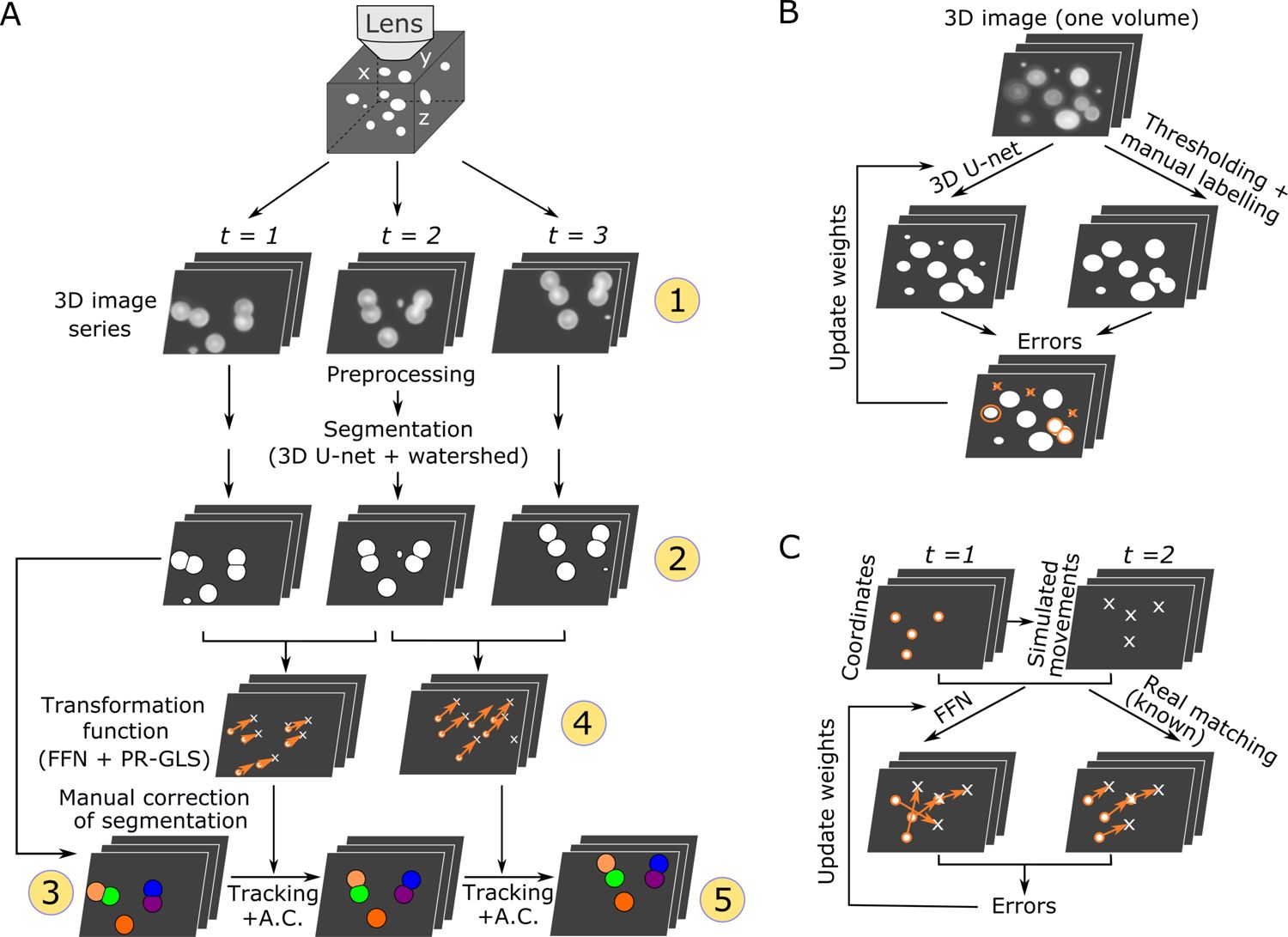
We designed this pipeline for segmenting and tracking cells in 3D + T images in deforming organs. The methods have been explained in Wen et al. bioRxiv 2018 and in Wen et al. eLife, 2021.
Overall procedures of our method (Wen et al. eLife, 2021–Figure 1)
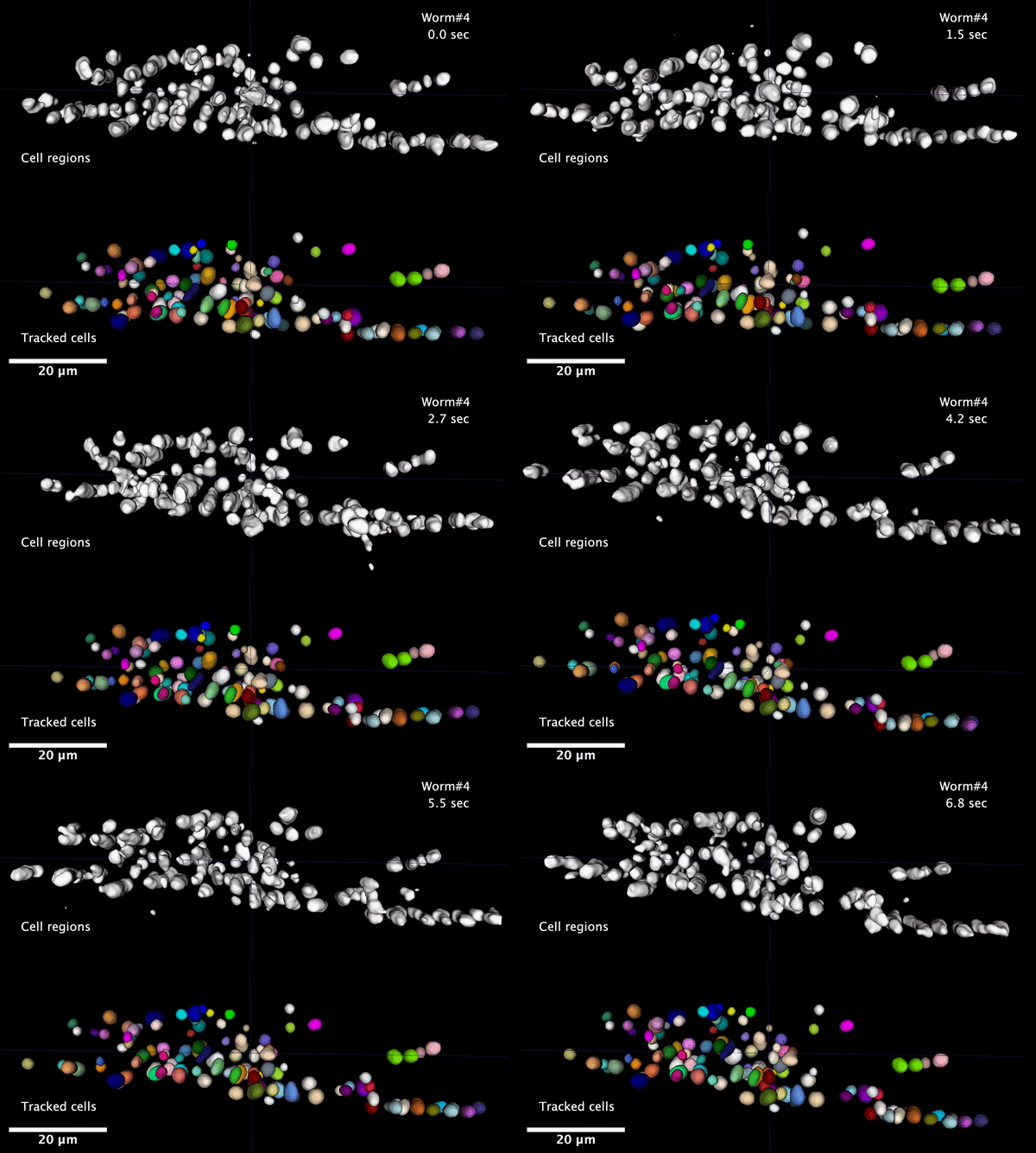
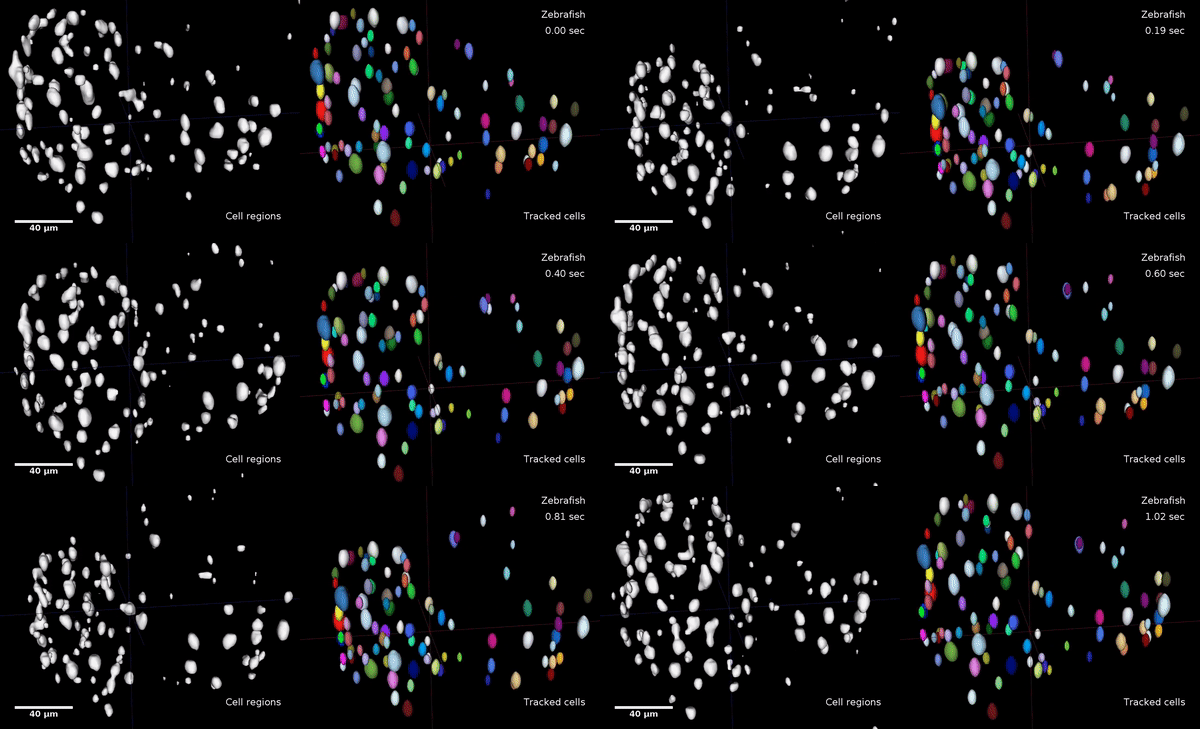
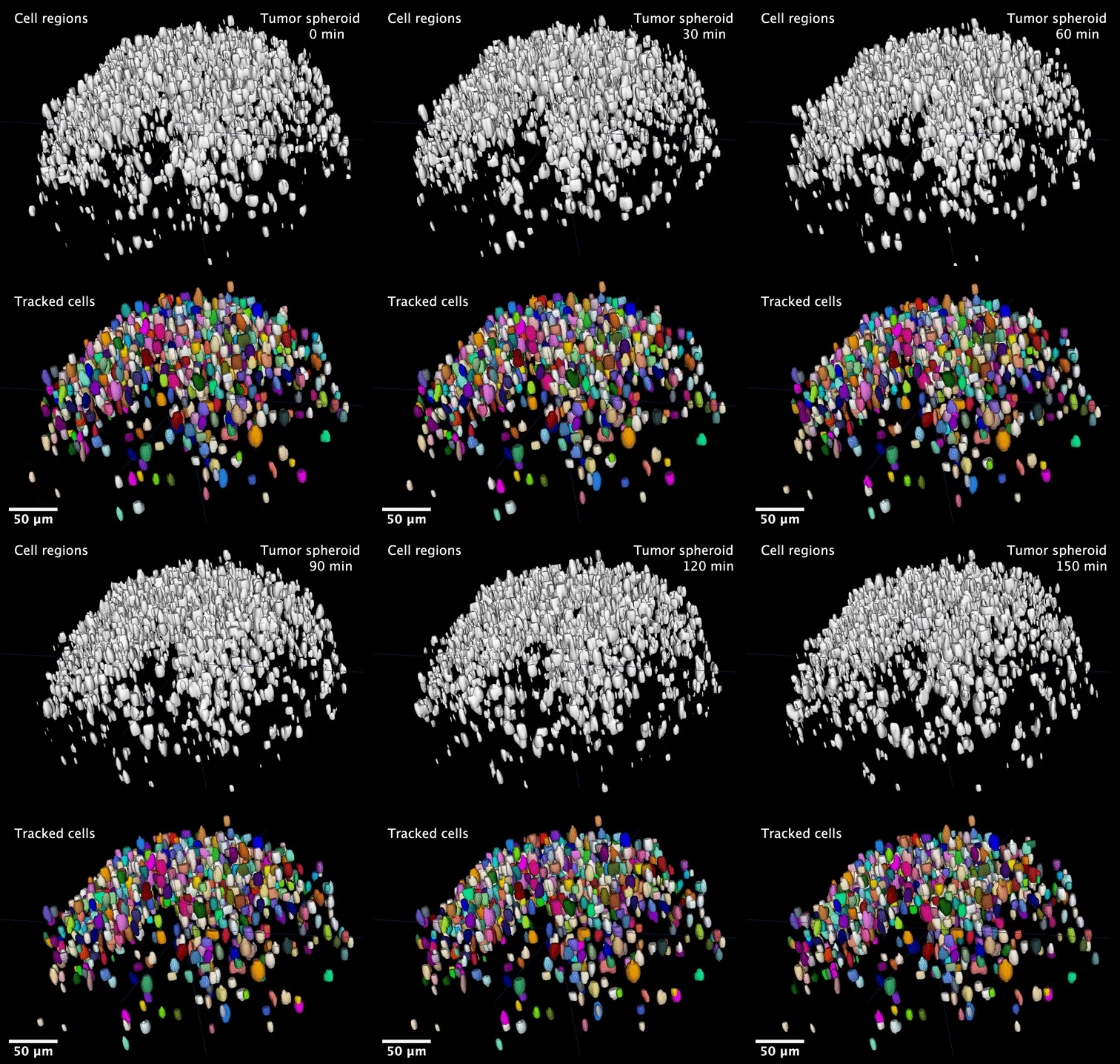
Examples of tracking results (Wen et al. eLife, 2021–Videos)
| Neurons in a ‘straightened’ freely moving worm |
Cardiac cells in a zebrafish larva | Cells in a 3D tumor spheriod |
|---|---|---|
 |
 |
 |
Citation
If you used this package in your research and is interested in citing it here's how you do it:
@article{
author = {Wen, Chentao and Miura, Takuya and Voleti, Venkatakaushik and Yamaguchi, Kazushi and Tsutsumi, Motosuke and Yamamoto, Kei and Otomo, Kohei and Fujie, Yukako and Teramoto, Takayuki and Ishihara, Takeshi and Aoki, Kazuhiro and Nemoto, Tomomi and Hillman, Elizabeth MC and Kimura, Koutarou D},
doi = {10.7554/eLife.59187},
journal = {eLife},
month = {mar},
title = {{3DeeCellTracker, a deep learning-based pipeline for segmenting and tracking cells in 3D time lapse images}},
volume = {10},
year = {2021}
}
Acknowledgements
We wish to thank JetBrains for supporting this project with free open source Pycharm license.


1 maintainer

Download files
Download the file for your platform. If you're not sure which to choose, learn more about installing packages.
Source Distribution
Built Distribution
Filter files by name, interpreter, ABI, and platform.
If you're not sure about the file name format, learn more about wheel file names.
Copy a direct link to the current filters
File details
Details for the file 3DeeCellTracker-0.5.0a0.tar.gz.
File metadata
- Download URL: 3DeeCellTracker-0.5.0a0.tar.gz
- Upload date:
- Size: 60.6 kB
- Tags: Source
- Uploaded using Trusted Publishing? No
- Uploaded via: twine/4.0.2 CPython/3.8.13
File hashes
| Algorithm | Hash digest | |
|---|---|---|
| SHA256 |
17ee2d363deca61709764cf3270561ec8e3d81dad0b66d6ac18d2673bcb24304
|
|
| MD5 |
cb0066a4736d66e47b42c6ff725816d4
|
|
| BLAKE2b-256 |
95709651d2e18dacd735362a8de36013cf05406bf2dc7828aa40eea61c0363c1
|
File details
Details for the file 3DeeCellTracker-0.5.0a0-py3-none-any.whl.
File metadata
- Download URL: 3DeeCellTracker-0.5.0a0-py3-none-any.whl
- Upload date:
- Size: 63.1 kB
- Tags: Python 3
- Uploaded using Trusted Publishing? No
- Uploaded via: twine/4.0.2 CPython/3.8.13
File hashes
| Algorithm | Hash digest | |
|---|---|---|
| SHA256 |
f7fb66dfe764630aba4d6b487995824b6dfabc20c2c1c071c2896164f745f88b
|
|
| MD5 |
868df9134ca471b103ee55fa2274be84
|
|
| BLAKE2b-256 |
96e3e8790429d9221c97f14eb038522d31832c23485351d0d030184864128da0
|







