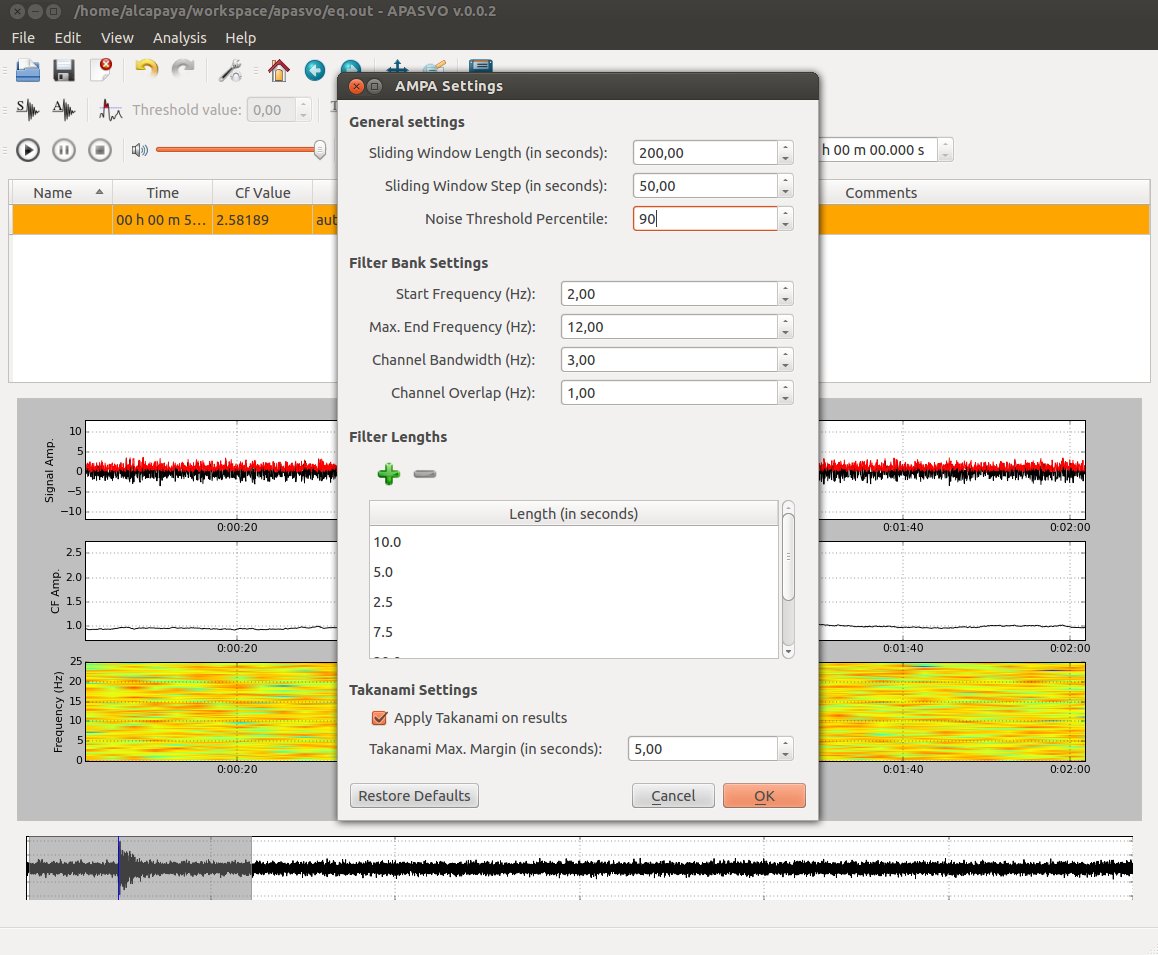
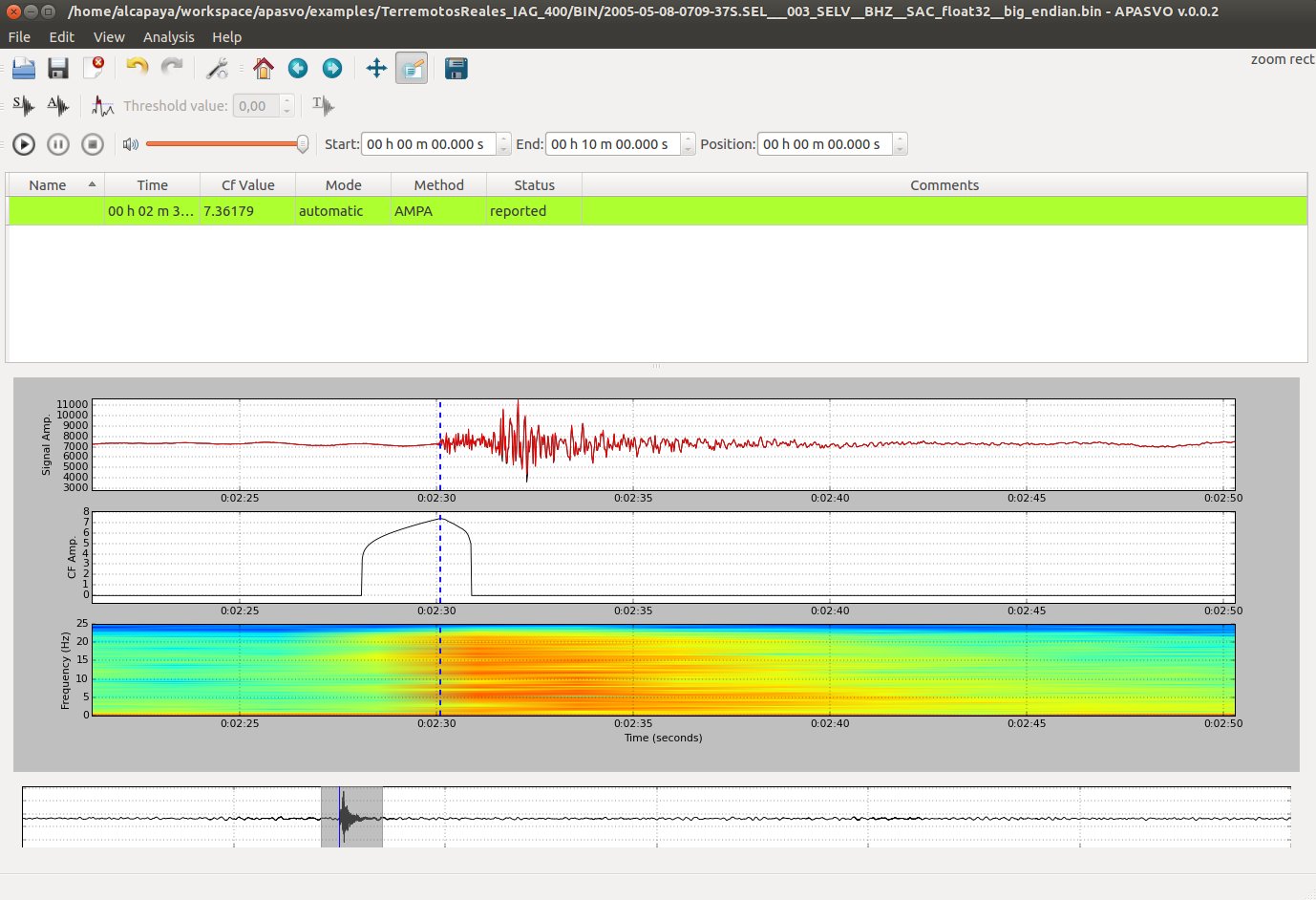
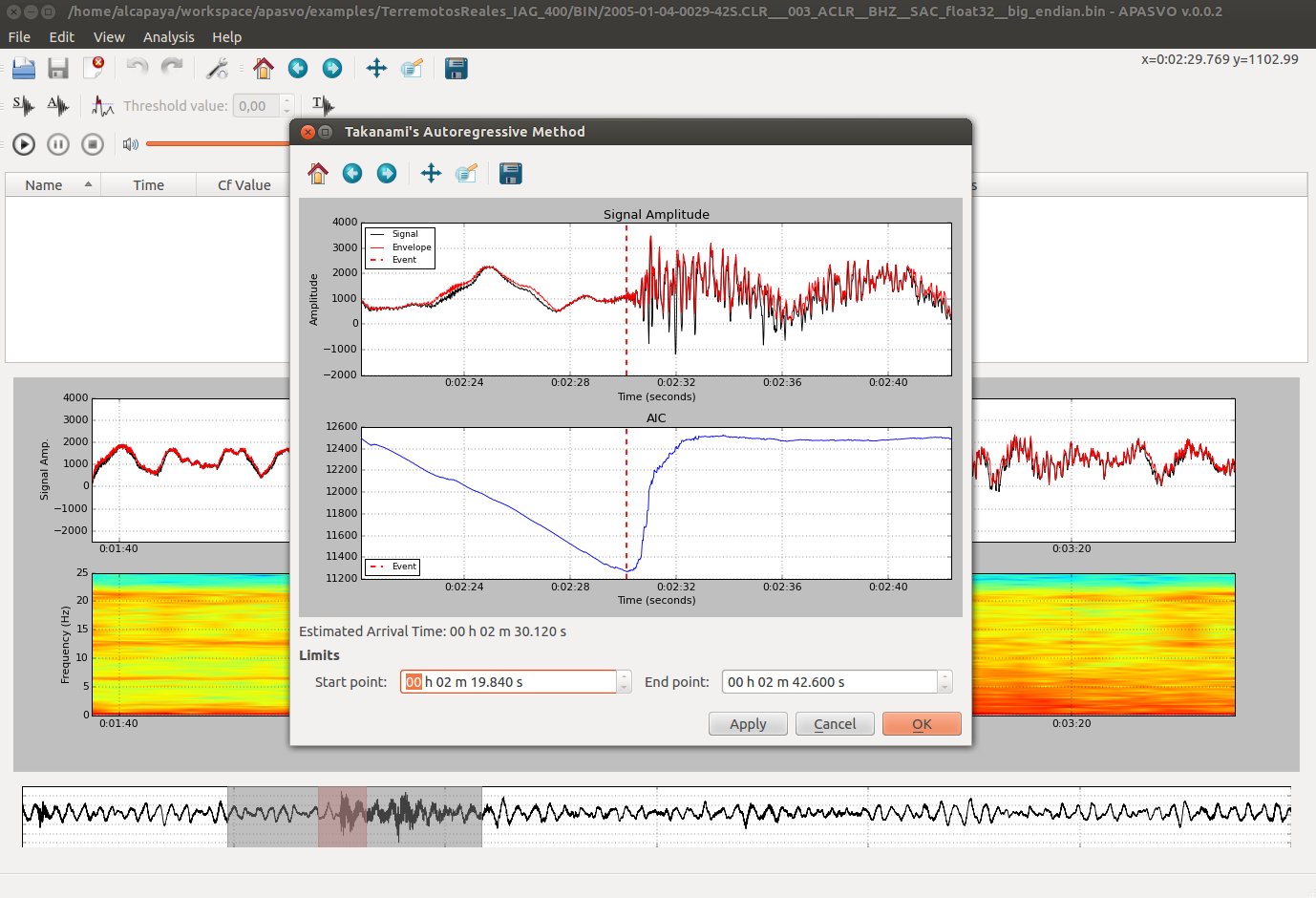
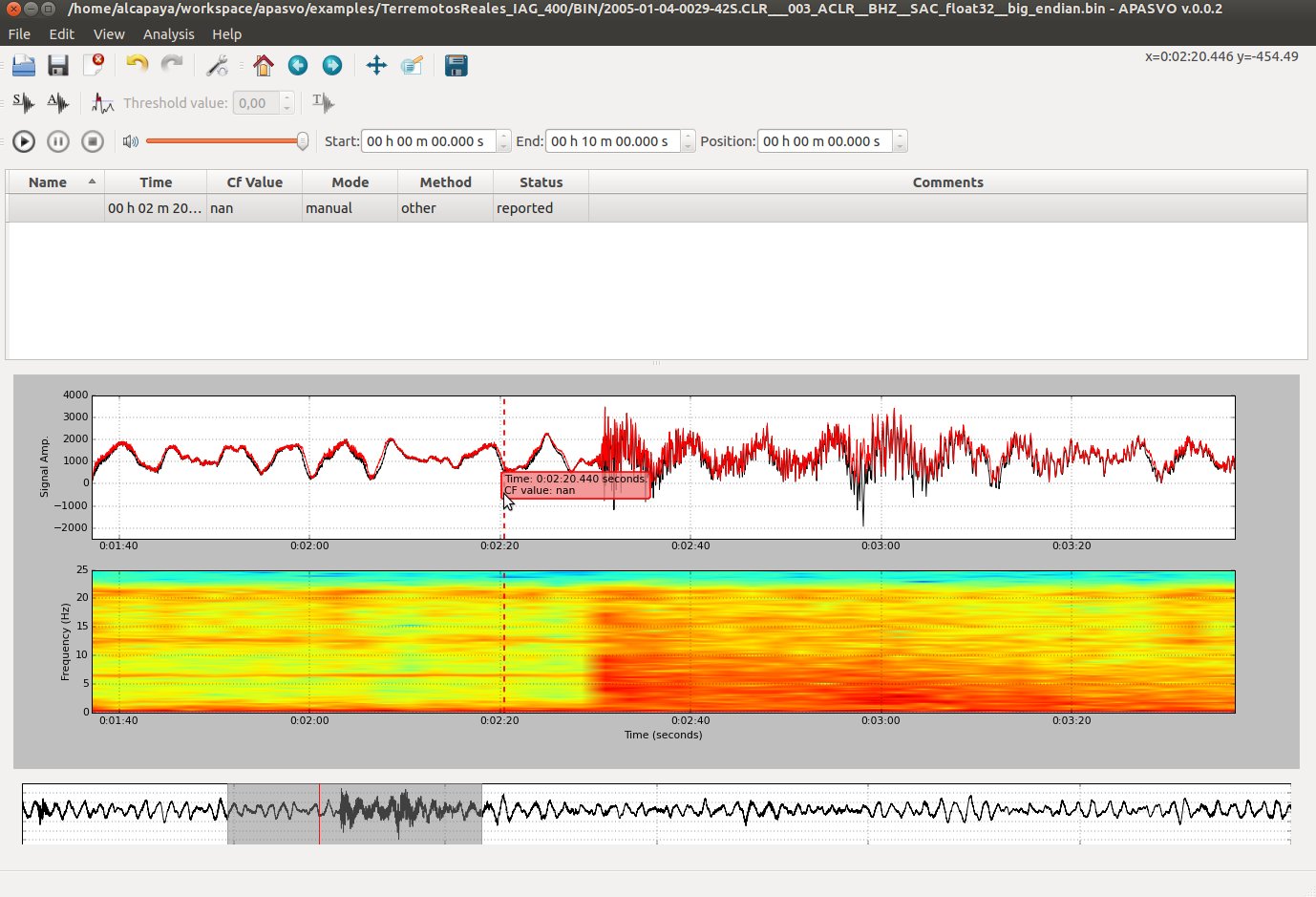
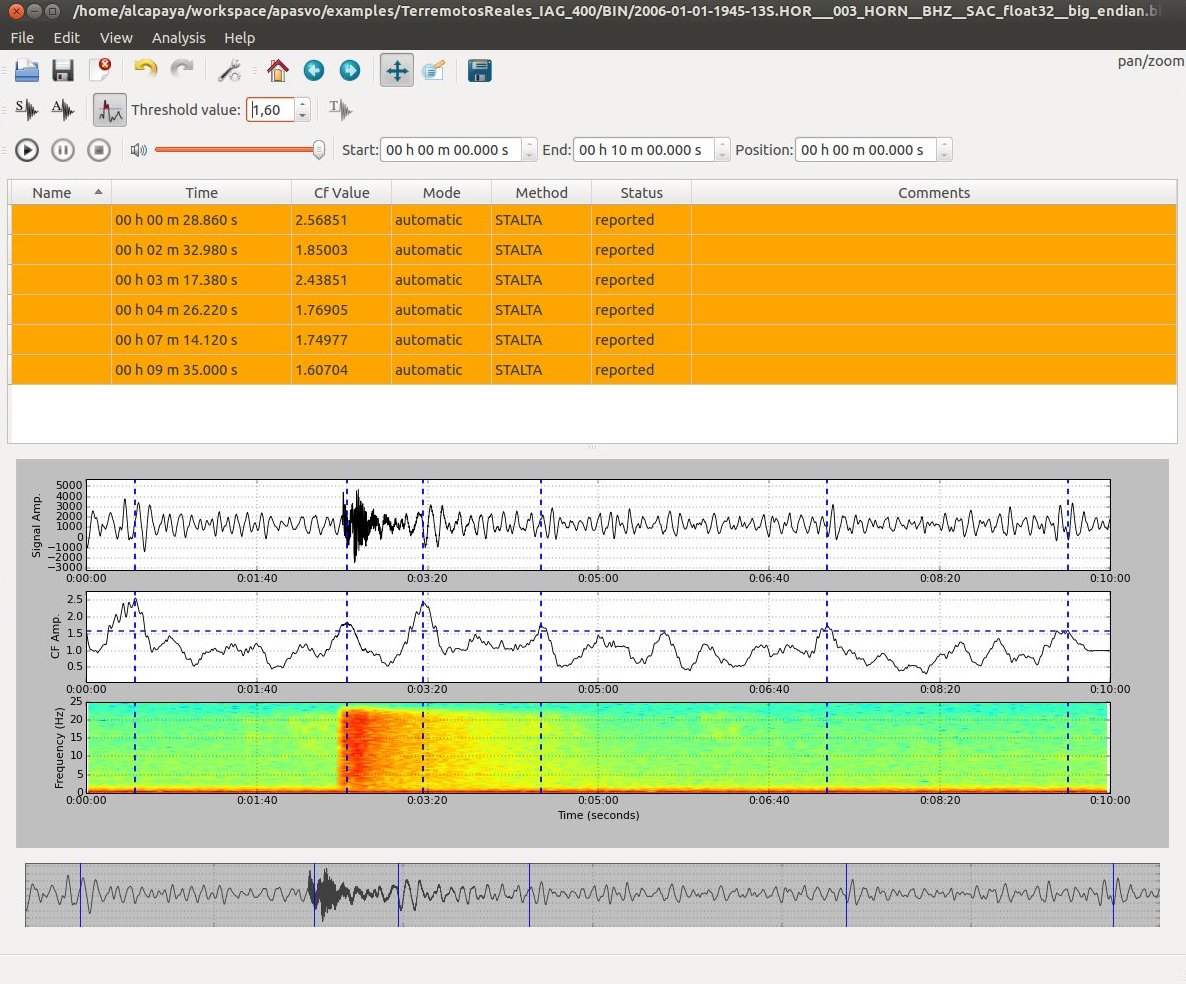
A graphical tool to perform event detection/picking in seismic traces.
Main Features
Three different picking algorithms available: STA-LTA [1], AMPA [2] and Takanami’s autoregressive method [3].
Proper functionality from DSP tools: scrolling, zooming, panning, playbacking…
Signal envelope, spectrogram and estimated characteristic function visualization.
Manually editing of picked seismic events or picking new ones.
Detect mode: Find all characteristic function’s peaks which value is over a threshold value.
Support for text/binary files containing seismic traces.
Save picked events to CSV format, and characteristic function to text/binary file format.
Two additional command line tools: An event picking/detection tool and a synthetic earthquake generator [4].
Installation
Windows
A prebuilt version of APASVO for Windows is available, compatible with 32-bit and 64-bit machines. You can download it here.
Prebuilt package contains all the required software dependencies to work. Just unzip its contents into a directory of your choice and then you can start using the application.
Linux
Prebuilt packages
Prebuilt distributions are the recommended installation method because they don’t require installing any extra software. Just download the appropriate package for your architecture, unzip its contents into the directory of your choice and you can start using the application.
Prebuilt packages of APASVO for Linux are available for both 32-bit and 64-bit architectures. You can download them here.
Installation from Pypi
Prerequisites
Make sure you have Python 2.7.x installed. Then, install the latest pip distribution.
Installation of required dependencies
APASVO depends on a list of Python packages, which you can check in the project’s requirements.txt file. These packages are automatically installed when APASVO is installed from Python repositories by using pip or from source code via setuptools.
However, some of these packages, namely Matplotlib and PySide, require installation of a number of additional dependencies. If you’re on a Debian / Ubuntu system, you can install these dependencies using the command:
$ sudo apt-get build-dep python-pyside python-matplotlib
Or if you are in Fedora/RedHat, first install yum-builddep and then use the command:
$ su -c "yum-builddep python-pyside python-matplotlib"
Install
You can install the latest version of APASVO from Python repositories by using the command:
$ pip install --use-wheel apasvo
Installation from source
First, make sure you meet the requirements explained in Prerequisites and install the needed dependencies as explained in Installation of required dependencies section.
Then, download the latest version from GitHub. If you have git installed, you can use the following command:
$ git clone https://github.com/jemromerol/apasvo.git
Finally, enter the newly created directory containing the source code and run:
$ python setup.py install
OS X
Sorry, but no precompiled version for OS X is available yet. You can try to install it from Python repositories or from source by following a similar procedure to that described for Linux.
Screenshots
License
Licensed under the GPLv3 license.
References
Changelog
- 0.0.6 (2016-02-07)
Add bandpass filtering options
- 0.0.5 (2015-11-30)
Add a trace selector window to handle multitrace files. It also allows to open multiple files and switch between them.
Fix several bugs.
- 0.0.4 (2015-11-09)
Refactor apasvo classes to use Obspy library. Thanks to Obspy, now the application supports multiple input formats (wav, sac, mseed, segy, …) besides binary & text, multiple export event formats (NonLinLoc, QuakeML…) and (virtually) support for multitrace files.
Redesign apasvo-detector to detect events for multitrace files in batch.
Fix several bugs
- 0.0.3 (2014-08-16)
Fixed several bugs.
- 0.0.2 (2014-06-02)
Fixed several bugs.
Improve installation files.
0.0.1 (2014-05-16)
1 maintainer

Metadata
1 maintainer
Release files for APASVO 0.0.6
For a detailed explanation of source distributions (sdists) and built distributions (wheels), please see the package formats documentation.
Source distribution (sdist)
| File | Size | Uploaded | Provenance | Actions |
|---|---|---|---|---|
| APASVO-0.0.6.tar.gz | 188.5 kB | Without provenance | Details for APASVO-0.0.6.tar.gz |
Built distribution (wheel)
| File | Interpreter | ABI | Platform | Actions Reset |
|---|---|---|---|---|
| APASVO-0.0.6-py2-none-any.whl | Python 2 | none | any | Details for APASVO-0.0.6-py2-none-any.whl |
Total release size: 420.3 kB
Release files / APASVO-0.0.6.tar.gz
| Download URL | APASVO-0.0.6.tar.gz |
|---|---|
| Size | 188.5 kB |
| Tags | Source |
|
SHA-256 checksum How to use checksums |
cad2f4589d0da1007ea0ad19afd524ec7c02aeb12683979521b58c6d06bbf787
|
|
BLAKE2b-256 checksum How to use checksums |
8ead054352652b5b44ce83b4121ca60fa501930aa10b4a88f362e555b60d91be
|
| Upload date | |
|
Uploaded using Trusted Publishing? What is trusted publishing? |
No |
Release files / APASVO-0.0.6-py2-none-any.whl
| Download URL | APASVO-0.0.6-py2-none-any.whl |
|---|---|
| Size | 231.8 kB |
| Tags | Python 2 |
|
SHA-256 checksum How to use checksums |
5c912350065fac42be45d8e7e5da74bfe4647789f87c65fc4a9c8888f38d51a6
|
|
BLAKE2b-256 checksum How to use checksums |
249fbe564a0f2127ebb51f3688cf147dfd70caddef6ec77dcb497d1a333b23d0
|
| Upload date | |
|
Uploaded using Trusted Publishing? What is trusted publishing? |
No |
Security for APASVO 0.0.6
Provenance
Provenance describes where a file came from. On PyPI, provenance is shared via attestations, which provide a verifiable record of the build or publishing details. View details, limitations and caveats.
No provenance found
None of the files in this release were uploaded with provenance metadata.
A note on package security
PyPI is a repository for distributing packages, not a service for auditing them. While third-party security researchers and our staff do their best to detect and remove malicious packages, PyPI cannot guarantee the quality, security or suitability of any given package.
To learn more about protecting yourself from malicious actors, visit our package security documentation.