
Pituophis



Python 3 library for building Gopher clients and servers
Pituophis, at the moment, requires eight modules: os, re, sockets, asyncio, ssl, mimetypes, glob, and urllib; all of which are standard in most Python 3.7 installations. Pituophis can simply be loaded as a module like this:
import pituophis
Client
Pituophis can grab files and text from Gopher servers (both S/Gopher TLS and regular Gopher) through the Request.get() and get() functions.
Examples
Getting menus and files as plain text:
pituophis.get('gopher.floodgap.com').text()
pituophis.get('gopher://gopher.floodgap.com/1/').text()
pituophis.get('gopher://gopher.floodgap.com:70/0/gopher/proxy').text()
pituophis.get(host='gopher.floodgap.com', port=70, path='/').text()
pituophis.get(host='gopher.floodgap.com', port=70, path='/gopher/proxy').text()
pituophis.get(host='khzae.net', port=105, path='/', tls=True).text() # TLS!
pituophis.get('gophers://khzae.net:105/1/').text() # gophers:// URLs!
Getting a menu, parsed:
menu = pituophis.get('gopher.floodgap.com').menu()
for selector in menu:
    print(selector.type)
    print(selector.text)
    print(selector.path)
    print(selector.host)
    print(selector.port)
Using search services:
pituophis.get('gopher://gopher.floodgap.com:70/7/v2/vs?toast').text()
pituophis.get(host='gopher.floodgap.com', port=70, path='/v2/vs', query='toast').text()
Downloading a binary:
pituophis.get('gopher://gopher.floodgap.com:70/9/gopher/clients/win/hgopher2_3.zip').binary
pituophis.get(host='gopher.floodgap.com', port=70, path='/gopher/clients/win/hgopher2_3.zip').binary
Requests can also be created and worked with directly:
import pituophis
req = pituophis.Request()
req.host = 'gopher.floodgap.com'  # set to 127.0.0.1 by default
req.port = 70  # set to 70 as default, as per tradition
req.type = '7'  # set to 9 by default, purely for client usage
req.path = '/v2/vs'  # set to '/' by default
req.query = 'food'  # set to '' (nothing) by default
req.tls = False  # set to False by default
print('Getting', req.url())
rsp = req.get()
print(rsp.text())
They can also be created from a URL:
import pituophis
req = pituophis.parse_url('gopher://gopher.floodgap.com/7/v2/vs?food')
print('Getting', req.url())
rsp = req.get()
print(rsp.text())
Server
Default Handler
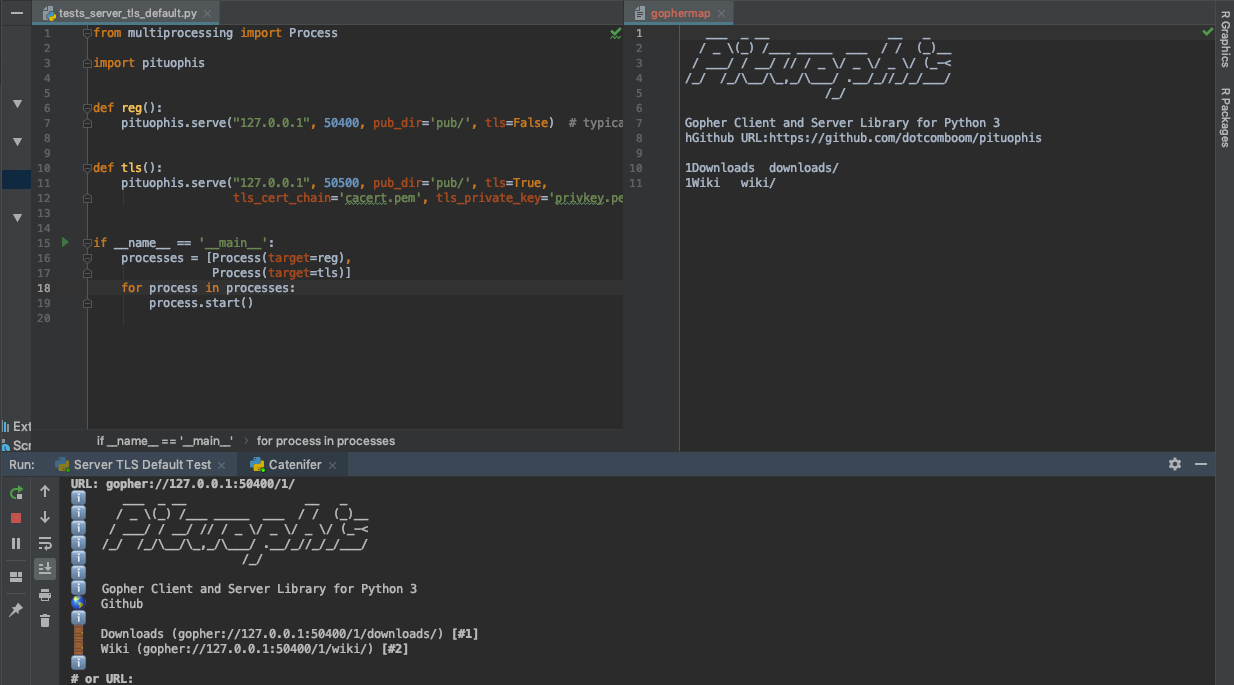
Pituophis now lets you serve a directory. Serving gophermaps, directories, and files is supported out of the box.
Custom Handler
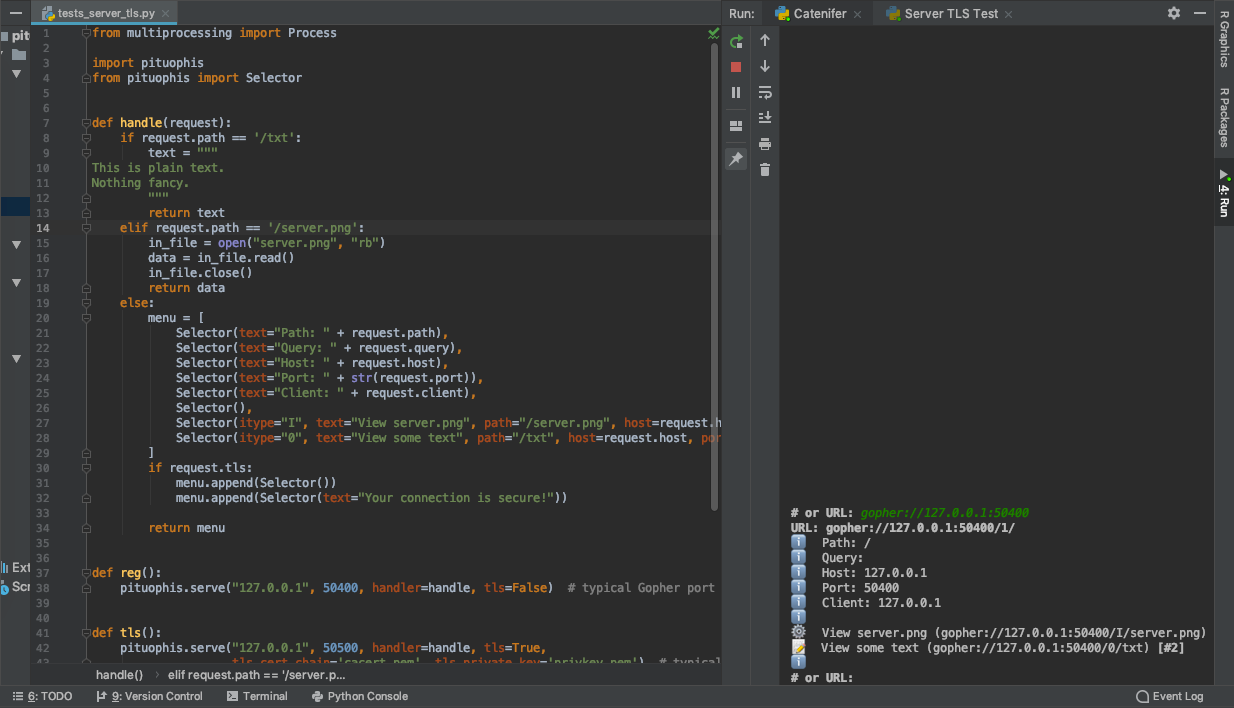
Pituophis also lets you write a custom handler for Gopher requests.
1 maintainer

Metadata
1 maintainer
Release files for Pituophis 0.96
For a detailed explanation of source distributions (sdists) and built distributions (wheels), please see the package formats documentation.
Source distribution (sdist)
| File | Size | Uploaded | |
|---|---|---|---|
| Pituophis-0.96.tar.gz | 8.8 kB | Details |
Release files / Pituophis-0.96.tar.gz
| Download URL | Pituophis-0.96.tar.gz |
|---|---|
| Size | 8.8 kB |
| Tags | Source |
|
SHA-256 checksum How to use checksums |
137863f44fd1ce76c39b961c3ab91b50a1c79b951e5687b117c467b1815ccdbc
|
|
BLAKE2b-256 checksum How to use checksums |
264c49a01b69bdbad248fd7c05f7aea80613848057b58888baf557939de085bd
|
| Upload date | |
|
Uploaded using Trusted Publishing? What is trusted publishing? |
No |
| Uploaded via |
twine/1.12.1 pkginfo/1.4.2 requests/2.20.0 setuptools/40.5.0 requests-toolbelt/0.8.0 tqdm/4.28.1 CPython/3.7.0
|














