
Automated Annotation Tool
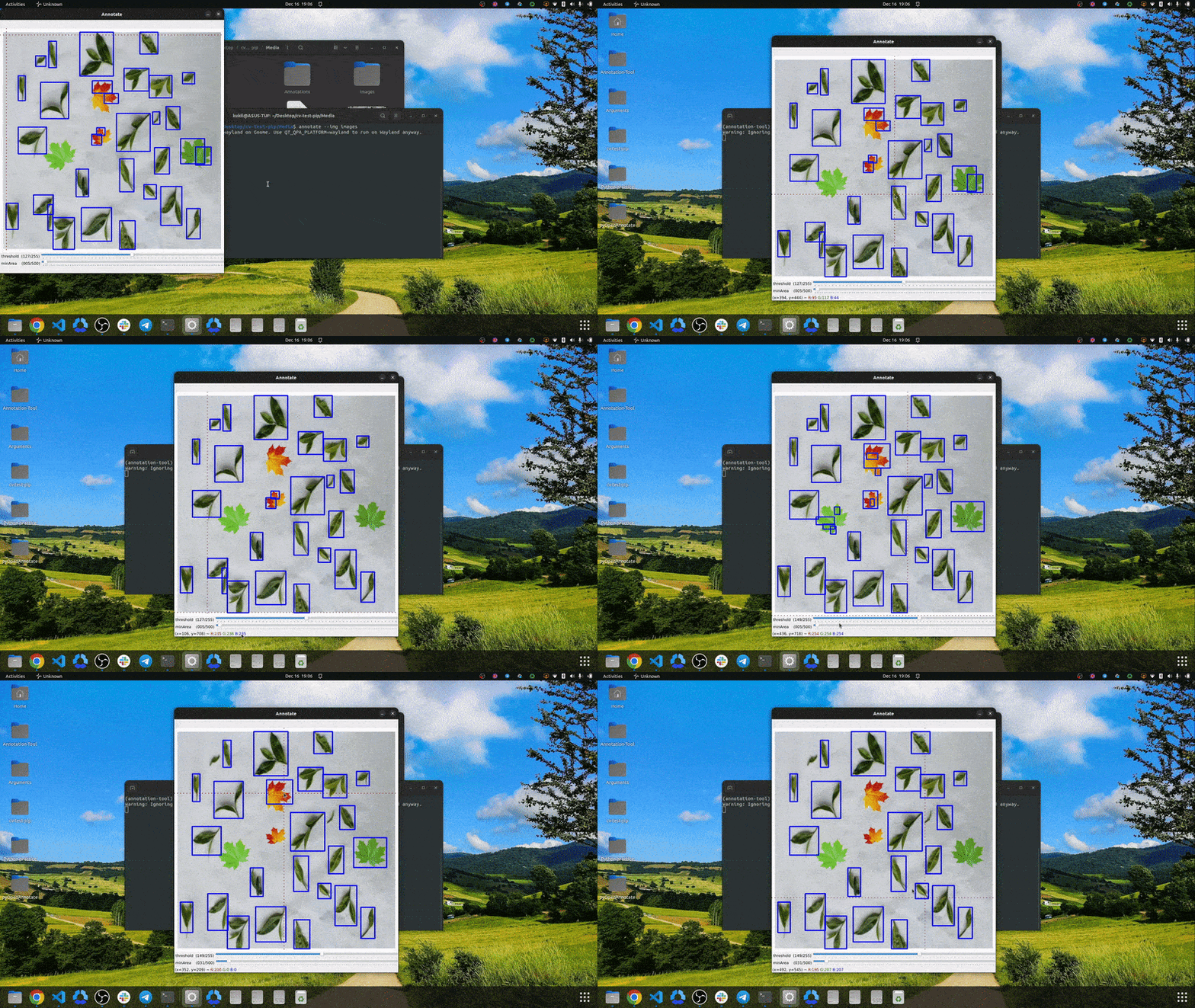
Automate your image annotation pipeline using pyOpenAnnotate. It is built harnessing the power of OpenCV. Perfect for annotating single class datasets. Check out accompanying blog post to understand how pyOpenAnnotate has been designed.
Automated Image Annotation Tool Using OpenCV.
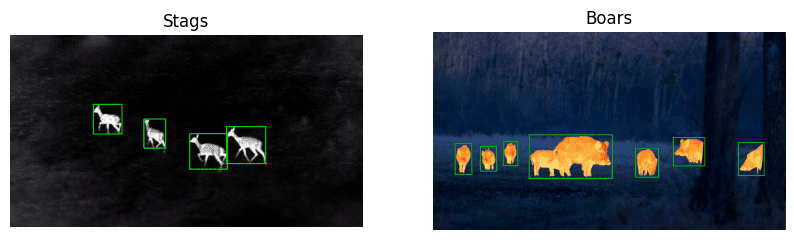
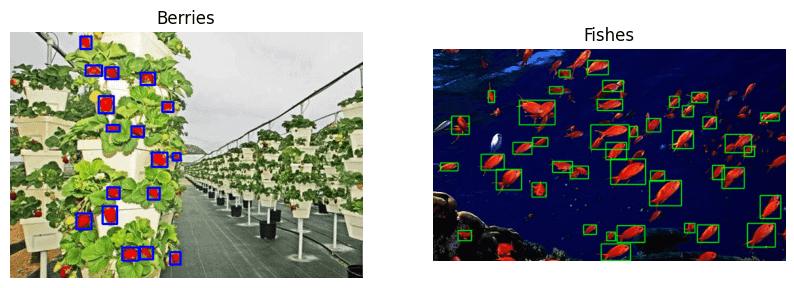
Example Use Cases
How To Use pyOpenAnnotate?
Annotating images using pyOpenAnnotate is pretty simple. Use the command annotate followed by the following flags as per the requirement.
1. Annotate Images
annotate --img <images_directory_path>
2. Annotate Video
annotate --vid <path_to_video_file>
3. Global Flags
-T : View mask window.
--resume <existing-annotations-dir>: Continue from where you left off.
--skip <int(Frames)> : Frames to skip while processing a video file.
4. Mouse Controls
Click and Drag: Draw bounding boxes.
Double Click: Remove existing annotation.
Display Annotations
Visualize your annotations using the showlbls command.
showlbls --img <single_image_or_a_directory> --ann <single_annotation_text_file_or_a_directory>
Keyboard Navigation
N or D : Save and go to next image
B or A : Save and go back
C : Toggle clear screen (during annotation)
T : Toggle mask window (during annotation)
Q : Quit
2 maintainers


Metadata
2 maintainers
Release files for pyOpenAnnotate 0.4.2
For a detailed explanation of source distributions (sdists) and built distributions (wheels), please see the package formats documentation.
Source distribution (sdist)
| File | Size | Uploaded | Provenance | Actions |
|---|---|---|---|---|
| pyOpenAnnotate-0.4.2.tar.gz | 11.6 kB | Without provenance | Details for pyOpenAnnotate-0.4.2.tar.gz |
Built distribution (wheel)
| File | Interpreter | ABI | Platform | Actions Reset |
|---|---|---|---|---|
| pyOpenAnnotate-0.4.2-py3-none-any.whl | Python 3 | none | any | Details for pyOpenAnnotate-0.4.2-py3-none-any.whl |
Total release size: 23.0 kB
Release files / pyOpenAnnotate-0.4.2.tar.gz
| Download URL | pyOpenAnnotate-0.4.2.tar.gz |
|---|---|
| Size | 11.6 kB |
| Tags | Source |
|
SHA-256 checksum How to use checksums |
2e3dd063098e28be3258cc80801a3f9e450b976391be4f64eaba49a0182cca7f
|
|
BLAKE2b-256 checksum How to use checksums |
4561154b9fbb7dd0592db9bfc0722c88852df0f44effbfc442a51b4d7fc3ec81
|
| Upload date | |
|
Uploaded using Trusted Publishing? What is trusted publishing? |
No |
| Uploaded via |
twine/4.0.2 CPython/3.10.8
|
Release files / pyOpenAnnotate-0.4.2-py3-none-any.whl
| Download URL | pyOpenAnnotate-0.4.2-py3-none-any.whl |
|---|---|
| Size | 11.4 kB |
| Tags | Python 3 |
|
SHA-256 checksum How to use checksums |
eaa59ce38a601eaa8e48e2c11b7cb5b4881a9e9a8bb581ce2e25be5b1c26318f
|
|
BLAKE2b-256 checksum How to use checksums |
0b9efbaba924e1614f532b79a2e9c8ce7300a7f497162bd4114c156b08365e8f
|
| Upload date | |
|
Uploaded using Trusted Publishing? What is trusted publishing? |
No |
| Uploaded via |
twine/4.0.2 CPython/3.10.8
|
Security for pyOpenAnnotate 0.4.2
Provenance
Provenance describes where a file came from. On PyPI, provenance is shared via attestations, which provide a verifiable record of the build or publishing details. View details, limitations and caveats.
No provenance found
None of the files in this release were uploaded with provenance metadata.
A note on package security
PyPI is a repository for distributing packages, not a service for auditing them. While third-party security researchers and our staff do their best to detect and remove malicious packages, PyPI cannot guarantee the quality, security or suitability of any given package.
To learn more about protecting yourself from malicious actors, visit our package security documentation.














