
sphinx-copybutton



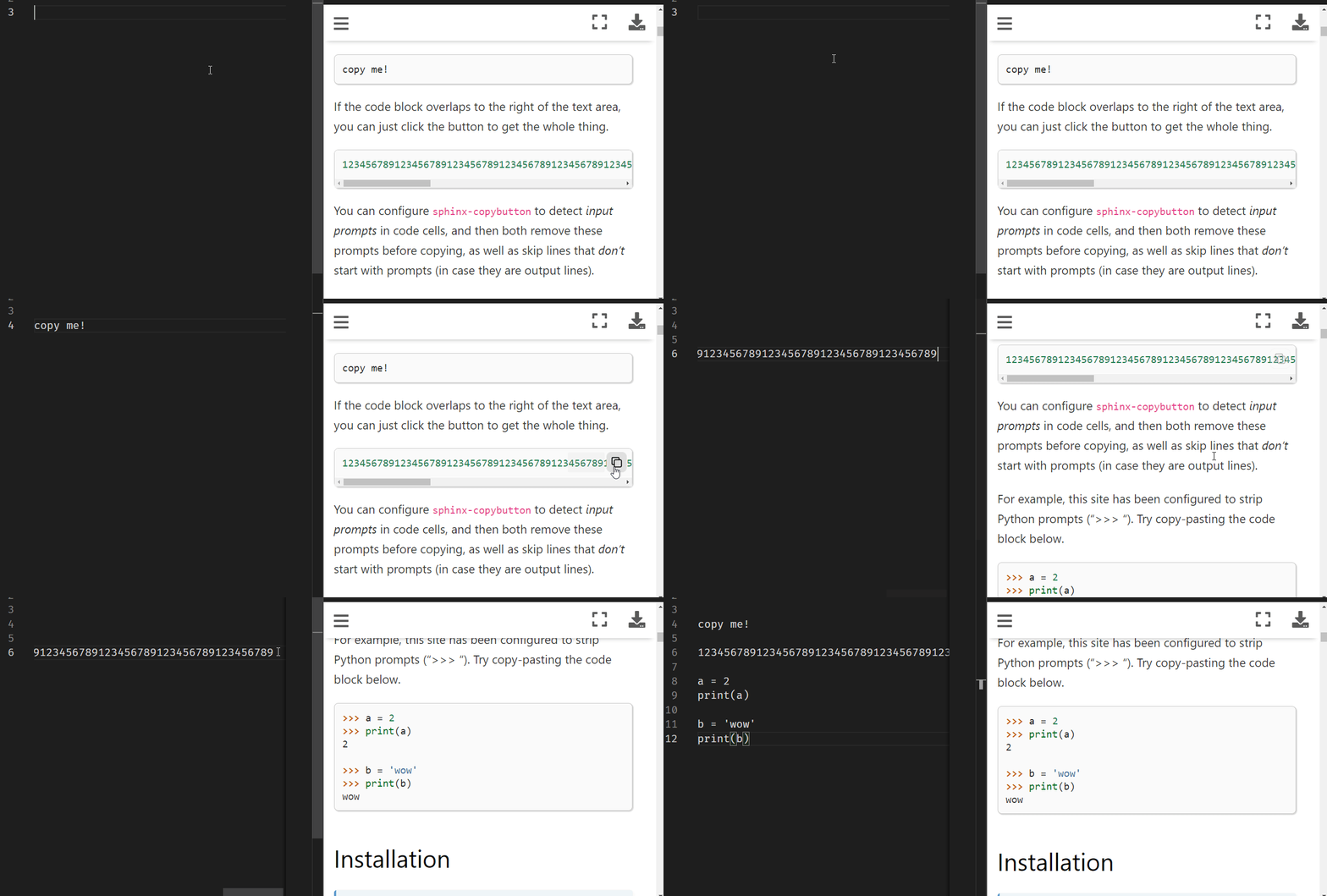
A small sphinx extension to add a "copy" button to code blocks.
See the sphinx-copybutton documentation for more details!
Installation
You can install sphinx-copybutton with pip:
pip install sphinx-copybutton
Or with conda via conda-forge:
conda install -c conda-forge sphinx-copybutton
Usage
In your conf.py configuration file, add sphinx_copybutton to your extensions list.
E.g.:
extensions = [
    ...
    'sphinx_copybutton'
    ...
]
When you build your site, your code blocks should now have little copy buttons to their right. Clicking the button will copy the code inside!
Customization
If you'd like to customize the look of the copy buttons, you can over-write any of the CSS rules specified in the Sphinx-CopyButton CSS file (link)
Development
Development should principally adhere to the EBP Developer Conventions
Sphinx-Copybutton is hosted on the pypi repository. After a release - following the EBP release instructions - confirm that the new version of Sphinx-Copybutton is posted to pypi.
Acknowledgements
Many thanks to the excellent clipboard.js library for the lightweight javascript code that powers the copy button!


Release files for sphinx-copybutton 0.5.2
For a detailed explanation of source distributions (sdists) and built distributions (wheels), please see the package formats documentation.
Source distribution (sdist)
| File | Size | Uploaded | |
|---|---|---|---|
| sphinx-copybutton-0.5.2.tar.gz | 23.0 kB | Details |
Built distribution (wheel)
| File | Interpreter | ABI | Platform | Reset |
|---|---|---|---|---|
| sphinx_copybutton-0.5.2-py3-none-any.whl | Python 3 | none | any | Details |
Total release size: 36.4 kB














