
UtilMeta API Framework - Python




- Homepage: https://utilmeta.com/py
- Documentation: https://docs.utilmeta.com/py/en/
- Author: @voidZXL
- License: Apache 2.0
Installation
pip install utilmeta
Core Features
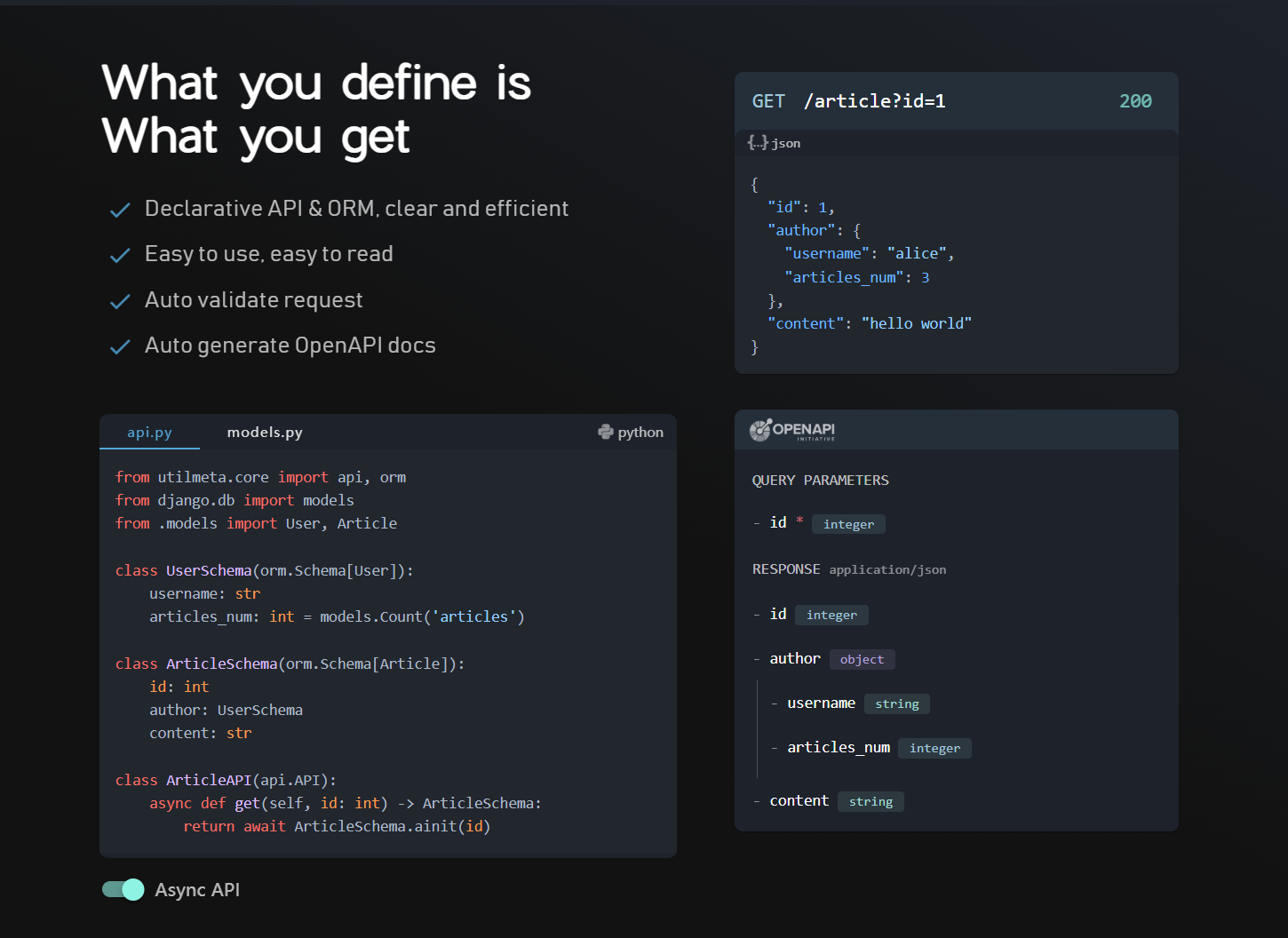
Declarative Development
Using the declarative power from UtilMeta, you can easily write APIs with auto request validation, efficient ORM queries, and auto OpenAPI document generation
Progressive Meta Framework
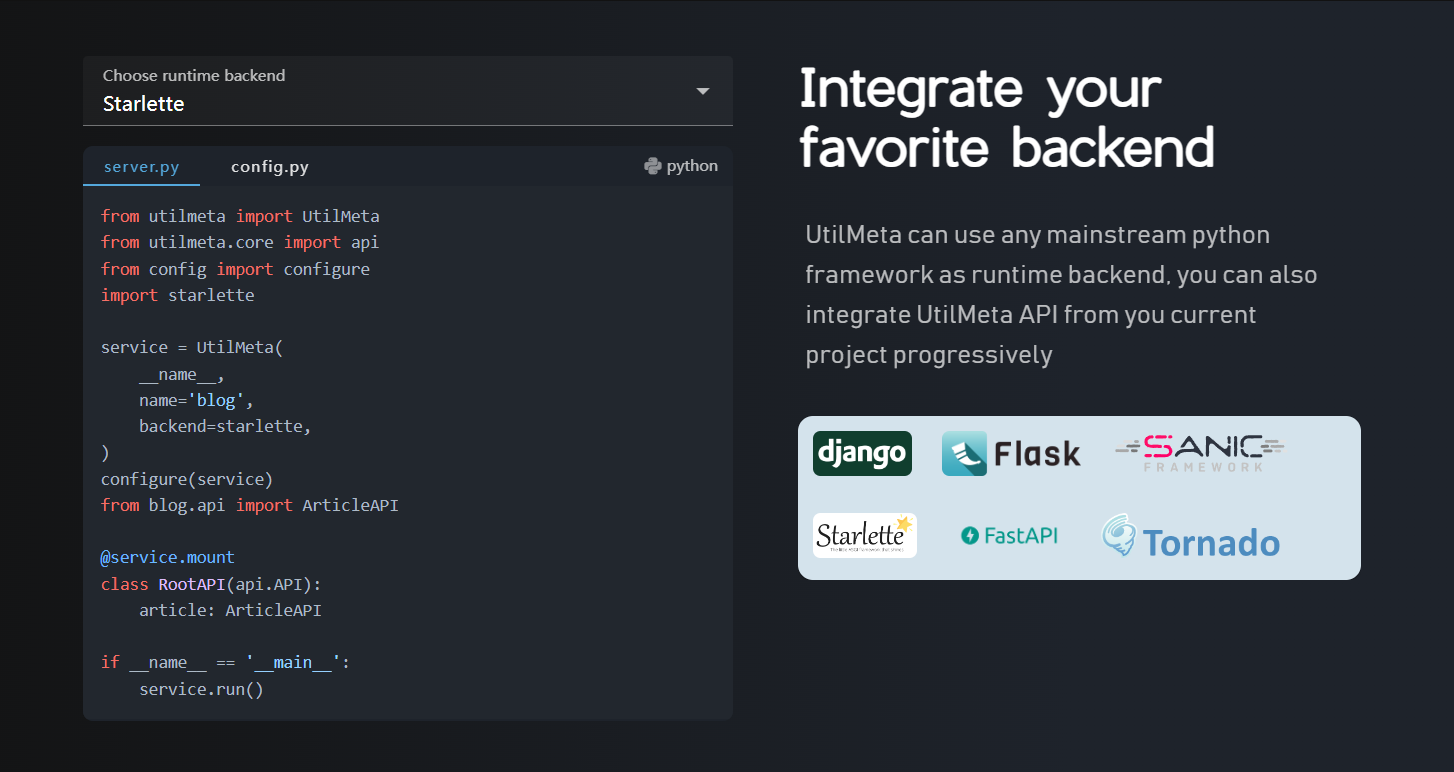
UtilMeta developed a standard that support all major Python web framework like django, flask, fastapi (starlette), sanic, tornado as runtime backend, and support current projects using these frameworks to develop new API using UtilMeta progressively
Highly Flexible & Extensible
UtilMeta is highly flexible with a series of plugins includes authentication (Session/JWT), cross origin, rate limit, retry, and can be extended to support more features.
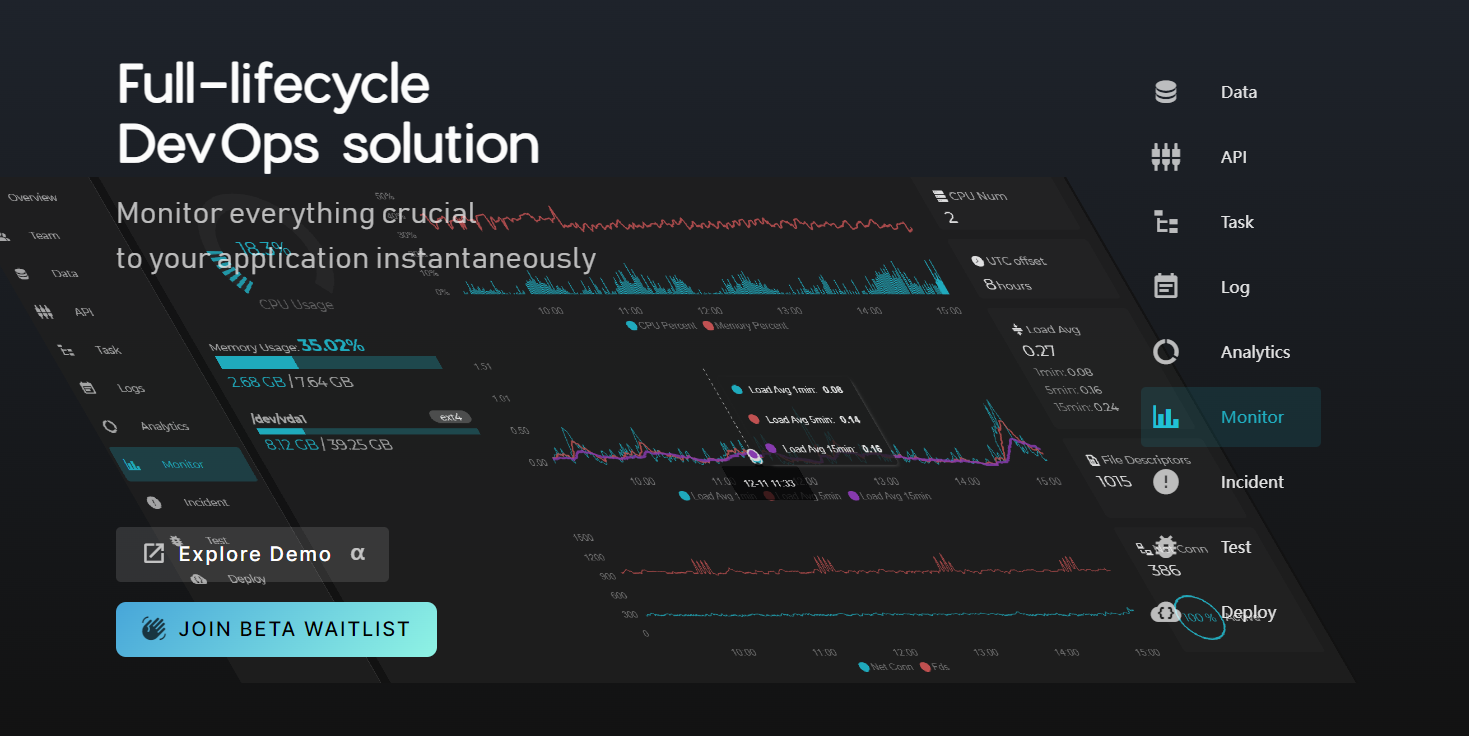
Full-lifecycle DevOps Solution
The UtilMeta Platform provided the full-lifecycle DevOps solution for this framework, the API Docs, Debug, Logs, Monitoring, Alerts, Analytics will all been taken care of in the platform
Hello World
Create a Python file named server.py and write the following code
from utilmeta import UtilMeta
from utilmeta.core import api
import django

class RootAPI(api.API):
    @api.get
    def hello(self):
        return 'world'

service = UtilMeta(
    __name__,
    name='demo',
    backend=django,    # or flask / starlette / tornado / sanic
    api=RootAPI,
    route='/api'
)

app = service.application()  # wsgi app

if __name__ == '__main__':
    service.run()
You can use
flask,starlette,sanic,tornadoinstead ofdjangoas runtime backend, just install them first and replace them in the demo code
Run
You can execute this file by python to run the server
python server.py
The following info Implies that the service has live
Running on http://127.0.0.1:8000
Press CTRL+C to quit
Then we can use our browser to open http://127.0.0.1:8000/api/hello to call this API directly, we will see
world
It means this API works
Quick Guide
We have several introductory case tutorials from easy to complex, covering most usage of the framework. You can read and learn in the following order.
- BMI Calculation API
- User Login & RESTful API
- Realworld Blog Project
- Websocket Chatroom (coming soon)
If you prefer to learn from a specific feature, you can refer to
- Handle Request: How to handle path, query parameters, request body, file upload, request headers and cookies.
- API Class and Routing How to use API class mounts to define tree-like API routing, and use hooks to easily reuse code between APIs, handle errors, and template responses.
- Schema query and ORM How to use Schema to declaratively write the CRUD query, and ORM operations required by a RESTful interface.
- API Authentication: How to use Session, JWT, OAuth and other methods to authenticate the request of the interface, get the current request's user and simplify the login operation
- Config, Run & Deploy: How to configure the run settings, startup, and deployment of a service using features such as declarative environment variables
- Migrate from current project How to progressively integrate UtilMeta API to an existing backend project or migrate to UtilMeta
Community
Join our community to build great things together
Enterprise Solutions & Support
The UtilMeta team is providing custom solutions and enterprise-level support at
You can also contact us in this page
1 maintainer

Release files for UtilMeta 2.1.5
For a detailed explanation of source distributions (sdists) and built distributions (wheels), please see the package formats documentation.
Source distribution (sdist)
| File | Size | Uploaded | |
|---|---|---|---|
| utilmeta-2.1.5.tar.gz | 196.1 kB | Details |
Built distribution (wheel)
| File | Interpreter | ABI | Platform | Reset |
|---|---|---|---|---|
| utilmeta-2.1.5-py3-none-any.whl | Python 3 | none | any | Details |
Total release size: 472.2 kB
Release files / utilmeta-2.1.5.tar.gz
| Download URL | utilmeta-2.1.5.tar.gz |
|---|---|
| Size | 196.1 kB |
| Tags | Source |
|
SHA-256 checksum How to use checksums |
c43610baa5db03374332178ca731fc87e8221293b0b3aca7d5369caaa0cfe149
|
|
BLAKE2b-256 checksum How to use checksums |
4da7a2cb1594e3b3350318592bcaaabb25884e087382931fc5c3b0996c3d88c5
|
| Upload date | |
|
Uploaded using Trusted Publishing? What is trusted publishing? |
No |
| Uploaded via |
python-httpx/0.25.2
|
Release files / utilmeta-2.1.5-py3-none-any.whl
| Download URL | utilmeta-2.1.5-py3-none-any.whl |
|---|---|
| Size | 276.1 kB |
| Tags | Python 3 |
|
SHA-256 checksum How to use checksums |
3404ef1ebbad2b18591c8333f57189e84ab6e4a75d4a9b99658798db72da9155
|
|
BLAKE2b-256 checksum How to use checksums |
a290f6262f3091d02b4539019312e0c09ffcf1dee2a9248aff7b06b004b1a57d
|
| Upload date | |
|
Uploaded using Trusted Publishing? What is trusted publishing? |
No |
| Uploaded via |
python-httpx/0.25.2
|














