
Minimal, extensible LLM observability SDK with OpenTelemetry, OpenAI and Gemini support.

Project description
aiobs


aiobs is a lightweight Python library that adds observability to AI/LLM applications. Trace every call, capture inputs/outputs, measure latency, and debug failures—with just 3 lines of code. Built-in support for OpenAI and Google Gemini.
Goal: Make every AI call inspectable, measurable, and debuggable with minimal code changes.
🚀 Features
- Decorator-based function tracing using
@observe - Automatic input/output capture
- Execution timing & latency
- Exception logging
- Structured trace models
- Built-in support for OpenAI and Google Gemini APIs
- Extensible architecture for custom providers
Supported Providers
- OpenAI — Chat Completions API, Embeddings API (
openai>=1.0) - Google Gemini — Generate Content API (
google-genai>=1.0)
Installation
# Core only
pip install aiobs

# With OpenAI support
pip install aiobs[openai]

# With Gemini support
pip install aiobs[gemini]

# With all providers
pip install aiobs[all]
API Key Setup
An API key is required to use aiobs. Get your free API key from:
👉 https://neuralis-in.github.io/shepherd/api-keys
You can also use an OpenAI API key (link: https://platform.openai.com/account/api-keys) (including free trial/credit) to test the OpenAI examples locally.
Once you have your API key, set it as an environment variable:
export AIOBS_API_KEY=aiobs_sk_your_key_here
Or add it to your .env file:
AIOBS_API_KEY=aiobs_sk_your_key_here
Or pass directly:
observer.observe(api_key="aiobs_sk_your_key_here")
Quick Start
from aiobs import observer

observer.observe()    # start a session and auto-instrument providers
# ... make your LLM calls (OpenAI, Gemini, etc.) ...
observer.end()        # end the session
observer.flush()      # write a single JSON file to disk
How It Works
aiobs installs lightweight hooks into supported SDKs (OpenAI, Gemini, etc.). Whenever an LLM call or an @observe-decorated function runs, aiobs captures:
- Session — metadata (name, id, labels, timestamps)
- Events — requests, responses, timings, errors
- Flush — outputs a single JSON file
No servers. No background threads. No lock-in.
Everything stays local unless you export it.
Session Labels
Add labels for filtering in enterprise dashboards:
observer.observe(
    labels={
        "environment": "production",
        "team": "ml-platform",
        "project": "recommendation-engine",
    }
)
Labels can also be set via environment variables (AIOBS_LABEL_*) and updated dynamically during a session:
# Dynamic label updates
observer.add_label("user_tier", "enterprise")
observer.set_labels({"experiment_id": "exp-42"})
observer.remove_label("experiment_id")
labels = observer.get_labels()
Default output file:
./llm_observability.json. Override with LLM_OBS_OUT=/path/to/file.json.
Provider Examples
OpenAI Chat Completions
from aiobs import observer
from openai import OpenAI

observer.observe()

client = OpenAI()
response = client.chat.completions.create(
    model="gpt-4o-mini",
    messages=[{"role": "user", "content": "Hello!"}]
)

observer.end()
observer.flush()
OpenAI Embeddings
from aiobs import observer
from openai import OpenAI

observer.observe()

client = OpenAI()
response = client.embeddings.create(
    model="text-embedding-3-small",
    input="Hello world"
)

observer.end()
observer.flush()
Google Gemini
from aiobs import observer
from google import genai

observer.observe()

client = genai.Client()
response = client.models.generate_content(
    model="gemini-2.0-flash",
    contents="Hello!"
)

observer.end()
observer.flush()
Function Tracing with @observe
Trace any function (sync or async) by decorating it with @observe:
from aiobs import observer, observe

@observe
def research(query: str) -> list:
    # your logic here
    return results

@observe(name="custom_name")
async def fetch_data(url: str) -> dict:
    # async logic here
    return data

observer.observe(session_name="my-pipeline")
research("What is an API?")
observer.end()
observer.flush()
Decorator Options
| Option | Default | Description |
|---|---|---|
name |
function name | Custom display name |
capture_args |
True |
Capture function arguments |
capture_result |
True |
Capture return value |
enh_prompt |
False |
Enable enhanced prompt analysis |
auto_enhance_after |
None |
Auto-enhance after N traces |
Examples
Don't capture sensitive arguments:
@observe(capture_args=False)
def login(username: str, password: str):
    ...
Skip large return values:
@observe(capture_result=False)
def load_dataset():
    ...
Enhanced Prompt Tracing
Mark functions for automatic prompt enhancement analysis:
from aiobs import observer, observe

@observe(enh_prompt=True, auto_enhance_after=10)
def summarize(text: str) -> str:
    """After 10 traces, auto prompt enhancer will run."""
    response = client.chat.completions.create(...)
    return response.choices[0].message.content

@observe(enh_prompt=True, auto_enhance_after=5)
def analyze(data: dict) -> dict:
    """Different threshold for this function."""
    return process(data)

observer.observe()
summarize("Hello world")
analyze({"key": "value"})
observer.end()
observer.flush()
Captured JSON output will include:
enh_prompt_id: Unique identifier for each enhanced prompt traceauto_enhance_after: Configured threshold for auto-enhancementenh_prompt_traces: List of allenh_prompt_idvalues for easy lookup across multiple JSON files
Run the Examples
-
Simple OpenAI example:
python example/simple-chat-completion/chat.py -
Gemini example:
python example/gemini/main.py -
Multi-file pipeline example:
python -m example.pipeline.main "Explain vector databases to a backend engineer"
What Gets Captured
LLM API Calls
- Provider:
openaiorgemini - API: e.g.,
chat.completions.create,embeddings.create, ormodels.generateContent - Request: model, messages/contents/input, core parameters
- Response: text (for completions), embeddings (for embeddings API), model, token usage (when available)
- Timing: start/end timestamps,
duration_ms - Errors: exception name and message if the call fails
- Callsite: file path, line number, and function name where the API was called
Function Traces (@observe)
- Function name and module
- Input arguments (configurable via
capture_args) - Return value (configurable via
capture_result) - Execution timing and duration
- Exception details on failure
- Enhanced prompt metadata when enabled
Output Structure
Example Output
Click to expand full JSON trace
{
  "sessions": [
    {
      "id": "sess_abc123",
      "name": "production-pipeline",
      "started_at": 1733135400.123456,
      "ended_at": 1733135402.789012,
      "meta": {
        "pid": 12345,
        "cwd": "/app"
      },
      "labels": {
        "environment": "production"
      }
    }
  ],
  "events": [
    {
      "session_id": "sess_abc123",
      "provider": "openai",
      "api": "chat.completions.create",
      "request": {
        "model": "gpt-4o-mini",
        "messages": [
          {"role": "user", "content": "What is observability?"}
        ]
      },
      "response": {
        "text": "Observability is the ability to understand...",
        "model": "gpt-4o-mini",
        "usage": {
          "prompt_tokens": 12,
          "completion_tokens": 45,
          "total_tokens": 57
        }
      },
      "started_at": 1733135400.234567,
      "ended_at": 1733135401.758912,
      "duration_ms": 1524,
      "callsite": {
        "file": "/app/main.py",
        "line": 15,
        "function": "main"
      }
    }
  ],
  "function_events": [
    {
      "session_id": "sess_abc123",
      "provider": "function",
      "api": "research",
      "name": "research",
      "module": "__main__",
      "args": ["What is an API?"],
      "kwargs": {},
      "result": ["result1", "result2"],
      "started_at": 1733135400.100,
      "ended_at": 1733135400.113,
      "duration_ms": 13,
      "callsite": {
        "file": "/app/main.py",
        "line": 8
      }
    }
  ],
  "generated_at": 1733135402.9,
  "version": 1
}
Data Models
Internally, the SDK structures data with Pydantic models (v2):
aiobs.Session– Session metadata (id, name, labels, timestamps)aiobs.Event– LLM provider call eventaiobs.FunctionEvent– Decorated function trace eventaiobs.ObservedEvent(Event +session_id)aiobs.ObservedFunctionEvent(FunctionEvent +session_id)aiobs.ObservabilityExport(flush payload)
These are exported to allow downstream tooling to parse and validate the JSON output and to build integrations.
Extensibility
You can add new provider SDKs by subclassing BaseProvider:
- Base class:
aiobs.BaseProvider - Built-in:
OpenAIProvider,GeminiProvider(auto-detected and installed if available)
Custom provider skeleton:
from aiobs import BaseProvider, observer

class MyProvider(BaseProvider):
    name = "my-provider"

    @classmethod
    def is_available(cls) -> bool:
        try:
            import my_sdk  # noqa: F401
            return True
        except Exception:
            return False

    def install(self, collector):
        # monkeypatch or add hooks into your SDK, then
        # call collector._record_event({ ... normalized payload ... })
        def unpatch():
            pass
        return unpatch
# Register before observe()
observer.register_provider(MyProvider())
observer.observe()
Documentation
Building Docs Locally
pip install aiobs[docs]
python -m sphinx -b html docs docs/_build/html
Open docs/_build/html/index.html in your browser.
Online Documentation
Docs auto-deploy via GitHub Actions: aiobs-docs
Community & Support
Join the Zulip community for discussions, help, and feature requests: aiobs-zulip-chat
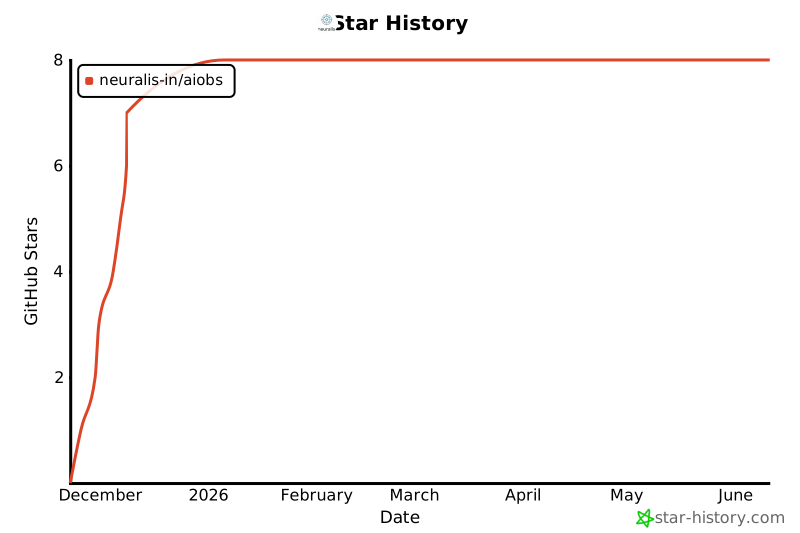
Star History


Download files
Download the file for your platform. If you're not sure which to choose, learn more about installing packages.
Source Distribution
Built Distribution
Filter files by name, interpreter, ABI, and platform.
If you're not sure about the file name format, learn more about wheel file names.
Copy a direct link to the current filters
File details
Details for the file aiobs-0.2.0.tar.gz.
File metadata
- Download URL: aiobs-0.2.0.tar.gz
- Upload date:
- Size: 178.7 kB
- Tags: Source
- Uploaded using Trusted Publishing? No
- Uploaded via: twine/6.1.0 CPython/3.13.7
File hashes
| Algorithm | Hash digest | |
|---|---|---|
| SHA256 |
79e602ee1e8814cdfe7479f57fc77ab3946fbcce8ee6f94176aec9fe1f3eff8e
|
|
| MD5 |
31adc1255edca8f8f36b6c79743a93b5
|
|
| BLAKE2b-256 |
dec7cef22b8b38e681f880c6c34e3f7f6d76bf83c0bc8539f1a94ccc07cdf4ad
|
File details
Details for the file aiobs-0.2.0-py3-none-any.whl.
File metadata
- Download URL: aiobs-0.2.0-py3-none-any.whl
- Upload date:
- Size: 85.6 kB
- Tags: Python 3
- Uploaded using Trusted Publishing? No
- Uploaded via: twine/6.1.0 CPython/3.13.7
File hashes
| Algorithm | Hash digest | |
|---|---|---|
| SHA256 |
e383c25c3ce4540d61ba4a839286769f4ca68259a064b9414fb82fcdeeaa2360
|
|
| MD5 |
2ac6820f7b7e5710c805472b07e634d3
|
|
| BLAKE2b-256 |
a677ec21159bcadfb282efb1ff686500aa2f3c0bc1eb94210f41f4ea750da047
|






