
AnimePipeline
auto encode new anime episode, driven by FinalRip







Architecture
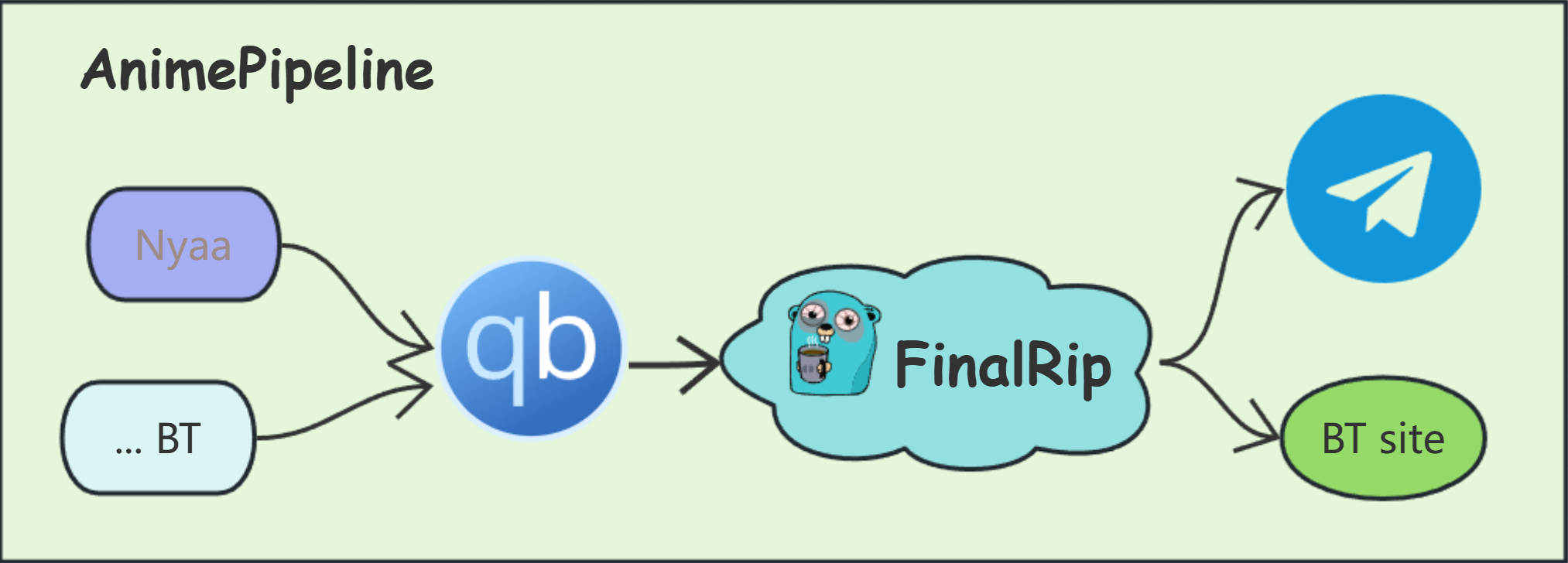
Installation
FinalRip is required, if you don't familiar with it, please play with it first.
Python 3.9 or higher is required, we use poetry to manage dependencies.
btw, make is required to run the commands in the Makefile.
poetry install
make run
or you can use docker to run the project, see docker-compose.yml for more details.
CLI
some useful command line tools are provided, you can use them to rename or generate some info
pip install animepipeline
ap-rename -h
ap-btf -h
Configuration
Server Config:
- loop interval: the interval of the loop, default is 200s
- download path: the path to save the downloaded torrent file, if you use docker, you should mount the volume to the container, then use the path in the container. like
/downloads - telegram bot token & channel id: your own bot token and channel id
RSS Config:
supports hot reloading, which means you can update your config without needing to restart the service.
you should provide the compatible params and scripts in the params and scripts folder.
the file name will be used as the key
- base: the default settings, can be overridden in the rss list
- link: the rss link, make sure it's a valid rss link
- pattern: to match the episode(int), use regex
Reference
License
This project is licensed under the GPL-3.0 license - see the LICENSE file for details.
1 maintainer

Metadata
1 maintainer
Release files for animepipeline 0.0.6
For a detailed explanation of source distributions (sdists) and built distributions (wheels), please see the package formats documentation.
Built distribution (wheel)
| File | Interpreter | ABI | Platform | Reset |
|---|---|---|---|---|
| animepipeline-0.0.6-py3-none-any.whl | Python 3 | none | any | Details |
Release files / animepipeline-0.0.6-py3-none-any.whl
| Download URL | animepipeline-0.0.6-py3-none-any.whl |
|---|---|
| Size | 42.5 kB |
| Tags | Python 3 |
|
SHA-256 checksum How to use checksums |
71dc2d10b06824665928aae7b51c1b0ab9f4c279278ce136f6f03eaec1d26480
|
|
BLAKE2b-256 checksum How to use checksums |
36d8dd74080442313510efcb9abc12ccd298343d6d4ee66ffe459864daaf0b21
|
| Upload date | |
|
Uploaded using Trusted Publishing? What is trusted publishing? |
No |
| Uploaded via |
twine/6.0.1 CPython/3.12.8
|














