
arty-mc







         o                      o                            o          o
        <|>                    <|>                          <|\        /|>
        / \                    < >                          / \\o    o// \
      o/   \o       \o__ __o    |       o      o            \o/ v\  /v \o/      __o__
     <|__ __|>       |     |>   o__/_  <|>    <|>  _\__o__   |   <\/>   |      />  \
     /       \      / \   < >   |      < >    < >       \   / \        / \   o/
   o/         \o    \o/         |       \o    o/            \o/        \o/  <|
  /v           v\    |          o        v\  /v              |          |    \\
 />             <\  / \         <\__      <\/>              / \        / \    _\o__</
                                           /
                                          o
                                       __/>
arty-mc is a Python package providing a terminal file manager for JFrog Artifactory.
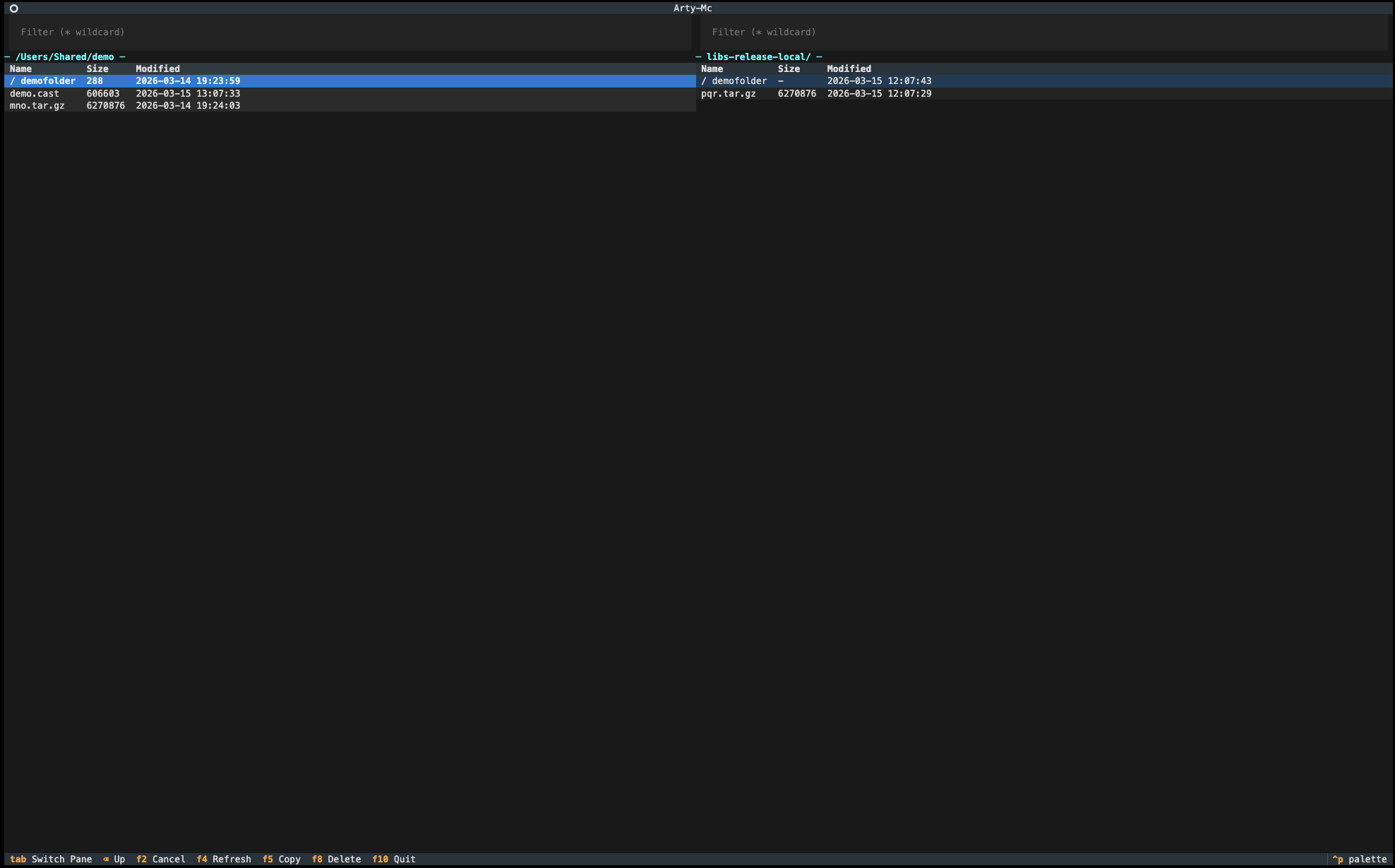
It provides a dual-pane interface similar to Midnight Commander, allowing you to browse, filter, copy and delete files and folders between the local filesystem and Artifactory repositories directly from the terminal.
It uses Textual for the terminal interface and dohq-artifactory for interacting with Artifactory repositories.
Why arty-mc?
Managing artifacts in Artifactory is often done through the web UI, generic tools like curl or the jf-cli.
For developers who prefer working directly in the terminal, this can be inconvenient.
Features
- Dual-pane terminal interface
- Browse/Filer local filesystem and Artifactory repositories
- Copy files between panes
- Delete artifacts
- Simple YAML configuration
Screenshot
Requirements
- Python 3.9+
- Access to an Artifactory server
- Artifactory API token
Installation
pip install arty-mc
Create Configuration File
Create a configuration file in your home directory:
~/.arty-mc.yml
Example configuration:
server: https://artifactory.company.com/artifactory
user: myuser
token: ********************************************
Configuration Fields
| Field | Description |
|---|---|
| server | Base URL of the Artifactory server |
| user | Artifactory username |
| token | Artifactory API token |
Running arty-mc
Run the tool directly:
python -m arty_mc <repository>
Example:
python -m arty_mc libs-release-local
This starts the dual-pane interface where you can browse your local filesystem and the selected repository.
Important Notes
⚠️ Warning: Deleting artifacts from repositories is irreversible and can't be canceled.
Empty Directories on your local filesystem are highlighted in yellow.
❌ These cannot be copied to Artifactory as they are not supported.Dead Symlinks on your local filesystem are highlighted in red.
❌ These cannot be copied to Artifactory.Unreadable Files on your local filesystem are highlighted in grey.
❌ These cannot be copied to Artifactory either.💡 Tip:
To ensure a folder is created in Artifactory, add a placeholder file inside it, for example:.keep⚠️ File counts and folder sizes may differ between the local and remote repository because Artifactory performs deduplication, counting identical files only once.
Typical Workflow
- Start arty-mc with a repository
- Navigate the local filesystem in one pane
- Browse the Artifactory repository in the other pane
- Copy files between panes
- Delete artifacts if needed
Keyboard Shortcuts
| Key | Action |
|---|---|
| ↑ ↓ | Navigate |
| Enter | Open Directory |
| Tab | Switch Pane |
| F2 | Cancel Copy Operation |
| F5 | Copy |
| F8 | Delete |
| F10 | Quit |
Building an Executable with Pyinstaller
You can build a binary using PyInstaller.
Install PyInstaller:
pip install pyinstaller
Build the binary:
-—onefile: slower startup caused by runtime extraction
pyinstaller --onefile --distpath dist --name arty-mc arty_mc/arty_mc.py
-—onedir: faster after initial startup
pyinstaller --onedir --distpath dist --name arty-mc arty_mc/arty_mc.py
The compiled executable will appear in:
dist/arty-mc/
You can run it without a Python environment.
Packaging and uploading the arty-mc Python library
You can also build this python package
git clone https://github.com/tino-waldner/arty-mc.git
cd arty-mc
mkdir .venv
python3 -m venv .venv
source .venv/bin/activate
pip install build twine
python -m build
twine check dist/*
twine upload dist/*
Security Notes
- Do not commit your
.arty-mc.ymlfile - Protect your API token
- Prefer API tokens instead of passwords
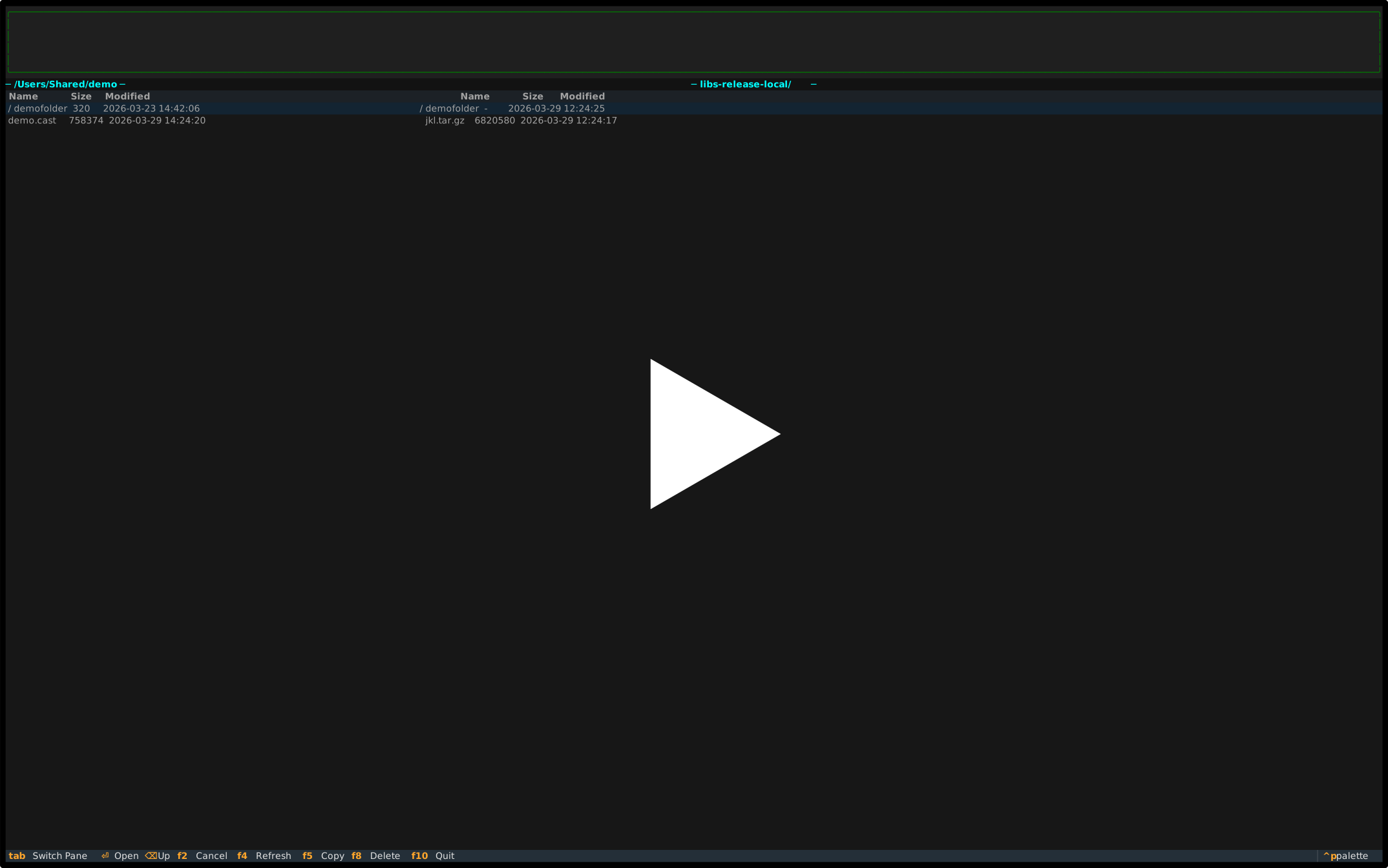
Demo
Disclaimer
This software is provided "as is" without warranty of any kind.
The tool may contain bugs or incomplete functionality and should be used at your own risk. The author assumes no responsibility or liability for any damage, data loss, system malfunction, or unintended modifications caused by the use of this software.
Always verify actions such as uploading, deleting, or overwriting artifacts, especially when working with production repositories.
This project is not affiliated with or endorsed by JFrog.
JFrog and Artifactory are trademarks of JFrog Ltd.
License
MIT License
1 maintainer

Metadata
1 maintainer
Release files for arty-mc 0.3.0
For a detailed explanation of source distributions (sdists) and built distributions (wheels), please see the package formats documentation.
Source distribution (sdist)
| File | Size | Uploaded | Provenance | Actions |
|---|---|---|---|---|
| arty_mc-0.3.0.tar.gz | 89.6 kB | Without provenance | Details for arty_mc-0.3.0.tar.gz |
Built distribution (wheel)
| File | Interpreter | ABI | Platform | Actions Reset |
|---|---|---|---|---|
| arty_mc-0.3.0-py3-none-any.whl | Python 3 | none | any | Details for arty_mc-0.3.0-py3-none-any.whl |
Total release size: 111.7 kB
Release files / arty_mc-0.3.0.tar.gz
| Download URL | arty_mc-0.3.0.tar.gz |
|---|---|
| Size | 89.6 kB |
| Tags | Source |
|
SHA-256 checksum How to use checksums |
3503eb1028cf43c093cb6a5751a6a3b00e90107c960adc49d51f0aa1d299abf0
|
|
BLAKE2b-256 checksum How to use checksums |
9ef36a82dce91692142ef04ebd29ac52388b2f9bef94b5fa366bec246b78f7a6
|
| Upload date | |
|
Uploaded using Trusted Publishing? What is trusted publishing? |
No |
| Uploaded via |
twine/6.2.0 CPython/3.12.1
|
Release files / arty_mc-0.3.0-py3-none-any.whl
| Download URL | arty_mc-0.3.0-py3-none-any.whl |
|---|---|
| Size | 22.0 kB |
| Tags | Python 3 |
|
SHA-256 checksum How to use checksums |
e529c71517e96869e34c9d4b58af9cf519f98bc601a5e8dd30b3ce4a7d44658a
|
|
BLAKE2b-256 checksum How to use checksums |
1293265d87d0e20690746966b1d25ae14ef1988821568c5e9077c9d2f013b33f
|
| Upload date | |
|
Uploaded using Trusted Publishing? What is trusted publishing? |
No |
| Uploaded via |
twine/6.2.0 CPython/3.12.1
|
Security for arty-mc 0.3.0
Provenance
Provenance describes where a file came from. On PyPI, provenance is shared via attestations, which provide a verifiable record of the build or publishing details. View details, limitations and caveats.
No provenance found
None of the files in this release were uploaded with provenance metadata.
A note on package security
PyPI is a repository for distributing packages, not a service for auditing them. While third-party security researchers and our staff do their best to detect and remove malicious packages, PyPI cannot guarantee the quality, security or suitability of any given package.
To learn more about protecting yourself from malicious actors, visit our package security documentation.














