
commandLineMusicVideo
This is a Python3 pip package that connencts to Audacity's mod-script-pipe for Python scripting.
This package will batch render each selection of an Audacity track to mp3 files with metadata tags based on a Discogs URL. vinyl2digital makes digitizing vinyl records much easier and faster.
Quickstart
- Install the package with this command:
pip install vinyl2digital==0.0.3 - Launch Audacity from your terminal (Windows 10:
start audacity.exe) - Record your audio, and splice each song as its own selection on the track (place the cursor and press Ctrl+i)
- Run the installed package with
python3 -m vinyl2digital -h -tto view the help page and test your package's connecting to Audacity. - While Audacity is open, run the pip package from the command line.
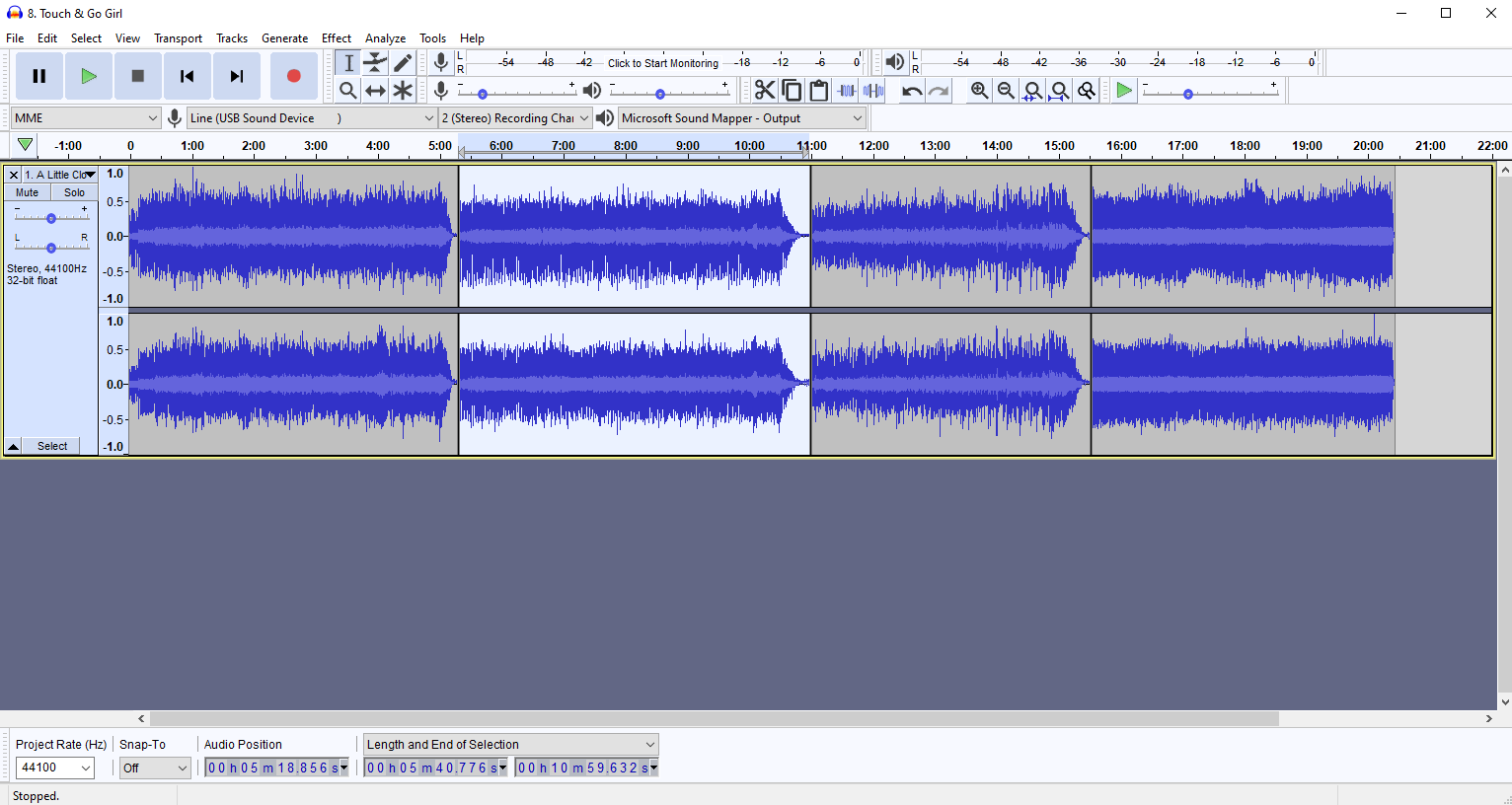
Audacity Connection
Follow the step's listed on this page: Go to "Audacity -> Edit -> Preferences -> Modules" and set the "mod-script-pipe" parameter to "Enabled", restart Audacity and confirm that "mod-script-pipe" is set to "Enabled" by default.
Example commands:
python3 -m vinyl2digital -discogs 1525832 -img front.jpg "..\..\..\..\martinradio\uploads\my output folder"
This command:
- Will get the metadata from the Discogs release page with id=1525832
- Will tag the output mp3 files with albumart from the location:
..\..\..\..\martinradio\uploads\my output folder\front.jpg - Will render each selection from the open Audacity program as an individual mp3 file in order from left to right, with tags for title, album name, artist, year, track number, and title. The files will be rendered to
..\..\..\..\martinradio\uploads\my output folder
Flags
-t Test audacity pipe "Help" commands.
--h View the help page
--discogs 2342323 Discogs release ID from URL to base tags off of.
--img front.jpg (optional) Filename of image located inside your output folder to use as albumart for mp3 files.
-h Display help.
1 maintainer

Metadata
1 maintainer
Release files for audacityDiscogsExporter 0.1.0
For a detailed explanation of source distributions (sdists) and built distributions (wheels), please see the package formats documentation.
Source distribution (sdist)
| File | Size | Uploaded | |
|---|---|---|---|
| audacityDiscogsExporter-0.1.0.tar.gz | 4.0 kB | Details |
Built distribution (wheel)
| File | Interpreter | ABI | Platform | Reset |
|---|---|---|---|---|
| audacityDiscogsExporter-0.1.0-py3-none-any.whl | Python 3 | none | any | Details |
Total release size: 9.4 kB
Release files / audacityDiscogsExporter-0.1.0.tar.gz
| Download URL | audacityDiscogsExporter-0.1.0.tar.gz |
|---|---|
| Size | 4.0 kB |
| Tags | Source |
|
SHA-256 checksum How to use checksums |
1ec487e25552c65fe76db568cd6eeeef45af7d66baf2987360f6a55883cbe5b8
|
|
BLAKE2b-256 checksum How to use checksums |
864e20187a1b4945e5f74276dc1b97f5c90d481f8ccfeca3a11a92937f7e6644
|
| Upload date | |
|
Uploaded using Trusted Publishing? What is trusted publishing? |
No |
| Uploaded via |
twine/3.1.1 pkginfo/1.5.0.1 requests/2.22.0 setuptools/44.0.0 requests-toolbelt/0.9.1 tqdm/4.41.1 CPython/3.6.9
|
Release files / audacityDiscogsExporter-0.1.0-py3-none-any.whl
| Download URL | audacityDiscogsExporter-0.1.0-py3-none-any.whl |
|---|---|
| Size | 5.4 kB |
| Tags | Python 3 |
|
SHA-256 checksum How to use checksums |
dee83536d853fb4bfe5549053fe4ffe4472c6e01c0025d667c0abe9c80f2e058
|
|
BLAKE2b-256 checksum How to use checksums |
29bee8eb2a5561c1141a9ee1d79b45e207f7c60e11de97483c7f7b33cc4b703f
|
| Upload date | |
|
Uploaded using Trusted Publishing? What is trusted publishing? |
No |
| Uploaded via |
twine/3.1.1 pkginfo/1.5.0.1 requests/2.22.0 setuptools/44.0.0 requests-toolbelt/0.9.1 tqdm/4.41.1 CPython/3.6.9
|













