
AutoCython V2
中文 | English
自动 Cython:一键将 Python 文件批量编译为 PYD / SO 文件

✨ 特性
- 单文件/多文件批量编译
- 跨平台支持 (Windows/Linux/MacOS)
- 简洁命令行界面
📦 安装
pip install -U AutoCython-jianjun
⚙️ 依赖环境
C/C++ 编译器
- Windows: Visual Studio
- Linux: gcc & g++
重要提示:编译器架构必须与Python解释器一致(64位Python需64位编译器)
其他编译器配置请参考 Cython 项目
🚀 使用指南
命令行操作
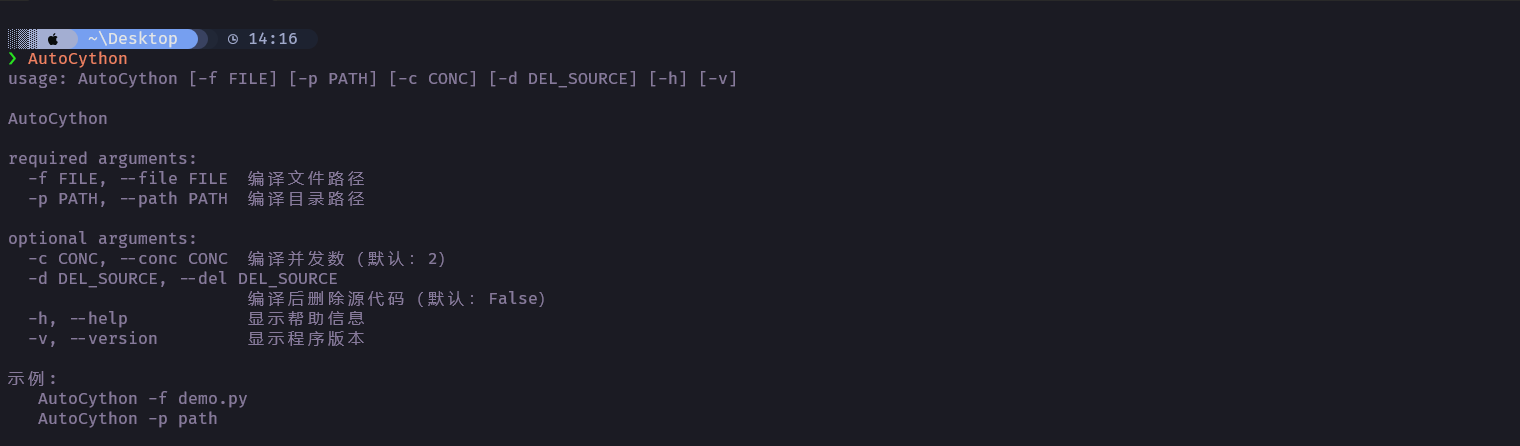
# 编译单个文件
AutoCython -f test.py

# 编译整个目录
AutoCython -p D:/python_code/ProjectPath

# 编译后删除源代码 (默认不删除)
AutoCython -d True -f test.py
AutoCython -d True -p D:/python_code/ProjectPath
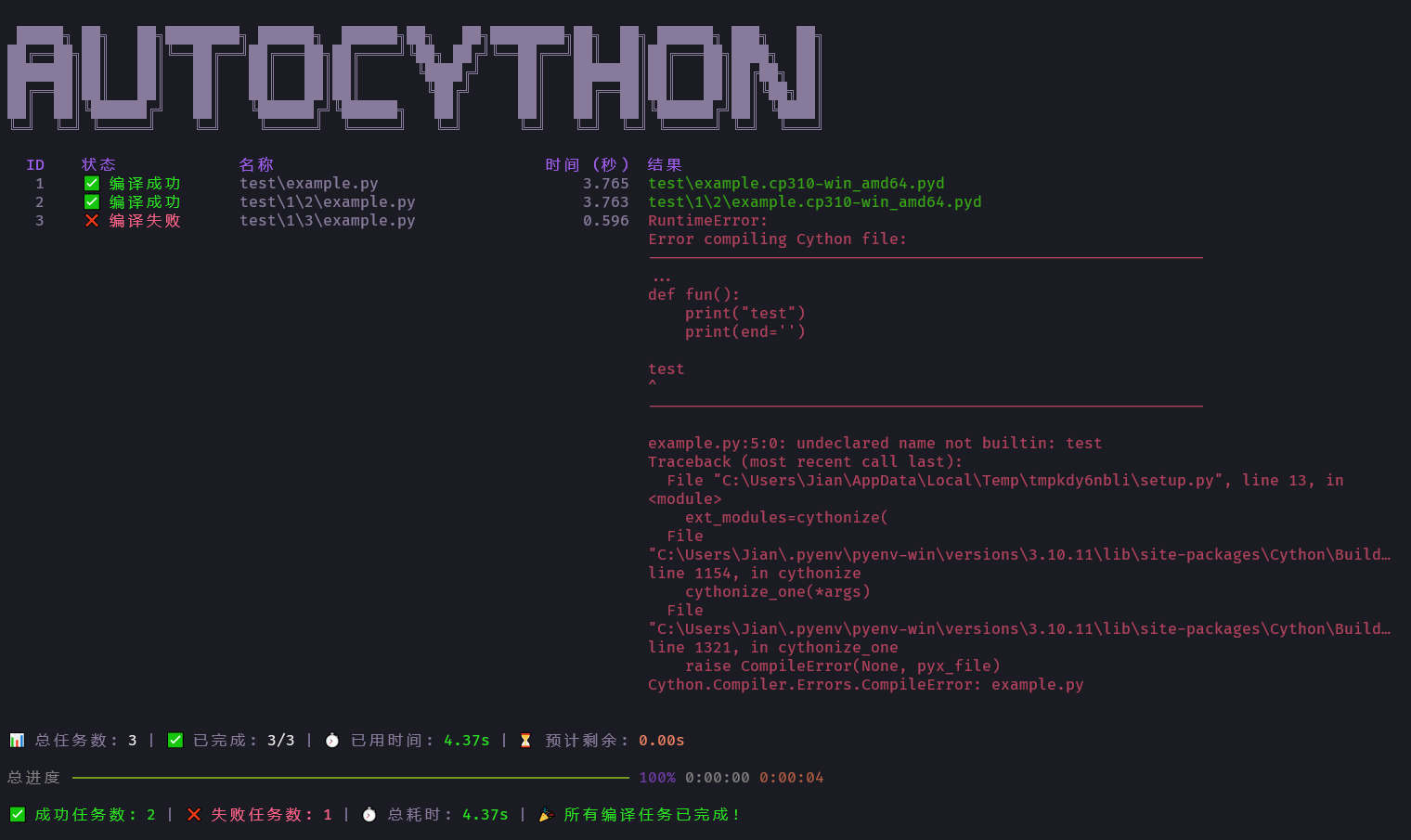
编译界面
手动排除文件不编译
在文件头部 前两行 的任意一行添加 AutoCython No Compile 声明:
# AutoCython No Compile
# 此文件将跳过编译处理
⚠️ 常见问题解决
一般是源代码中有 Cython 不支持的语句, 或者文件名不支持等. 可以查阅 Cython Wiki 项目 官方文档, 或者提 Issue.
📅 更新记录
V2 版本
- 20250609 release V2.0.0 重构了代码, 使用新的界面 (不安全版本)
- 20250623 release V2.1.0 禁用激进的性能优化选项. 显示系统信息.
- 20260323 release V2.1.1 修复不编译声明
AutoCython No Compile拼写错误.
V1 版本
- 20220613 更新对Linux的支持, Linux下需要配置gcc&g++
- 20221123 可以通过文件头手动指定不编译的文件
- 20230306 更新可以指定命令行头如
Python310以此支持非Widnows系统下编译 - 20230324 更新文档
- 20240506 修复编译失败时遗漏复原 __init__.py 的问题
1 maintainer

Metadata
1 maintainer
Release files for AutoCython-jianjun 2.1.1
For a detailed explanation of source distributions (sdists) and built distributions (wheels), please see the package formats documentation.
Built distribution (wheel)
| File | Interpreter | ABI | Platform | Reset |
|---|---|---|---|---|
| autocython_jianjun-2.1.1-py3-none-any.whl | Python 3 | none | any | Details |
Release files / autocython_jianjun-2.1.1-py3-none-any.whl
| Download URL | autocython_jianjun-2.1.1-py3-none-any.whl |
|---|---|
| Size | 13.2 kB |
| Tags | Python 3 |
|
SHA-256 checksum How to use checksums |
ef2cbc2c4ad1d6f7b014d0aed61552590dfab67e551e7d5fa6a78283f56aa954
|
|
BLAKE2b-256 checksum How to use checksums |
34b175ff014029d5615d25df111655791a22d4e816119f756e488b1649ceea54
|
| Upload date | |
|
Uploaded using Trusted Publishing? What is trusted publishing? |
No |
| Uploaded via |
twine/6.0.1 CPython/3.10.11
|














