
AWS CloudFormation Diagrams





An open source tool to generate AWS infrastructure diagrams from AWS CloudFormation templates.
Features
- Parses both YAML and JSON AWS CloudFormation templates
- Supports 159 AWS resource types and any custom resource types
- Supports
Rain::Moduleresource type - Supports
DependsOn,Ref,Fn::GetAttrelationships, and${}resource attributes - Supports
::Id-suffixed parameter types such asAWS::EC2::Image::Id,AWS::EC2::SecurityGroup::Id,AWS::EC2::Subnet::Id,AWS::EC2::VPC::Id,AWS::SSM::Parameter::Value<AWS::EC2::Image::Id>,List<AWS::EC2::SecurityGroup::Id>,List<AWS::EC2::Subnet::Id>, orList<AWS::EC2::VPC::Id> - Generates D2, DOT, draw.io, GIF, JPEG, Mermaid, PDF, PNG, SVG, and TIFF diagrams
- Highly configurable visual representation
- D2 Diagram Generation
- Mermaid Diagram Generation
- AWS CloudFormation Diagrams Interactive Viewer
- Editable draw.io export
- Provides 156 generated diagram examples
Have ideas? Open an issue or start a discussion.
Prerequisites
Following software must be installed:
Installation
Following command installs required Python dependencies, i.e., PyYAML, Diagrams, and graphviz2drawio.
# using pip (pip3)
pip install AWS-CloudFormation-Diagrams
Usage
usage: aws-cfn-diagrams [-h] [-o OUTPUT] [-f FORMAT] [--embed-all-icons] filename

Generate AWS infrastructure diagrams from AWS CloudFormation templates

positional arguments:
  filename             the AWS CloudFormation template to process

options:
  -h, --help           show this help message and exit
  -o, --output OUTPUT  output diagram filename
  -f, --format FORMAT  output format, allowed formats are d2, dot, dot_json, drawio, gif, jp2, jpe, jpeg, jpg, mermaid, pdf, png, svg, tif, tiff, set to png by default
  --embed-all-icons    embed all icons into svg or dot_json output diagrams
D2 Diagram Generation
AWS CloudFormation Diagrams could output diagrams in the D2 format. For instance, type:
aws-cfn-diagrams examples/wordpress/WordPress-RDS.yaml -f d2
After compiling with D2 CLI, the generated diagram is rendered as follows:

Mermaid Diagram Generation
AWS CloudFormation Diagrams could output diagrams in the Mermaid format. For instance, type:
aws-cfn-diagrams examples/wordpress/WordPress-RDS.yaml -f mermaid
The generated diagram is rendered as follows:
flowchart TB
  subgraph cluster_VpcId [VpcId]
    direction TB
    style cluster_VpcId fill:#f2e6ff,color:#2D3436,font:sans-serif,font-size:12pt,stroke:box
    subgraph cluster_WebSecurityGroup [WebSecurityGroup]
      direction TB
      style cluster_WebSecurityGroup fill:#fff5e6,color:#2D3436,font:sans-serif,font-size:12pt,stroke:box
      resource_WebSecurityGroup@{ img: "https://raw.githubusercontent.com/mingrammer/diagrams/refs/heads/master/resources/aws/compute/ec2.png", label: "WebSecurityGroup", h: 120, constraint: "on" }
      style resource_WebSecurityGroup fill:none,stroke:none
      resource_WordPressInstance@{ img: "https://raw.githubusercontent.com/mingrammer/diagrams/refs/heads/master/resources/aws/compute/ec2-instance.png", label: "WordPressInstance", h: 120, constraint: "on" }
      style resource_WordPressInstance fill:none,stroke:none
    end
    subgraph cluster_DBSecurityGroup [DBSecurityGroup]
      direction TB
      style cluster_DBSecurityGroup fill:#fff5e6,color:#2D3436,font:sans-serif,font-size:12pt,stroke:box
      resource_DBSecurityGroup@{ img: "https://raw.githubusercontent.com/mingrammer/diagrams/refs/heads/master/resources/aws/compute/ec2.png", label: "DBSecurityGroup", h: 120, constraint: "on" }
      style resource_DBSecurityGroup fill:none,stroke:none
      resource_WordPressDB@{ img: "https://raw.githubusercontent.com/mingrammer/diagrams/refs/heads/master/resources/aws/database/rds-mysql-instance.png", label: "WordPressDB", h: 120, constraint: "on" }
      style resource_WordPressDB fill:none,stroke:none
    end
    resource_VpcId@{ img: "https://raw.githubusercontent.com/mingrammer/diagrams/refs/heads/master/resources/aws/network/vpc.png", label: "VpcId", h: 120, constraint: "on" }
    style resource_VpcId fill:none,stroke:none
  end
  resource_WebSecurityGroup --> resource_VpcId
  linkStyle 0 stroke:black,color:#2D3436,font:sans-serif,font-size:13pt
  resource_WordPressInstance --> resource_WebSecurityGroup
  linkStyle 1 stroke:black,color:#2D3436,font:sans-serif,font-size:13pt
  resource_WordPressInstance --> resource_WordPressDB
  linkStyle 2 stroke:black,color:#2D3436,font:sans-serif,font-size:13pt
  resource_DBSecurityGroup --> resource_WebSecurityGroup
  linkStyle 3 stroke:black,color:#2D3436,font:sans-serif,font-size:13pt
  resource_DBSecurityGroup --> resource_VpcId
  linkStyle 4 stroke:black,color:#2D3436,font:sans-serif,font-size:13pt
  resource_WordPressDB --> resource_DBSecurityGroup
  linkStyle 5 stroke:black,color:#2D3436,font:sans-serif,font-size:13pt
Interactive Viewer
AWS CloudFormation Diagrams could output diagrams in the dot_json format. For instance, type:
aws-cfn-diagrams examples/wordpress/WordPress-RDS.yaml -f dot_json
Diagrams in the dot_json format can be viewed and manipulated interactively thanks to AWS CloudFormation Diagrams Interactive Viewer. Just type:
open interactive_viewer/index.html
Then open examples/wordpress/WordPress-RDS.dot_json in AWS CloudFormation Diagrams Interactive Viewer.
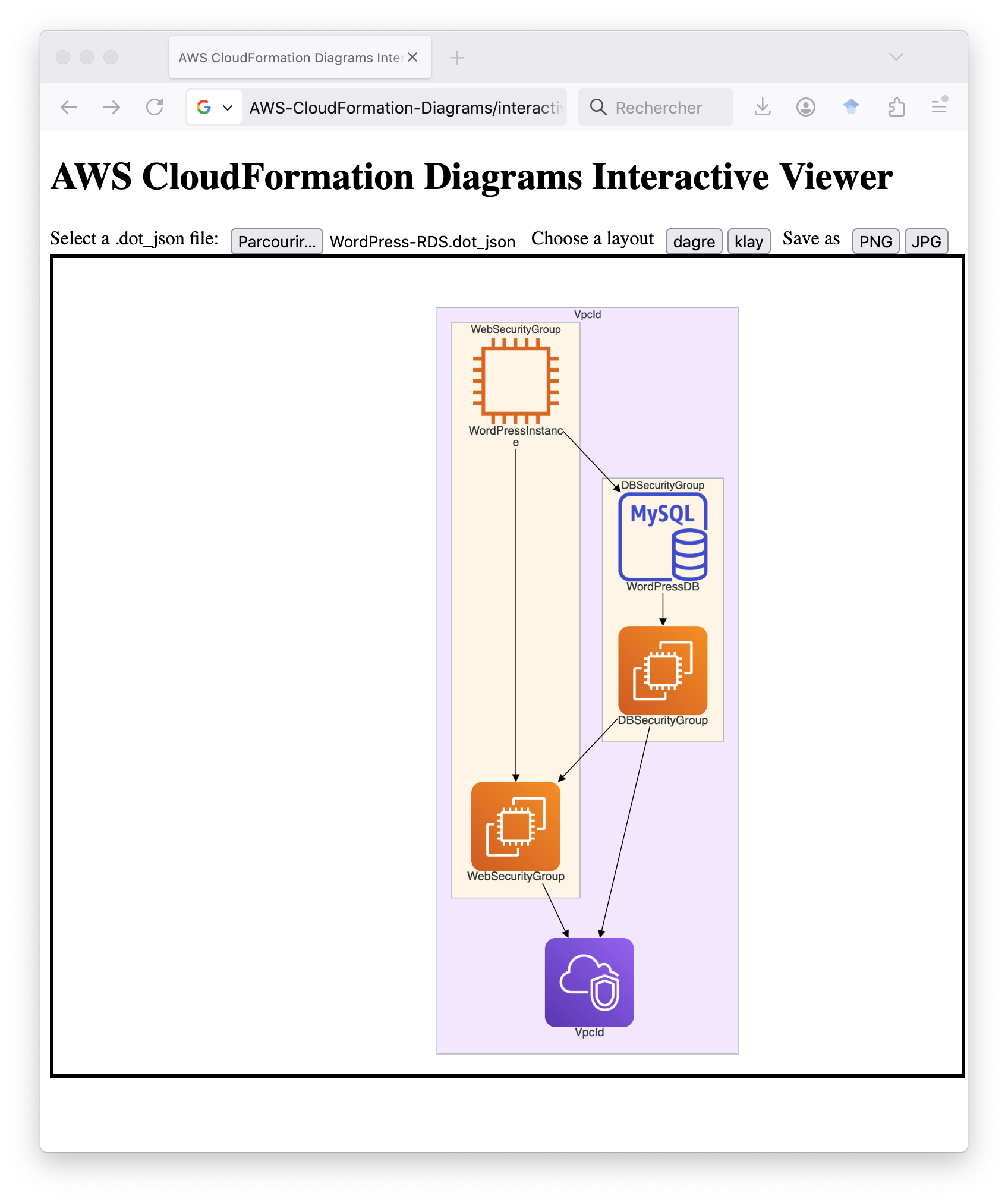
AWS CloudFormation Diagrams Interactive Viewer allows users to zoom in/out diagrams, to see cluster/node/edge tooltips, open/close clusters, move clusters/nodes interactively, and save as PNG/JPG images.
Editable draw.io Export
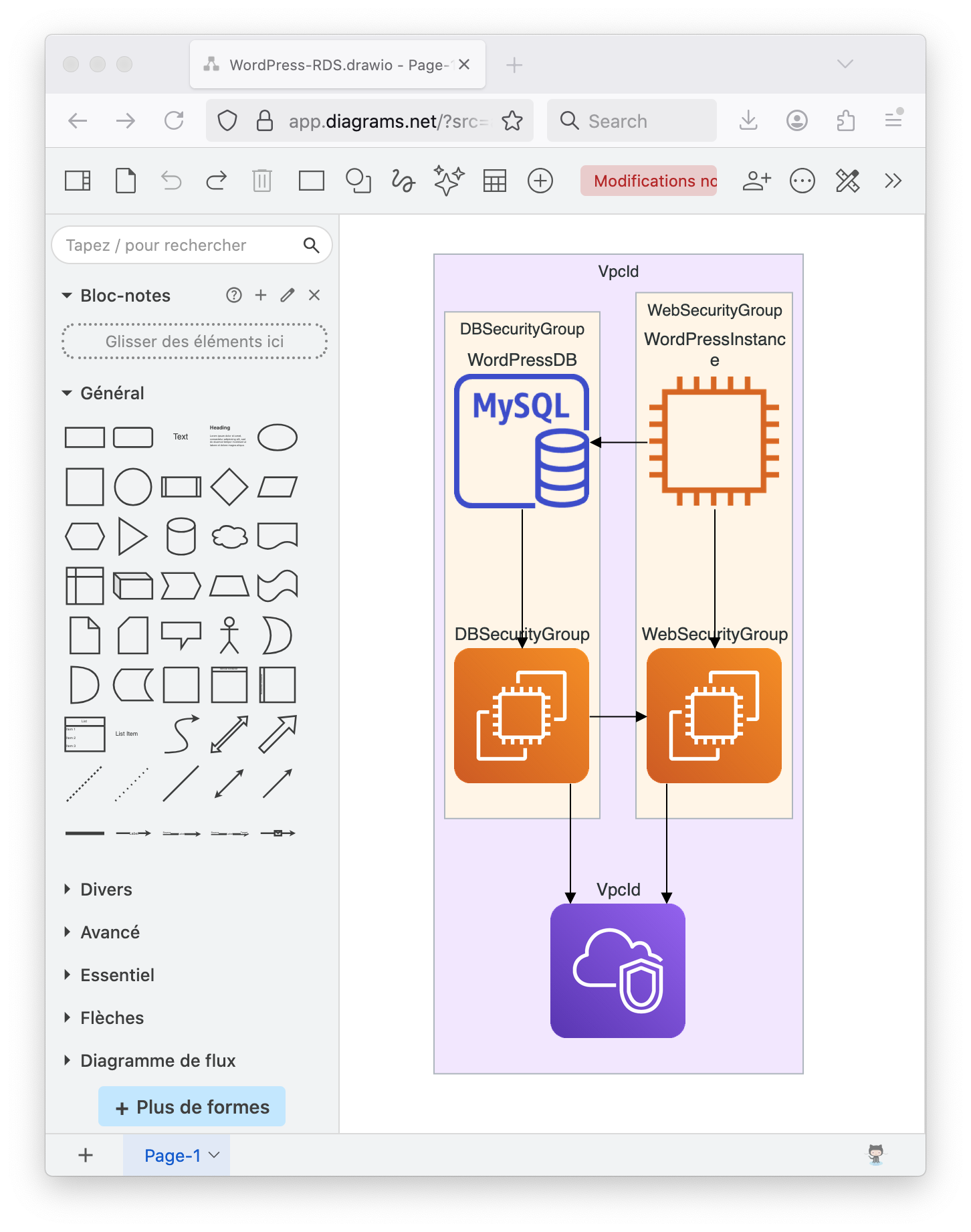
AWS CloudFormation Diagrams could output diagrams in the drawio format. For instance, type:
aws-cfn-diagrams examples/wordpress/WordPress-RDS.yaml -f drawio
✨ Generated drawio files can be opened with draw.io or your favorite diagram editor.
Examples
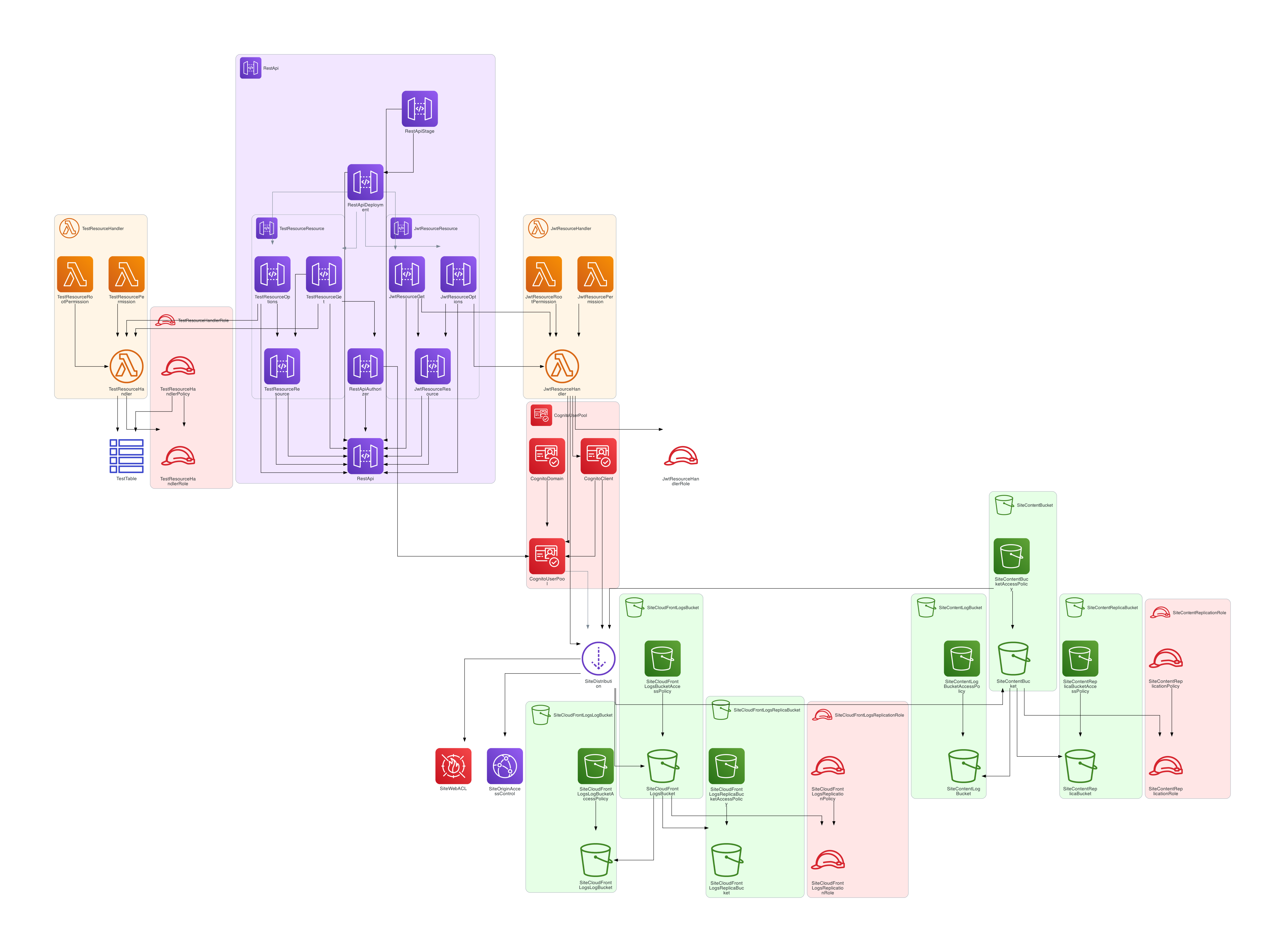
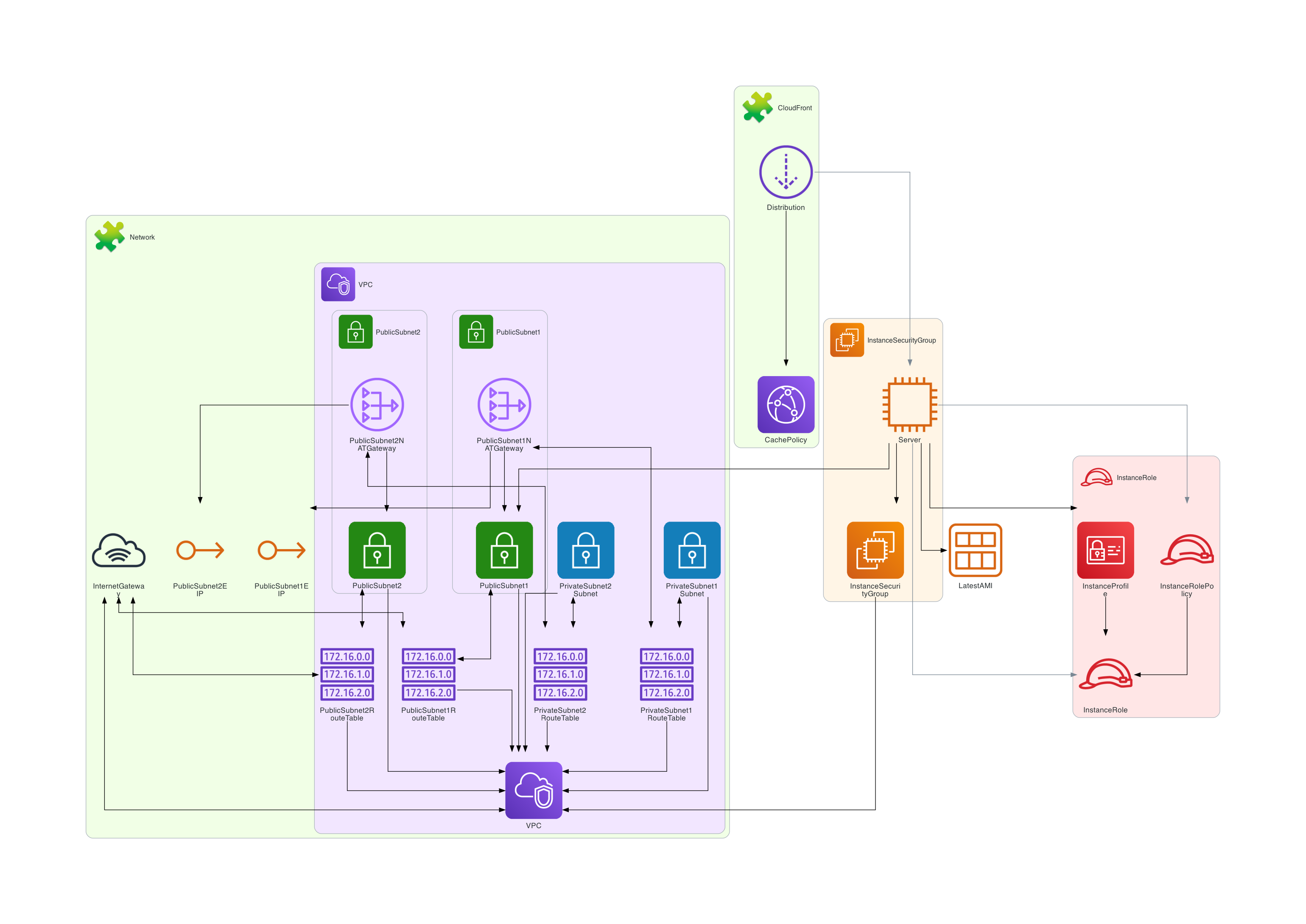
The folder diagrams contains generated diagrams for most of AWS CloudFormation templates.
Following diagram is about WebApp:
Following diagram is about Gitea with Rain::Module:
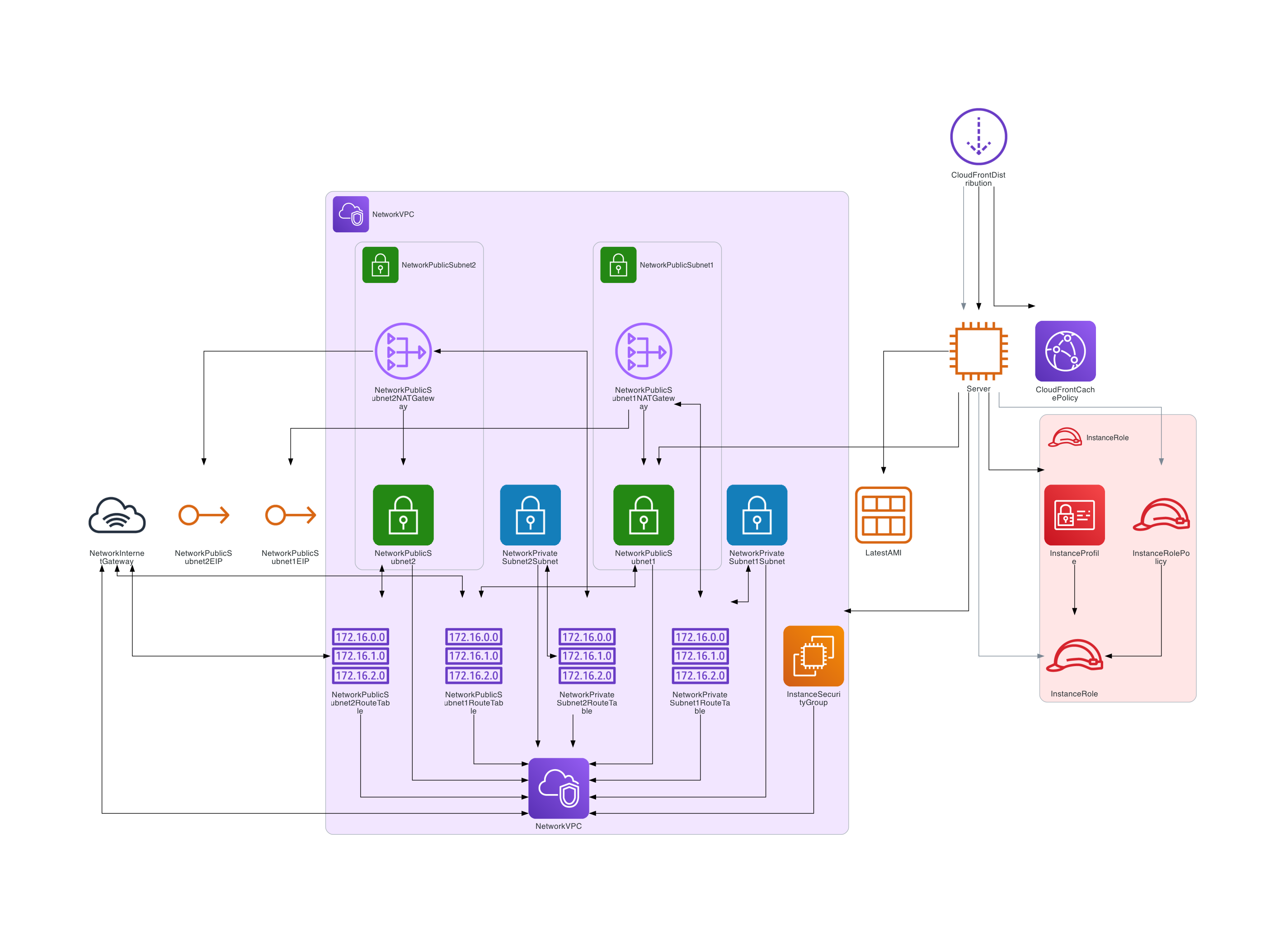
Following diagram is about Gitea without Rain::Module:
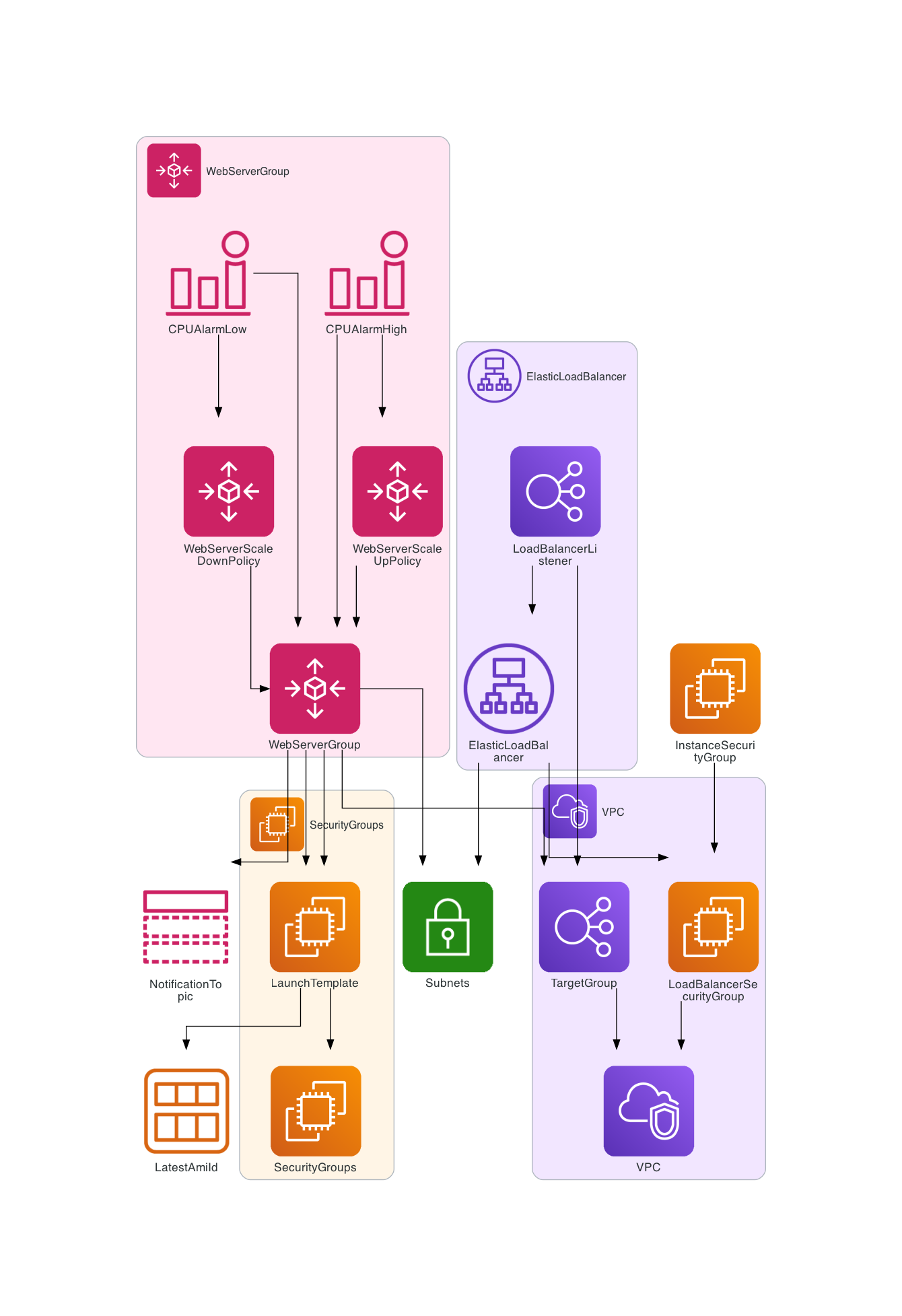
Following diagram is about AutoScaling:
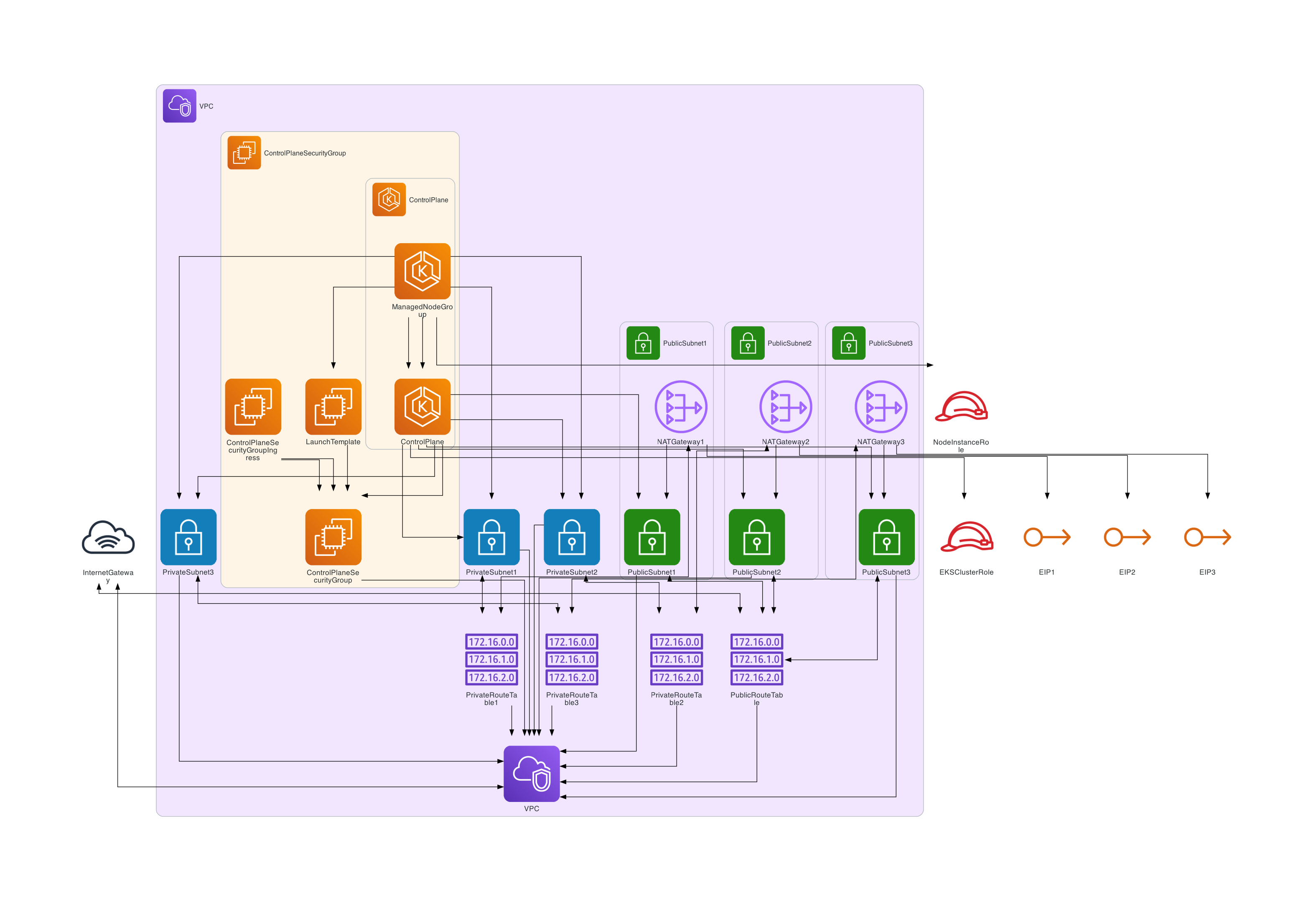
Following diagram is about EKS:
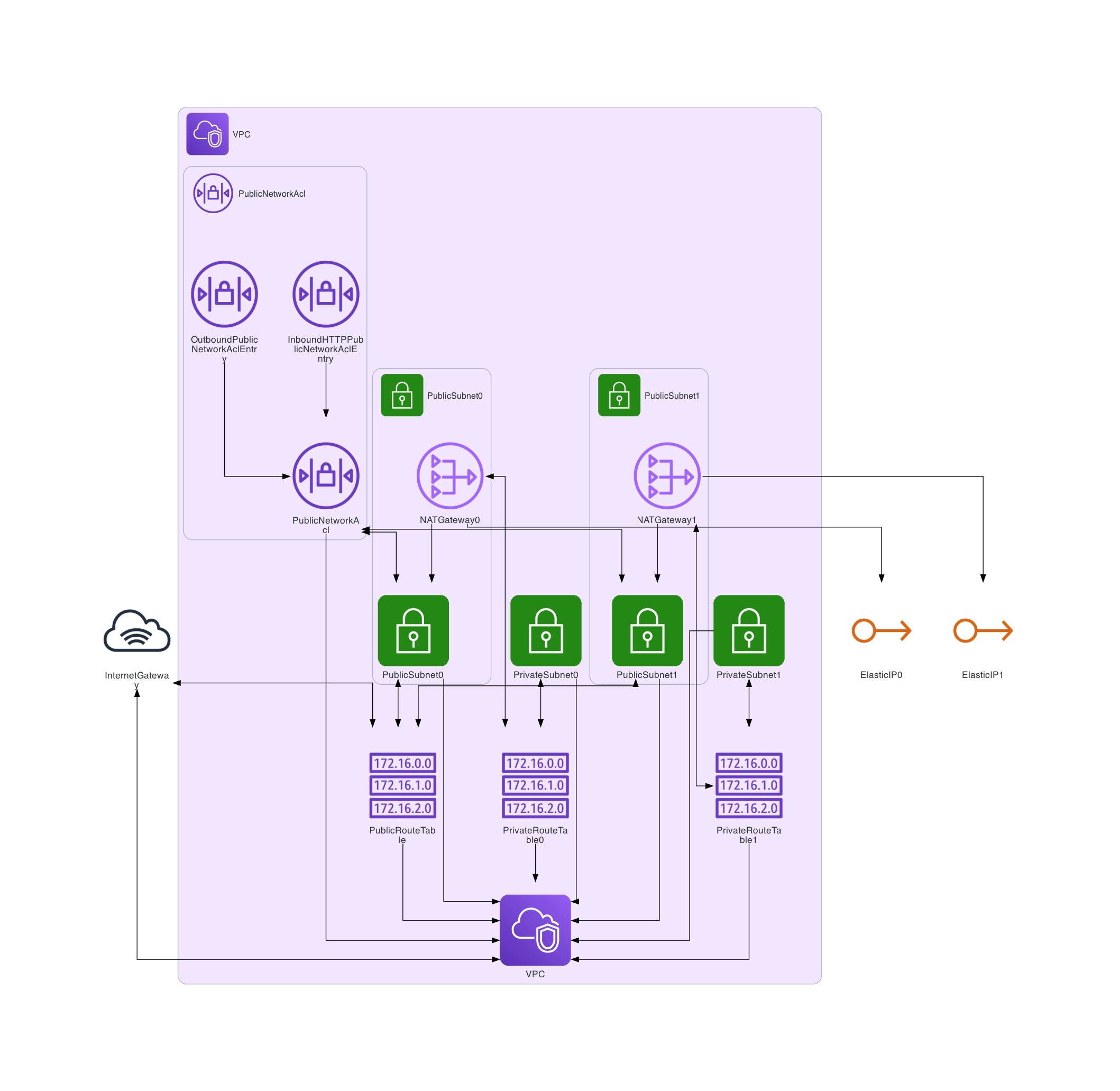
Following diagram is about VPC:
License
This project is licensed under the Apache 2.0 License.
Contributing
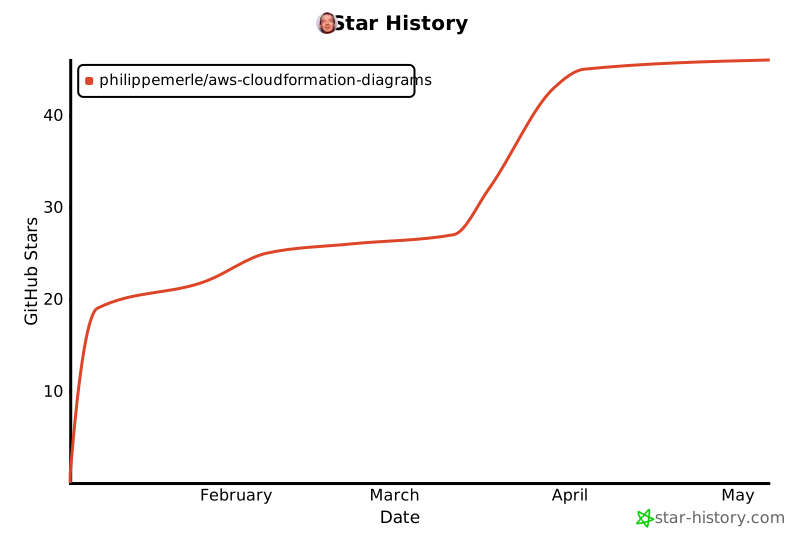
Star History
Star this project if you find it useful!
1 maintainer

Metadata
1 maintainer
Release files for AWS-CloudFormation-Diagrams 0.3.0
For a detailed explanation of source distributions (sdists) and built distributions (wheels), please see the package formats documentation.
Source distribution (sdist)
| File | Size | Uploaded | |
|---|---|---|---|
| aws_cloudformation_diagrams-0.3.0.tar.gz | 47.7 kB | Details |
Built distribution (wheel)
| File | Interpreter | ABI | Platform | Reset |
|---|---|---|---|---|
| aws_cloudformation_diagrams-0.3.0-py3-none-any.whl | Python 3 | none | any | Details |
Total release size: 92.2 kB
Release files / aws_cloudformation_diagrams-0.3.0.tar.gz
| Download URL | aws_cloudformation_diagrams-0.3.0.tar.gz |
|---|---|
| Size | 47.7 kB |
| Tags | Source |
|
SHA-256 checksum How to use checksums |
2ffb6aa81698246f525e903b21ad9f0a1133ddd7aa3969e15d3793c627b6a172
|
|
BLAKE2b-256 checksum How to use checksums |
6c146c71dcc08abe7efd9e42db130c37061a83ccc9b76ac7a567ad5091e20b26
|
| Upload date | |
|
Uploaded using Trusted Publishing? What is trusted publishing? |
No |
| Uploaded via |
twine/6.1.0 CPython/3.13.2
|
Release files / aws_cloudformation_diagrams-0.3.0-py3-none-any.whl
| Download URL | aws_cloudformation_diagrams-0.3.0-py3-none-any.whl |
|---|---|
| Size | 44.5 kB |
| Tags | Python 3 |
|
SHA-256 checksum How to use checksums |
4ea2d7ec2bea20946cd078edef1fb2bedc7fc3cc569602620ba89d093eb6d12d
|
|
BLAKE2b-256 checksum How to use checksums |
6cf9cc2c2df60ba47a8511b65ca462fb73b2bb8dfebf0b961ac379bc178575db
|
| Upload date | |
|
Uploaded using Trusted Publishing? What is trusted publishing? |
No |
| Uploaded via |
twine/6.1.0 CPython/3.13.2
|














