
BinMSGUI
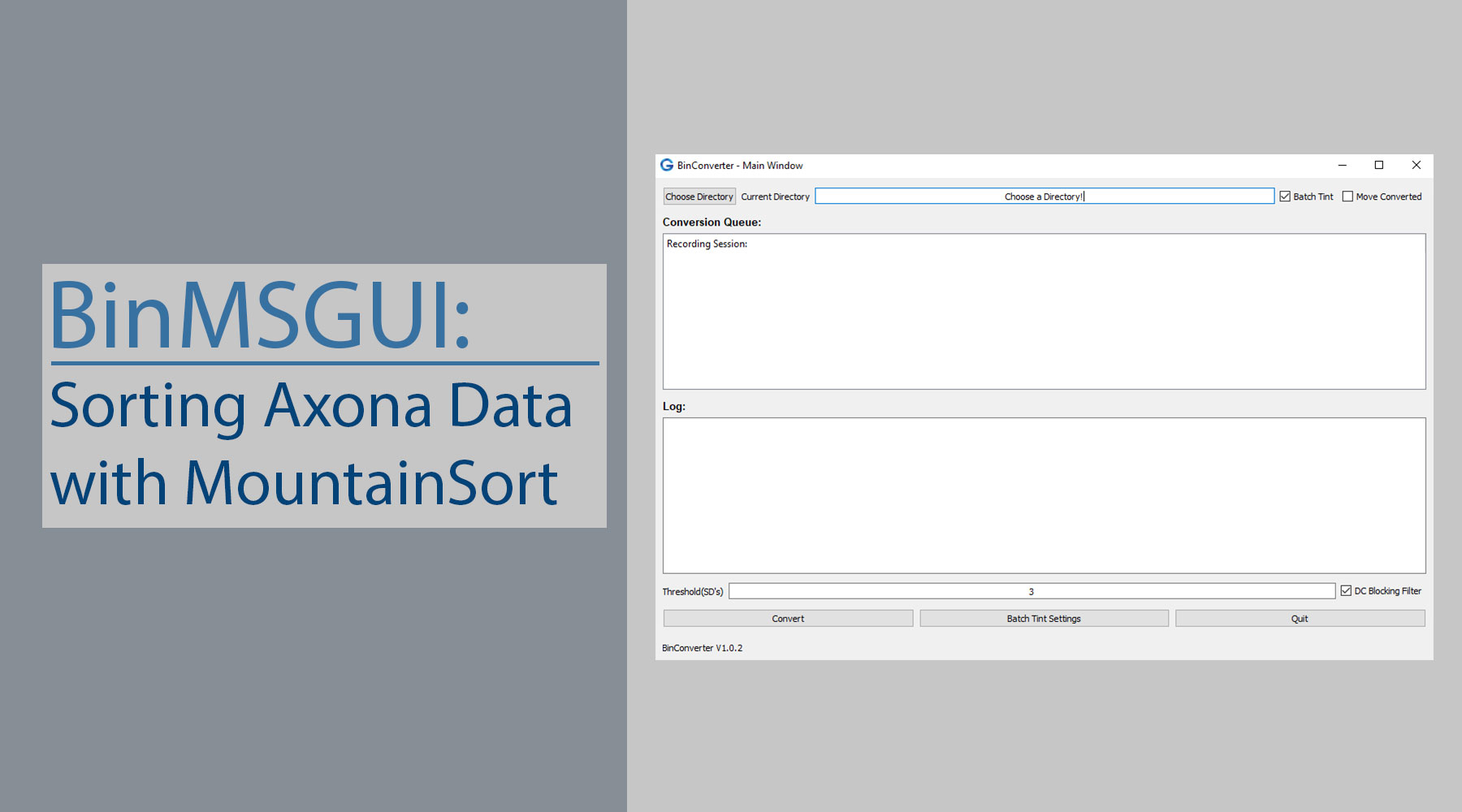
BinMSGUI is a Python Graphical User Interface (GUI) that I developed in order to test MountainSort's (MS) spike sorting algorithm. We use Axona's DacqUSB in order to record in-vivo electrophysiology data in Alzheimer's mice models. That being said, the DacqUSB allows you to record in two modes: Bin (continuous) and Tint (snippets). This package focuses on sorting the continuous Bin data, as MountainSort's curation step requires random sampling of the data to determine if each identified cell exceeds a provided noise overlap parameter. The data is ultimately converted to the Tint format, as we use the Tint software to manually sort and analyze the data. Note: MountainSort can sort snippets, but it's difficult to curate these results as the algorithm requires random sampling (of non spike data) to determine the noise contamination percentage of each cell.
Requirements
- Python: this code was written using Python 3.7, however the compatibility really only depends on PyQt5, which requires Python 2.6+. This was written in Python 3 so I suggest getting the latest version of Python5. It will make the installation process easier as PyQt5 used to be a pain to download in the older versions (3.4 for example). If you happen to have problems downloading PyQ5t, you will need to search for a wheel (.whl) file for PyQt5 for your version (of Python and OS).
- Operating System: BinMSGUI in its current state requires that you have Windows 10, as it will require us downloading the Windows Subsystem for Linux (WSL). If you are a Linux user, it should not be too difficult to add some code that will make BinMSGUI operable with your operating system. Right now I simply am running the terminal commands through WSL via Python. We could likely determine if the user is running on Linux and then just pipe the commands using the os module.
- Windows Subsystem for Linux (WSL): as mentioned in Step 2, we will be using the WSL, therefore you must have that installed. I describe how to install the WSL here.
- Bin Formatted Data: this GUI is designed to convert .bin data to the .mda format that MountainSort requires, sort that data using the MountainSort algorithm, and then convert this sorted data to the Tint format. Therefore, the first step is that you must have your data in the .bin file format (recorded from Axona's dacqUSB).
- MountainSort Installed: As I mentioned in step 4, the data will be sorted using MountainSort, therefore you must have MountainSort installed. I have detailed steps on installing MountainSort for the WSL here, however your best bet is to check the README file from the Flatiron Institute.
Python Dependencies
- PyQt5
- PyQt5-sip
- NumPy
- SciPy
- matplotlib
- Jupyter
Documentation
Authors
- Geoff Barrett - Geoff’s GitHub
License
This project is licensed under the GNU General Public License - see the LICENSE.md file for details
2 maintainers


Metadata
2 maintainers
Release files for BinMSGUI 1.0.4
For a detailed explanation of source distributions (sdists) and built distributions (wheels), please see the package formats documentation.
Source distribution (sdist)
| File | Size | Uploaded | |
|---|---|---|---|
| BinMSGUI-1.0.4.tar.gz | 80.3 kB | Details |
Built distribution (wheel)
| File | Interpreter | ABI | Platform | Reset |
|---|---|---|---|---|
| BinMSGUI-1.0.4-py3-none-any.whl | Python 3 | none | any | Details |
Total release size: 183.9 kB
Release files / BinMSGUI-1.0.4.tar.gz
| Download URL | BinMSGUI-1.0.4.tar.gz |
|---|---|
| Size | 80.3 kB |
| Tags | Source |
|
SHA-256 checksum How to use checksums |
a0cbf768a766c5bd854b71a63f5659d36340174b4128a494e9e44121cca837f3
|
|
BLAKE2b-256 checksum How to use checksums |
21105802f64d3e8e0b20fdaf37e51a08082d6fb0c0d3c0bc2857491dcd84d303
|
| Upload date | |
|
Uploaded using Trusted Publishing? What is trusted publishing? |
No |
| Uploaded via |
twine/1.12.1 pkginfo/1.5.0.1 requests/2.21.0 setuptools/40.6.3 requests-toolbelt/0.8.0 tqdm/4.29.1 CPython/3.7.2
|
Release files / BinMSGUI-1.0.4-py3-none-any.whl
| Download URL | BinMSGUI-1.0.4-py3-none-any.whl |
|---|---|
| Size | 103.6 kB |
| Tags | Python 3 |
|
SHA-256 checksum How to use checksums |
e9e115d78441dde952c0eef5e2db945469b72ac4139533df7ad6ede7fbc61856
|
|
BLAKE2b-256 checksum How to use checksums |
b6fa521d3ff3a58f9e6aac886cd22f3961c001fc6efeb96863059e0a6c934396
|
| Upload date | |
|
Uploaded using Trusted Publishing? What is trusted publishing? |
No |
| Uploaded via |
twine/1.12.1 pkginfo/1.5.0.1 requests/2.21.0 setuptools/40.6.3 requests-toolbelt/0.8.0 tqdm/4.29.1 CPython/3.7.2
|














