
bsmplot
bsmplot is a cross-platform tool to visualize time series based on Matplotlib and wxPython.
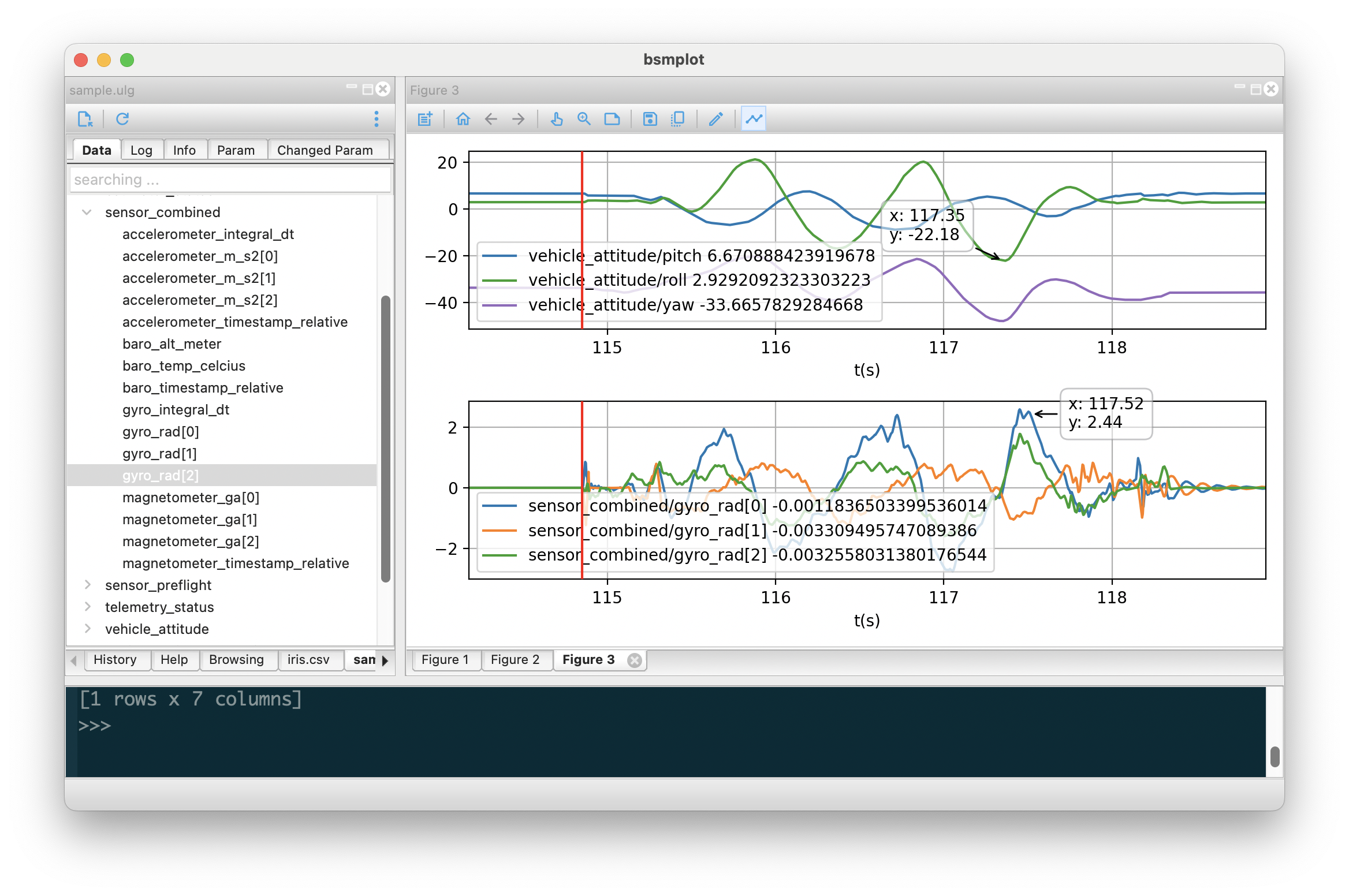
Installation
$ pip install bsmplot
To start from terminal
$ bsmplot
Add shortcut to desktop / Start Menu
$ bsmplot --init
Supported data source
- VCD (value change dump)
- PX4 ulog
- CSV
- Matlab (.mat)
- HDF5
- netCDF
- ZMQ subscriber. json format is supported by defaut. If corresponding package is installed, the following format is also supported
Plot the data
To plot the data, simply double click a signal. It will plot the signal on the current figure window (or create one if there is no figure window then plot).
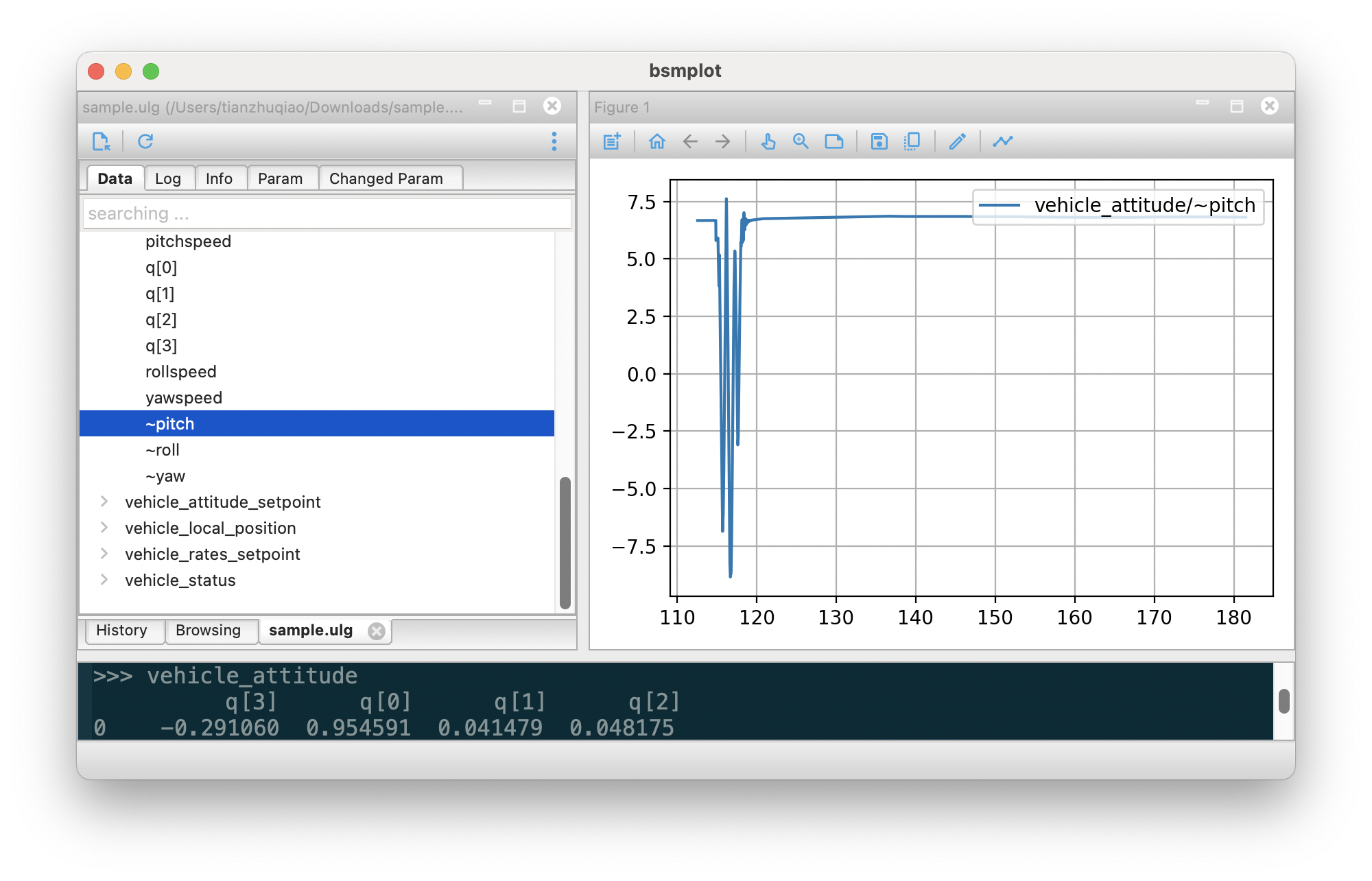
You can also drag the signal to the figure window.
If the data has timestamp field (e.g., ulog), it will be used as x-axis data; otherwise (e.g., csv), the x-axis will be the index by default. And you can also set some signal as x-axis data, which will be shown in bold.
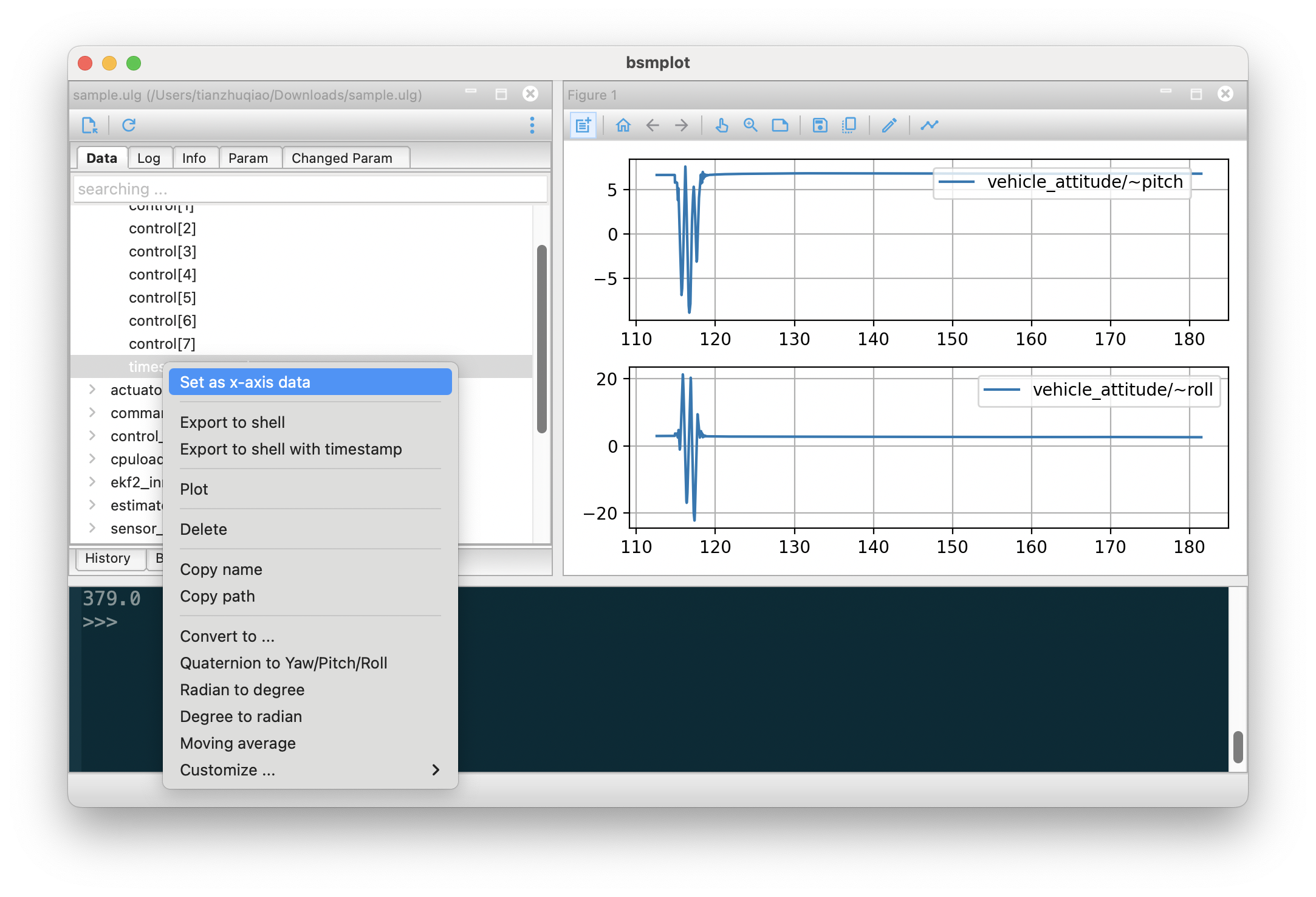
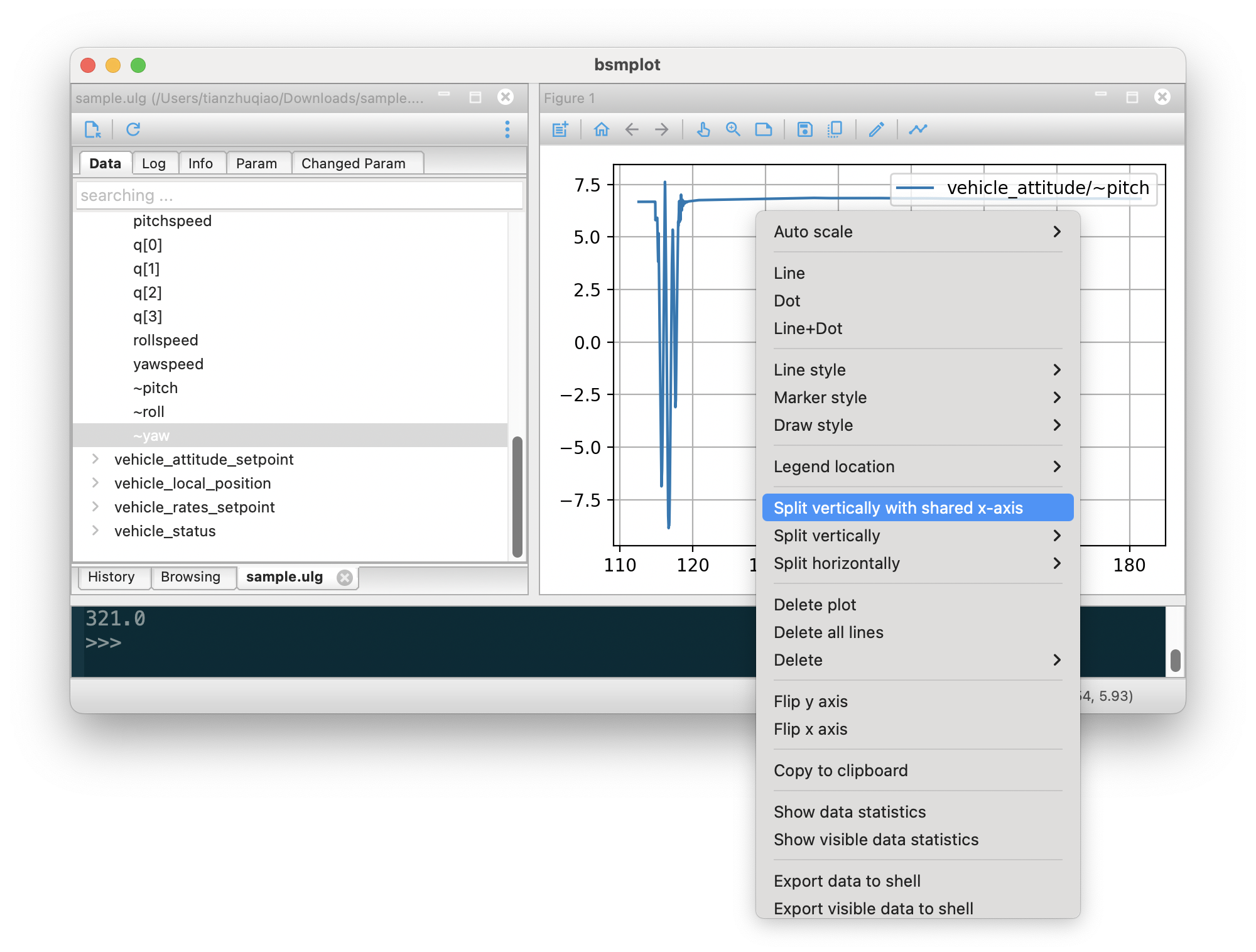
Many operations of the figure can be done via the context menu (right click), and the toolbar on top. For example, to create a subplot with shared x-axis,
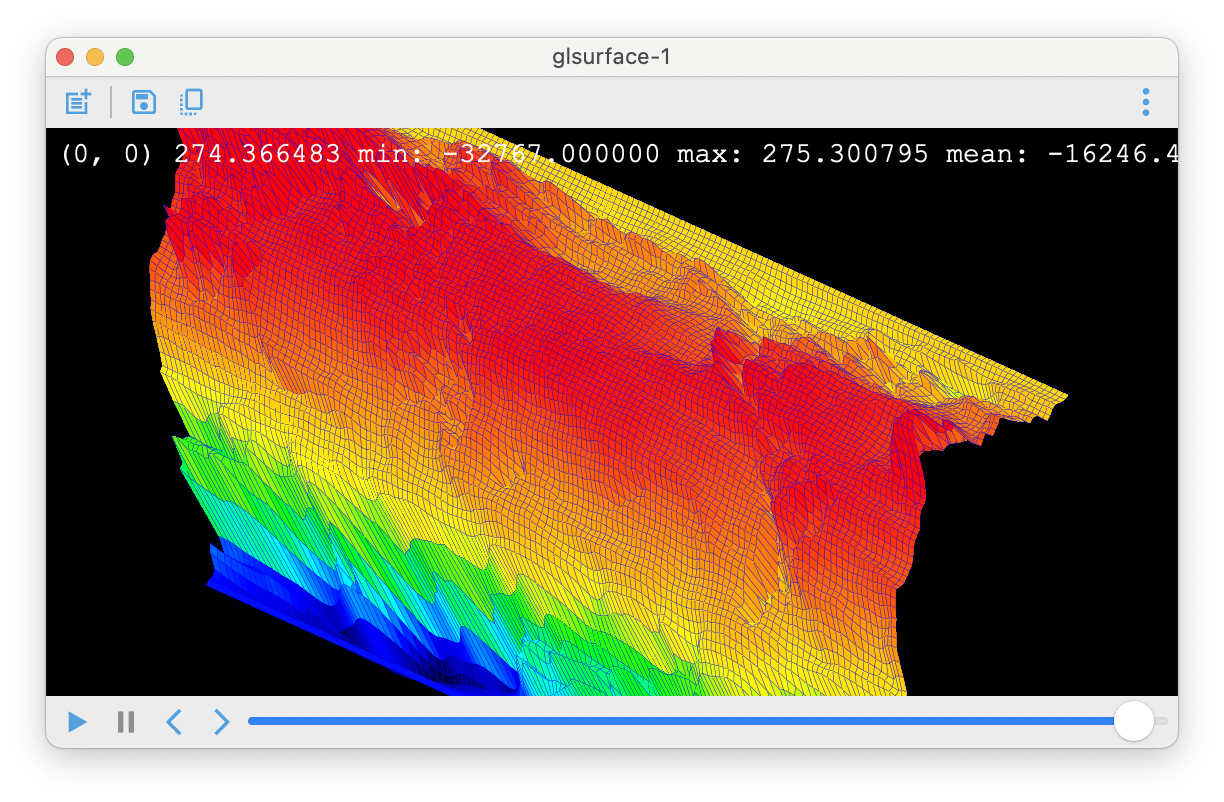
If the signal has 2d/3d data, it will be shown in glsurface window. For 3d data, the 1st dimension will be treated as time axis.
Process the data
To process the data, right click the signal, and select the function to run. Following functions are pre-defined
- Quaternion to Yaw/Pitch/Roll
- Radian to degree
- Degree to Radian
- Moving average
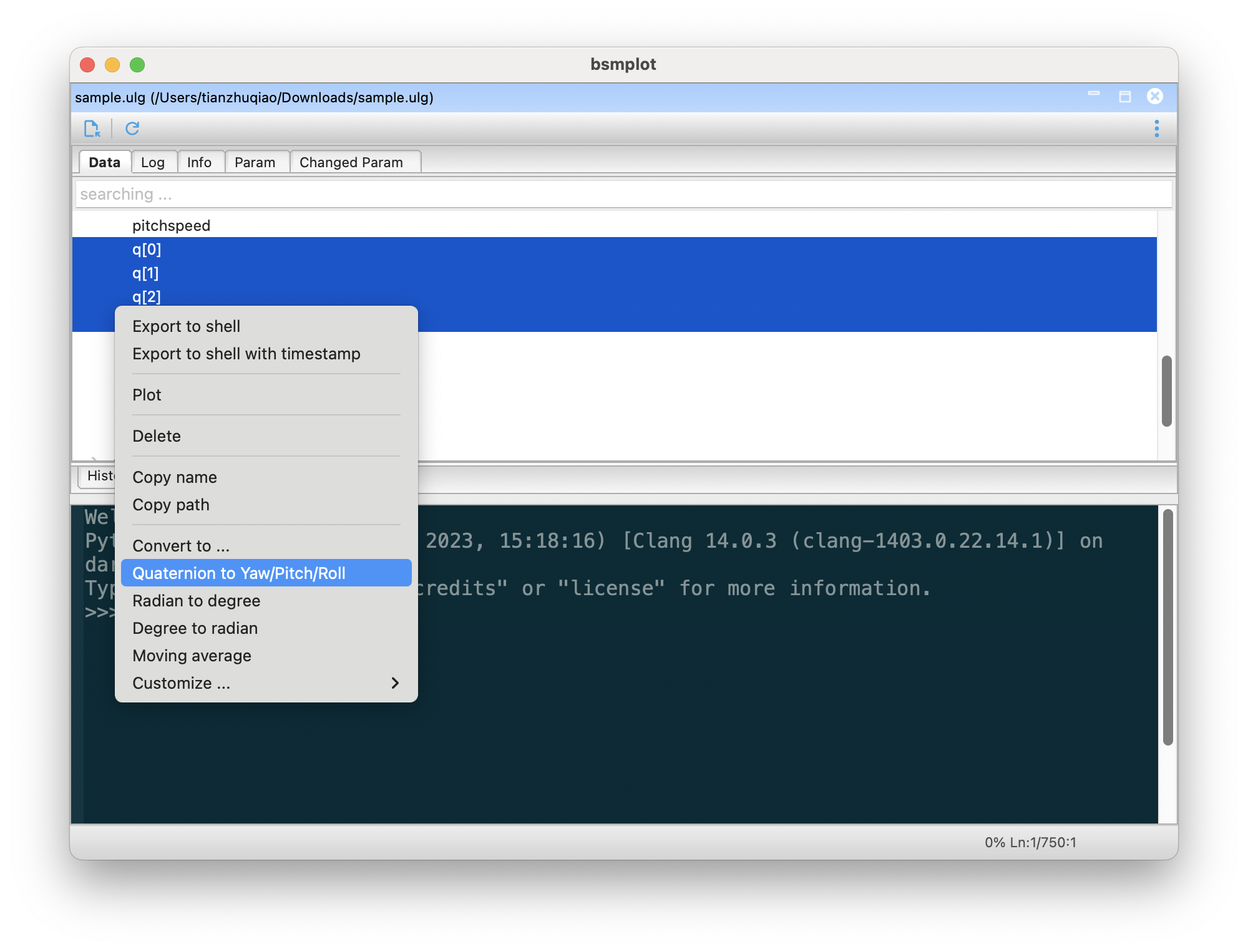
If you are familiar with python code, you can add your own functions. You basically need to define the inputs, equation, and outputs. The number of outputs must match the actual ones returned from the equation.
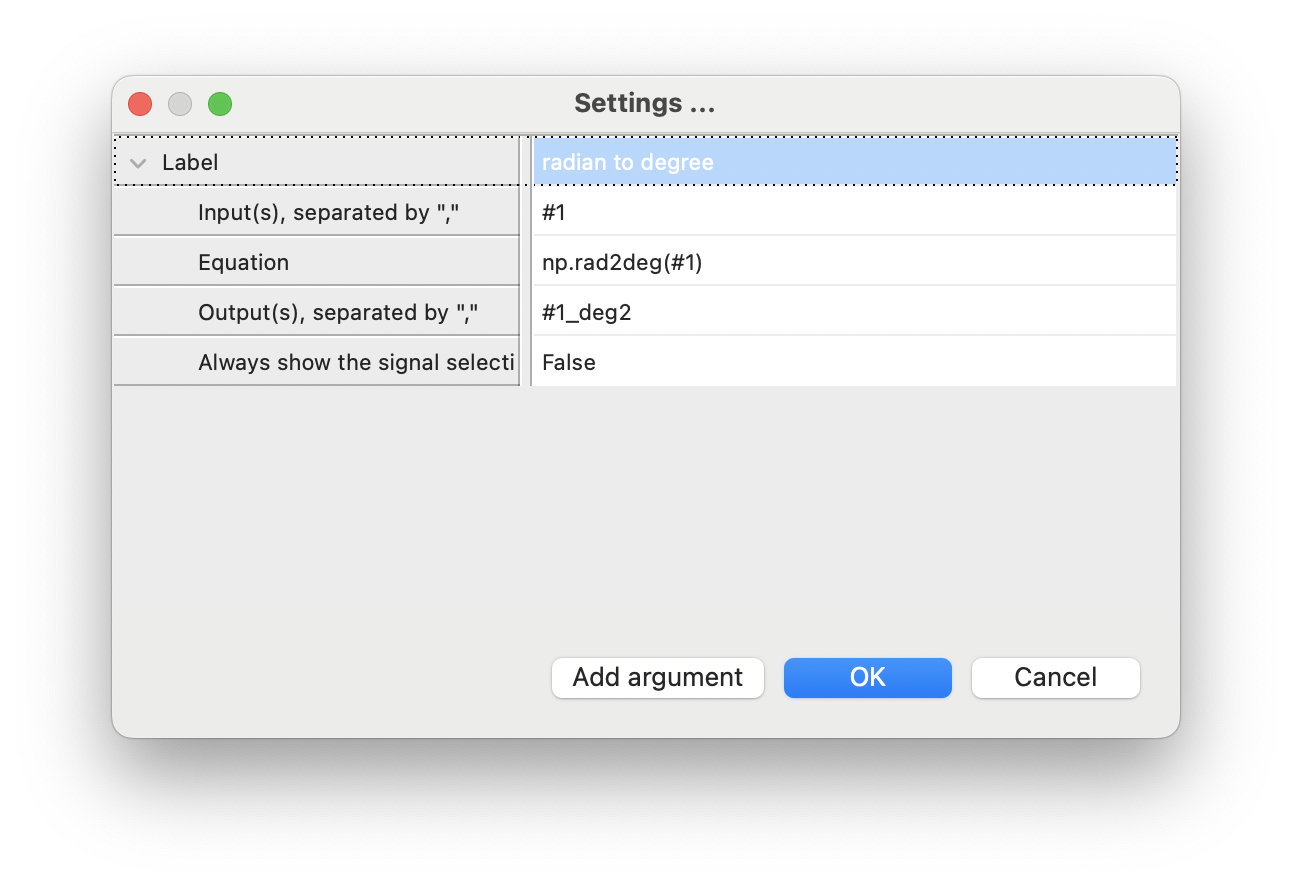
If the processing is too complicated, you can also export the data to shell: right click -> Export to shell (or Export to shell with timestamp if available)
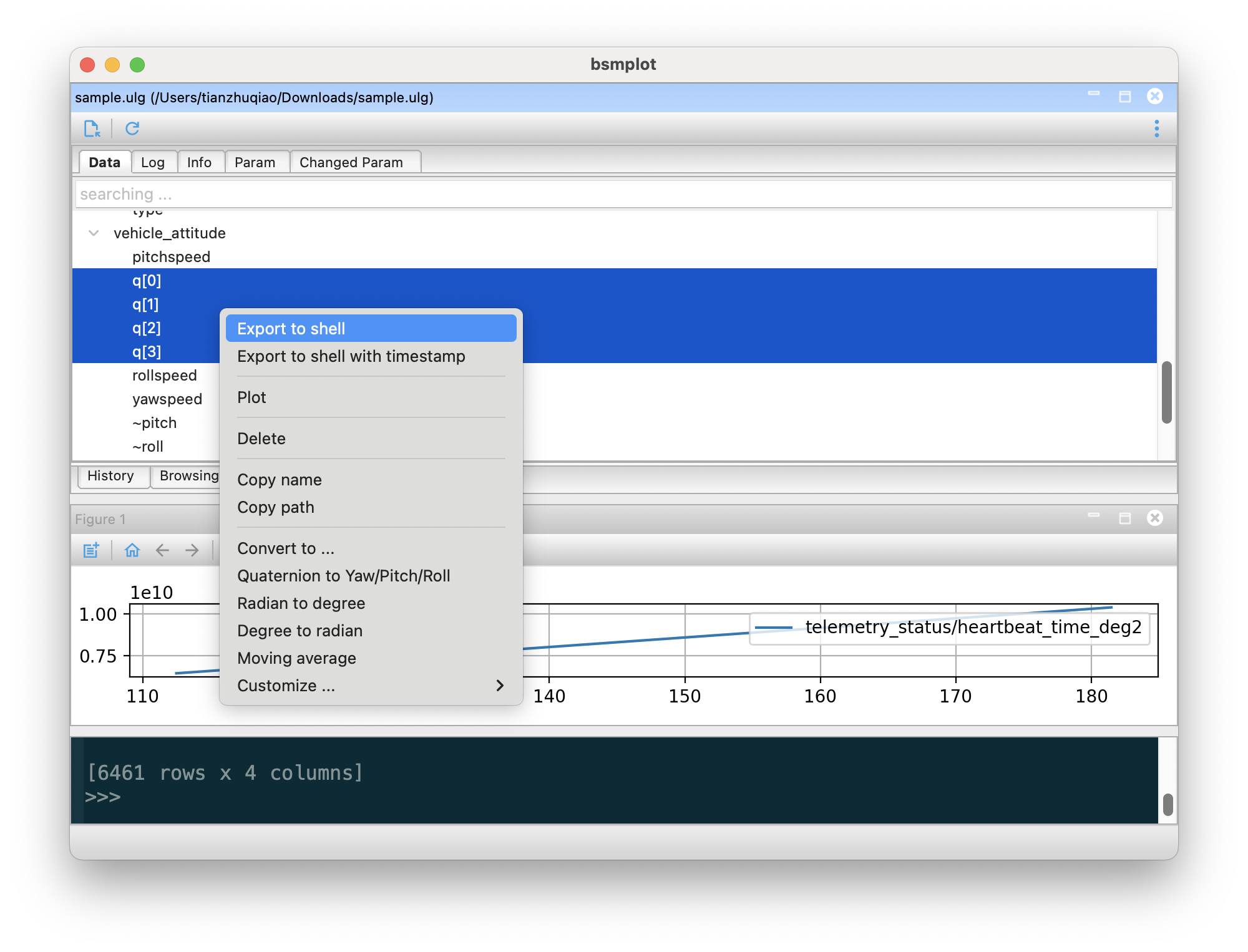
Then in the shell, you can access the exported data, and run any python command.

1 maintainer

Metadata
1 maintainer
Release files for bsmplot 0.4.0
For a detailed explanation of source distributions (sdists) and built distributions (wheels), please see the package formats documentation.
Source distribution (sdist)
| File | Size | Uploaded | Provenance | Actions |
|---|---|---|---|---|
| bsmplot-0.4.0.tar.gz | 391.6 kB | Without provenance | Details for bsmplot-0.4.0.tar.gz |
Built distribution (wheel)
| File | Interpreter | ABI | Platform | Actions Reset |
|---|---|---|---|---|
| bsmplot-0.4.0-py3-none-any.whl | Python 3 | none | any | Details for bsmplot-0.4.0-py3-none-any.whl |
Total release size: 794.7 kB
Release files / bsmplot-0.4.0.tar.gz
| Download URL | bsmplot-0.4.0.tar.gz |
|---|---|
| Size | 391.6 kB |
| Tags | Source |
|
SHA-256 checksum How to use checksums |
cd962af013c1ccf0cc42ee4625410ba9013e9c89a2475fa54c76e7abc4d76c8e
|
|
BLAKE2b-256 checksum How to use checksums |
8cb6cef5dee60f23460319752f5b3b5d734006fcec063d9838b824d09a747995
|
| Upload date | |
|
Uploaded using Trusted Publishing? What is trusted publishing? |
No |
| Uploaded via |
twine/6.1.0 CPython/3.11.5
|
Release files / bsmplot-0.4.0-py3-none-any.whl
| Download URL | bsmplot-0.4.0-py3-none-any.whl |
|---|---|
| Size | 403.1 kB |
| Tags | Python 3 |
|
SHA-256 checksum How to use checksums |
4033670e404afc2151ba0126047d257a31e22c339139713c7be8e1f7a116d5bb
|
|
BLAKE2b-256 checksum How to use checksums |
f2b2f11fc61f96b4672807afe85509eacb3df319e078259259bf26340981f8d6
|
| Upload date | |
|
Uploaded using Trusted Publishing? What is trusted publishing? |
No |
| Uploaded via |
twine/6.1.0 CPython/3.11.5
|
Security for bsmplot 0.4.0
Provenance
Provenance describes where a file came from. On PyPI, provenance is shared via attestations, which provide a verifiable record of the build or publishing details. View details, limitations and caveats.
No provenance found
None of the files in this release were uploaded with provenance metadata.
A note on package security
PyPI is a repository for distributing packages, not a service for auditing them. While third-party security researchers and our staff do their best to detect and remove malicious packages, PyPI cannot guarantee the quality, security or suitability of any given package.
To learn more about protecting yourself from malicious actors, visit our package security documentation.














