
Bulk DNS Query Tool

Requirements:
- Python 3.9+
Installing the Package
You can install the tool using the following command directly from Github.
pip install git+https://github.com/pfptcommunity/bulkdnsquery.git
or can install the tool using pip.
# When testing on Ubuntu 24.04 the following will not work:
pip install bulkdnsquery
If you see an error similar to the following:
error: externally-managed-environment

× This environment is externally managed
╰─> To install Python packages system-wide, try apt install
    python3-xyz, where xyz is the package you are trying to
    install.

    If you wish to install a non-Debian-packaged Python package,
    create a virtual environment using python3 -m venv path/to/venv.
    Then use path/to/venv/bin/python and path/to/venv/bin/pip. Make
    sure you have python3-full installed.

    If you wish to install a non-Debian packaged Python application,
    it may be easiest to use pipx install xyz, which will manage a
    virtual environment for you. Make sure you have pipx installed.

    See /usr/share/doc/python3.12/README.venv for more information.

note: If you believe this is a mistake, please contact your Python installation or OS distribution provider. You can override this, at the risk of breaking your Python installation or OS, by passing --break-system-packages.
hint: See PEP 668 for the detailed specification.
You should use install pipx or you can configure your own virtual environment and use the command referenced above.
pipx install bulkdnsquery
Usage Options:
usage: dnscheck [-h] -i <file> [--input-type {txt,csv}] [--host-ip IP/HOST] [--ns 8.8.8.8 [8.8.8.8 ...]] [--dmarc] [--spf] [--mx] [-a] [-x] [-c] -o <xlsx>

Bulk DNS Lookup Tool

optional arguments:
  -h, --help                  show this help message and exit
  -i <file>, --input <file>   CSV file containing a list of domains
  --input-type {txt,csv}      Type of input file to process (txt or csv). (Default=csv)
  --host-ip IP/HOST           CSV field of host or IP. (default=Domain)
  --ns 8.8.8.8 [8.8.8.8 ...]  List of DNS server addresses
  --dmarc                     DMARC record lookup
  --spf                       SPF record lookup
  --mx                        MX record lookup
  -a, --forward               A record lookup
  -x, --reverse               PTR record lookup, ip to host
  -c, --compact               Compact format will add multiple records to single column.
  -o <xlsx>, --output <xlsx>  Output file
Sample Output
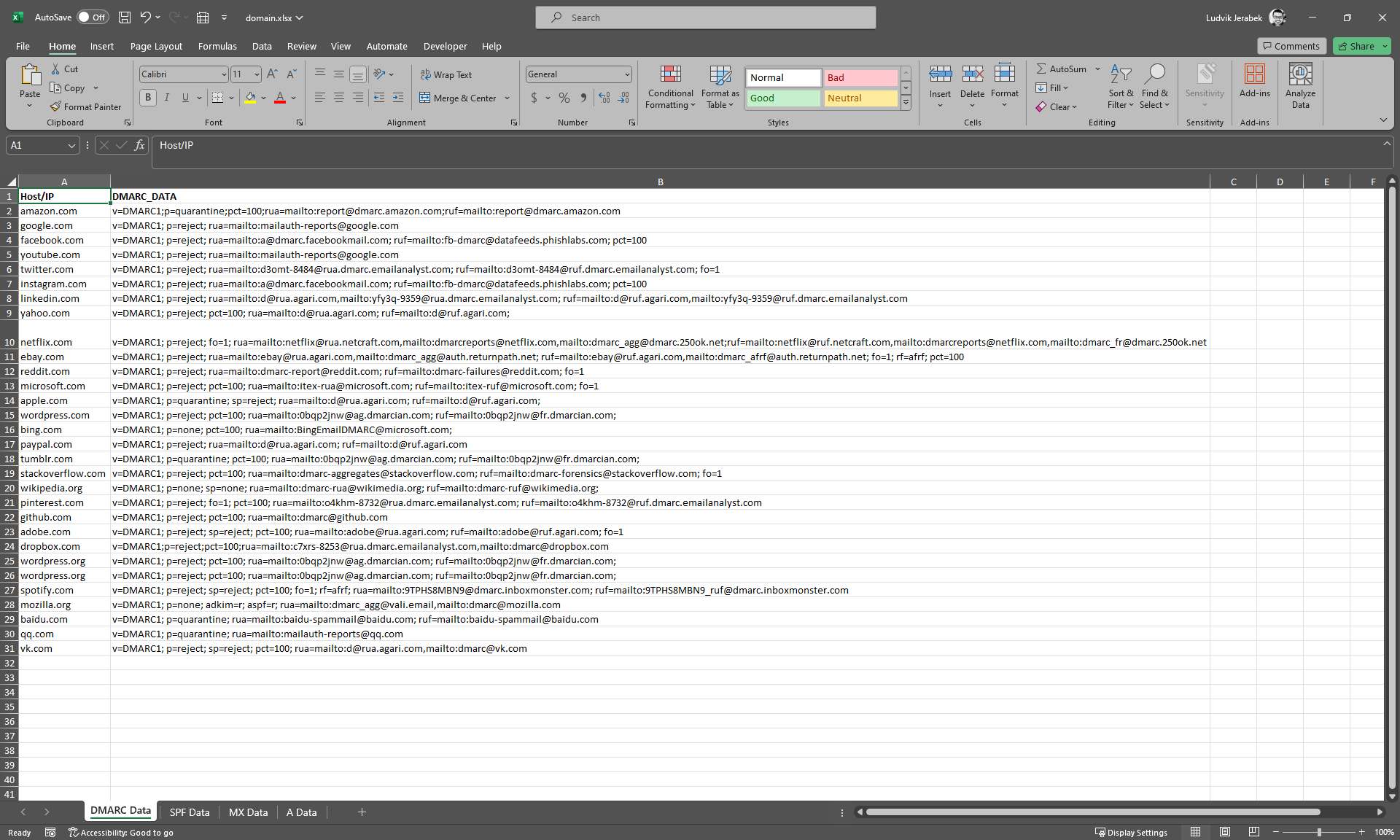
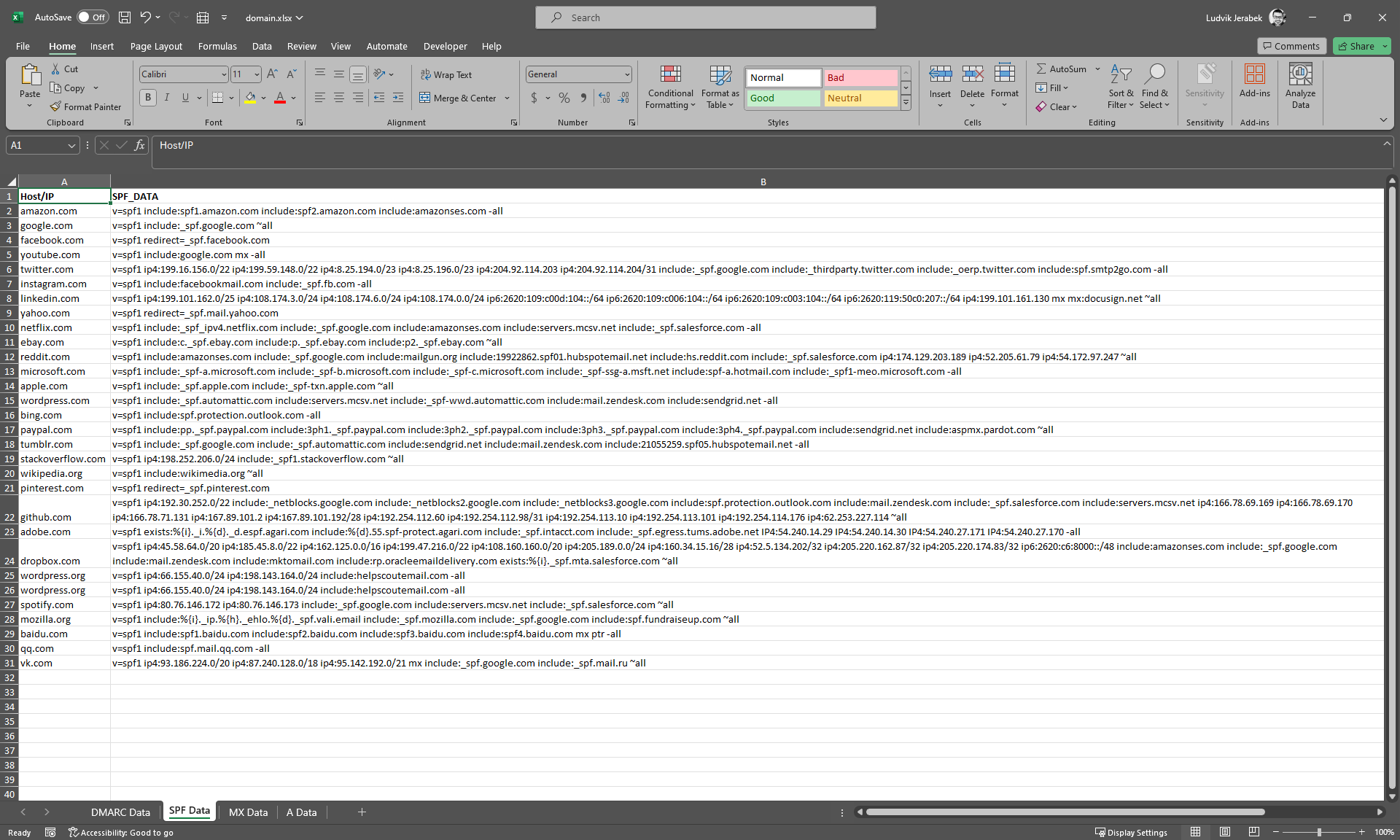
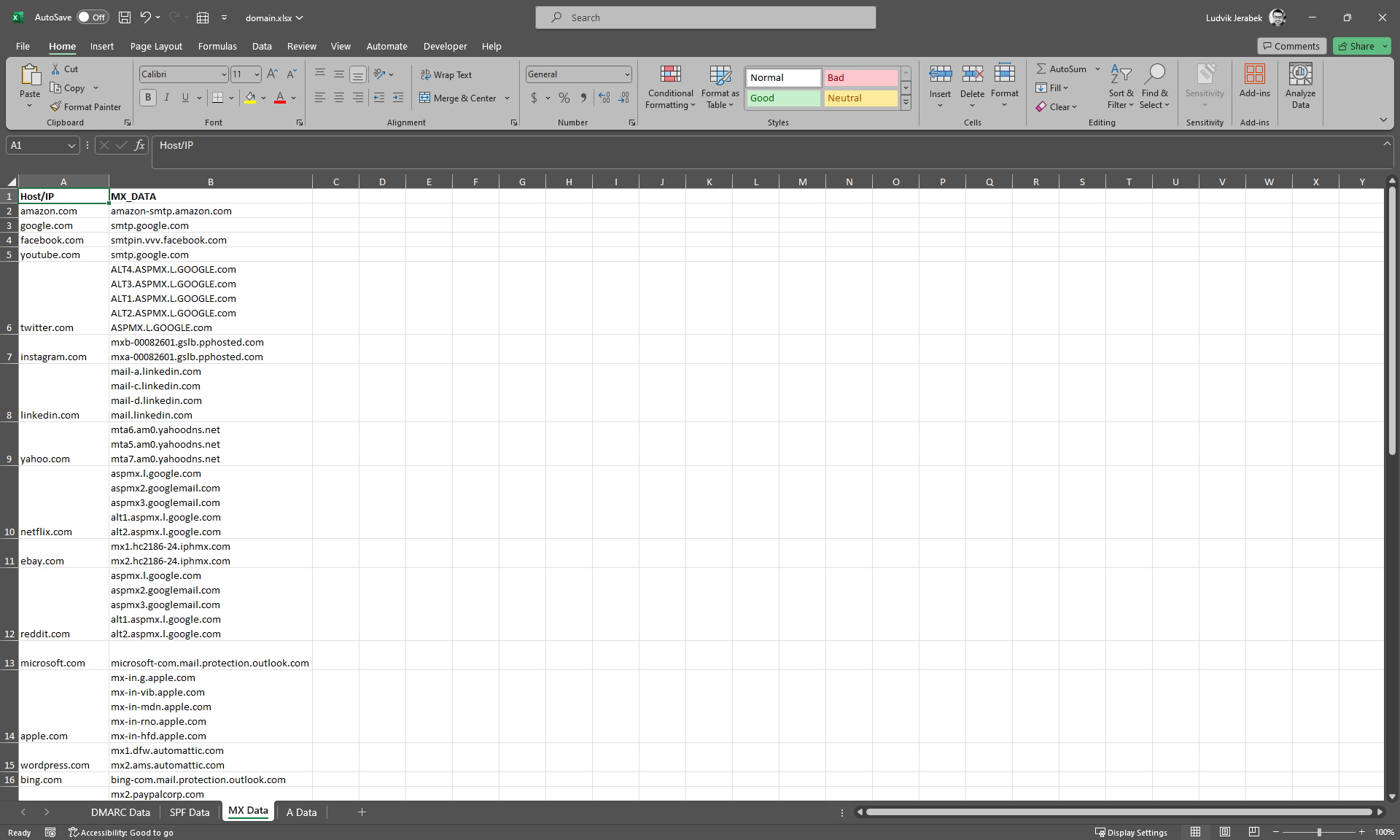
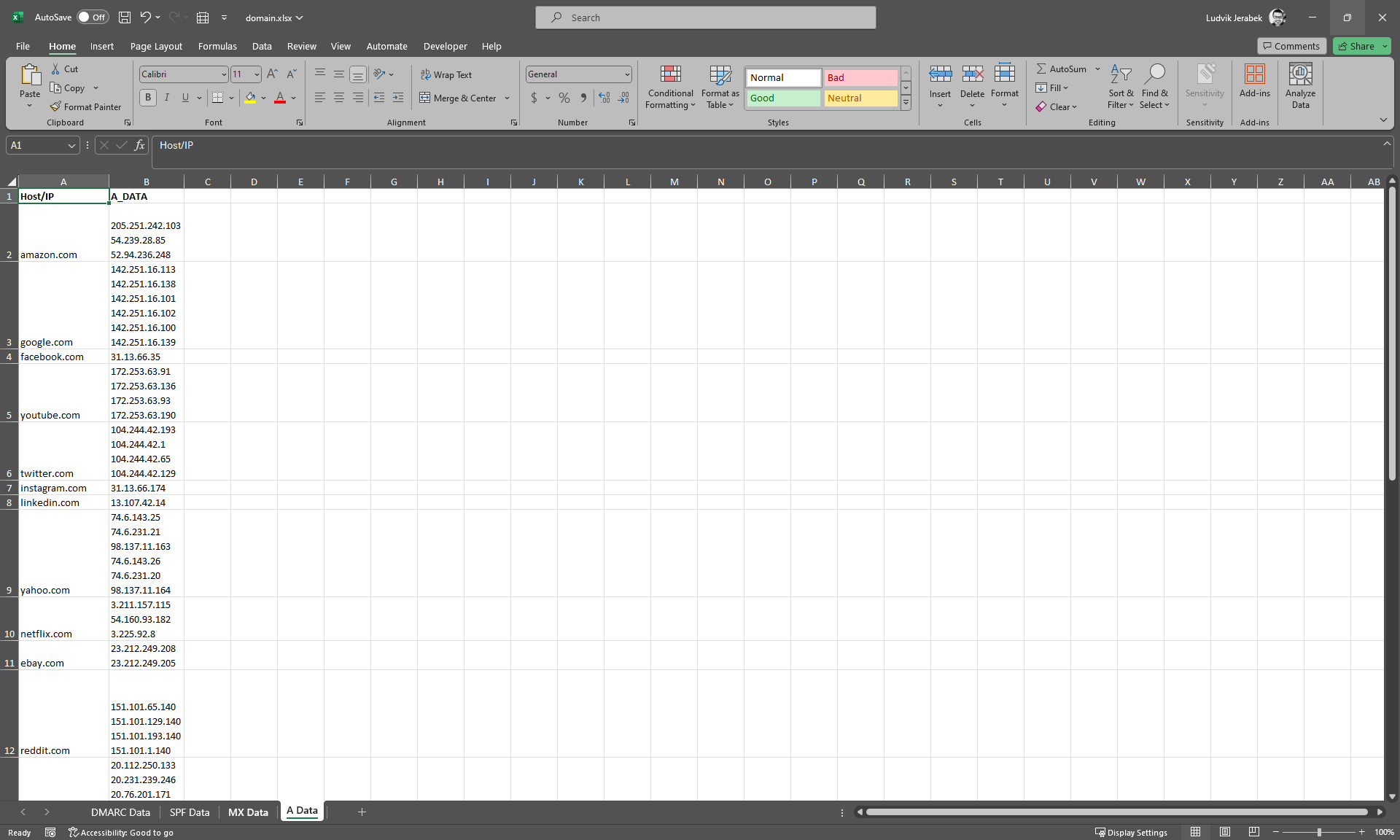
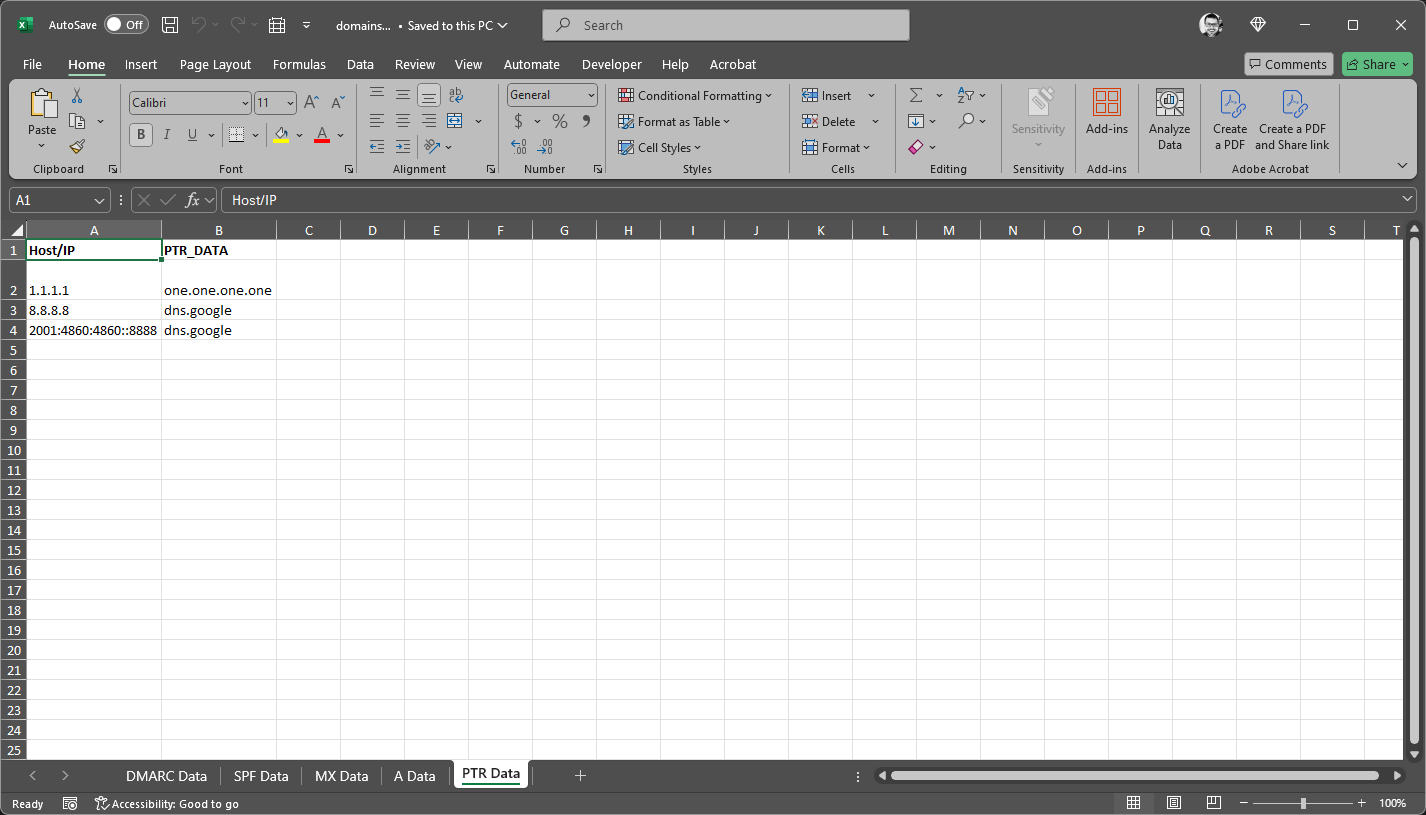
Data tabs are base on the selected lookup information. In the examples below DMARC, SPF, MX, and A records were selected for the the batch lookup. The ouput is in compact form.
View of DMARC Records
View of SPF Data
View of MX Data
View of A Data
View of PTR Data
Metadata
Release files for bulkdnsquery 1.0.0
For a detailed explanation of source distributions (sdists) and built distributions (wheels), please see the package formats documentation.
Source distribution (sdist)
| File | Size | Uploaded | |
|---|---|---|---|
| bulkdnsquery-1.0.0.tar.gz | 8.8 kB | Details |
Built distribution (wheel)
| File | Interpreter | ABI | Platform | Reset |
|---|---|---|---|---|
| bulkdnsquery-1.0.0-py3-none-any.whl | Python 3 | none | any | Details |
Total release size: 15.9 kB
Release files / bulkdnsquery-1.0.0.tar.gz
| Download URL | bulkdnsquery-1.0.0.tar.gz |
|---|---|
| Size | 8.8 kB |
| Tags | Source |
|
SHA-256 checksum How to use checksums |
9364f12510360983a531c306ef421ae61fb56409adc2ca7d15342203ab6da030
|
|
BLAKE2b-256 checksum How to use checksums |
b584848e6567a2bfaf85959c294c70137df24f58ce314ba2ec1a87968d98a591
|
| Upload date | |
|
Uploaded using Trusted Publishing? What is trusted publishing? |
No |
| Uploaded via |
twine/6.0.1 CPython/3.9.21
|
Release files / bulkdnsquery-1.0.0-py3-none-any.whl
| Download URL | bulkdnsquery-1.0.0-py3-none-any.whl |
|---|---|
| Size | 7.1 kB |
| Tags | Python 3 |
|
SHA-256 checksum How to use checksums |
a600cea729ee6ac0378d072fb87516eb11ac9920ede039423f89b20903844326
|
|
BLAKE2b-256 checksum How to use checksums |
5b89dbb2968d2a5a1fd79b29aa38bcb779d0eaad2d37469c346b40dc2cbcb4f6
|
| Upload date | |
|
Uploaded using Trusted Publishing? What is trusted publishing? |
No |
| Uploaded via |
twine/6.0.1 CPython/3.9.21
|













