
camminady_matplotlib_theme
A minimal matplotlib style that matches
camminady_altair_theme:
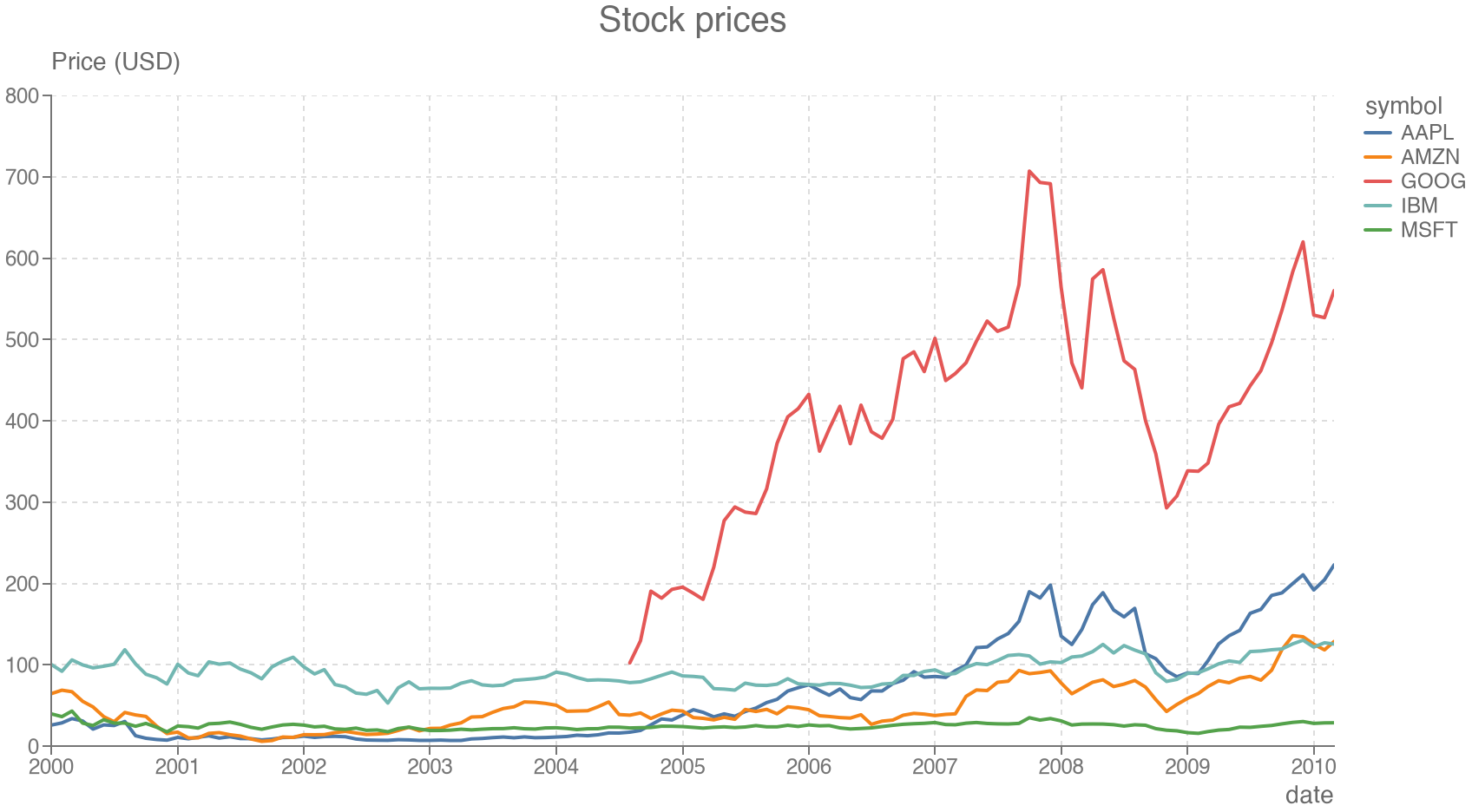
muted gray text, dashed grid lines, no frame around the plot, and horizontal
axis titles at the end of each axis. It comes in a light (camminady) and a
dark (camminady_dark) variant.
Installation
uv add camminady-matplotlib-theme
# or
pip install camminady-matplotlib-theme
Requires Python 3.11+ and matplotlib 3.10+.
Usage
import matplotlib.pyplot as plt

plt.style.use("camminady_matplotlib_theme.camminady")  # or ".camminady_dark"
There is no need to import the package. After
import camminady_matplotlib_theme, the short names "camminady" and
"camminady_dark" work as well; importing does not apply a style.
To use the style for some figures only:
with plt.style.context("camminady_matplotlib_theme.camminady"):
    fig, ax = plt.subplots()
    ...
    fig.savefig("chart.png")
Example
A complete script that draws a line chart of stock prices. The data comes
from vega_datasets
(uv add vega_datasets), which ships it, so the script runs offline.
import matplotlib.pyplot as plt
from vega_datasets import data

plt.style.use("camminady_matplotlib_theme.camminady")

stocks = data.stocks()
fig, ax = plt.subplots()
for symbol, group in stocks.groupby("symbol"):
    ax.plot(group["date"], group["price"], label=symbol)
ax.set(title="Stock prices", xlabel="date", ylabel="Price (USD)")
ax.legend(title="symbol")
fig.savefig("stock_prices.png")
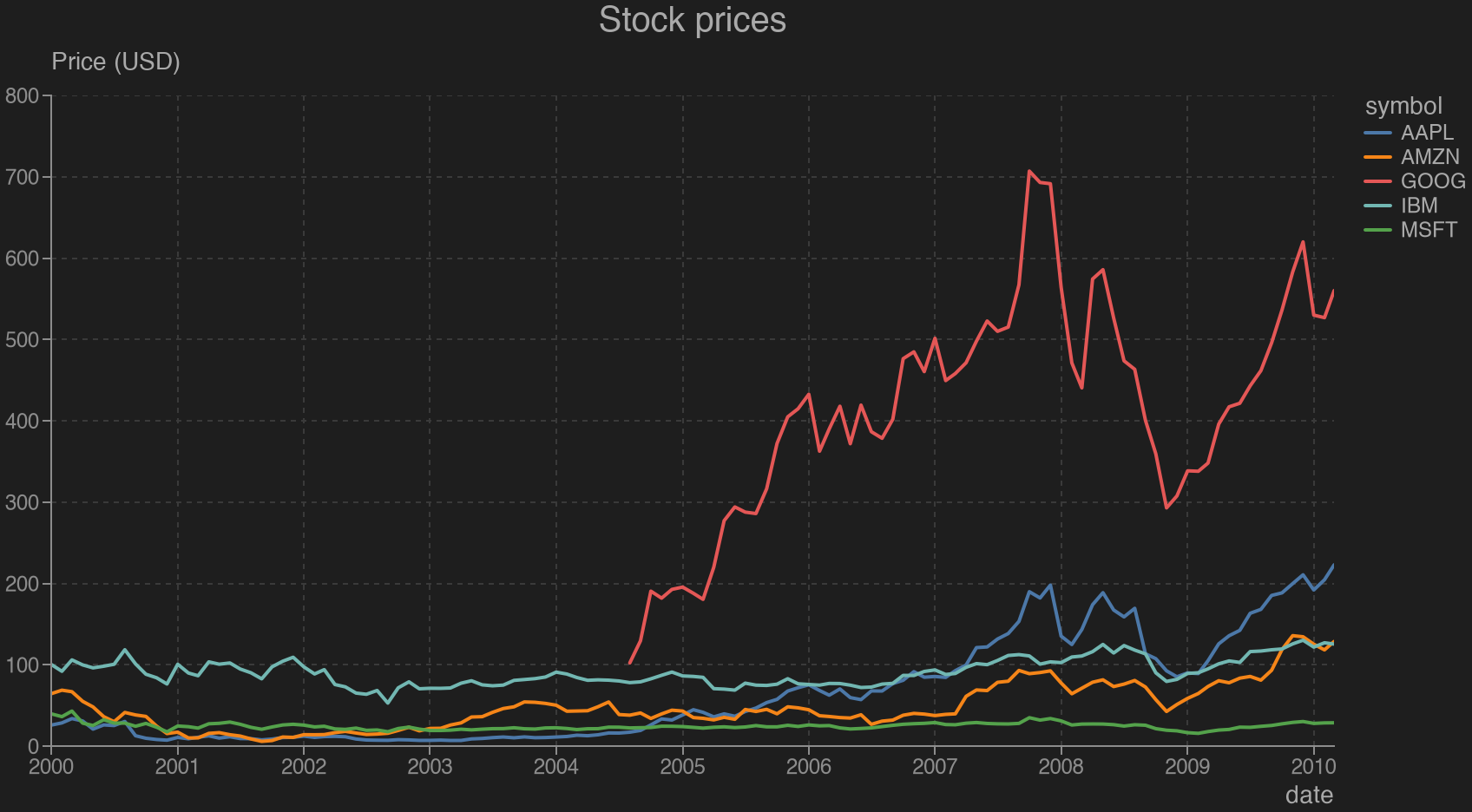
With "camminady_matplotlib_theme.camminady_dark":
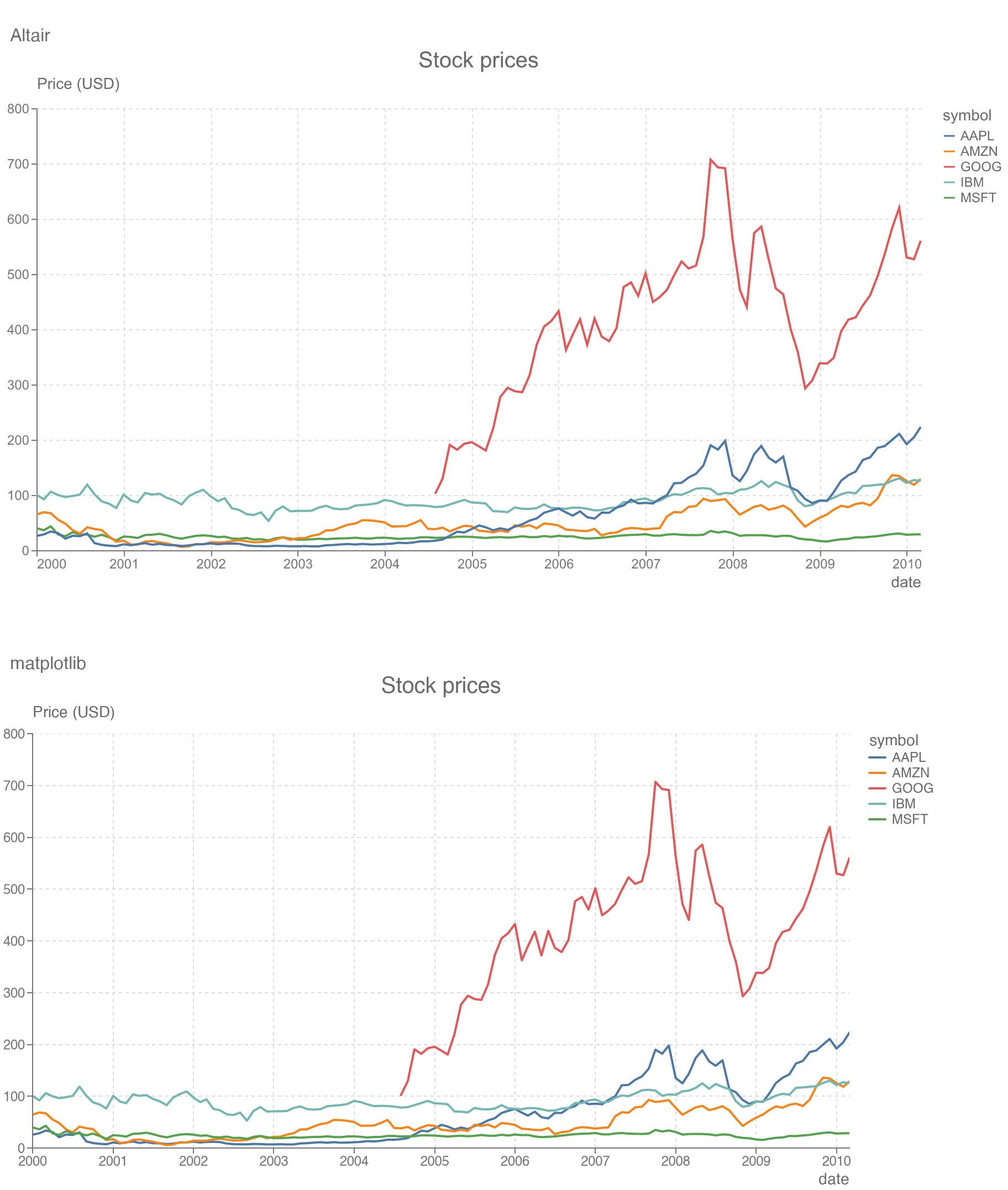
The same chart made with Altair and the Altair theme (top) and with this style (bottom):
Matching the Altair theme
The style uses the design tokens of the Altair theme (colours, font sizes and
the 800 × 400 plot area) and Vega's default colour palette. It sets
figure.dpi to 72 so that one point is one pixel on screen, as in Vega;
savefig writes at 288 dpi (four pixels per point), so saved PNGs stay sharp
when scaled up. Pass dpi= to savefig to override it.
Some of the look cannot be expressed in a style file. The style therefore registers a figure hook that gives each figure created through pyplot a constrained layout which, before drawing:
- turns the y-axis title horizontal and places it above the axis, aligned
with the axis line (titles of
ax.twinx()go to the right end), - moves the axes title above that y-axis title,
- places a legend outside the plot on the right, unless you pass a location
(
ax.legend(loc="lower right")stays where you put it), - places ticks and rounds axis limits like Vega: about one tick per 40 points, at multiples of 1, 2 or 5 times a power of ten,
- removes grid lines across categorical axes and images.
The hook leaves figures alone that use another layout
(plt.subplots(layout="tight")). For a figure created without pyplot, call
camminady_matplotlib_theme.install(fig).
Two differences remain: Vega-Lite includes zero in quantitative axes and draws points as hollow circles; matplotlib does neither by default.
Customising
All colours, font sizes and the plot size are fields of Config, with the
same names and defaults as in the Altair theme:
import matplotlib.pyplot as plt
from camminady_matplotlib_theme import Config, rc_params

plt.style.use(rc_params(Config(width=400, height=250)))
to_mplstyle(rc_params(...)) returns the contents of a .mplstyle file.
Colour-blind safety
The default palette is Vega's tableau10. Its third (red) and fifth (green)
colours are nearly indistinguishable for people with deuteranopia, so for five
or more categories use the bundled Okabe-Ito palette:
from camminady_matplotlib_theme import OKABE_ITO

ax.set_prop_cycle(color=OKABE_ITO)
Development
uv sync
uv run pytest
uv run ruff check . && uv run ruff format --check .
uv run ty check
uv run python create_charts.py  # regenerate the images above
The .mplstyle files are generated from Config; after changing a token,
rewrite them with:
uv run python -c "
from importlib.resources import files
from camminady_matplotlib_theme import theme
for name, c in {'camminady': theme.config, 'camminady_dark': theme.config_dark}.items():
    (files('camminady_matplotlib_theme') / f'{name}.mplstyle').write_text(
        theme.to_mplstyle(theme.rc_params(c)))
"
1 maintainer

Metadata
1 maintainer
Release files for camminady_matplotlib_theme 0.2.0
For a detailed explanation of source distributions (sdists) and built distributions (wheels), please see the package formats documentation.
Source distribution (sdist)
| File | Size | Uploaded | Provenance | Actions |
|---|---|---|---|---|
| camminady_matplotlib_theme-0.2.0.tar.gz | 17.8 kB | Without provenance | Details for camminady_matplotlib_theme-0.2.0.tar.gz |
Built distribution (wheel)
| File | Interpreter | ABI | Platform | Actions Reset |
|---|---|---|---|---|
| camminady_matplotlib_theme-0.2.0-py3-none-any.whl | Python 3 | none | any | Details for camminady_matplotlib_theme-0.2.0-py3-none-any.whl |
Total release size: 33.3 kB
Release files / camminady_matplotlib_theme-0.2.0.tar.gz
| Download URL | camminady_matplotlib_theme-0.2.0.tar.gz |
|---|---|
| Size | 17.8 kB |
| Tags | Source |
|
SHA-256 checksum How to use checksums |
d588d95e0fa169b9979e5ba15cef1451117f3424e0629cbc547cc8763a62c11d
|
|
BLAKE2b-256 checksum How to use checksums |
ce9e5a96e3a63461a8c3ad8f705887bf912595b416e6ea474ec35e6f9754afca
|
| Upload date | |
|
Uploaded using Trusted Publishing? What is trusted publishing? |
Yes |
| Uploaded via |
uv/0.13.5 {"installer":{"name":"uv","version":"0.13.5","subcommand":["publish"]},"python":null,"implementation":{"name":null,"version":null},"distro":{"name":"Ubuntu","version":"24.04","id":"noble","libc":null},"system":{"name":null,"release":null},"cpu":null,"openssl_version":null,"setuptools_version":null,"rustc_version":null,"ci":true}
|
Release files / camminady_matplotlib_theme-0.2.0-py3-none-any.whl
| Download URL | camminady_matplotlib_theme-0.2.0-py3-none-any.whl |
|---|---|
| Size | 15.4 kB |
| Tags | Python 3 |
|
SHA-256 checksum How to use checksums |
04fe21b0d4e5363db6e4ce631b48260f3f0c857decac11f24ec017148819c160
|
|
BLAKE2b-256 checksum How to use checksums |
4d56b702dfeb544c9de24b49883856245cfcf107445ffe1d369f27de40a3d60e
|
| Upload date | |
|
Uploaded using Trusted Publishing? What is trusted publishing? |
Yes |
| Uploaded via |
uv/0.13.5 {"installer":{"name":"uv","version":"0.13.5","subcommand":["publish"]},"python":null,"implementation":{"name":null,"version":null},"distro":{"name":"Ubuntu","version":"24.04","id":"noble","libc":null},"system":{"name":null,"release":null},"cpu":null,"openssl_version":null,"setuptools_version":null,"rustc_version":null,"ci":true}
|
Security for camminady_matplotlib_theme 0.2.0
Provenance
Provenance describes where a file came from. On PyPI, provenance is shared via attestations, which provide a verifiable record of the build or publishing details. View details, limitations and caveats.
No provenance found
None of the files in this release were uploaded with provenance metadata.
A note on package security
PyPI is a repository for distributing packages, not a service for auditing them. While third-party security researchers and our staff do their best to detect and remove malicious packages, PyPI cannot guarantee the quality, security or suitability of any given package.
To learn more about protecting yourself from malicious actors, visit our package security documentation.













