
Canvasdl
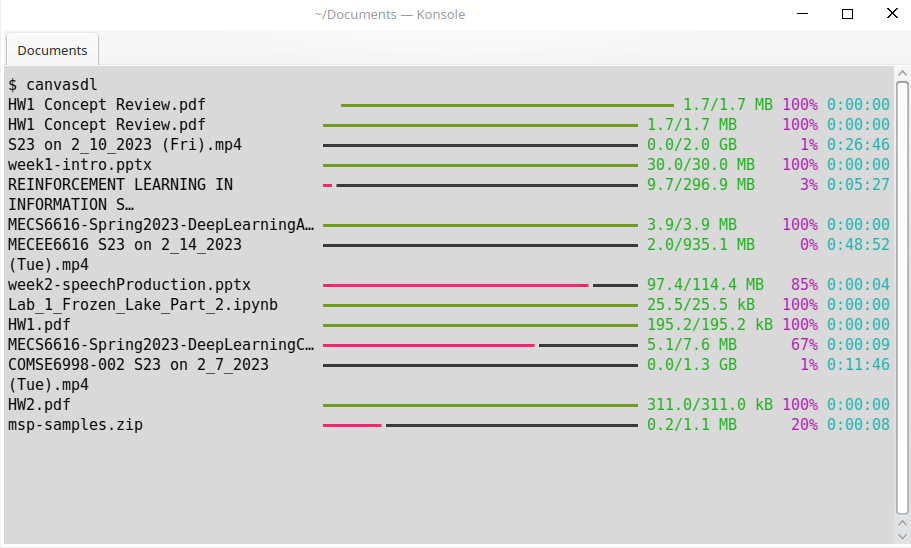
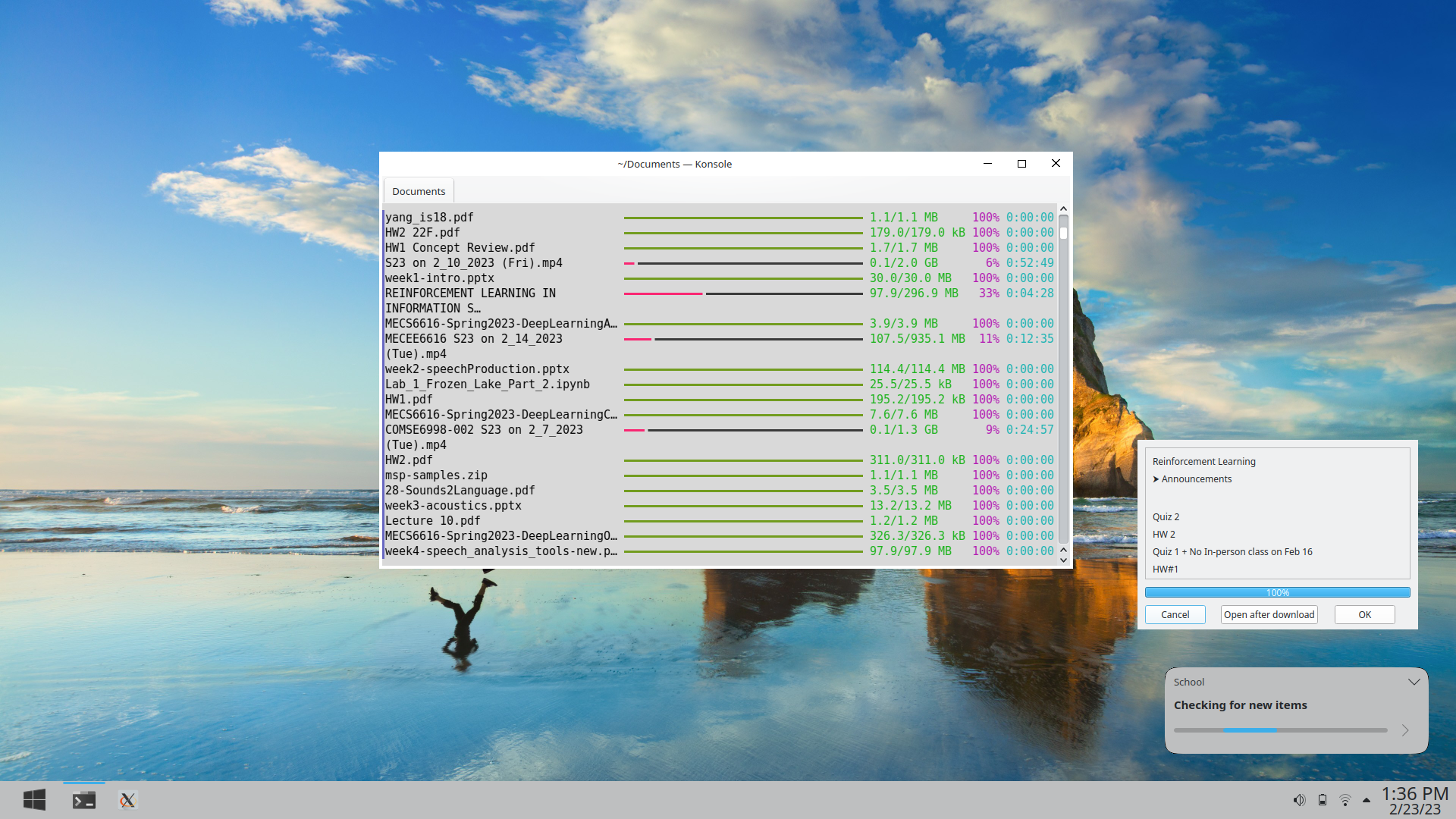
Tired of managing your course content on 5-10 different platforms? Canvasdl comes to the rescue and saves you hours of work when studying and completing assignments. This convenient package:
- Synchronizes all your course content to local files
- Synchronizes your assignment dates to google calendar
- Shows you what items are new
- Remembers your progress through course materials
- Keeps you up to date without overwhelming you with useless notifications
- Synchronizes content available on:
- Canvas:
- Announcements
- Assignments
- Course files
- Video recordings
- Course websites
- Ed Discussion
- Google Drive
- Piazza
- Gradescope
- Canvas:
- Developed for:
- Students at Columbia University
- Linux OS.
- Useful for any school using any of the listed platforms
- Contact developer for other OS/platforms support.
Installation
Make sure you are using python3.10+
-
Install the package
pip install canvasdl
-
Obtain Canvas API key
- Columbia University students
- Go to Courseworks > Account > Settings
- Click on "New Access Token"
- Columbia University students
-
[Optional] Obtain Google Calendar API key
-
[Optional] Specify custom Calendar ID
-
Configure your settings:
canvasdl --configure -
Install package for local file management
- xattr
- mediainfo
-
[Optional] Install package for UI progress during synchronization
- python-pyqt6
- pip install PyQt6
Usage
Run command to synchronize all content and check for updates
canvasdl
Quickstart
To quickly experiment with the package you can run the quickstart in Google Collab.
1 maintainer

Metadata
1 maintainer
Release files for canvasdl 1.4.20
For a detailed explanation of source distributions (sdists) and built distributions (wheels), please see the package formats documentation.
Source distribution (sdist)
| File | Size | Uploaded | Provenance | Actions |
|---|---|---|---|---|
| canvasdl-1.4.20.tar.gz | 26.9 kB | Without provenance | Details for canvasdl-1.4.20.tar.gz |
Release files / canvasdl-1.4.20.tar.gz
| Download URL | canvasdl-1.4.20.tar.gz |
|---|---|
| Size | 26.9 kB |
| Tags | Source |
|
SHA-256 checksum How to use checksums |
252a10a989d6ce12705f8be467ceba4e2985ece7797a2c171ec16adb2df930a6
|
|
BLAKE2b-256 checksum How to use checksums |
84ee7ef06981d897e8a79a2300e7c5b0d9cb89f0205cabfa28403a759db802a0
|
| Upload date | |
|
Uploaded using Trusted Publishing? What is trusted publishing? |
No |
| Uploaded via |
twine/4.0.2 CPython/3.10.7
|
Security for canvasdl 1.4.20
Provenance
Provenance describes where a file came from. On PyPI, provenance is shared via attestations, which provide a verifiable record of the build or publishing details. View details, limitations and caveats.
No provenance found
None of the files in this release were uploaded with provenance metadata.
A note on package security
PyPI is a repository for distributing packages, not a service for auditing them. While third-party security researchers and our staff do their best to detect and remove malicious packages, PyPI cannot guarantee the quality, security or suitability of any given package.
To learn more about protecting yourself from malicious actors, visit our package security documentation.














