
CodeLint
CodeLint is a lightweight Python module that ensures your code complies with PEP 8 standards. By identifying common issues like long lines, incorrect indentation, inconsistent naming conventions, and unnecessary whitespace, CodeLint helps you write clean, professional, and maintainable Python code.
Table of Contents







Key Features
- Line Length Check: Flags lines exceeding a specified maximum length.
- Indentation Check: Detects incorrect visual indentation (e.g., mixed tabs and spaces).
- Snake Case Check: Ensures variable and function names follow the
snake_casenaming convention. - Whitespace Check: Identifies trailing whitespace and excessive blank lines.
Installation
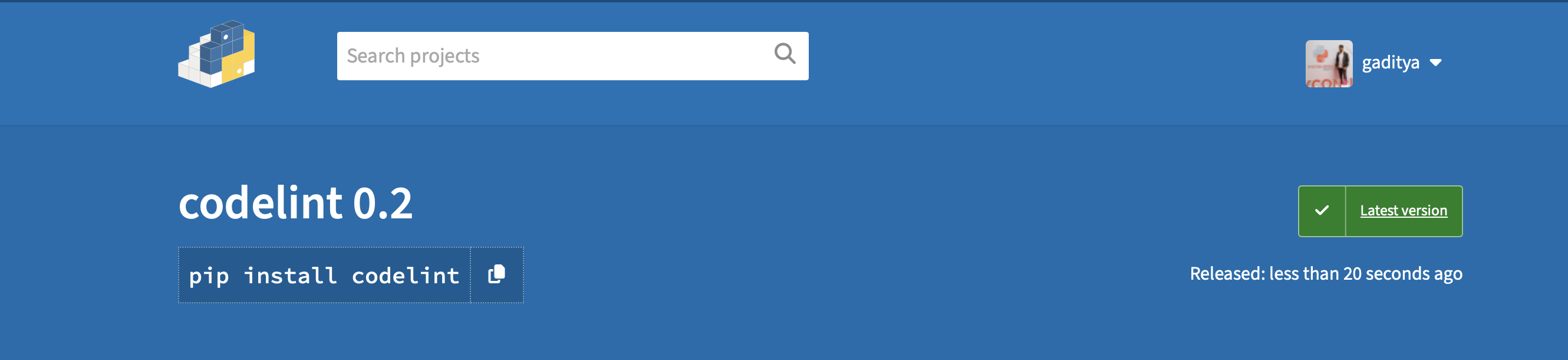
Install CodeLint easily using pip:
pip install codelint
Usage
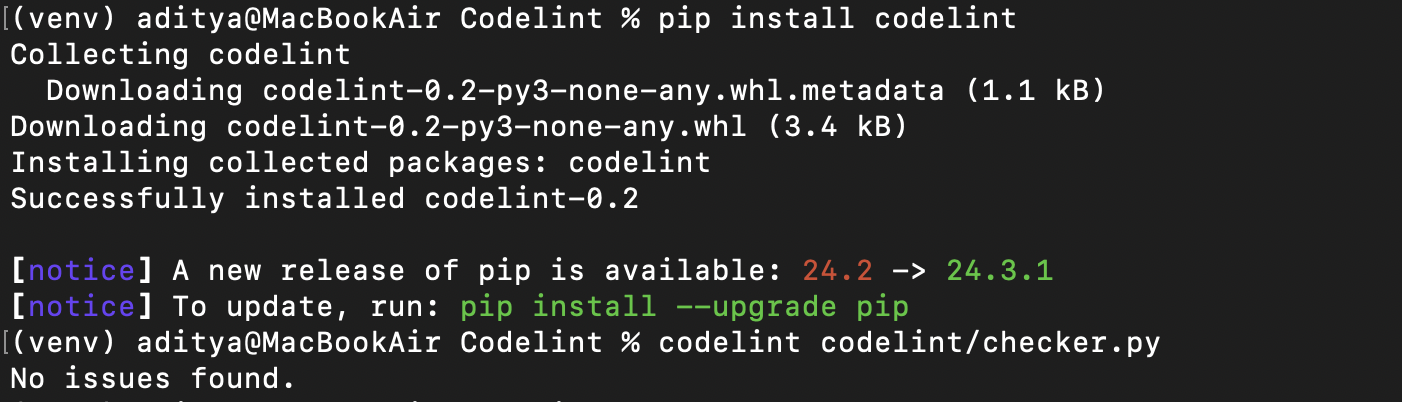
CodeLint can be run directly from the terminal to analyze Python files for PEP 8 violations.
Command:
codelint <file.py>
Example:
>> pip install codelint
>> codelint my_script.py
Running Tests with Pytest
CodeLint includes comprehensive tests to ensure functionality and reliability. Follow these steps to run the test suite:
-
Clone the repository:
git clone https://github.com/Aditya-1998k/CodeLint.git
-
Navigate to the project directory:
cd CodeLint
-
Install
pytest:pip install pytest
-
Run the tests:
pytest tests/test_checker.py
Example:

How It Works
CodeLint scans your Python files for the following issues:
- Line Length: Checks for lines that exceed the standard maximum length (default is 79 characters).
- Indentation: Ensures consistent indentation (e.g., no mixing of tabs and spaces).
- Snake Case Naming: Verifies that function and variable names adhere to PEP 8's
snake_casestandard. - Trailing Whitespace: Identifies and flags any trailing spaces at the end of lines.
- Excessive Blank Lines: Warns about more than one consecutive blank line.
Contributing
We welcome contributions from the community! To contribute:
- Fork the repository.
- Create a new branch for your feature:
git checkout -b feature-name
- Commit your changes:
git commit -m "Add feature-name"
- Push to your branch:
git push origin feature-name
- Submit a pull request.
License
CodeLint is licensed under the MIT License. See the LICENSE file for details.
CodeLint helps you maintain high coding standards effortlessly. Install today and ensure your Python projects adhere to best practices! 🚀
1 maintainer

Metadata
1 maintainer
Release files for codelint 0.1.7
For a detailed explanation of source distributions (sdists) and built distributions (wheels), please see the package formats documentation.
Source distribution (sdist)
| File | Size | Uploaded | |
|---|---|---|---|
| codelint-0.1.7.tar.gz | 5.4 kB | Details |
Built distribution (wheel)
| File | Interpreter | ABI | Platform | Reset |
|---|---|---|---|---|
| codelint-0.1.7-py3-none-any.whl | Python 3 | none | any | Details |
Total release size: 10.9 kB
Release files / codelint-0.1.7.tar.gz
| Download URL | codelint-0.1.7.tar.gz |
|---|---|
| Size | 5.4 kB |
| Tags | Source |
|
SHA-256 checksum How to use checksums |
1e9c40db01665696412acabb3f9f62c6ddb942d96286eeb5bf7b8634085e2eea
|
|
BLAKE2b-256 checksum How to use checksums |
36c64ac2fd52f16072c8dde5345eab77f49a87f011faf9f84b962a63749c83d5
|
| Upload date | |
|
Uploaded using Trusted Publishing? What is trusted publishing? |
No |
| Uploaded via |
twine/5.1.1 CPython/3.12.6
|
Release files / codelint-0.1.7-py3-none-any.whl
| Download URL | codelint-0.1.7-py3-none-any.whl |
|---|---|
| Size | 5.5 kB |
| Tags | Python 3 |
|
SHA-256 checksum How to use checksums |
3b25b88ea30f119504d46507adec30aeab3de297aa56790d6c9c75f2457579c1
|
|
BLAKE2b-256 checksum How to use checksums |
10564c20b9db633ab0f69e9426d53b59b8f35b072a0ae37eb3168024b8df6a59
|
| Upload date | |
|
Uploaded using Trusted Publishing? What is trusted publishing? |
No |
| Uploaded via |
twine/5.1.1 CPython/3.12.6
|














