
Grabs hits, views and popular content based on awstats data and presents this information in the context of your Plone site. Provides a “Popular Content” portlet for displaying popular content from awstats.
Installation & Usage
Add collective.awstats_hitcounter to your buildout and re-run bin/buildout
Then install on your plone site under “Site Setup” > “Add-ons”
Once this is installed you know have the facility to dynamically pull in a counter.
Configuration
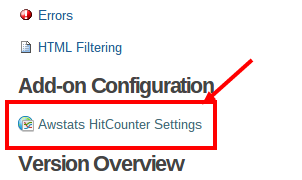
After installation configure your awstats url. You can do so by going to Site Setup > Awstats HitCounter Settings.
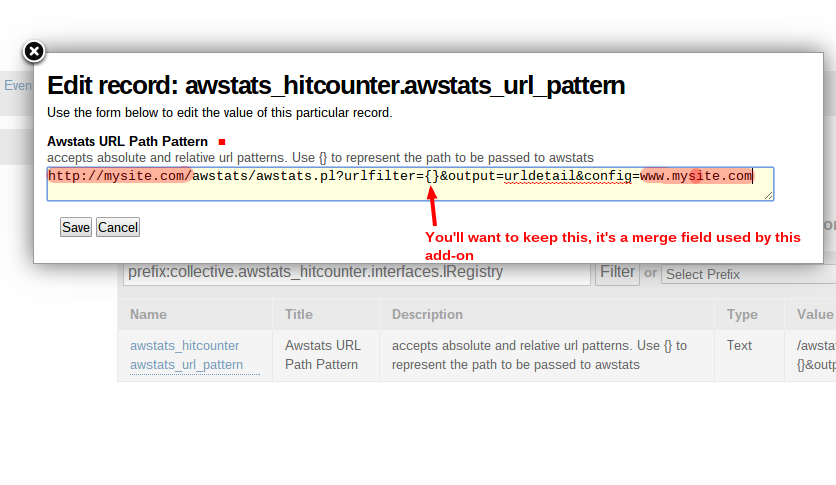
Set the absolute url to look similar to this:
Configuring the Popular Content settings for the popular_content_view
In order to make use of the built in @@popular_content_view you will need to register an “awstats popular page”
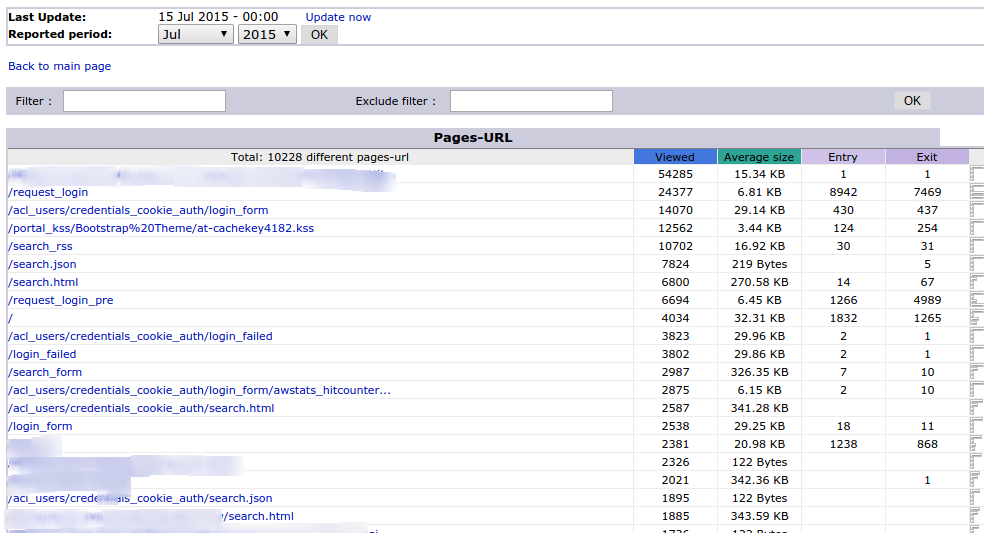
If you need to find the “awstats popular page” you will need to provide the url from your awstats installation that provides the full list of Page URLs then follow the link to the “Full list” It will look something like this:
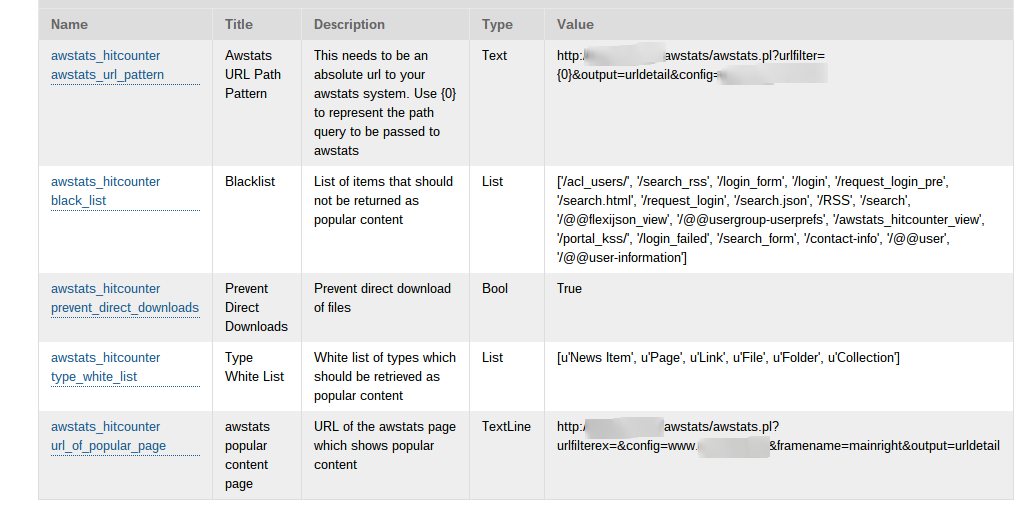
Add that url as the awstats_hitcounter url_of_popular_page value (see the image below).
Debugging with DUMP_RAW_AWSTATS_URLS
Sometimes you want to make sure things are working. The following can be done on a non-production server.
DO NOT DO THIS ON A PRODUCTION SERVER.
Launch the instance with the env var DUMP_RAW_AWSTATS_URLS as follows:
DUMP_RAW_AWSTATS_URLS=1 bin/instance fg
This tells the system to skip comparing awstats values to the site catalog. Effectively you’ll just get a ‘raw’ dump of the URLs returned from AWSTATS. This is very useful for troubleshooting and diagnosing if scraping is working at all.
Usage
collective.awstats_hitcounter adds a viewlet with the id ‘awstats_hitcounter’ which pulls in the stats from awstats.
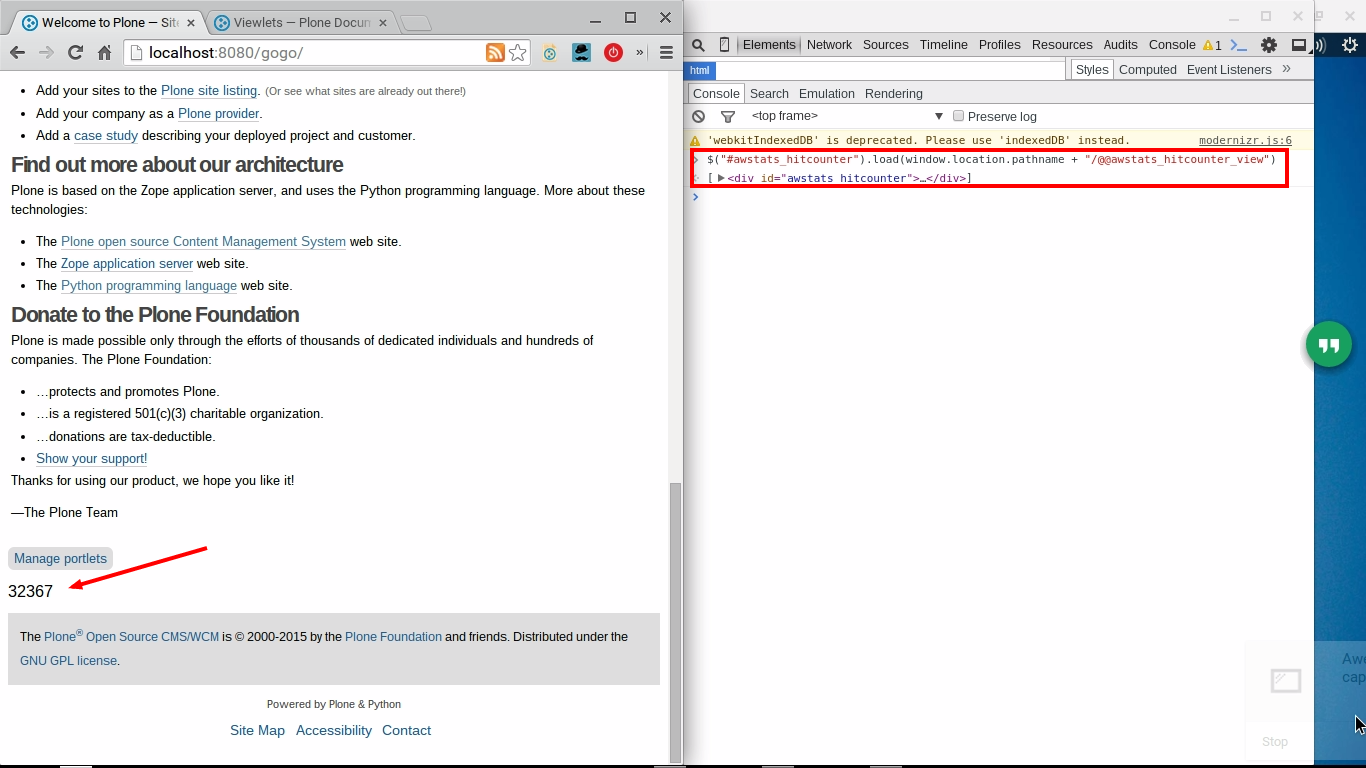
Add this javascript at the bottom of pages where you want the counter to show:
$("#awstats_hitcounter").load(window.location.pathname + "/@@awstats_hitcounter_view")
The screenshot below illustrates the expected behaviour
The Popular Content Portlet
This add-on provides a “Popular Content Portlet”. It can either make use of the global settings or use settings specific to the portlet.
The portlet is used to present the most popular content on your website, based on awstats.
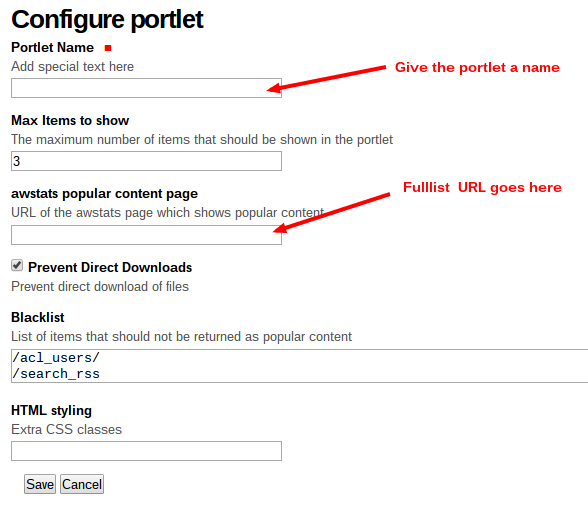
If you prefer to configure all settings in the context of the portlet, you will need to provide the url from your awstats installation that provides the full list of Page URLs then follow the link to the “Full list” It will look something like this:
Copy the url associated with that page, you’ll need it when adding the portlet.
Decide where in your site you want the portlet to be located and using the ‘manage portlets’ link add a new ‘Popular Content Portlet’. You’ll see a screen similar to this:
We recommend that you leave the “Read settings from the global registry” option selected, this has the effect of overriding the values of the settings highlighted in orange below. (The global registry is also used for the Popular content view).
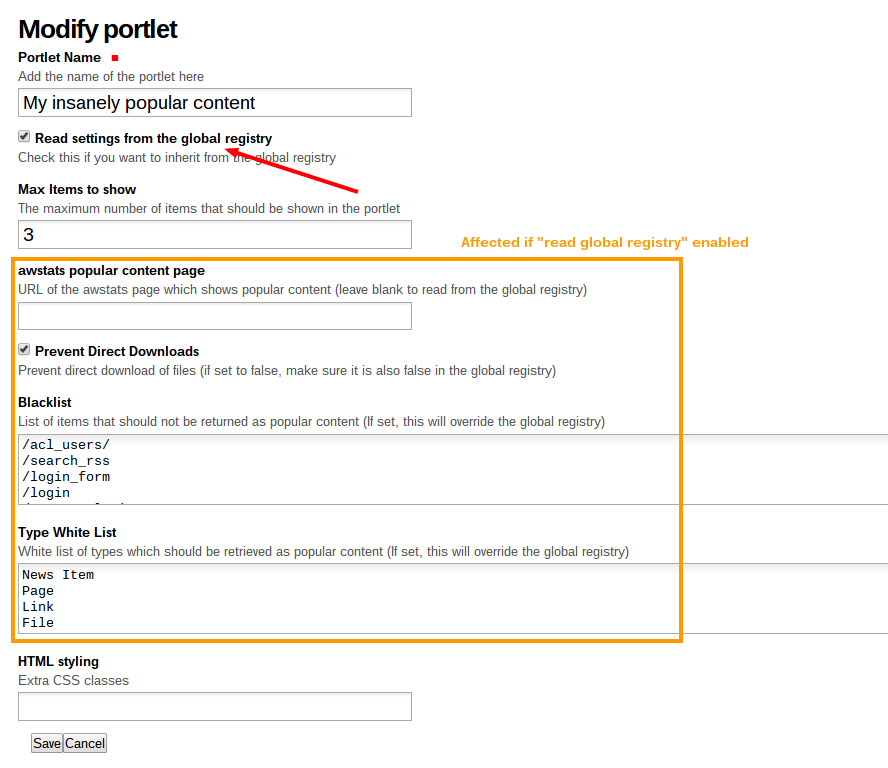
Use the Blacklist to prevent particular URLs from showing up in popular content.
Use the White list to specify what content types are allowed in the portlet.
Contributors
David Bain, david@alteroo.com
Changelog
0.1.6
add on listens for the existence of the env var DUMP_RAW_AWSTATS_URLS, useful for testing and troubleshooting
@@popular_content_view can now be configured to say how many items should show on the page. This setting is managed in the registry. The default value is 150.
0.1.5
added a popular content view
added a popular content portlet
added a content type whitelist to the portlet
added a url black list to the portlet
added an option to filter out direct downloads from the portlet
0.1.4
added support for hits (not just page views) [pigeonflight]
0.1.3
moved the stats viewlet to the top of the portal footer viewlet manager [pigeonflight]
0.1.2
fixed a problem with the way the path was retrieved [pigeonflight]
now counts downloaded attachments different from views [pigeonflight]
0.1.1
moved the hitcounter viewlet to the viewlets.IPortalFooter
added custom app.js which asynchronously pulls stats from the ‘awstats_hitcounter_view’
the stats view now returns the content type, creation date and number of views [pigeonflight]
update to use BeautifulSoup for scraping awstats [pigeonflight]
0.1
Initial release. [pigeonflight]
1 maintainer

Release files for collective.awstats_hitcounter 0.1.6.1
For a detailed explanation of source distributions (sdists) and built distributions (wheels), please see the package formats documentation.
Source distribution (sdist)
| File | Size | Uploaded | |
|---|---|---|---|
| collective.awstats_hitcounter-0.1.6.1.tar.gz | 31.4 kB | Details |
Release files / collective.awstats_hitcounter-0.1.6.1.tar.gz
| Download URL | collective.awstats_hitcounter-0.1.6.1.tar.gz |
|---|---|
| Size | 31.4 kB |
| Tags | Source |
|
SHA-256 checksum How to use checksums |
03aef54ae8f8c46de6c1b18941a7b341b973c5ef4cb15794c5ca8d7c6b7dc23c
|
|
BLAKE2b-256 checksum How to use checksums |
8a394784b005ce1cf2d9295ebf79881eba9edb1edbc32fd16f7416d66d524a4a
|
| Upload date | |
|
Uploaded using Trusted Publishing? What is trusted publishing? |
No |














