
Introduction
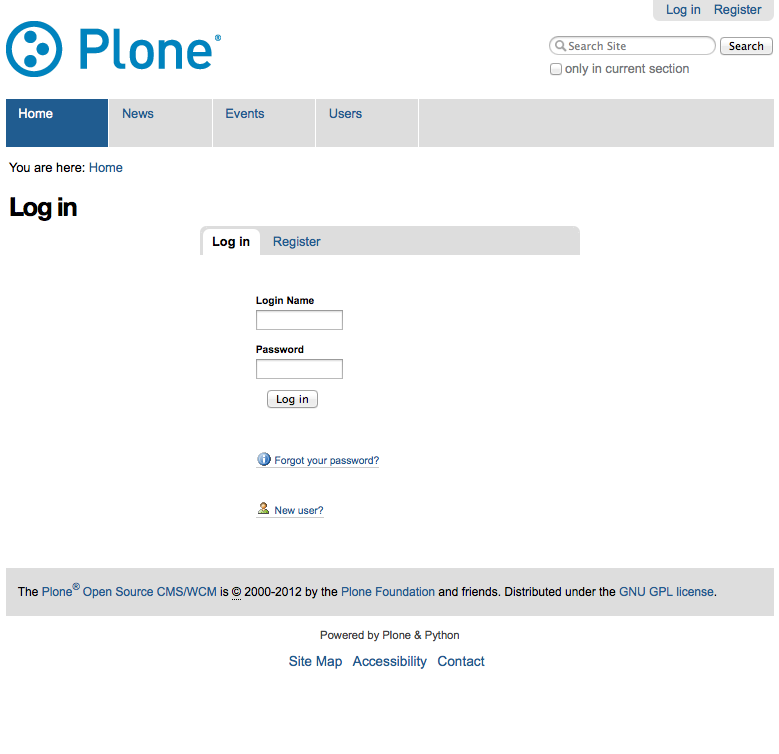
collective.pluggablelogin overrides the standard Plone login form with a template using a portlet manager, so that various login components can be configured.
Configuration
Go to the Addons control panel and activate “Pluggable Login Page.”
Now if you go to /login while logged in as a Manager, you’ll see a “Manage portlets” link which you can use to manage the available login portlets. By default, the standard login portlet and a registration form portlet are enabled (the latter is only shown if self registration is enabled for the site).
As well as manual assignment via the web interface, the pluggable login page can also be assigned portlets via GenericSetup, in the same way as Plone’s other portlet managers can. For example, to register a custom porlet on the pluggable login page, use this an example within portlets.xml inside a GenericSetup profile:
<portlets
    xmlns:i18n="http://xml.zope.org/namespaces/i18n"
    i18n:domain="plone">
 <assignment
    name="navigation"
    category="context"
    key="/"
    manager="collective.pluggablelogin"
    type="my.product.portlets.CustomLoginPortlet"
    insert-before="*"
    visible="True">
    <property name="title">string:Login portlet title</property>
    <property name="description">string:Example property</property>
 </assignment>
</portlets>
Credits
Developed by David Glick and Groundwire Consulting. Sponsored by the Innocence Project.
To-do
Refactor inline styles on the logged in or out views.
Changelog
1.2.1 (2015-05-20)
Avoid double form tags and invalid markup on the registration portlet with new-style z3cforms. [davidjb]
1.2 (2015-03-23)
Allow the registration portlet to work with both new (z3cform) and old-style (zope.formlib) register forms. [davidjb]
1.1 (2014-01-30)
Add id to the login-portlets div, ensuring the element can be selected on the page. [davidjb]
Improve styles for login page, normalising with logged out page. [davidjb]
Add logged out page templates to display pluggable login. [davidjb]
Improve styles and formatting for login page. [davidjb]
Fix issue with empty <div> generated on login page after trailing </html> end tag. [davidjb]
1.0 (2012-05-10)
Initial implementation [davisagli]


Release files for collective.pluggablelogin 1.2.1
For a detailed explanation of source distributions (sdists) and built distributions (wheels), please see the package formats documentation.
Source distribution (sdist)
| File | Size | Uploaded | |
|---|---|---|---|
| collective.pluggablelogin-1.2.1.zip | 74.3 kB | Details |
Release files / collective.pluggablelogin-1.2.1.zip
| Download URL | collective.pluggablelogin-1.2.1.zip |
|---|---|
| Size | 74.3 kB |
| Tags | Source |
|
SHA-256 checksum How to use checksums |
afd5d53600066988fb76daf799701b6bbab78d6caae37bf3185801cbed5b12d1
|
|
BLAKE2b-256 checksum How to use checksums |
83856abf98c0e7b047464ac20d9cd2ad0d02ef6f4b1be2d32a4895dc094fb9f9
|
| Upload date | |
|
Uploaded using Trusted Publishing? What is trusted publishing? |
No |














