
Cprep - preparing contests made easy
Cprep is a project inspired by Codeforces Polygon, that aims to provide an open-source extensible alternative to programming contest creation.
Installation
Via pip (recommended)
- Run
pip3 install cprep
Via source code
- Clone the repository
- Run
pip3 install .
How to use
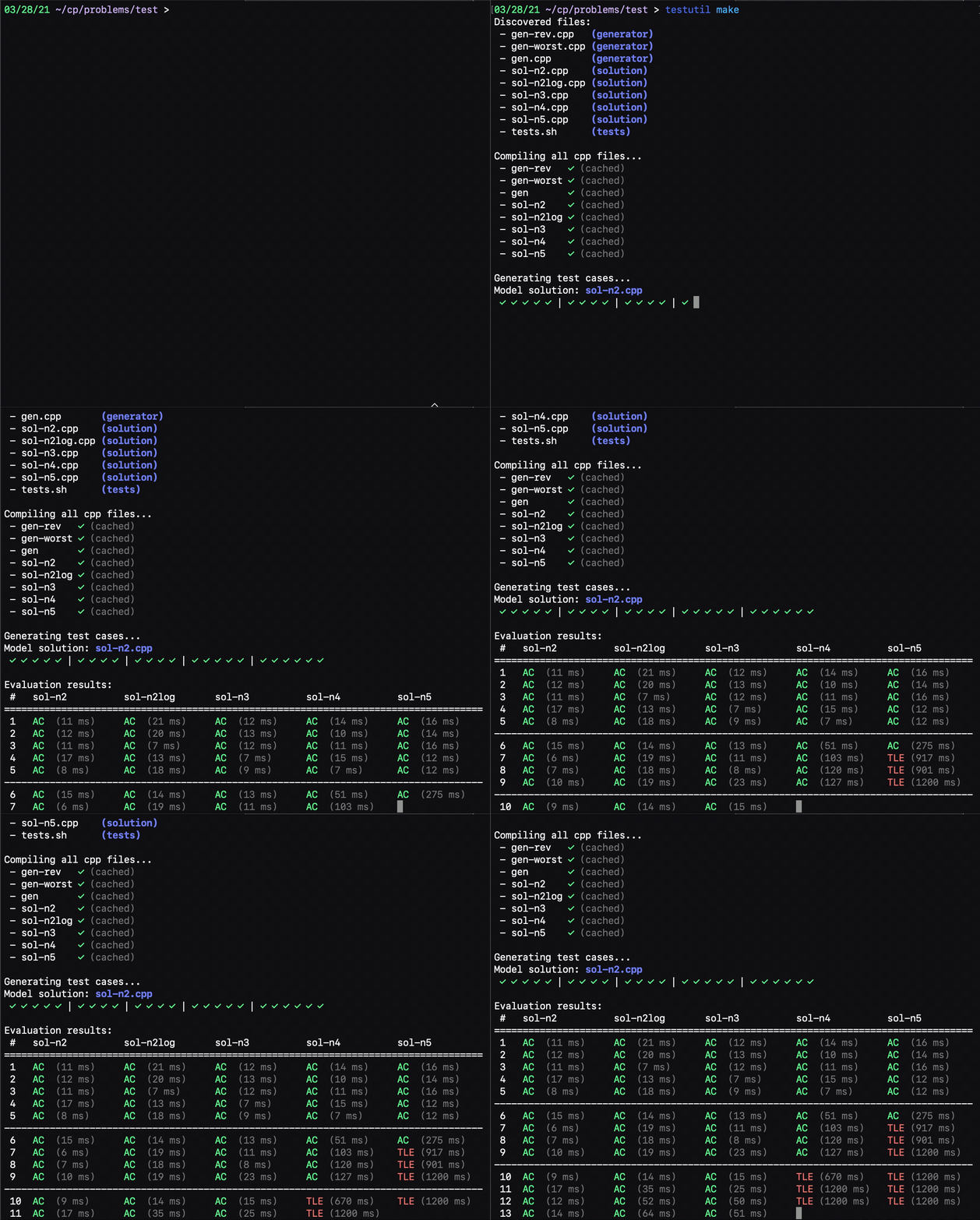
Create a problem
To create a problem, go to some folder and type cprep create [PROBLEM_NAME].
This will create a folder with the name you provided, as well as some files inside that folder to get you started.
Generate tests
To generate tests, you have to write one or more generators, and modify the tests.sh script to generate each test. You can also optionally include validators.
To generate the actual tests, you can use the command cprep generate.
Evaluate tests
To evaluate the solutions without (re-)generating test cases by using cprep evaluate. This will show a table with results of all the submissions.
You can optionally specify which submissions to evaluate.
Run-all
You can also opt to run all of the above steps in order by typing cprep runall.
Note: You can always check the available options by running cprep --help, and even cprep [COMMAND] --help.
Configuration
When running the tool, there will always be a configuration dictating how the process will happen. It can be printed by using cprep config.
Note: The configuration printed by the above command may depend on the directory you are in.
Global configuration
In order to modify
any of the global configuration values, you can add a file
called .cprep.yaml in your home directory, where you can
override any of the defaults.
For example, if you want to use a different C++ compiler, you can save:
compilation:
  languages:
    C++:
      compile: "g++ -O0 {src_path} -o {exec_path}"
to destination path ~/.cprep.yaml.
Local configuration
For local-level (per problem) configuration, edit the config.yaml file inside the problem directory (created by running cprep create [NAME]). This will override the global configuration, when running the tool from inside the problem folder (it will not affect other problems, though).
This is generally useful for modifying problem-level details like time limit, input/output files, as well as test name structure.
IMPORTANT: This project is still in early stages of development, therefore the config structure is always subject to change.
1 maintainer

Metadata
1 maintainer
Release files for cprep 0.1.14
For a detailed explanation of source distributions (sdists) and built distributions (wheels), please see the package formats documentation.
Source distribution (sdist)
| File | Size | Uploaded | |
|---|---|---|---|
| cprep-0.1.14.tar.gz | 16.2 kB | Details |
Release files / cprep-0.1.14.tar.gz
| Download URL | cprep-0.1.14.tar.gz |
|---|---|
| Size | 16.2 kB |
| Tags | Source |
|
SHA-256 checksum How to use checksums |
21ca62add76ecae0b1d1d60683b66b0d0af3b744203eeea5e44fcd490b5a2259
|
|
BLAKE2b-256 checksum How to use checksums |
c778e58dfd1249e60b4360af5c60509cbe676aff45a940ebeb075ef51ed7afee
|
| Upload date | |
|
Uploaded using Trusted Publishing? What is trusted publishing? |
No |
| Uploaded via |
twine/3.4.1 importlib_metadata/3.10.1 pkginfo/1.7.0 requests/2.25.1 requests-toolbelt/0.9.1 tqdm/4.60.0 CPython/3.9.1
|














